
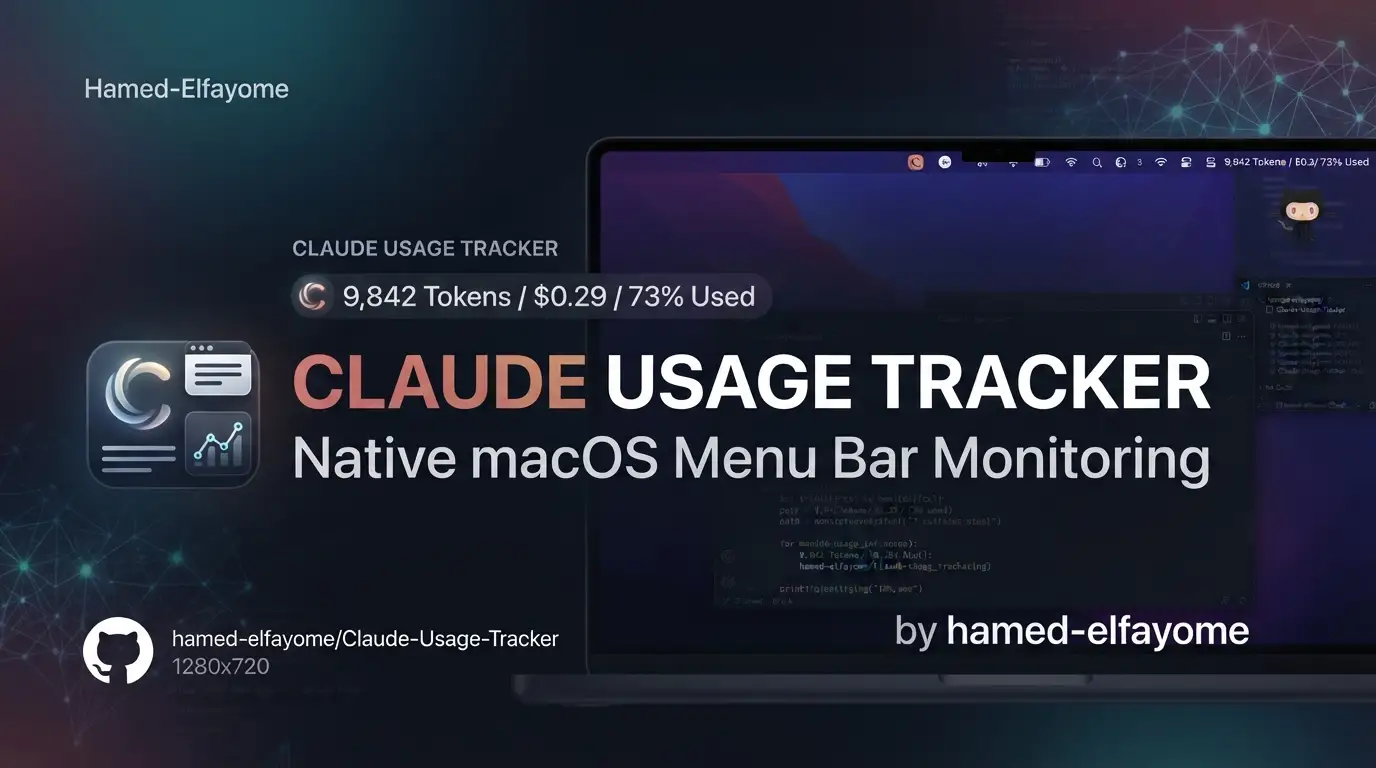
hamed-elfayome/Claude-Usage-Tracker: Native macOS Menu Bar Monitoring for Claude AI
Developers and power users hitting Claude AI's rate limits without warning know the frustration: mid-session cutoffs, unexpected weekly caps, and opaque Opus-specific quotas. Anthropic's web interface shows usage data, but checking it requires breaking workflow context. For macOS users who live in the menu bar, this friction compounds daily.
Claude Usage Tracker solves this with a lightweight, native macOS application that surfaces real-time Claude AI usage limits directly in the menu bar. Built by hamed-elfayome in Swift and SwiftUI, it transforms invisible API constraints into glanceable, actionable data. With 3,030 GitHub stars, 161 forks, and active development through July 2026, this MIT-licensed tool has become a fixture for developers managing multiple Claude accounts or optimizing their AI-assisted workflows.
This article covers what Claude Usage Tracker does, how it works, and why its native approach matters for developers who need reliable usage visibility without sacrificing system performance or security.
What is hamed-elfayome/Claude-Usage-Tracker?
Claude Usage Tracker is a native macOS menu bar application for real-time monitoring of Claude AI usage limits. It targets macOS 14.0+ (Sonoma) and is built entirely with Swift 5.0+ and SwiftUI 5.0+, following an MVVM architecture with protocol-oriented design patterns.
The project is maintained by hamed-elfayome as an independent, third-party tool—explicitly unaffiliated with Anthropic PBC. It reached version 3.2.0 in July 2026, with the latest major additions including a Dynamic Island HUD for Claude Code activity, Fable per-model tracking, and a security-hardened credential migration to macOS Keychain following a responsible disclosure (GHSA-mfxh-xpwm-23c7).
What distinguishes this tool from browser extensions or dashboard alternatives is its system-level integration: it runs as a native app with official Apple code signing, stores credentials in the macOS Keychain, and communicates via HTTPS without cloud sync. The 13-language localization (including Japanese, Korean, Simplified Chinese, and Ukrainian) and support for headless Macs via Remote Desktop indicate a user base that spans individual developers to small-team DevOps↗ Bright Coding Blog environments.
The repository's growth metrics—3,030 stars and consistent release cadence from v2.0.0 through v3.2.0—suggest sustained community validation rather than viral spike-and-decline patterns common to single-feature utilities.
Key Features
Real-Time Usage Monitoring
The core capability tracks three Claude limit tiers: the 5-hour rolling session window, weekly usage across all models, and Opus-specific consumption. A newer addition monitors Fable per-model usage via Anthropic's limits[] response format. API console usage and monthly cost tracking with daily charts are available for users with Anthropic API keys.
Multi-Profile Architecture Unlimited Claude accounts can be managed with isolated credentials, settings, and menu bar displays. Each profile maintains separate session keys, refresh intervals, notification thresholds, and icon styles. Auto-switching moves to the next profile when a session limit is reached—useful for teams or individuals with multiple Claude subscriptions.
Claude Code Integration The app detects and syncs with Claude Code CLI credentials, automatically updating the terminal's active account when profiles change. A beta Dynamic Island HUD shows real-time Claude Code activity—current tool, session status, and a pulse indicator when input is needed—positioned as a passive, read-only overlay that cannot approve actions autonomously.
Terminal Statusline For developers using Claude Code in terminal, customizable statusline components display directory, git branch, model name, context window percentage, usage statistics with color-coded progress bars, pace markers, and reset timers. Three color modes (Multi-Color, Greyscale, Single Color) and label toggles accommodate different terminal aesthetics.
Automation & Notifications Auto-start sessions on reset, threshold alerts at 75%/90%/95% with custom sound selection, wake-from-sleep refresh with debounce, and launch-at-login support reduce manual intervention. The 6-tier pace system projects end-of-period usage with color-coded markers.
Privacy & Security All credentials migrated to macOS Keychain in v3.2.0; no cleartext storage. Minimal anonymous analytics send only version heartbeat every 24 hours—no PII, no credentials, no usage data. Apple Developer certificate signing eliminates Gatekeeper workarounds.
Use Cases
Multi-Account Freelance Developers Freelancers juggling separate Claude accounts for different clients can monitor all profiles simultaneously in the menu bar, with visual badges indicating which have active credentials. Auto-switching prevents workflow interruption when one account's session limit expires.
Claude Code Power Users Developers using Anthropic's CLI tool benefit from the Dynamic Island HUD for ambient activity awareness and the terminal statusline for persistent usage context without leaving the editor. The pace marker specifically helps calibrate session intensity against remaining quota.
Remote/Headless Mac Operations Teams running Mac minis or cloud Mac instances for CI/CD or automated workflows can monitor Claude usage via Remote Desktop without a physical display attached. The headless mode preserves full functionality.
API Cost Management Organizations with Anthropic API contracts use the console integration to track per-key spending, monthly budgets, and prepaid credit consumption alongside web usage—consolidating two previously separate monitoring surfaces.
International Teams The 13-language interface reduces friction for distributed teams where English may not be the primary working language, particularly relevant for Japanese, Korean, and Chinese-speaking developers who represent significant portions of the Claude user base.
Installation & Setup
Prerequisites
- macOS 14.0 (Sonoma) or later
- Active Claude AI account at claude.ai
- For automatic setup: Claude Code installed and logged in
Option 1: Homebrew (Recommended)
brew install --cask hamed-elfayome/claude-usage/claude-usage-tracker
Or with explicit tap:
brew tap hamed-elfayome/claude-usage
brew install --cask claude-usage-tracker
Update via:
brew upgrade --cask claude-usage-tracker
Uninstall via:
brew uninstall --cask claude-usage-tracker
The app is Apple Developer certificate signed as of v2.0.0—no security workarounds required.
Option 2: Nix
Test installation:
nix-shell -p claude-usage-tracker
Or add to home-manager configuration:
home.packages = with pkgs; [
  claude-usage-tracker
];
Option 3: Direct Download
Download Claude-Usage.zip from the latest release, extract, and drag to Applications.
Option 4: Build from Source
git clone https://github.com/hamed-elfayome/Claude-Usage-Tracker.git
cd Claude-Usage-Tracker
open "Claude Usage.xcodeproj"
# Build and run (⌘R)
Authentication Setup
Easiest path (v2.2.2+): Install Claude Code, run claude login, then launch Claude Usage Tracker—it auto-detects CLI credentials.
Browser sign-in (v3.0.2+): Click menu bar icon → Settings → Personal Usage → "Sign in to Claude.ai"—embedded browser extracts session key automatically.
Manual fallback: Extract sessionKey cookie from claude.ai developer tools, paste into Settings → Personal Usage → "Advanced: Manual Session Key", test connection, select organization.
Real Code Examples
The README documents several configuration and integration patterns. Below are reproduced directly with explanatory context.
Manual Session Key File Creation
For users preferring file-based configuration over the setup wizard:
# Create session key file
echo "sk-ant-sid01-YOUR_SESSION_KEY_HERE" > ~/.claude-session-key

# Set secure permissions (important for security)
chmod 600 ~/.claude-session-key
After creating this file, the app detects it automatically on launch. The chmod 600 restriction ensures only the owner can read the key—defense in depth even before Keychain migration.
Statusline Component Configuration
The terminal statusline supports selective component enabling. A fully configured example from the documentation:
my-project │ ⎇ feature/new-ui │ Opus │ Work │ Ctx: 48% │ Usage: 47% ▓▓▓▓┃░░░░░ → Reset: 4:15 PM
This renders: working directory, git branch with ⎇ prefix, active model (Opus), profile name (Work), context window percentage, usage percentage with 10-segment progress bar and pace marker (┃), and session reset time. The pace marker position indicates elapsed time relative to the 5-hour window.
Compact Statusline Variant
For minimal terminal real estate:
my-project │ ⎇ develop │ 12% ▓┃░░░░░░░░ → 16:15
Achieved by hiding labels ("Ctx:", "Usage:", "Reset:") and enabling 24-hour time format. The pace marker still appears at the elapsed-time position on the progress bar.
API Endpoint Structure
The app queries two primary endpoints, documented in the README for transparency:
GET https://claude.ai/api/organizations/{org_id}/usage
Authenticated via sessionKey cookie for web usage data including five_hour, seven_day, seven_day_opus, and extra_usage fields.
GET https://api.anthropic.com/v1/organization/{org_id}/usage
Authenticated via x-api-key header for API console billing and rate limit data.
Dual tracking combines both sources when both credential types are configured.
Advanced Usage & Best Practices
Credential Rotation: The v3.2.0 Keychain migration addresses a prior vulnerability where credentials were stored in less secure locations. Users upgrading from pre-v2.0 versions should verify migration completed successfully in Keychain Access—no re-authentication is required.
Profile Strategy: For multi-account users, consider naming profiles by function ("Production", "Research", "Client-A") rather than auto-generated names. The auto-switch-on-limit feature works best when profiles are ordered by priority in the settings sidebar.
Refresh Rate Tuning: The 5-300 second configurable interval trades recency against API load and battery impact. For always-powered workstations, 30 seconds provides responsive updates; for laptops, 120 seconds reduces background activity.
Statusline Performance: The Swift fetch script (~/.claude/fetch-claude-usage.swift) caches usage data to eliminate startup delay in new terminal sessions. If the statusline shows "~" for usage, this indicates a fetch failure—typically session key expiry or network interruption rather than script error.
Dynamic Island Limitations: The beta HUD is explicitly read-only and cannot interact with Claude Code sessions. On non-notch displays, it renders as a floating pill. Multi-session support is present but may have edge cases with rapid profile switching.
Comparison with Alternatives
| Tool | Platform | Integration Depth | Multi-Profile | Native Performance | Open Source |
|---|---|---|---|---|---|
| Claude Usage Tracker | macOS 14+ | Menu bar + terminal + Dynamic Island | Unlimited | Swift/SwiftUI, Keychain storage | MIT License |
| Browser extensions (generic) | Cross-browser | Page injection only | Manual switching | JavaScript↗ Bright Coding Blog, extension sandbox | Varies |
| Custom scripts (curl/jq) | Any | Terminal only | Requires manual orchestration | Shell/Python↗ Bright Coding Blog, user-managed secrets | User-created |
| Anthropic Console web UI | Any browser | Web-only, no system integration | Account switching via logout/login | Browser rendering | Proprietary |
Browser extensions offer cross-platform reach but lack system-level integration and require permission to inject into claude.ai pages. Custom scripts provide flexibility but burden users with credential security and maintenance. The official Anthropic Console shows API usage but not web session data, and requires manual account switching. Claude Usage Tracker's trade-off is macOS exclusivity in exchange for native performance, unified web/API monitoring, and automated multi-profile orchestration.
FAQ
Q: Does this work on Intel Macs or Apple Silicon only? The README specifies macOS 14.0+ without architecture restriction. Swift/SwiftUI apps typically compile universal binaries; verify in the release notes for specific architecture support.
Q: Is my session key safe? As of v3.2.0, all credentials store in macOS Keychain with data protection. Earlier versions auto-migrated without requiring re-login.
Q: Can I use this without Claude Code installed? Yes—browser sign-in or manual session key entry work independently. Claude Code integration is optional.
Q: Why does the statusline show "~" instead of usage?
The Swift script couldn't fetch data. Check session key validity, internet connectivity, and that ~/.claude-session-key exists.
Q: How do I disable the Dynamic Island HUD? The README doesn't specify a disable toggle for this beta feature; check Settings → Claude Code or quit and relaunch the app to reset overlay state.
Q: Is there a Windows or Linux version? No—the app is Swift/SwiftUI native to macOS. Cross-platform would require complete rewrite.
Q: What data does the analytics heartbeat collect? Only app version, every 24 hours. No PII, credentials, or usage statistics are transmitted.
Conclusion
hamed-elfayome/Claude-Usage-Tracker fills a specific gap in the Claude AI workflow: ambient, real-time usage awareness without context switching. Its native macOS implementation—Swift/SwiftUI, Keychain-backed, Apple-signed—delivers reliability that browser extensions and custom scripts struggle to match. The multi-profile architecture and Claude Code integration show thoughtful design for developers who depend on Claude as a daily tool rather than occasional assistant.
The 3,030-star community and active maintenance through mid-2026 suggest this isn't a novelty project but sustained infrastructure. For macOS developers managing Claude usage limits, API costs, or multiple accounts, it's a pragmatic addition to the menu bar.
Explore the repository, download the latest release, or contribute to development at https://github.com/hamed-elfayome/Claude-Usage-Tracker.
