
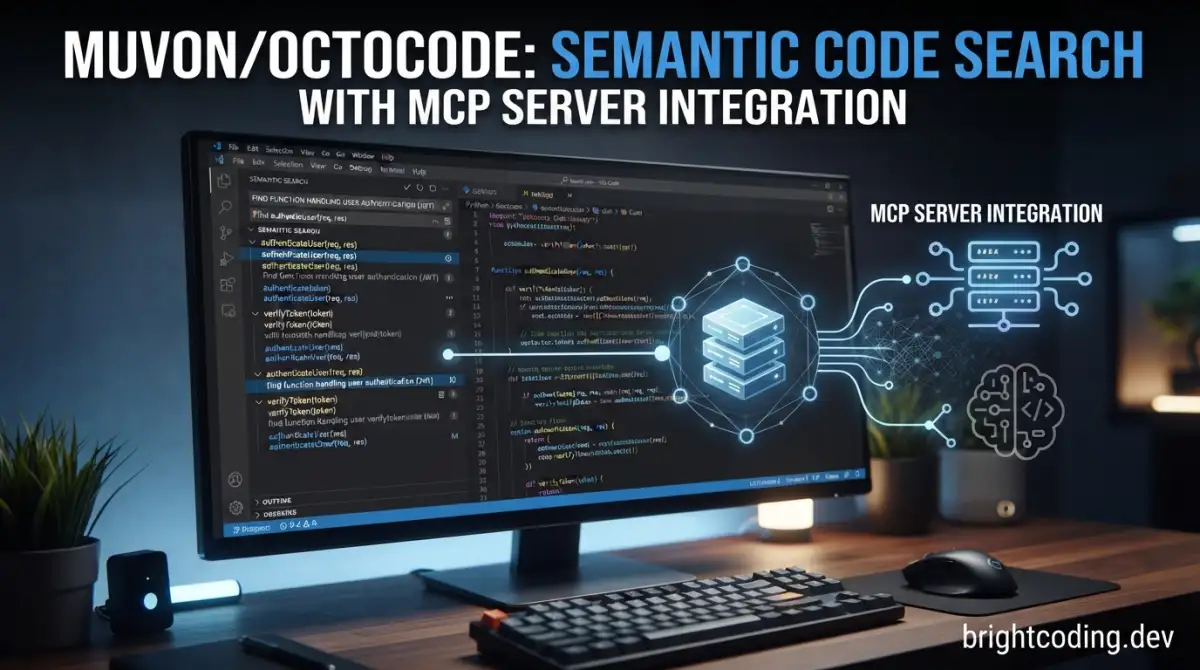
Muvon/octocode: Semantic Code Search with MCP Server Integration
Introduction
AI coding assistants have a fundamental blind spot: they cannot actually see or navigate your codebase. When you ask Claude, Cursor, or Windsurf about authentication logic or dependency chains, these tools operate without structural understanding of how your files connect, import each other, or form architectural patterns. They treat code as flat text, missing the relationships that make software coherent.
Muvon/octocode solves this by transforming your project into a navigable knowledge graph that AI agents can search, understand, and traverse. Built in Rust with 428 GitHub stars and an Apache 2.0 license, octocode combines tree-sitter AST parsing, semantic embeddings, and native MCP (Model Context Protocol) server integration to give AI assistants genuine structural intelligence about your code. Rather than guessing based on similar-sounding snippets, your AI can now follow import chains, query dependency relationships, and recall context across sessions.
This matters because standard RAG approaches fragment code into arbitrary text chunks, destroying the very relationships that define software architecture. Octocode preserves and exposes those relationships through a purpose-built knowledge graph and tool interface.
What is Muvon/octocode?
Muvon/octocode is a semantic code searcher and codebase utility developed by Muvon, a Hong Kong-based company. It is written in Rust (requiring version 1.82+) and released under the Apache License 2.0. The project has accumulated 428 stars and 42 forks on GitHub, with its last commit dated July 11, 2026.
Octocode occupies a specific niche in the developer tooling landscape: it is neither a generic code search tool nor a documentation lookup service, but rather a structural code intelligence platform designed explicitly for AI agent consumption. Its primary integration mechanism is an MCP server — the emerging standard for giving AI assistants structured tool access to external systems.
The tool's core thesis is that code understanding requires more than text similarity. By parsing source code into abstract syntax trees via tree-sitter, extracting real symbols (functions, classes, imports, dependencies), and mapping relationships into a GraphRAG knowledge graph, octocode enables AI agents to navigate codebases the way developers do: by following imports, tracing calls, and understanding module boundaries.
This approach is particularly relevant now because the MCP ecosystem is expanding rapidly. Claude Desktop, Cursor, Windsurf, and numerous other AI coding tools now support MCP servers, creating demand for high-quality code intelligence providers. Octocode positions itself as a local-first, privacy-respecting, open-source alternative to cloud-only code understanding services.
Key Features
Semantic Search with Hybrid Retrieval
Octocode indexes your codebase using dense vector embeddings combined with BM25 full-text search, fused via reciprocal rank fusion (RRF). The system supports multiple embedding providers including Voyage AI, OpenAI, Jina AI, and Google. Critically, the benchmark data shows that tilting RRF weights toward the keyword signal (0.3 vector / 0.7 BM25) improves Hit@5 by 22% over dense-only retrieval — a finding that reflects code's reliance on exact identifiers.
Knowledge Graph via GraphRAG
The tool constructs a navigable graph of code relationships including imports, calls, implements, extends, configures, and nine additional relationship types. Each edge carries importance weighting, enabling prioritized traversal. This allows queries like "what files depend on the payment module?" to return actual dependency chains rather than textually similar files.
Tree-sitter AST Parsing
Rather than chunking code arbitrarily, octocode uses tree-sitter to extract genuine code symbols: functions, classes, imports, and structural dependencies. This preserves the actual semantics of code organization instead of approximating it through text proximity.
Native MCP Server
The built-in MCP server exposes four primary tools to AI assistants: semantic_search for meaning-based code finding, view_signatures for structural overview without full file reads, graphrag for relationship queries, and structural_search for AST pattern matching. This enables conversational codebase interaction where the AI can actively navigate rather than passively receive context.
Persistent Memory
Octocode maintains conversational memory across sessions, allowing AI assistants to remember decisions, bug fixes, and architectural patterns for future reference.
Local-first Architecture
The tool runs locally by default, with support for local embedding models on macOS ARM builds. API keys for cloud providers are stored locally, and the system respects .gitignore patterns to avoid indexing sensitive files.
Use Cases
New Developer Onboarding
When joining an unfamiliar codebase, developers typically spend days tracing through files to understand architecture. With octocode connected via MCP, an AI assistant can answer structural questions directly: "How does authentication work?" yields not just relevant files but the complete dependency chain from middleware through token validation to session storage.
Cross-file Refactoring
Before modifying shared components, understanding downstream dependencies is essential. Octocode's graph queries reveal exactly which files import or call a given module, enabling confident refactoring. The README example shows querying what depends on PaymentProcessor — returning three dependent files across API handlers, workers, and cron jobs.
Code Archaeology
Legacy codebases accumulate technical debt that resists simple search. Structural pattern matching finds specific anti-patterns like .unwrap() calls or error handling inconsistencies across the entire project, with precise file and line references.
AI-Assisted Code Review
Connected to an AI assistant, octocode enables contextual review where the AI understands not just the changed lines but their relationship to the broader system. The README demonstrates a security review identifying weak hashing and potential panic points through structural analysis.
Session Memory for Complex Tasks
Long-running development tasks span multiple conversations. Octocode's persistent memory allows AI assistants to recall previous architectural decisions, avoiding repeated explanation and maintaining consistency across sessions.
Installation & Setup
Octocode provides multiple installation paths. The universal installer works across Linux, macOS, and Windows:
# Universal installer
curl -fsSL https://raw.githubusercontent.com/Muvon/octocode/master/install.sh | sh
For macOS users with Homebrew:
brew install muvon/tap/octocode
Alternative methods include building from source with Cargo or downloading prebuilt binaries from GitHub releases:
# Build from source
cargo install --git https://github.com/Muvon/octocode
After installation, configure your embedding provider. Voyage AI is recommended with a free tier of 200M tokens monthly:
export VOYAGE_API_KEY="your-voyage-api-key"
Optional LLM configuration for additional features:
export OPENROUTER_API_KEY="your-openrouter-api-key"
Other supported providers require explicit model selection:
# OpenAI
export OPENAI_API_KEY="your-key"
octocode config --code-embedding-model "openai:text-embedding-3-small"

# Jina AI
export JINA_API_KEY="your-key"
octocode config --code-embedding-model "jina:jina-embeddings-v3"

# Google
export GOOGLE_API_KEY="your-key"
octocode config --code-embedding-model "google:text-embedding-005"
Index your codebase:
cd /your/project
octocode index
# → Indexed 12,847 blocks across 342 files
Connect to your AI assistant via MCP configuration. For Claude Desktop, Cursor, or Windsurf:
{
  "mcpServers": {
    "octocode": {
      "command": "octocode",
      "args": ["mcp", "--path", "/your/project"]
    }
  }
}
Configuration file locations vary by client:
- Claude Desktop:
~/Library/Application Support/Claude/claude_desktop_config.json(macOS) - Cursor:
~/.cursor/mcp.jsonor Settings → MCP Servers - Windsurf: Settings → MCP
Real Code Examples
Example 1: Semantic Search
The README demonstrates natural language code search that returns structurally relevant results:
# Natural language search
octocode search "authentication middleware"

# Multi-query for broader results
octocode search "auth" "middleware" "session"

# Filter by language
octocode search "database connection pool" --lang rust

# Search commit history
octocode search "authentication refactor" --mode commits
This shows octocode's query flexibility: single concepts, disjunctive multi-query expansion, language filtering, and mode switching between code and commit search. The --lang filter is particularly valuable in polyglot repositories where semantic similarity alone might return irrelevant-language matches.
Example 2: Knowledge Graph Relationship Query
The GraphRAG feature exposes dependency relationships that semantic search alone cannot reveal:
# Semantic search finds the right code
octocode search "authentication middleware"
→ src/middleware/auth.rs | Similarity 0.923

# GraphRAG reveals the full dependency chain
octocode graphrag get-relationships --node_id src/middleware/auth.rs
Outgoing:
  imports → jwt (src/auth/jwt.rs): token validation logic
  calls   → user_store (src/db/user_store.rs): user lookup by token
Incoming:
  imports ← router (src/router.rs): wires auth into the request pipeline
This example illustrates octocode's core differentiation. Where standard RAG would stop at "this file looks relevant," the knowledge graph continues: auth.rs imports jwt.rs for validation, calls user_store.rs for database lookup, and is itself imported by router.rs for request pipeline integration. This is architectural understanding, not text matching.
Example 3: MCP Server Configuration
The primary integration mechanism is straightforward JSON configuration:
{
  "mcpServers": {
    "octocode": {
      "command": "octocode",
      "args": ["mcp", "--path", "/your/project"]
    }
  }
}
Once configured, AI assistants gain four tools: semantic_search for meaning-based retrieval, view_signatures for structural overviews, graphrag for relationship traversal, and structural_search for AST pattern matching. The view_signatures tool is especially valuable for large files where full content would exceed context windows — it returns function signatures, class definitions, and imports without body implementation.
Example 4: Structural Search for Pattern Detection
The README documents AST-based pattern matching for finding specific code constructs:
You: "Show me all error handling in the API layer"
AI: *uses structural_search* "Found 23 error handling patterns in src/api/:
    - 15 use Result<T, ApiError> with explicit error types
    - 8 use .unwrap() (potential panics in handlers/user.rs:42, handlers/auth.rs:87)
    - 3 use .expect() with custom messages"
This demonstrates how structural search categorizes findings by pattern type with precise line references — enabling targeted refactoring rather than manual code review.
Advanced Usage & Best Practices
Embedding Provider Selection
The benchmark data reveals that embedding quality significantly impacts retrieval performance. While the local jina-embeddings-v2-base-code via fastembed provides a functional baseline, the documentation suggests Voyage AI's code-specialized models for production use. The 200M free monthly tokens on Voyage's tier make this accessible for most projects.
RRF Weight Tuning
The published benchmark shows that keyword-heavy RRF weights (0.3 vector / 0.7 BM25) outperform dense-only or balanced configurations for code search. This reflects a fundamental property of code: exact identifier matching carries more signal than semantic similarity. Consider adjusting these weights if your codebase uses heavy abbreviations or domain-specific terminology.
Reranker Caution
The benchmark flags that generic local cross-encoder rerankers (bge-reranker-base) can regress results for code retrieval. Code-specific rerankers like voyage:rerank-2.5 are recommended if reranking is needed. For many use cases, the hybrid search without reranking may suffice.
Corpus Pinning for Reproducibility
The benchmark methodology uses git worktree to pin the corpus to a specific commit (b1771ba), ensuring ground-truth annotations remain valid. Apply similar pinning for your own evaluation datasets.
MCP Client-Specific Setup
For Claude Code CLI, use: claude mcp add octocode -- octocode mcp --path /path/to/your/project. The Octomind wrapper provides zero-configuration setup: octomind run developer:rust. Consult the [INTERNAL_LINK: MCP client configuration guide] for VS Code Cline/Continue, Zed, Replit, and additional clients.
Comparison with Alternatives
| Tool | Approach | AI Integration | Local-first | Relationship Awareness |
|---|---|---|---|---|
| Muvon/octocode | AST + GraphRAG + Hybrid search | Native MCP server | Yes | Full dependency graph |
| Sourcegraph Cody | Symbol search + LLM | IDE extensions, web | Partial | Limited cross-file |
| GitHub Copilot Chat | Embeddings + LLM | IDE-integrated | No | File-local context |
| grep/ripgrep + ctags | Text/regex + tags | None | Yes | Manual tag navigation |
Sourcegraph Cody offers broader language support and enterprise features but requires cloud connectivity for full functionality and lacks octocode's native graph relationship model. GitHub Copilot Chat provides seamless IDE integration but operates as a closed service without local knowledge graph construction or MCP standardization. Traditional tools like ripgrep with ctags remain viable for manual navigation but offer no AI agent integration.
Octocode's specific trade-off is narrower language support (11 documented languages plus tree-sitter extensibility) against deeper structural understanding and open-source deployability. For teams prioritizing local operation, MCP ecosystem compatibility, or custom embedding provider selection, octocode presents a distinct value proposition.
FAQ
What embedding providers does octocode support? Voyage AI, OpenAI, Jina AI, and Google are documented, with local models via fastembed on supported platforms.
Is my source code sent to external APIs? Embeddings process metadata and extracted symbols; full source code remains local. Cloud providers receive only embedding inputs, not complete files.
What languages are supported? Rust, Python↗ Bright Coding Blog, TypeScript/JavaScript↗ Bright Coding Blog, Go, PHP↗ Bright Coding Blog, C++, Ruby, Java, JSON, Bash, Markdown↗ Smart Converter, plus CSS, Lua, Svelte, and others via tree-sitter.
Does octocode require a GPU? No. Local embedding inference uses CPU-optimized models; cloud providers handle GPU acceleration remotely.
How does licensing work? Apache License 2.0 — free for commercial and personal use with attribution.
Can I use octocode without AI assistants?
Yes. The CLI supports direct search, graphrag, and structural_search commands independent of MCP integration.
What MCP clients are compatible? Claude Desktop, Cursor, Windsurf, Claude Code CLI, VS Code (Cline/Continue), Zed, Replit, and any MCP-compliant client.
Conclusion
Muvon/octocode addresses a genuine gap in the AI-assisted development workflow: the inability of coding assistants to structurally comprehend codebases. By combining tree-sitter AST parsing, hybrid semantic search, and a navigable GraphRAG knowledge graph behind a standard MCP server interface, it transforms AI agents from text-pattern matchers into codebase navigators.
The tool is best suited for developers and teams already using MCP-compatible AI assistants (Claude, Cursor, Windsurf) who want local-first, privacy-respecting code intelligence with genuine cross-file relationship understanding. The 428-star project, active development as of July 2026, and Apache 2.0 licensing make it accessible for evaluation and adoption.
For teams frustrated by AI assistants that cannot answer "what depends on this module?" or "where is authentication handled?" with architectural precision, octocode provides a concrete, open-source solution. The reproducible benchmark and transparent methodology further distinguish it in a space often characterized by unsubstantiated claims.
Explore the project, review the benchmark data, and connect it to your AI assistant at https://github.com/Muvon/octocode.


