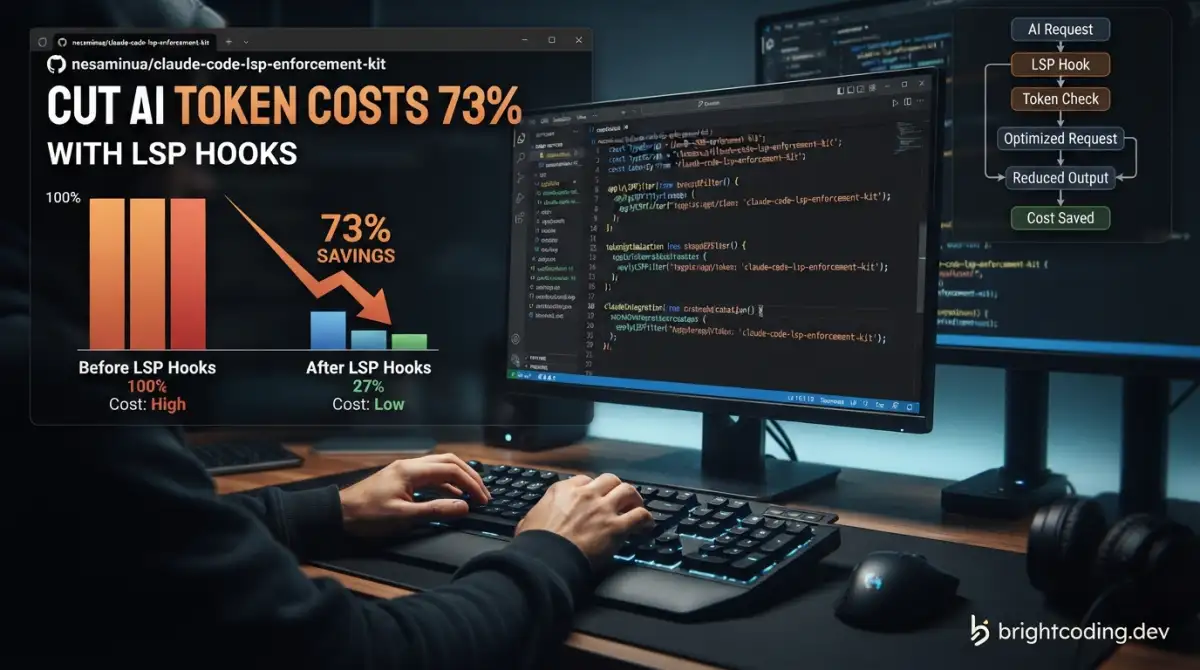
nesaminua/claude-code-lsp-enforcement-kit: Cut AI Token Costs 73% with LSP Hooks
Claude Code defaults to Grep and Read for code navigation—fast to implement, expensive to run. Every symbol lookup burns thousands of tokens on noisy match lists and wrong-file reads while a precise LSP call would return the answer in under 100 tokens. The claude-code-lsp-enforcement-kit by nesaminua solves this with seven installable hooks that physically block Grep, Glob, and Bash-grep attempts on code symbols, forcing Claude to navigate like an IDE instead of a text search tool. The result: measured savings of roughly 73% on navigation tokens across a week of real development.
What is nesaminua/claude-code-lsp-enforcement-kit?
claude-code-lsp-enforcement-kit is a hook-based enforcement system for Claude Code—Anthropic's AI coding assistant. It installs into Claude Code's ~/.claude/hooks/ directory and intercepts tool calls before they execute, redirecting symbol navigation from wasteful text search to precise Language Server Protocol (LSP) operations.
The project is maintained by nesaminua, released under the MIT License, and has accumulated 322 GitHub stars and 22 forks as of its last commit on April 14, 2026. The primary implementation language is JavaScript↗ Bright Coding Blog (Node.js-based hook scripts).
This tool sits at the intersection of three active trends: the rise of agentic AI coding tools, the growing cost sensitivity around LLM token consumption, and the maturation of LSP ecosystems beyond traditional IDEs. Unlike a CLAUDE.md rule that Claude "should" follow—effective roughly 60% of the time according to the project's own documentation—these hooks are enforced at the tool-call layer. They cannot be ignored or reasoned around. This architectural choice reflects a hard-earned lesson: prompt instructions are suggestions; hook intercepts are guarantees.
The kit supports multiple LSP MCP providers. It auto-detects whether you're running cclsp (the standalone TypeScript-focused MCP server) or Serena (Oraios AI's multi-language symbol toolkit), and tailors its block-message suggestions accordingly. You can also run both side-by-side.
Key Features
Seven Intercepting Hooks — The kit installs six enforcement hooks plus one state tracker:
lsp-first-guard.js— PreToolUse hook onGrep. Detects camelCase, PascalCase, dotted, and snake_case symbols in patterns. Blocks with copy-pasteable LSP equivalents. Allows keywords, env vars, CSS classes, and non-code file searches.lsp-first-glob-guard.js— PreToolUse hook onGlob. Closes the bypass where Claude searches*UserService*by filename instead of content. Parses glob tokens, blocks symbol-shaped patterns, allows extension patterns and lowercase concept searches.bash-grep-block.js— PreToolUse hook onBash. Catchesgrep,rg,ag,ackin shell commands. Allowsgit grepfor history search and non-code paths.lsp-first-read-guard.js— PreToolUse hook onRead. Five progressive gates: warmup required → 2 free orientation reads → warning → navigation required → surgical mode (unlimited reads after 2 LSP nav calls).lsp-pre-delegation.js— PreToolUse hook onAgent. Blocks subagent delegation without pre-resolved LSP context, since subagents cannot access MCP tools.lsp-session-reset.js— SessionStart hook. Wipes stalenav_countstate to prevent yesterday's "surgical mode" from bypassing today's enforcement.lsp-usage-tracker.js— PostToolUse hook. Tracks LSP calls in~/.claude/state/lsp-ready-<cwd-hash>for gate decisions.
Provider-Aware Suggestions — Since v2.1, block messages automatically adapt to your installed LSP MCP server. Detects cclsp, Serena, or both from ~/.claude.json and ~/.claude/settings.json.
Idempotent Installer — bash install.sh merges hook registrations without overwriting existing settings. Safe to re-run for upgrades.
Language-Agnostic Symbol Detection — Hooks operate on naming conventions (PascalCase, camelCase, snake_case), not AST parsing. Works for any language once LSP is connected.
Use Cases
1. High-Volume Claude Code Teams — Organizations running Claude Code across multiple projects with many developers. The 73% token reduction on navigation compounds quickly. At scale, the difference between ~320k and ~85k tokens per week per developer becomes a material budget line item.
2. Multi-Language Codebases — Teams working across TypeScript, Python↗ Bright Coding Blog, Go, Rust, or other languages. With cclsp configured for multiple language servers or Serena handling the mapping, the same enforcement layer works uniformly. No per-language prompt engineering required.
3. Agentic Workflows with Subagents — Projects using Claude Code's Agent tool for parallel implementation tasks. Without enforcement, every delegated subagent falls back to Grep+Read because subagents lack MCP access. The pre-delegation hook forces the orchestrator to resolve symbols first, maintaining token efficiency across the delegation boundary.
4. Long-Running Sessions with Context Rotations — Developers who start new Claude Code sessions frequently. The session reset hook prevents state leakage: yesterday's "surgical mode" (unlimited reads) doesn't carry over, ensuring each session pays the small upfront cost of LSP warmup.
5. Cost-Conscious Individual Developers — Solo developers on Pro plans or API-based billing who noticed Claude Code's token consumption spiking during exploration-heavy tasks. The progressive read gates specifically target the "read everything to understand" anti-pattern.
Installation & Setup
The recommended installation path is letting Claude Code run the installer itself:
git clone https://github.com/nesaminua/claude-code-lsp-enforcement-kit.git
cd claude-code-lsp-enforcement-kit
Then tell Claude Code:
Run bash install.sh in this repo to set up LSP enforcement hooks.
For manual installation on macOS or Linux:
git clone https://github.com/nesaminua/claude-code-lsp-enforcement-kit.git
cd claude-code-lsp-enforcement-kit
bash install.sh
On Windows, use PowerShell:
git clone https://github.com/nesaminua/claude-code-lsp-enforcement-kit.git
cd claude-code-lsp-enforcement-kit
pwsh ./install.ps1
# Alternative if execution policy blocks:
# powershell -ExecutionPolicy Bypass -File ./install.ps1
The installer performs these steps:
- Creates
~/.claude/hooks/,~/.claude/state/,~/.claude/rules/directories - Copies 7 hook scripts plus shared
lib/detect-lsp-provider.js - Copies
rules/lsp-first.mdto~/.claude/rules/ - Merges hook registrations into
~/.claude/settings.jsonwithout overwriting existing entries - Enables the built-in
typescript-lspplugin - Verifies installation and reports status
Restart Claude Code after installation. Verify with:
bash scripts/lsp-status.sh
# Or after install, from anywhere:
bash ~/.claude/scripts/lsp-status.sh
Expected output shows all 7 hooks present, settings registered, and detected LSP providers.
Real Code Examples
Example 1: Blocked Grep with LSP Alternative
When Claude attempts to Grep("handleSubmit"), the hook intercepts and returns:
⛔ LSP-FIRST BLOCK: Pattern contains code symbol(s) — use LSP instead
Symbols: handleSubmit, UserService

LSP tools:
  handleSubmit:
    mcp__cclsp__find_references("handleSubmit")  (cclsp)

  UserService:
    mcp__cclsp__find_workspace_symbols("UserService")  (cclsp)
This is not generic advice. The message is parameterized by the actual symbols detected in the Grep pattern. If Serena were also installed, both providers' tool calls would appear. The developer can copy-paste directly—no manual translation needed.
Example 2: Progressive Read Gate in Action
A session starting fresh hits Gate 1 on the first code file read:
🛡️  LSP-FIRST READ GATE — Gate 1: warmup required

  Call one of these first:
    mcp__cclsp__get_diagnostics("src/page.tsx")  (cclsp)

  CONCRETE CALL FOR THIS FILE (works in any project):
    mcp__cclsp__get_diagnostics("src/page.tsx")

  After warmup: 2 free Reads, then need LSP navigation.
Note the specificity: the hook names the exact file Claude tried to read (src/page.tsx) and provides a concrete, project-agnostic warmup call. After get_diagnostics succeeds, the tracker writes warmup_done=true. Reads 1-2 pass freely, Read 3 warns, Reads 4-5 block without LSP navigation, and after 2 nav calls, surgical mode unlocks permanently for the session.
Example 3: Agent Delegation Block
Blocked delegation without context:
// BLOCKED — no LSP context
Agent({
  prompt: "Fix handleSubmit in the form component",
  isolation: "worktree"
})
Allowed with pre-resolved context:
// ALLOWED — pre-resolved LSP context
Agent({
  prompt: `Fix handleSubmit error handling.

    ## LSP CONTEXT (pre-resolved by orchestrator)
    - handleSubmit: defined at form-actions.ts:42, called from page.tsx:15
    - FormComponent: defined at form.tsx:8, used in page.tsx:120`,
  isolation: "worktree"
})
This enforces a contract: the orchestrator must do the symbolic navigation, since the subagent cannot access MCP tools. The hook recognizes agent tiers—explorers are always blocked, implementation agents blocked during implement phase, reviewers exempt.
Advanced Usage & Best Practices
Warmup Strategy — The get_diagnostics warmup call primes the TypeScript language server. Call it on any .ts or .tsx file in your project. The hook suggests the exact file Claude first tried to read, but any code file works. This is an ordering requirement, not a timing issue—don't add artificial delays.
Nav Count Persistence — State files live 24 hours. The session reset hook wipes them on new sessions, but if you're running multiple Claude Code instances simultaneously on the same project, they share state. This is usually desirable (unified surgical mode) but be aware of the coupling.
Custom Provider Detection — To add a new LSP MCP server, edit hooks/lib/detect-lsp-provider.js and add one entry to the PROVIDERS registry. No hook logic changes needed—the system is designed for single-point extension.
Non-Code File Exemptions — The read gate never blocks .md, .json, .yaml, .env, .sql, .css, .html, test files, or config files. Don't workaround the gate by renaming files; the exemptions are comprehensive.
Debugging Enforcement — If Claude seems to bypass hooks, verify lsp-session-reset.js is registered under SessionStart in settings. The v1 bypass routes (Glob symbol search, stale state) are closed in v2, but only if all hooks are present.
Comparison with Alternatives
| Approach | Mechanism | Enforcement Strength | Token Savings | Setup Complexity |
|---|---|---|---|---|
| claude-code-lsp-enforcement-kit | Hook interception at tool-call layer | Hard block with alternatives | ~73% measured | One bash command |
| CLAUDE.md rules | Prompt instructions | Soft suggestion (~60% compliance) | Variable, unmeasured | Manual rule authoring |
| Custom MCP wrappers | Replace LSP server | Depends on implementation | Unknown | High (custom code) |
| Manual LSP prompts | Per-session prompting | None (advisory only) | Minimal | Ongoing friction |
The fundamental trade-off: hooks require installation and trust in intercepting behavior; prompt-based approaches require zero setup but achieve partial compliance. For teams already committed to Claude Code, the one-time install cost pays back within days of reduced token consumption. [INTERNAL_LINK: Claude Code optimization strategies]
FAQ
Q: Does this work with Python, Go, or Rust?
Out of the box: TypeScript/JavaScript only via the built-in plugin. For other languages, install cclsp with language servers or use Serena. The hooks themselves are language-agnostic.
Q: What if LSP returns no results? The hooks block Grep for code symbols, not all Grep usage. Search with non-symbol patterns, non-code files, or non-code paths remain available.
Q: Will the Read gate slow me down? After 2 LSP navigation calls, surgical mode unlocks permanently for the session. This typically happens within 30 seconds. Non-code files are never gated.
Q: Is this free to use? Yes, MIT licensed. No pricing or paid tiers mentioned in the repository.
Q: Why must I restart Claude Code after install? Hooks are loaded at session start. The installer is idempotent but changes only take effect on restart.
Q: What was the v1 bypass issue?
Two silent routes: unguarded Glob("*SymbolName*") and 24-hour nav_count persistence across sessions. Both closed in v2. Re-run install.sh to upgrade.
Q: Can I use this with Serena instead of cclsp?
Yes. v2.1+ auto-detects Serena and suggests mcp__serena__find_symbol etc. Run both simultaneously if desired.
Conclusion
The claude-code-lsp-enforcement-kit is a precisely engineered solution to a real, measurable problem: Claude Code's default Grep-first navigation burns tokens that LSP operations would preserve. With 322 stars, active maintenance, and documented 73% token savings, it offers hard enforcement where prompt-based approaches fail.
This tool is best suited for: Claude Code power users on token-monitored plans; teams running agentic workflows with subagent delegation; and multi-language projects where consistent navigation patterns matter more than per-language tooling.
The installation is one command. The enforcement is immediate. The savings compound. Install from https://github.com/nesaminua/claude-code-lsp-enforcement-kit and restart Claude Code to activate.