
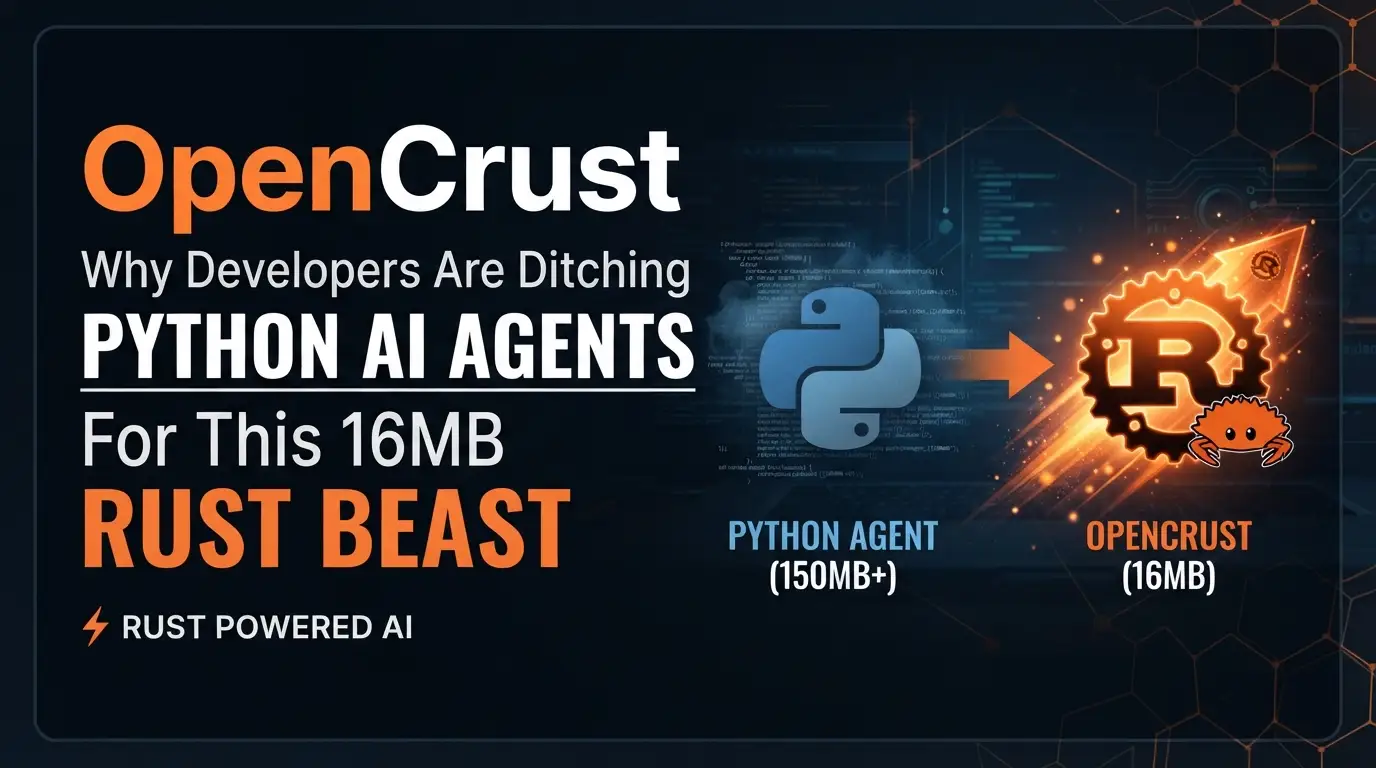
OpenCrust: Why Developers Are Ditching Python↗ Bright Coding Blog AI Agents for This 16MB Rust Beast
What if your AI agent framework was 100x lighter, cryptographically secure, and could run on a $5 cloud instance without breaking a sweat?
Here's the uncomfortable truth most developers won't admit: we've been building AI agents on quicksand. Python frameworks that guzzle gigabytes of RAM. Docker↗ Bright Coding Blog images the size of operating systems. Configuration files that require a PhD in YAML-ology. And when you finally deploy? Your API keys are sitting in plaintext on some server, waiting for the next breach.
I spent six months wrestling with bloated agent orchestrators before discovering OpenCrust — a single 16MB binary that runs multi-agent AI across nine communication channels, encrypts every credential with AES-256-GCM, and idles at 13MB of RAM. No containers. No dependency hell. No pip install anxiety attacks.
Built in Rust by the opencrust-org team, this framework is what happens when systems engineers tackle AI infrastructure instead of ML researchers. The result? Cold starts in 3 milliseconds. Hot-reloading configuration without restarts. And a security model so paranoid that unauthorized messages are silently dropped before they ever reach your LLM.
If you're still running Python-based agent frameworks in production, you need to read this. Your infrastructure bill — and your security team — will thank you.
What is OpenCrust?
OpenCrust is a personal multi-agent AI assistant platform written in Rust, designed for developers who refuse to compromise between capability and efficiency. It positions itself as "the secure, lightweight open-source AI agent framework" — and unlike most marketing claims, this one holds up under scrutiny.
The project emerged from the growing frustration with existing AI agent solutions that prioritized feature checklists over operational fundamentals. Where competitors boast about their 47 integrations while requiring 4GB of RAM minimum, OpenCrust takes a radically different approach: do less, better, securely.
The framework supports 15 LLM providers (including Anthropic Claude, OpenAI, Ollama, and 12 OpenAI-compatible endpoints like DeepSeek, Mistral, and Gemini), 9 communication channels (Telegram, Discord, Slack, WhatsApp, WhatsApp Web, LINE, WeChat, iMessage, and MQTT), and implements the Model Context Protocol (MCP) for extensible tool use — all while maintaining a binary footprint smaller than most Electron apps' splash screens.
OpenCrust is also agentskills.io compatible, meaning you can install community-contributed skills from any public hub. The self-learning capability tracks tool-call patterns across sessions, automatically generating new skills when workflows repeat five or more times — with confidence gates and version control to prevent low-quality automation.
The project's architectural philosophy centers on zero-trust security by default: encrypted credential vaults, per-channel authorization policies, prompt injection scanning, and WASM sandboxing for plugins. This isn't security as an afterthought; it's security as the foundation upon which everything else is built.
For developers migrating from OpenClaw, OpenCrust provides a one-command migration tool that imports skills, channels, credentials (re-encrypted into the vault), and personality configurations.
Key Features That Make OpenCrust Insane
Featherweight Performance
- 16MB single binary — smaller than most Node_modules folders
- 13MB RAM at idle — runs comfortably on a 1GB DigitalOcean droplet
- 3ms cold start — faster than most Python import statements
- Self-updating with SHA-256 verification and rollback capability
Military-Grade Security
- AES-256-GCM encrypted credential vault at
~/.opencrust/credentials/vault.json - Authentication enabled by default via WebSocket pairing codes
- Per-channel authorization policies with DM and group controls
- Prompt injection detection before content reaches the LLM
- Log secret redaction — API keys never appear in logs
- WASM sandboxing for plugins with controlled host access
- Localhost-only binding by default (
127.0.0.1, not0.0.0.0)
Intelligent Multi-Agent Orchestration
Named agents with isolated sessions, tool allowlists, and DNA/persona files. The handoff tool enables agent delegation with depth limits preventing infinite loops.
Self-Improving Skill System
Markdown↗ Smart Converter-based skills with YAML frontmatter, auto-discovery, hot-reload, and automatic lifecycle management: creation from repeated patterns, self-assessment and patching, archival after 30 days of disuse, and compression of old trajectory data.
Document RAG with Hybrid Search
Automatic ingestion via !ingest command or REST API, SQLite-backed storage with Cohere embeddings, and hybrid (vector + keyword) search with configurable similarity thresholds.
Voice-First I/O
Kokoro TTS (self-hosted), OpenAI TTS, local Whisper STT, with per-channel delivery optimization — Discord file attachments, Telegram native audio, WeChat Customer Service voice API.
Infrastructure That Doesn't Fight You
Config hot-reload, daemonization with PID management, runtime provider switching via web UI, and comprehensive diagnostics via opencrust doctor.
Use Cases Where OpenCrust Absolutely Dominates
1. Resource-Constrained Edge Deployment
Running AI agents on Raspberry Pi clusters, industrial gateways, or remote IoT installations? OpenCrust's 13MB idle footprint and 16MB binary make it the only serious option. Deploy to a $5/month VPS and still have headroom for actual work. The MQTT channel support with QoS 0/1/2 and TLS means it integrates natively with existing industrial messaging infrastructure.
2. Security-Critical Enterprise Environments
Financial services, healthcare, and government deployments where credential exposure is a firing offense. The encrypted vault, per-channel policies, and log redaction mean your SOC 2 auditors might actually smile. The prompt injection scanning prevents the emerging attack vector that most frameworks ignore entirely.
3. Multi-Platform Customer Support Automation
One agent, nine channels. Route Telegram inquiries to a general assistant, Discord technical questions to a coder agent with bash/file tools, and Slack executive requests to a constrained agent with only web_search and doc_search. Per-channel policies ensure DMs require pairing while group chats are mention-only — no accidental public exposure.
4. Personal Knowledge Management with RAG
Ingest your entire document corpus — PDFs, code repositories, meeting notes — via simple file upload and !ingest. The hybrid search automatically surfaces relevant context in every conversation, with source citations and relevance scores. No vector database setup, no embedding pipeline management, no monthly Pinecone bill.
5. Autonomous Coding Assistants
The coder agent pattern with restricted tool allowlists (bash, file_read, file_write) enables safe code generation. Handoff from a router agent ensures requests are properly categorized. Session tool call budgets prevent runaway loops. And when the workflow stabilizes, the agent saves it as a reusable skill.
Step-by-Step Installation & Setup Guide
Quick Install (Linux, macOS)
The fastest path to a running OpenCrust instance:
# One-line installer — downloads latest release, verifies checksum, installs to /usr/local/bin
curl -fsSL https://raw.githubusercontent.com/opencrust-org/opencrust/main/install.sh | sh

# Interactive setup wizard — configure LLM provider and communication channels
opencrust init

# Start the gateway (foreground mode for first run)
opencrust start

# Or daemonize for production
opencrust start --daemon

# Verify health of all components
opencrust doctor
The init wizard creates ~/.opencrust/config.yml and guides you through provider selection. No manual YAML editing required — though power users can customize extensively afterward.
Build from Source (All Platforms)
For developers wanting latest features or custom compilation:
# Requires Rust 1.85+ — install via rustup if needed
cargo build --release

# Resulting binary: ./target/release/opencrust
./target/release/opencrust init
./target/release/opencrust start

# Optional: include WASM plugin sandbox support
cargo build --release --features plugins
Pre-compiled binaries are available for Linux (x86_64, aarch64), macOS (Intel, Apple Silicon), and Windows (x86_64) on GitHub Releases.
Configuration Structure
After init, your ~/.opencrust/ directory contains:
~/.opencrust/
├── config.yml          # Main configuration (hot-reload enabled)
├── credentials/
│   └── vault.json      # AES-256-GCM encrypted API keys
├── dna.md              # Auto-generated personality file
├── skills/             # Auto-discovered agent skills
└── data/
    └── documents.db    # SQLite: conversations, vectors, documents
Web Chat Access
Once running, open http://127.0.0.1:3888 for the built-in UI. Features include:
- Real-time chat with agent switching
- LLM provider switching without restart
- MCP server management
- Channel monitoring
Security note: Set api_key in config.yml to protect /api/* endpoints. Generate with openssl rand -hex 32.
Terminal Chat
# Requires running gateway
opencrust chat                          # default agent
opencrust chat --agent coder            # specific agent
opencrust chat --url http://host:3888   # remote gateway
Chat commands: /help, /new (fresh session), /agent <id>, /clear, /exit.
REAL Code Examples from OpenCrust
Example 1: Multi-Agent Configuration with Handoff Routing
This is the actual configuration pattern from OpenCrust's README, demonstrating how to set up a router agent that delegates to specialized sub-agents:
# ~/.opencrust/config.yml — Multi-agent orchestration
agents:
  router:
    provider: main                    # which llm: key to use
    system_prompt: |
      Analyse the user's request and delegate using the handoff tool:
      - handoff(agent_id='coder')     for code, scripts, programming
      - handoff(agent_id='assistant') for general questions
      Always use handoff — never answer directly.

  coder:
    provider: main
    system_prompt: You are a specialist coding agent. Be concise.
    tools: [bash, file_read, file_write]  # restrict which tools this agent may call
    dna_file: dna-coder.md               # optional: agent-specific persona
    skills_dir: skills/coder/            # optional: agent-specific skill set

  assistant:
    provider: main
    system_prompt: You are a helpful general-purpose assistant.
    max_tokens: 2048
    max_context_tokens: 32000
What's happening here: The router agent acts as an intelligent load balancer, analyzing intent and delegating to specialized agents. The coder agent has restricted tool access — it can execute bash commands and manipulate files, but cannot access web_search or mcp_resources. This principle of least privilege prevents a coding task from accidentally exfiltrating data or consuming excessive API credits.
The handoff tool creates isolated ephemeral sessions — each sub-agent runs with its own context, no history bleed between them. The depth limit of 3 prevents infinite delegation loops (A→B→A→B...). When the coder completes its task, the response is formatted as [coder]: Here's the implementation… and returned to the router, which presents it to the user.
Example 2: API Session Management for Agent Pinning
This pattern shows how to programmatically create sessions bound to specific agents, with optional per-message overrides:
# Create a session bound to the "router" agent
# The session_id is returned and used for subsequent messages
SESSION=$(curl -s -X POST http://localhost:3888/api/sessions \
  -H "X-API-Key: your-key" \
  -H "Content-Type: application/json" \
  -d '{"agent_id": "router"}' | jq -r '.session_id')

# All messages in this session automatically route through the router agent
curl -X POST "http://localhost:3888/api/sessions/$SESSION/messages" \
  -H "X-API-Key: your-key" \
  -H "Content-Type: application/json" \
  -d '{"content": "Write hello world in Python"}'

# Override per-message if needed — bypass router for direct coder access
curl -X POST "http://localhost:3888/api/sessions/$SESSION/messages" \
  -H "X-API-Key: your-key" \
  -H "Content-Type: application/json" \
  -d '{"content": "Debug this segmentation fault", "agent_id": "coder"}'
Critical implementation detail: The X-API-Key header protects against unauthorized access. Without it, the endpoint rejects all requests. This is why api_key configuration is essential before exposing OpenCrust beyond localhost.
The session pinning pattern enables stateful multi-turn conversations where context accumulates naturally. The optional agent_id override in subsequent messages provides escape hatches — if the router misclassifies a request, the client can force direct agent access without creating a new session.
Example 3: Document Ingestion and RAG Configuration
OpenCrust's RAG system supports both conversational (!ingest) and programmatic ingestion:
# Programmatic document ingestion via REST API
# The session_id binds the document to a specific conversation context
curl -X POST http://localhost:8080/api/ingest \
  -F "file=@report.pdf" \
  -F "session_id=default"
With corresponding embedding provider configuration:
# ~/.opencrust/config.yml — Embedding configuration for semantic search
embeddings:
  provider: cohere
  api_key: your-cohere-key
How the RAG pipeline works: Documents are chunked and stored in SQLite (~/.opencrust/data/documents.db). Each chunk is embedded using the configured provider (Cohere by default, with keyword-only fallback if absent). On every message, a hybrid search runs automatically — combining vector similarity (top 3 chunks, threshold 0.42) with keyword matching. Matching chunks are injected into the user message before the LLM processes it, with source citations and relevance scores in the response.
The doc_search tool enables manual retrieval: doc_search("annual report revenue") bypasses automatic injection for precise control.
Example 4: Security-First Channel Configuration
This example demonstrates per-channel authorization policies that prevent unauthorized access:
# ~/.opencrust/config.yml — Channel-specific security policies
channels:
  line:
    type: line
    enabled: true
    channel_access_token: "your-access-token"  # or LINE_CHANNEL_ACCESS_TOKEN env var
    channel_secret: "your-secret"              # or LINE_CHANNEL_SECRET env var
    dm_policy: pairing     # open | pairing | allowlist (default: pairing)
    group_policy: mention  # open | mention | disabled (default: open)
Security implications: The dm_policy: pairing means new users must complete a pairing code exchange before the agent responds — preventing spam and unauthorized access. The group_policy: mention ensures the agent only responds when explicitly @mentioned, avoiding accidental activation in busy group chats.
These policies are per-channel, allowing different trust levels per platform. Your internal Slack might use open for convenience, while public Telegram uses allowlist with explicit user enumeration. Unauthorized messages are silently dropped — no error leakage that could aid attackers.
Advanced Usage & Best Practices
Optimize Your Agent DNA
The ~/.opencrust/dna.md file isn't static decoration — it's a living configuration that hot-reloads on edit. Iterate on your agent's communication style, add domain-specific guidelines, and refine identity without restarting. For specialized agents, create agent-specific DNA files (dna-coder.md) referenced in the dna_file config field.
Leverage Automatic Skill Lifecycle
Don't manually document repetitive workflows. Let the agent detect patterns (5+ repetitions triggers auto-skill creation), then review and refine the generated SKILL.md. Set agent.self_learning: false in production if you need deterministic behavior, or keep it enabled for continuous improvement.
Implement Defense in Depth
Combine multiple guardrails: max_input_chars prevents prompt injection via oversized payloads, token_budget_user_daily controls costs, session_tool_call_budget prevents runaway tool loops, and allowed_tools restricts capabilities per agent. The defaults are conservative — tune upward as needed.
Use MCP for External Integration
Rather than building custom integrations, connect existing MCP servers (filesystem, GitHub, databases) via config.yml or ~/.opencrust/mcp.json (Claude Desktop compatible). Tools appear as native server_tool namespaced functions. Health monitoring with 30-second pings ensures reliability.
Monitor with opencrust doctor
Run diagnostics before and after configuration changes. This checks config validity, data directory permissions, credential vault integrity, LLM provider reachability, channel credential validity, MCP server connectivity, and database consistency — catching issues before they become outages.
Comparison with Alternatives
| Capability | OpenCrust | LangChain | AutoGPT | CrewAI |
|---|---|---|---|---|
| Binary size | 16 MB | N/A (Python lib) | N/A (Python) | N/A (Python) |
| Memory idle | 13 MB | 200MB+ | 500MB+ | 300MB+ |
| Cold start | 3 ms | 2-5s | 5-10s | 3-5s |
| Credential encryption | AES-256-GCM vault | Manual/env vars | Manual/env vars | Manual/env vars |
| Auth default | Enabled (pairing) | None | None | None |
| Channels | 9 native | Custom integration | Custom integration | Custom integration |
| LLM providers | 15 | 20+ | 10+ | 15+ |
| Self-learning skills | ✅ Auto-detect, patch, archive | ❌ | ❌ | ❌ |
| Config hot-reload | ✅ | ❌ | ❌ | ❌ |
| MCP support | Stdio + HTTP | Partial | ❌ | ❌ |
| WASM plugins | ✅ Sandboxed | ❌ | ❌ | ❌ |
| Self-update | ✅ SHA-256 verified | pip | pip | pip |
The verdict: Python frameworks offer larger ecosystems but require containerization, manual security configuration, and significant resources. OpenCrust trades some ecosystem breadth for operational excellence — it works securely out-of-the-box on minimal hardware with zero configuration drift.
FAQ
Is OpenCrust production-ready?
Yes. All core components (gateway, 9 channels, 15 LLM providers, MCP, multi-agent, skills, memory, security, scheduling) are marked as "Working" in the project status. The plugin system is "Scaffolded" (functional but evolving).
Can I run OpenCrust without internet access?
Partially. Use Ollama for local LLM inference, Kokoro for self-hosted TTS, and faster-whisper-server for local STT. However, cloud-based providers and some MCP servers require connectivity.
How does OpenCrust handle prompt injection attacks?
Every skill undergoes prompt-injection scanning before installation. Input validation and sanitization run before content reaches the LLM. The max_input_chars guardrail limits attack surface, and per-channel policies restrict unauthorized interaction.
What's the migration path from OpenClaw?
Run opencrust migrate openclaw — one command imports skills, channel configs, credentials (re-encrypted), and personality (SOUL.md → dna.md). Use --dry-run to preview, --source /path/to/openclaw for custom locations.
Can multiple users share one OpenCrust instance?
Yes, with caveats. Per-user rate limits and token budgets prevent abuse. Per-channel policies control access. However, the current architecture optimizes for personal/small-team use; enterprise multi-tenancy may require multiple instances.
How do I contribute or get help?
Join the Discord for community support. Browse good-first-issue labels on GitHub to contribute. The project is MIT-licensed.
What Rust version is required?
Rust 1.85 or newer. Install via rustup if your system package manager lags behind.
Conclusion
OpenCrust represents a fundamental shift in how we build AI agent infrastructure. While the Python ecosystem chases feature parity with ever-expanding dependency trees, OpenCrust proves that security, performance, and usability can coexist in a 16MB package.
The combination of AES-256-GCM encrypted credentials, 3-millisecond cold starts, automatic skill generation, and nine native communication channels makes this the most operationally mature open-source agent framework I've encountered. It doesn't just check boxes — it eliminates entire categories of production problems before they occur.
For solo developers, the resource efficiency means running sophisticated AI agents on infrastructure you already own. For teams, the security defaults and audit-friendly design reduce compliance overhead. For the ecosystem, the agentskills.io compatibility and WASM plugin architecture ensure extensibility without bloat.
My recommendation? Stop accepting "good enough" from frameworks that treat security and efficiency as afterthoughts. Deploy OpenCrust on your next project, run opencrust doctor to verify everything, and experience what AI agent infrastructure should have been from the start.
⭐ Star OpenCrust on GitHub — and join the growing community of developers who refuse to compromise.


