
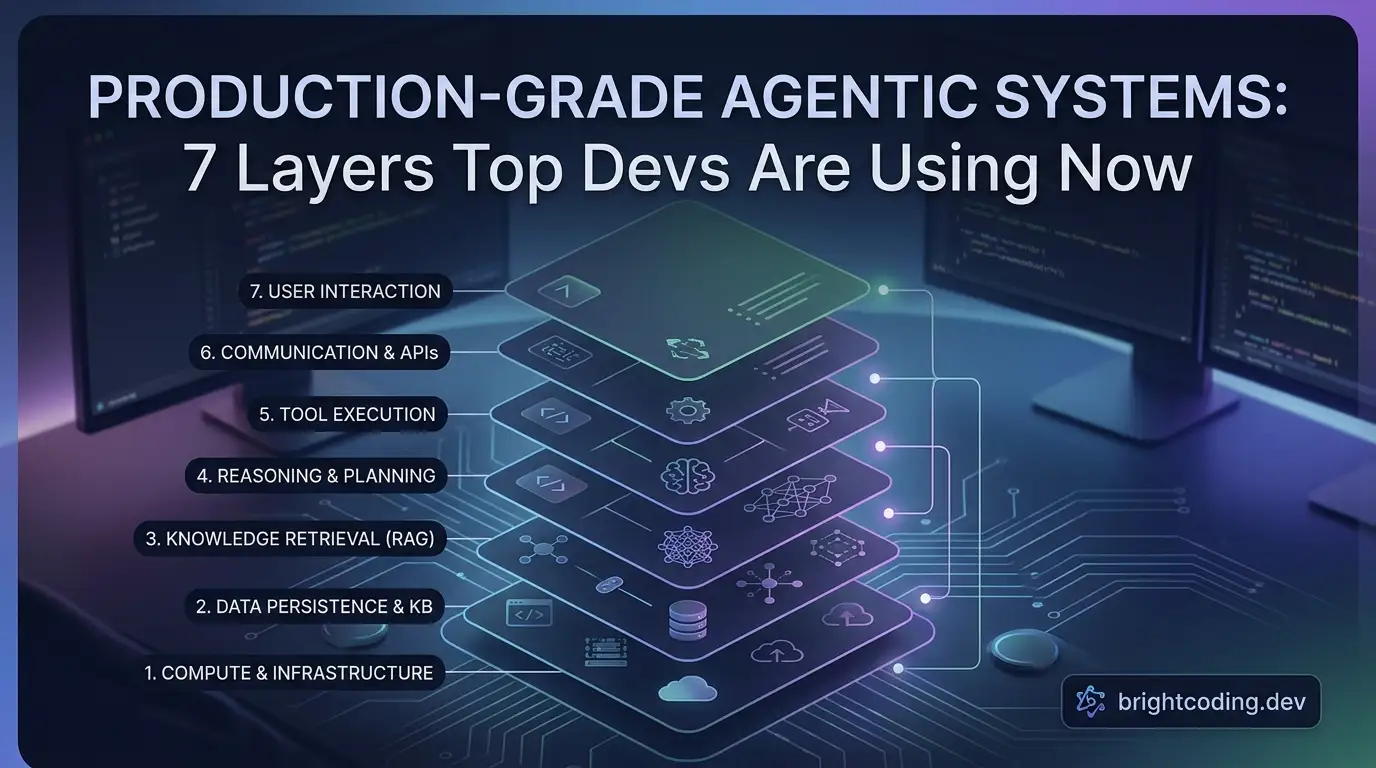
production-grade-agentic-system: 7 Layers Top Devs Are Using Now
Your AI agent worked perfectly in the demo. Then you shipped it. Now it's 3 AM, your OpenAI bill just spiked 400%, and users are screaming about lost conversations. What went wrong?
You built a prototype, not a production system.
Here's the brutal truth most AI tutorials won't tell you: agentic AI isn't about clever prompts or fancy tool chains. It's about architectural discipline. The gap between a weekend hackathon project and a system serving 10,000+ active users isn't intelligence—it's layers. Seven specific layers that separate the amateurs from the engineers who sleep through the night.
I spent weeks dissecting exactly what those layers look like in practice. The result? A battle-tested blueprint that's already circulating among senior AI engineers. It's called production-grade-agentic-system, and it's about to change how you think about deploying AI agents forever.
Ready to stop gambling with your infrastructure?
What is production-grade-agentic-system?
production-grade-agentic-system is an open-source architectural blueprint created by Fareed Khan that codifies the seven essential layers every production agentic AI system needs. Unlike scattered tutorials that teach you to build toy examples, this repository provides a complete, modular foundation for deploying reliable, observable, and scalable AI agents in real environments.
The repository emerged from a critical observation: most agentic AI failures in production stem not from model limitations, but from missing infrastructure. Teams obsess over prompt engineering while ignoring connection pooling, skip rate limiting to ship faster, and discover context window explosions only when their API costs explode first.
Fareed Khan's approach treats agentic systems as distributed software architectures, not clever LLM wrappers. The repository demonstrates how to structure Python↗ Bright Coding Blog projects that start clean and stay clean as they grow—using FastAPI for APIs, LangGraph for agent orchestration, PostgreSQL↗ Bright Coding Blog with pgvector for persistence, and Prometheus/Grafana for observability.
What makes this trending now? The AI deployment landscape has shifted dramatically. In 2023, prototypes were enough. In 2025, enterprises and startups alike need agents that handle multi-turn conversations, long-term memory, tool calling, security boundaries, and graceful degradation—all simultaneously. This repository answers that need with production patterns extracted from real operational experience, not theoretical idealism.
Key Features
The production-grade-agentic-system delivers seven architectural layers that transform fragile agent prototypes into robust production systems:
-
Modular Codebase Architecture: Separates API routes, core logic, database models, schemas, services, and utilities into distinct modules. This isn't just cleanliness—it's survivability when your team scales from one developer to ten.
-
Advanced Dependency Management: Uses
pyproject.tomlwith pinned versions, dependency groups for testing, and comprehensive linting/formatting tools (Black, Ruff, isort, Flake8). Prevents the "dependency hell" that crashes production deployments. -
Environment-Aware Configuration: Sophisticated settings management with
.env.[development|staging|production]files, Pydantic validation, and automatic environment-specific overrides. Debug mode automatically disables in production—no more embarrassing configuration leaks. -
Containerized Orchestration: Docker↗ Bright Coding Blog Compose setup with PostgreSQL+pgvector, FastAPI hot-reloading, Prometheus metrics collection, Grafana dashboards, and cAdvisor container monitoring. Infrastructure as code from day one.
-
Structured Data Persistence: SQLModel ORM combining SQLAlchemy's power with Pydantic's validation. Explicit User, Session, and Thread models with proper relationships, foreign keys, and encapsulation of security-critical logic like password hashing.
-
Defense-in-Depth Security: Rate limiting via SlowAPI, input sanitization against XSS/injection, JWT authentication with configurable expiration, and context window trimming to prevent token overflow attacks on your budget.
-
LLM Resilience Patterns: Connection pooling with QueuePool, circuit breaking for LLM unavailability, retry logic with tenacity, and intelligent message trimming that preserves conversation coherence while respecting token limits.
-
Multi-Agent Memory Systems: Integration of mem0ai for long-term memory and LangGraph checkpointing for state persistence. Agents remember across sessions without drowning in irrelevant history.
-
Production Observability: Langfuse for LLM tracing, Prometheus for system metrics, structured logging with structlog, and pre-configured Grafana dashboards. You can't fix what you can't see.
-
Automated Evaluation Framework: LLM-as-a-Judge patterns with automated grading, enabling continuous quality monitoring without manual human review bottlenecks.
Use Cases
1. Enterprise Customer Support Agents
Deploy AI agents handling thousands of concurrent conversations with guaranteed response times. The connection pooling, rate limiting, and circuit breaking layers ensure your agents stay available even when upstream LLM providers experience outages. Long-term memory lets agents recall customer history across sessions without context window bloat.
2. Multi-Step Research & Analysis Workflows
Build agents that execute complex, multi-step research tasks requiring tool calling (web search, database queries, calculations). LangGraph's state management ensures interrupted workflows resume correctly, while checkpointing prevents complete restart on transient failures.
3. SaaS AI Platforms
Launch AI-powered features in your product with confidence. The modular architecture lets teams iterate on agent logic without touching API contracts. JWT authentication and rate limiting protect against abuse, while observability tools give you the metrics needed for pricing and capacity planning.
4. Regulated Industries (Healthcare, Finance)
Deploy agents where audit trails and safety boundaries are non-negotiable. Input sanitization prevents injection attacks, structured logging captures complete interaction histories, and the evaluation framework enables ongoing compliance verification of agent outputs.
5. High-Availability Agent Fleets
Run coordinated multi-agent systems where individual agent failures must not cascade. The service layer's resilience patterns—connection pooling, health checks, circuit breakers—isolate failures and enable automatic recovery without human intervention.
Step-by-Step Installation & Setup Guide
Prerequisites
- Python 3.13+
- Docker and Docker Compose
- Git
Step 1: Clone the Repository
git clone https://github.com/FareedKhan-dev/production-grade-agentic-system
cd production-grade-agentic-system
Step 2: Configure Environment
Create environment-specific configuration files. The repository uses .env.[environment] pattern:
# Copy the example and customize for your environment
cp .env.example .env.development
Edit .env.development with your actual values:
# ==================================================
# Application Settings
# ==================================================
APP_ENV=development
PROJECT_NAME="My Agentic AI System"
VERSION=1.0.0
DEBUG=true

# ==================================================
# API Settings
# ==================================================
API_V1_STR=/api/v1
ALLOWED_ORIGINS="http://localhost:3000,http://localhost:8000"

# ==================================================
# LLM Settings
# ==================================================
OPENAI_API_KEY="your-actual-openai-key"
DEFAULT_LLM_MODEL=gpt-4o-mini
DEFAULT_LLM_TEMPERATURE=0.2

# ==================================================
# Database Settings
# ==================================================
POSTGRES_HOST=db
POSTGRES_DB=mydb
POSTGRES_USER=myuser
POSTGRES_PORT=5432
POSTGRES_PASSWORD=secure-password-here
POSTGRES_POOL_SIZE=5
POSTGRES_MAX_OVERFLOW=10

# ==================================================
# JWT Settings
# ==================================================
JWT_SECRET_KEY="generate-a-cryptographically-secure-random-string"
JWT_ALGORITHM=HS256
JWT_ACCESS_TOKEN_EXPIRE_DAYS=30

# ==================================================
# Rate Limiting
# ==================================================
RATE_LIMIT_DEFAULT="1000 per day,200 per hour"
RATE_LIMIT_CHAT="100 per minute"
RATE_LIMIT_CHAT_STREAM="100 per minute"
Critical: Never commit .env files. The .env.example is safe to commit with placeholders.
Step 3: Build and Start Services
# Start all services (database, API, monitoring)
docker-compose up --build
This launches:
- PostgreSQL+pgvector on port 5432 (vector search enabled)
- FastAPI application on port 8000 with hot-reload
- Prometheus on port 9090 (metrics collection)
- Grafana on port 3000 (dashboards, default login admin/admin)
- cAdvisor on port 8080 (container metrics)
Step 4: Verify Installation
# Health check
curl http://localhost:8000/health

# Check Prometheus targets
curl http://localhost:9090/api/v1/targets
Step 5: Development Workflow
With the volume mount ./app:/app/app, code changes trigger automatic reload. Install development dependencies locally for IDE support:
pip install -e ".[dev]"
REAL Code Examples from the Repository
Example 1: Environment-Aware Settings Management
The configuration system demonstrates production-grade environment handling. Here's the core from app/core/config.py:
import os
from enum import Enum
from dotenv import load_dotenv

# Define environment types
class Environment(str, Enum):
    """Application environment types."""
    DEVELOPMENT = "development"
    STAGING = "staging"
    PRODUCTION = "production"
    TEST = "test"

# Determine environment from APP_ENV variable
def get_environment() -> Environment:
    """Get the current environment with safe defaults."""
    match os.getenv("APP_ENV", "development").lower():
        case "production" | "prod":
            return Environment.PRODUCTION
        case "staging" | "stage":
            return Environment.STAGING
        case "test":
            return Environment.TEST
        case _:
            return Environment.DEVELOPMENT

# Load appropriate .env file based on environment
def load_env_file():
    """Load environment-specific .env file with priority ordering."""
    env = get_environment()
    base_dir = os.path.dirname(os.path.dirname(os.path.dirname(__file__)))

    # Priority: .env.{env}.local > .env.{env} > .env.local > .env
    env_files = [
        os.path.join(base_dir, f".env.{env.value}.local"),
        os.path.join(base_dir, f".env.{env.value}"),
        os.path.join(base_dir, ".env.local"),
        os.path.join(base_dir, ".env"),
    ]

    for env_file in env_files:
        if os.path.isfile(env_file):
            load_dotenv(dotenv_path=env_file)
            return env_file
    return None

ENV_FILE = load_env_file()
Why this matters: The priority ordering lets developers override settings locally without touching shared configuration. The match statement with fallbacks ensures the application always starts, never crashes from missing environment variables.
Example 2: Secure User Model with Encapsulated Password Logic
From app/models/user.py, demonstrating security-by-design:
from typing import TYPE_CHECKING, List
import bcrypt
from sqlmodel import Field, Relationship
from app.models.base import BaseModel

if TYPE_CHECKING:
    from app.models.session import Session

class User(BaseModel, table=True):
    """Represents a registered user with secure credential handling."""

    id: int = Field(default=None, primary_key=True)
    email: str = Field(unique=True, index=True)  # Indexed for fast login lookups
    hashed_password: str  # NEVER store plaintext

    # Relationship: One user → many sessions
    sessions: List["Session"] = Relationship(back_populates="user")

    def verify_password(self, password: str) -> bool:
        """Verify raw password against stored bcrypt hash."""
        return bcrypt.checkpw(
            password.encode("utf-8"),
            self.hashed_password.encode("utf-8")
        )

    @staticmethod
    def hash_password(password: str) -> str:
        """Generate secure bcrypt hash with automatic salt."""
        salt = bcrypt.gensalt()
        return bcrypt.hashpw(password.encode("utf-8"), salt).decode("utf-8")
Why this matters: Password logic lives with the data, preventing the common anti-pattern of scattering security code across controllers. The TYPE_CHECKING guard prevents circular imports while maintaining type safety.
Example 3: Intelligent Context Window Management
From app/utils/graph.py, the critical function preventing token explosions:
from langchain_core.messages import trim_messages as _trim_messages
from app.core.config import settings
from app.schemas.chat import Message

def prepare_messages(messages: list[Message], llm, system_prompt: str) -> list[Message]:
    """
    Prepares message history for LLM context window.
    CRITICAL: Prevents token overflow that crashes requests and inflates costs.
    """
    try:
        # Smart trimming: keep most recent messages that fit in token budget
        trimmed_messages = _trim_messages(
            [m.model_dump() for m in messages],
            strategy="last",                    # Prioritize recent context
            token_counter=llm,                  # Use model's own tokenizer
            max_tokens=settings.MAX_TOKENS,     # Configurable safety limit
            start_on="human",                   # Never start with hanging AI response
            include_system=False,               # Handle system prompt separately
            allow_partial=False,                # Don't cut messages in half
        )
    except Exception:
        # Graceful degradation: if token counting fails, use raw messages
        trimmed_messages = messages

    # System prompt ALWAYS first to enforce agent behavior boundaries
    return [Message(role="system", content=system_prompt)] + trimmed_messages
Why this matters: Without this, long conversations hit token limits unpredictably. The start_on="human" parameter prevents the awkward scenario where the model sees its own incomplete response as context.
Example 4: Production Database Connection Pooling
From app/services/database.py, showing enterprise-grade database resilience:
from sqlalchemy.pool import QueuePool
from sqlmodel import create_engine, SQLModel
from app.core.config import settings

class DatabaseService:
    """Singleton managing all database interactions with robust pooling."""

    def __init__(self):
        connection_url = (
            f"postgresql://{settings.POSTGRES_USER}:{settings.POSTGRES_PASSWORD}"
            f"@{settings.POSTGRES_HOST}:{settings.POSTGRES_PORT}/{settings.POSTGRES_DB}"
        )

        self.engine = create_engine(
            connection_url,
            pool_pre_ping=True,           # Verify connection health before use
            poolclass=QueuePool,
            pool_size=settings.POSTGRES_POOL_SIZE,      # Permanent connections: 5
            max_overflow=settings.POSTGRES_MAX_OVERFLOW, # Burst capacity: 10
            pool_timeout=30,              # Fail fast if pool exhausted
            pool_recycle=1800,            # Recycle every 30 min (prevent stale sockets)
        )

        # Code-first: auto-create tables on startup
        SQLModel.metadata.create_all(self.engine)
Why this matters: pool_pre_ping=True eliminates the "idle connection timeout" errors that plague long-running services. The 30-minute recycle prevents subtle bugs from database-side connection resets that Python doesn't detect.
Example 5: JWT Token Creation with Security Hardening
From app/utils/auth.py, demonstrating stateless authentication:
from datetime import UTC, datetime, timedelta
from jose import jwt
from app.core.config import settings

def create_access_token(subject: str, expires_delta=None):
    """Create cryptographically signed JWT with embedded metadata."""

    expire = datetime.now(UTC) + (
        expires_delta or timedelta(days=settings.JWT_ACCESS_TOKEN_EXPIRE_DAYS)
    )

    to_encode = {
        "sub": subject,                           # Who this token represents
        "exp": expire,                            # When it expires
        "iat": datetime.now(UTC),                 # When it was issued
        "jti": f"{subject}-{datetime.now(UTC).timestamp()}",  # Unique token ID
    }

    return jwt.encode(
        to_encode,
        settings.JWT_SECRET_KEY,
        algorithm=settings.JWT_ALGORITHM
    )
Why this matters: The jti (JWT ID) enables future token blacklisting without database lookups on every request. The iat claim allows detecting tokens issued before password changes or security events.
Advanced Usage & Best Practices
Deploy with Environment Rigor: The apply_environment_settings() method automatically hardens production—disabling debug, switching to JSON logs, tightening rate limits. Never manually edit these; let the environment drive behavior.
Monitor Your Memory Costs: The mem0ai integration for long-term memory is powerful but vector storage grows with usage. Implement retention policies and monitor embedding costs separately from LLM costs.
Customize Rate Limits Per Endpoint: The RATE_LIMIT_ENDPOINTS dictionary lets you apply different limits to chat (expensive) versus health checks (cheap). Start restrictive, relax based on real usage patterns.
Use Grafana Alerts, Not Just Dashboards: The provisioned dashboards are starting points. Add alert rules for p95 latency spikes, error rate thresholds, and LLM provider availability. Paging on metrics beats user reports every time.
Test Your Circuit Breakers: Simulate LLM failures in staging. The tenacity retry logic and circuit breaker patterns only help if configured correctly for your providers' actual failure modes.
Version Your API From Day One: The API_V1_STR prefix isn't bureaucracy—it's freedom. When v2 needs breaking changes, v1 users keep working while you migrate.
Comparison with Alternatives
| Aspect | production-grade-agentic-system | LangChain Templates | Bare FastAPI + LLM | Commercial Platforms |
|---|---|---|---|---|
| Architecture Depth | 7 explicit layers | Varies by template | You build everything | Black box |
| Production Security | Built-in rate limiting, sanitization, JWT | Basic or manual | Manual implementation | Vendor-dependent |
| Observability | Langfuse + Prometheus + Grafana | Often manual setup | Manual integration | Usually included |
| Database Design | SQLModel with relationships, pooling | Varies | Often ad-hoc | Proprietary |
| Memory Management | mem0ai + LangGraph checkpoints | Basic memory | Manual or none | Black box |
| Cost Control | Token trimming, connection pooling, rate limits | Limited | Manual | Opaque pricing |
| Customization | Full source control | Moderate | Total | Limited |
| Deployment Flexibility | Docker, self-hosted, cloud-agnostic | Container-based | Flexible | Vendor-locked |
The verdict: Commercial platforms get you started fastest but sacrifice control. Bare implementations maximize flexibility but require rebuilding patterns this repository already provides. production-grade-agentic-system hits the sweet spot—production patterns you own, with architectural guidance that prevents expensive mistakes.
FAQ
Q: Do I need PostgreSQL specifically, or can I use another database?
The repository uses pgvector for vector similarity search required by mem0ai and LangGraph checkpointing. You can swap the SQLModel ORM layer, but you'll lose these features without equivalent vector extensions.
Q: How does this handle multiple LLM providers? The current implementation uses LangChain's OpenAI integration as default. The architecture supports swapping providers through LangChain's unified interface—modify the LLM initialization in the service layer without touching business logic.
Q: Is this suitable for high-throughput real-time applications? With connection pooling, async endpoints, and streaming support via Server-Sent Events, yes. For extreme scale (10K+ concurrent), you'll want to add load balancing and potentially separate worker queues—patterns the modular structure accommodates.
Q: How do I migrate from a prototype built with plain LangChain?
Extract your agent logic into the app/core/langgraph/ module, define Pydantic schemas for your inputs/outputs, and gradually replace direct LLM calls with the service layer. The repository's structure guides this migration path.
Q: What's the licensing? Can I use this commercially? Check the repository's LICENSE file directly. Typically open-source agentic frameworks use permissive licenses (MIT/Apache), but verify before building commercial products.
Q: How do I add custom tools for my agents?
Place tool definitions in app/core/langgraph/tools/. The modular structure ensures tools are automatically discoverable by the LangGraph orchestration layer while maintaining clean separation from API routes.
Q: Does this include automated testing? Yes—dependency groups include pytest and httpx for async API testing. The evaluation framework adds LLM-as-a-Judge capabilities for ongoing quality validation, not just unit tests.
Conclusion
Building production agentic systems isn't about finding the perfect prompt—it's about architectural resilience. The production-grade-agentic-system repository gives you a proven foundation that separates concerns, defends against failures, and scales with your ambitions.
I've seen too many promising AI projects crash on the rocks of ignored infrastructure. The seven layers here—modular codebase, data persistence, security safeguards, resilient services, multi-agent architecture, API gateway, and observability—aren't optional luxuries. They're the minimum viable architecture for anything meant to survive real users.
The code is battle-tested, the patterns are industry-standard, and the structure grows with your needs. Stop reinventing these wheels. Stop debugging 3 AM outages that proper rate limiting would have prevented.
Clone the repository. Study the layers. Deploy with confidence.
Your future self—the one sleeping through the night while your agents handle traffic gracefully—will thank you.