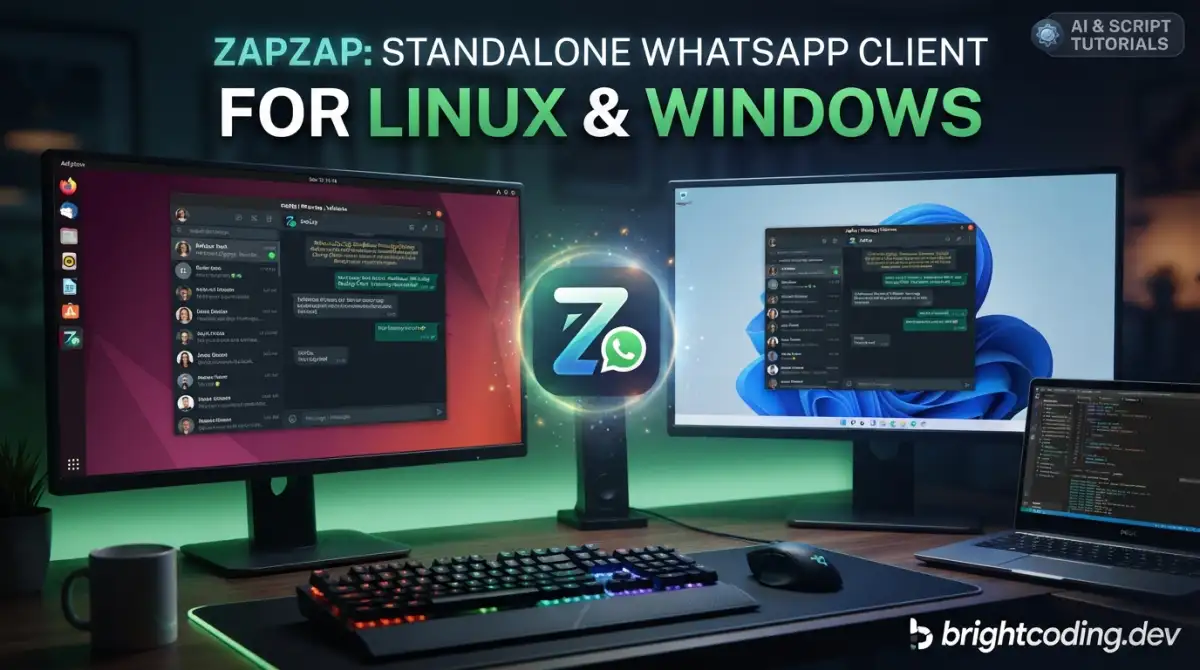
rafatosta/zapzap: Standalone WhatsApp Desktop Client for Linux & Windows
Developers and power users who rely on WhatsApp for team coordination or client communication face a persistent friction point: the service locks you into either a mobile app or a browser tab. Browser-based WhatsApp Web consumes memory alongside dozens of other tabs, offers no native desktop integration, and makes multi-account management cumbersome. rafatosta/zapzap addresses this directly—a standalone, open-source WhatsApp desktop client built with Python↗ Bright Coding Blog, PyQt6, and QtWebEngine that wraps https://web.whatsapp.com/ in a proper native application with system tray support, notifications, and Linux package manager distribution.
What is rafatosta/zapzap?
rafatosta/zapzap is an unofficial WhatsApp Web desktop client maintained by Rafael Tosta. The project is licensed under GNU General Public License v3.0 and has accumulated 1,152 GitHub stars and 72 forks as of its last commit on July 16, 2026. The codebase is primarily Python, leveraging PyQt6 and PyQt6-WebEngine to render WhatsApp Web inside a dedicated application window rather than a browser tab.
The tool sits in an interesting niche: it is not a reverse-engineered WhatsApp protocol implementation (which would risk ToS violations and breakage), but rather a purpose-built browser container with native desktop affordances. This architectural choice—wrapping the official web client rather than reimplementing the protocol—provides stability and security alignment with WhatsApp's own infrastructure while adding the desktop integration that Meta has declined to prioritize for Linux users.
The project's relevance stems from two converging trends: the continued dominance of WhatsApp in global markets (particularly LATAM, India, and Europe) and the persistent gap in official desktop support outside macOS and Windows. For Linux developers specifically, rafatosta/zapzap represents one of the few mature options that integrates with native notification systems, tray icons, and package managers rather than forcing users into Electron-based alternatives or browser tabs.
Key Features
Native Desktop Shell: Unlike WhatsApp Web running in a browser, rafatosta/zapzap presents as a standalone application with its own window chrome, taskbar entry, and alt-tab behavior. This eliminates the accidental closure risk inherent to browser tabs and reduces memory fragmentation from shared browser processes.
Multi-Account Profiles: The application supports multiple WhatsApp accounts with isolated web sessions. For developers managing separate personal and work identities—or agencies handling multiple client accounts—this eliminates the constant logout/login cycle or browser profile juggling that WhatsApp Web otherwise requires.
System Tray Integration: rafatosta/zapzap minimizes to the system tray rather than closing, maintaining background notification delivery without consuming taskbar real estate. This behavior matches user expectations for messaging applications on Linux and Windows.
Native Notifications: Desktop notifications are handled through the host OS notification system rather than browser notification APIs, providing consistent styling and action integration with GNOME, KDE, Windows, and other environments.
Theming Support: The client supports light, dark, and system theme synchronization. For developers who maintain dark mode across their toolchain, this prevents the jarring brightness of WhatsApp Web's default light theme.
Custom CSS and JavaScript↗ Bright Coding Blog Injection: Advanced users can inject custom styles and scripts globally or per-account. This enables UI modifications, automation scripts, or integration with external tools without modifying the core application.
Spell Checking: QtWebEngine dictionary integration provides spell checking independent of browser configuration, with behavior consistent across all platforms.
Comprehensive Linux Packaging: The project distributes through Flatpak (recommended), AppImage with .zsync automatic updates, native DEB packages, Snap, and Fedora COPR. This breadth of packaging options reflects genuine understanding of Linux distribution fragmentation.
Windows Executable: A native EXE installer is available for Windows users seeking the same standalone experience.
Use Cases
Development Team Coordination: Teams using WhatsApp for incident response or quick coordination benefit from a dedicated application that doesn't compete with documentation tabs for browser attention. The system tray presence ensures messages are visible without context-switching away from IDE or terminal workflows.
Multi-Account Management: Freelancers and agency developers maintaining separate WhatsApp Business and personal accounts can run both simultaneously in isolated sessions, each with independent notification settings and custom CSS for visual differentiation.
Linux Workstation Integration: Developers on Linux who have standardized their workflow around native applications and package managers can install rafatosta/zapzap through their preferred mechanism—Flatpak for sandboxing, DEB for Debian/Ubuntu integration, or COPR for Fedora automatic updates—rather than maintaining manual installations.
Notification-Heavy Roles: Support engineers, DevOps↗ Bright Coding Blog practitioners on call, or product managers who receive frequent WhatsApp messages benefit from native notification integration that respects Do Not Disturb settings and provides actionable notifications without browser dependency.
UI Customization for Accessibility: Users requiring specific contrast settings, font adjustments, or interface modifications can apply persistent custom CSS rather than relying on browser extensions that may break with WhatsApp Web updates.
Installation & Setup
The rafatosta/zapzap project provides multiple installation paths. Reproduce the commands below exactly as documented:
Flatpak (Recommended for Linux):
# Install from Flathub
flatpak install flathub com.rtosta.zapzap
Flatpak provides sandboxing and automatic updates through the Flathub infrastructure. This is the recommended path for most Linux users due to distribution independence and security isolation.
AppImage (Linux, x86_64 and aarch64):
Download from the GitHub releases page. The AppImage includes .zsync support for delta updates without full re-download.
Debian/Ubuntu (DEB):
Download the .deb package from GitHub releases and install via:
sudo dpkg -i zapzap_*.deb
# Resolve any dependency issues
sudo apt-get install -f
Snap:
sudo snap install zapzap
Available at snapcraft.io/zapzap.
Fedora (COPR):
# Enable the COPR repository
sudo dnf copr enable rafatosta/zapzap
# Install
sudo dnf install zapzap
Repository: copr.fedorainfracloud.org/coprs/rafatosta/zapzap
Python (Developers):
pip install zapzap
This installs the Python wheel for development, customization, or running from source.
Windows:
Download the EXE installer from GitHub releases.
Post-installation, launch the application and scan the QR code with your mobile WhatsApp application to authenticate. Multiple accounts can be added through the application's profile management interface.
Real Code Examples
The rafatosta/zapzap README does not contain extensive code examples for programmatic usage, which reflects its primary design as an end-user application rather than a library. The following examples are drawn directly from the documented installation and configuration paths.
Python Package Installation (Developer Path):
# Install from PyPI for development or source execution
pip install zapzap
This command installs the application as a Python package, enabling execution within a Python environment or integration into custom workflows. The PyPI distribution path is maintained for developers who prefer package manager installation over system packages or who wish to inspect or modify the source.
Fedora COPR Repository Enablement:
# Add the third-party repository to dnf
sudo dnf copr enable rafatosta/zapzap
# Install through native package manager
sudo dnf install zapzap
This two-step process integrates rafatosta/zapzap with Fedora's native update mechanism, ensuring the application receives updates alongside system packages. The COPR build service compiles and hosts packages maintained by the project author.
Flatpak Remote Installation:
# Install from centralized Flatpak repository
flatpak install flathub com.rtosta.zapzap
The reverse-domain application ID com.rtosta.zapzap follows Flatpak conventions for sandboxed application identification. This installation method provides the strongest isolation guarantees and is the project's recommended path for general Linux users.
The limited code surface in the documentation reflects rafatosta/zapzap's positioning: it is a packaged application with configuration through GUI preferences rather than a developer-facing API. Users seeking programmatic WhatsApp interaction should evaluate [INTERNAL_LINK: whatsapp-api-libraries] for protocol-level alternatives.
Advanced Usage & Best Practices
Custom CSS/JS Injection Workflow: The per-account and global injection capabilities enable persistent UI modifications. Store custom stylesheets under version control and symlink them to the application's configuration directory for reproducible setups across machines. Test injections against WhatsApp Web updates, as DOM structure changes may break selectors.
Multi-Account Isolation Verification: When managing sensitive personal and work accounts, verify session isolation by checking cookie stores and local storage boundaries in the QtWebEngine profile directories. The application documents isolated sessions, but security-critical deployments should confirm separation at the filesystem level.
AppImage Update Automation: The .zsync mechanism enables incremental updates. For workstation automation, integrate the AppImage update check into existing cron or systemd timer workflows rather than relying on manual re-download.
Notification Debugging: If native notifications fail to appear, verify that the host OS notification daemon is accessible from the Flatpak sandbox (if applicable) and that Qt's notification backend has correct D-Bus permissions on Linux.
Theme Synchronization Timing: System theme detection relies on Qt's platform integration. On non-standard desktop environments, explicit light/dark selection may be more reliable than automatic detection.
Comparison with Alternatives
| Feature | rafatosta/zapzap | WhatsApp Web (Browser) | WhatsApp Desktop (Official) |
|---|---|---|---|
| Standalone application | ✅ | ❌ | ✅ |
| Linux support | ✅ | ✅ | ❌ |
| Multiple accounts | ✅ | ❌ | ❌ |
| System tray integration | ✅ | ❌ | ✅ |
| Native Linux packaging | ✅ (Flatpak, DEB, COPR, Snap) | N/A | ❌ |
| Custom CSS/JS injection | ✅ | ❌ | ❌ |
| Open source | ✅ (GPL-3.0) | ❌ | ❌ |
| Spell checking | ✅ (QtWebEngine) | Browser-dependent | OS-dependent |
| Automatic AppImage updates | ✅ | N/A | N/A |
The official WhatsApp Desktop client offers native Windows and macOS applications but excludes Linux entirely. Browser-based WhatsApp Web provides universal access but lacks desktop integration, multi-account support, and customization. rafatosta/zapzap fills the gap for Linux users and adds customization capabilities unavailable in official clients. Trade-offs include unofficial status (potential for breakage with WhatsApp Web updates) and reliance on QtWebEngine's Chromium base rather than a native application framework.
FAQ
Is rafatosta/zapzap an official WhatsApp application?
No. It is an unofficial open-source client that wraps WhatsApp Web. It is not affiliated with Meta or WhatsApp Inc.
Does it support WhatsApp Business accounts?
Yes, through standard WhatsApp Web QR authentication. Business-specific features depend on WhatsApp Web's own support.
How does multi-account isolation work?
Each account uses a separate QtWebEngine profile with independent cookies, local storage, and cache directories.
Is there a macOS version?
The README documents Linux and Windows support only. macOS is not listed among supported platforms.
Can I run it from source without installing packages?
Yes, via pip install zapzap or cloning the repository and running with Python dependencies installed.
What happens when WhatsApp updates their web interface?
As a wrapper rather than protocol implementation, rafatosta/zapzap generally adapts automatically to WhatsApp Web changes, though custom CSS/JS injections may require updates.
Is the GPL-3.0 license compatible with commercial use?
Yes, with the requirement that derivative works distributed to others also be licensed under GPL-3.0.
Conclusion
rafatosta/zapzap serves a specific, well-defined need: bringing WhatsApp Web into a proper desktop application with native Linux integration that Meta has chosen not to provide. For developers and technical users on Linux who require multi-account support, system tray presence, and package manager distribution, it represents a mature, actively maintained solution. The PyQt6 architecture provides reasonable resource efficiency compared to Electron alternatives, and the breadth of packaging options demonstrates genuine commitment to Linux ecosystem diversity.
The tool is best suited for: Linux workstation users seeking native messaging integration, professionals managing multiple WhatsApp identities, and users requiring UI customization for accessibility or workflow optimization. It is less appropriate for users seeking official support guarantees or those on macOS.
The project accepts donations through GitHub Sponsors, Ko-fi, PayPal, Wise, and Pix to support continued development. Explore the source, report issues, or contribute at https://github.com/rafatosta/zapzap.