
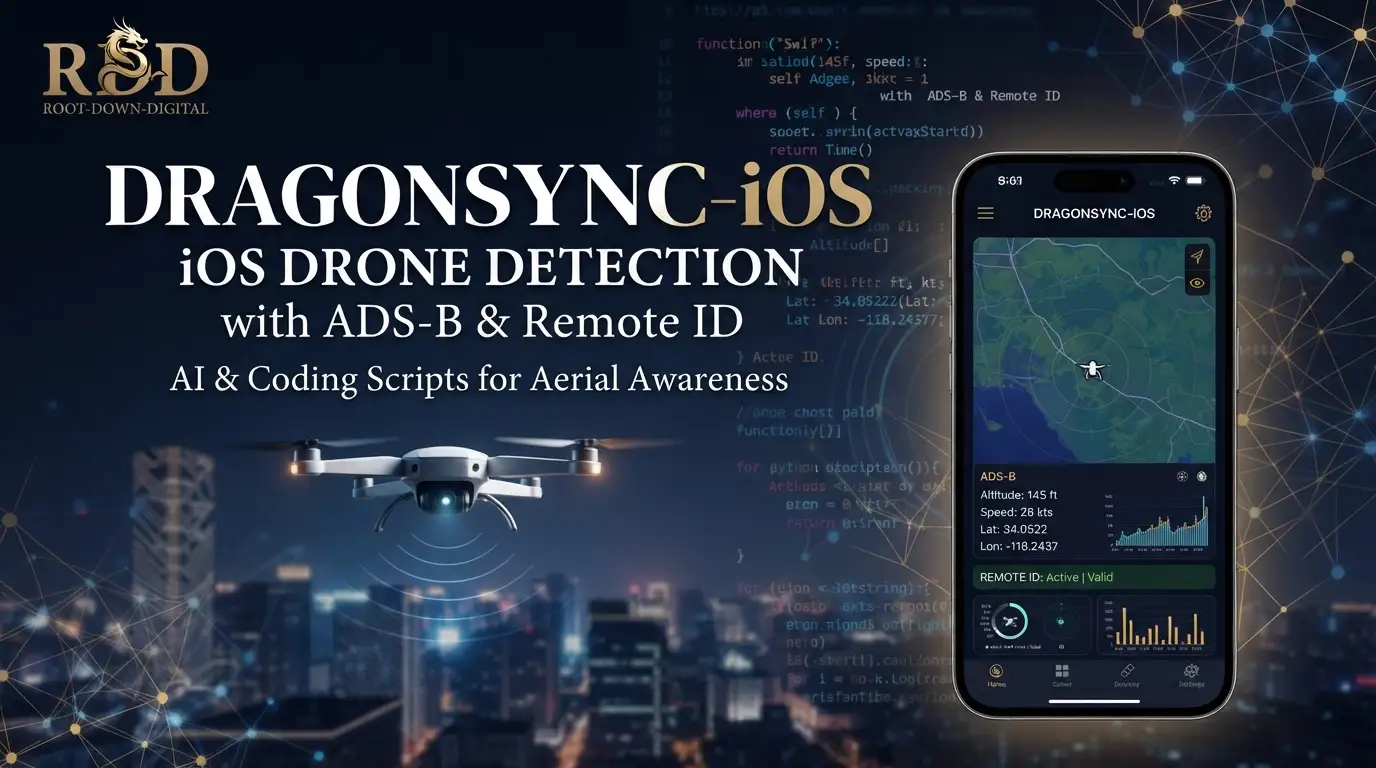
Root-Down-Digital/DragonSync-iOS: iOS Drone Detection with ADS-B & Remote ID
Drone detection has traditionally required expensive, specialized hardware and complex software stacks that most developers and security professionals can't easily deploy. The regulatory shift toward mandatory Remote ID broadcasts—required by FAA 14 CFR Part 89 and equivalent international standards—created an opportunity: these transmissions are intentionally public, yet few tools exist to capture and act on them using commodity hardware. Root-Down-Digital/DragonSync-iOS fills this gap by bringing professional-grade drone and aircraft detection to iOS and macOS devices, with deep integration into existing RF hardware ecosystems like the WarDragon Pro.
This article examines what DragonSync iOS actually does, how it works under the hood, and why its architecture matters for developers building passive RF monitoring systems. With 227 stars and active development through mid-2026, it's a mature open-source project worth understanding—whether you're securing airspace, researching drone privacy implications, or integrating detection into broader sensor networks.
What is Root-Down-Digital/DragonSync-iOS?
DragonSync iOS is a Swift-based application for iOS 17.0+ and macOS 14.0+ that receives, processes, and visualizes drone Remote ID broadcasts, ADS-B aircraft transponder data, and FPV video transmitter signals. It's maintained by Root-Down-Digital as a utility app for the WarDragon hardware ecosystem, though it functions with custom builds as well.
The project sits at the intersection of several technical domains: software-defined radio (SDR), Bluetooth Low Energy (BLE) sniffing, WiFi monitor mode capture, and iOS networking. Its relevance stems from regulatory mandates that require drones to broadcast identification and location data—transmissions that are unencrypted and legally receivable by anyone with the right hardware.
Unlike many detection tools that remain tethered to desktop Linux environments, DragonSync iOS moves the visualization and analysis layer onto mobile devices that professionals actually carry. The app connects via ZeroMQ to backend detection pipelines, persists data using SwiftData, and exports encounters in KML and CSV formats. It also integrates with TAK/ATAK (Tactical Assault Kit), MQTT brokers, and webhook endpoints—making it suitable for both individual researchers and organized response teams.
The project is MIT licensed and explicitly disaffiliated from DragonOS/cemaxecuter, though it builds on foundational work from alphafox02's DroneID and DragonSync repositories, plus nccgroup's Sniffle BLE sniffer.
Key Features
Multi-Protocol Detection DragonSync iOS handles five distinct detection categories: WiFi Remote ID (2.4GHz and 5GHz), Bluetooth LE Remote ID advertisements, SDR-based RF decoding via ANTSDR hardware, ADS-B Mode S transponders at 1090MHz, and 5.8GHz analog FPV video transmitters. Each protocol feeds into a unified map view with color-coded markers.
Live Telemetry & Analysis For each detection, the app displays position, altitude, speed, heading, manufacturer data, pilot location, and home point coordinates. FAA registry lookup provides real-time operator information when available. The system also performs anomaly detection: spoof detection via signal analysis, position consistency validation, flight physics checks, and MAC randomization identification.
System Monitoring Beyond aircraft tracking, the app monitors host hardware health through a separate ZMQ channel: CPU load, memory usage, temperature sensors, GPS lock status, and ANTSDR-specific metrics. Configurable alerts trigger on proximity thresholds, memory pressure, or thermal limits.
Data Persistence & Export Encounter history stores in SwiftData with search, filter, and export capabilities. Output formats include KML for geographic visualization and CSV for tabular analysis. Sensitive TAK credentials reside in the iOS Keychain.
Integration Ecosystem Outbound integrations cover MQTT (with Home Assistant auto-discovery and TLS), TAK/ATAK via CoT XML over multicast/TCP/TLS, Lattice DAS structured reporting, and generic webhooks for Discord, Slack, or custom HTTP endpoints. Event filtering allows selective forwarding.
Use Cases
Perimeter Security & Event Protection Security teams at stadiums, power plants, or critical infrastructure can deploy WarDragon Pro hardware with DragonSync iOS for continuous airspace monitoring. The proximity alerts and spoof detection provide early warning of unauthorized drone activity without requiring dedicated operator stations.
Law Enforcement & SAR Integration TAK/ATAK compatibility makes DragonSync iOS suitable for teams already operating in tactical environments. The CoT XML output feeds directly into existing situational awareness tools, while MQTT enables integration with broader sensor networks.
Research & Regulatory Compliance Academic researchers studying Remote ID implementation or privacy implications benefit from the structured data export and protocol coverage. The app's detection of MAC randomization and spoofed signals supports work on counter-UAS vulnerabilities.
FPV Racing & Hobbyist Coordination RX5808 integration and channel identification help FPV pilots monitor spectrum usage and avoid interference. This is narrower than the security use cases but represents legitimate civilian application.
Home Assistant & Automation MQTT auto-discovery enables hobbyists to incorporate drone detection into home automation workflows—alerting when aircraft enter defined geofences or logging encounters for long-term pattern analysis.
Installation & Setup
DragonSync iOS supports three hardware configurations with different complexity trade-offs.
Option 1: WarDragon Pro (Recommended)
The pre-configured WarDragon Pro includes ANTSDR E200, dual-band WiFi/BT, and GPS. Setup takes approximately 30 seconds:
- Power on the WarDragon Pro device
- Connect your iOS device to the same network
- Open DragonSync iOS → Settings → ZMQ → Enter WarDragon IP address
- Begin monitoring
Critical troubleshooting notes from the documentation:
- iOS network permissions must be granted in Settings > Apps > DragonSync > Network
- First launch may require toggling the connect button to trigger multicast permission requests
- RSSI distance rings for encrypted DJI/FPV detections require GPS data from
wardragon_monitor.py; verify Location permissions wardragon_monitor.pyhistorically required GPS lock—use--static_gpsflag or wait for satellite acquisition- ANTSDR temperature reporting requires DJI firmware; UHD firmware does not expose thermal sensors
Option 2: Drag0net ESP32 (Portable)
For standalone WiFi Remote ID detection, flash firmware to ESP32-C3 or ESP32-S3:
# Automated flash script
curl -fsSL https://raw.githubusercontent.com/Root-Down-Digital/DragonSync-iOS/refs/heads/main/Util/setup.sh -o setup.sh
chmod +x setup.sh && ./setup.sh
# Select option 4 (ESP32-C3) or 5 (ESP32-S3)
Connect to the device:
- SSID:
Dr4g0net - Password:
wardragon1234 - App ZMQ IP:
192.168.4.1 - Web UI:
http://192.168.4.1
Option 3: Custom Build (Full Features)
The modern default uses droneid-go, a single Go binary replacing the previous Python↗ Bright Coding Blog pipeline:
# Automated install (recommended)
curl -fsSL https://raw.githubusercontent.com/Root-Down-Digital/DragonSync-iOS/refs/heads/main/Util/setup.sh -o setup.sh
chmod +x setup.sh && ./setup.sh           # droneid-go install
# or for legacy Python pipeline:
./setup.sh --legacy
Manual droneid-go installation:
sudo apt update
sudo apt install -y libpcap0.8 libzmq5 git
cd /home/dragon/WarDragon
git clone https://github.com/alphafox02/droneid-go.git
cd droneid-go
sudo ./install.sh
The installer places the binary at /home/dragon/WarDragon/droneid-go/droneid, disables legacy services, and creates a zmq-decoder systemd service publishing unified JSON on tcp://*:4224.
iOS app configuration:
- ZMQ Host: backend IP, Port 4224 (detection telemetry)
- Advanced → Status Port: 4225 (system health from
wardragon_monitor.py)
Real Code Examples
The following commands are reproduced directly from the project documentation.
Full droneid-go detection with all sources
# Single binary: WiFi 5GHz hop, native BLE, ESP32 UART, DJI DroneID, ZMQ output
sudo /home/dragon/WarDragon/droneid-go/droneid \
    -g -ble auto -uart /dev/esp0 -dji 127.0.0.1:4221 \
    -z -zmqsetting 0.0.0.0:4224
This replaces what previously required three separate Python processes (wifi_receiver.py, sniff_receiver.py, zmq_decoder.py). The -g flag enables GPS, -ble auto discovers BLE adapters, -uart /dev/esp0 receives ESP32 passthrough data, and -dji 127.0.0.1:4221 connects to DragonSDR/ANTSDR for DJI Ocusync detection. Output unifies on port 4224.
System health monitoring
# Separate process for host telemetry: CPU, memory, temperature, GPS
cd DragonSync
python3 wardragon_monitor.py --zmq_host 0.0.0.0 --zmq_port 4225 --interval 30
The --interval 30 sets a 30-second reporting cadence. For fixed installations without GPS hardware, --static_gps 37.7749,-122.4194,10 provides fallback coordinates (latitude, longitude, altitude in meters).
Legacy Python pipeline (still supported)
# Terminal 1: WiFi RID
cd DroneID
python3 wifi_receiver.py --interface wlan0 -z --zmqsetting 127.0.0.1:4223

# Terminal 2: Bluetooth RID
cd DroneID/Sniffle
python3 python_cli/sniff_receiver.py -l -e -a -z -b 2000000

# Terminal 3: Decoder aggregation
cd DroneID
python3 zmq_decoder.py -z --dji 127.0.0.1:4221 \
    --zmqsetting 0.0.0.0:4224 \
    --zmqclients 127.0.0.1:4222,127.0.0.1:4223,127.0.0.1:4226 -v
The iOS parser handles both droneid-go's canonical long-form keys (transport, frequency_mhz, Frequency Message, Auth Message) and legacy zmq_decoder.py short-form accuracy fields. No app reconfiguration is needed when switching backends.
FPV detection (optional)
cd DroneID
python3 fpv_mdn_receiver.py --serial /dev/ttyFPV --baud 115200 \
    --zmq-port 4226 --stationary --debug
Requires RX5808 hardware connected via serial. The --stationary flag optimizes for fixed-position operation.
Advanced Usage & Best Practices
Backend Selection: New deployments should use droneid-go. The unified binary reduces failure modes, simplifies systemd management, and provides richer JSON output. Legacy Python only makes sense if you need specific Sniffle features not yet exposed in the Go rewrite.
Network Architecture: The ZMQ ports (4224 for detections, 4225 for health) should be firewalled appropriately. While the data is unencrypted broadcast traffic, the ZMQ transport itself carries metadata about your sensor network topology.
iOS Background Operation: The app supports continuous monitoring with local notifications, but iOS background execution policies apply. For critical deployments, keep the device powered and the app foregrounded, or accept the trade-offs of reduced update frequency.
TAK Certificate Management: The .p12 certificate handling via iOS Keychain is more secure than filesystem storage, but certificate rotation requires manual re-import. Plan renewal workflows accordingly.
GPS Dependency: Many features degrade without host GPS lock. The --static_gps workaround fixes coordinates but eliminates the ability to calculate relative bearings from a moving receiver. For mobile operations, prioritize fast GPS acquisition.
Comparison with Alternatives
| Tool | Platform | Strengths | Limitations |
|---|---|---|---|
| DragonSync iOS | iOS/macOS | Mobile-native, TAK integration, multi-protocol, SwiftData persistence | Requires separate backend hardware |
| DragonSync (Python) | Linux | Original backend, mature, multicast CoT | No native mobile UI |
| DroneID standalone | Linux | Core detection logic, SDR flexibility | Command-line only, no visualization |
| OpenSky Network apps | Web/mobile | Global ADS-B coverage, no local hardware | No Remote ID or drone-specific detection |
DragonSync iOS is not a replacement for enterprise counter-UAS systems costing orders of magnitude more. It competes in the accessible, deployable detection layer—where the trade-off is acceptable: commodity hardware, open-source software, and mobile operation versus classified performance specifications and dedicated RF engineering teams.
For teams already invested in the WarDragon ecosystem or alphafox02's tooling, DragonSync iOS is the logical mobile extension. For pure ADS-B aircraft tracking without drone detection, dedicated apps leveraging OpenSky may suffice with less complexity.
FAQ
What hardware do I need for full detection? WarDragon Pro provides all capabilities out of box. Custom builds need monitor-mode WiFi, Sniffle-compatible BLE dongle, optional ANTSDR E200 and RX5808.
Does it work without internet? Partially. Local ZMQ detection functions offline; FAA lookup, OpenSky ADS-B, and map tiles require connectivity.
Can I build this for Android? The separate DragonSync KMP project targets Android and Linux desktop with shared Kotlin Multiplatform code.
What's the license? MIT License. Third-party frameworks include SwiftyZeroMQ5, CocoaMQTT, CocoaAsyncSocket, and Starscream under their respective licenses.
Is drone detection legal? The app receives only publicly mandated, unencrypted broadcasts. Specific hardware operation regulations vary by jurisdiction—consult local laws.
How do I report bugs or request features? GitHub Issues on the repository. TestFlight beta access is available via the linked badge.
Does it detect encrypted DJI drones? Partially. DJI Ocusync encrypted Remote ID yields RSSI-based distance estimation and unencrypted RID elements, not full decryption.
Conclusion
Root-Down-Digital/DragonSync-iOS solves a specific, well-defined problem: bringing professional drone and aircraft detection capabilities to iOS devices that professionals already carry. Its architecture—separating backend RF processing from mobile visualization—is pragmatic for the constraints of iOS development and SDR hardware requirements.
The project is best suited for security teams needing portable detection, researchers analyzing Remote ID implementations, and organizations already using TAK/ATAK for situational awareness. It's less appropriate for users seeking a standalone, zero-configuration solution or those requiring classified-grade counter-UAS performance.
With active development, a clear migration path to droneid-go, and explicit compatibility with both legacy and modern backends, the project demonstrates mature open-source maintenance. The 227-star count reflects genuine utility in a specialized domain rather than mass-market appeal.
Explore the code, join the TestFlight beta, and review the full documentation at https://github.com/Root-Down-Digital/DragonSync-iOS.


