
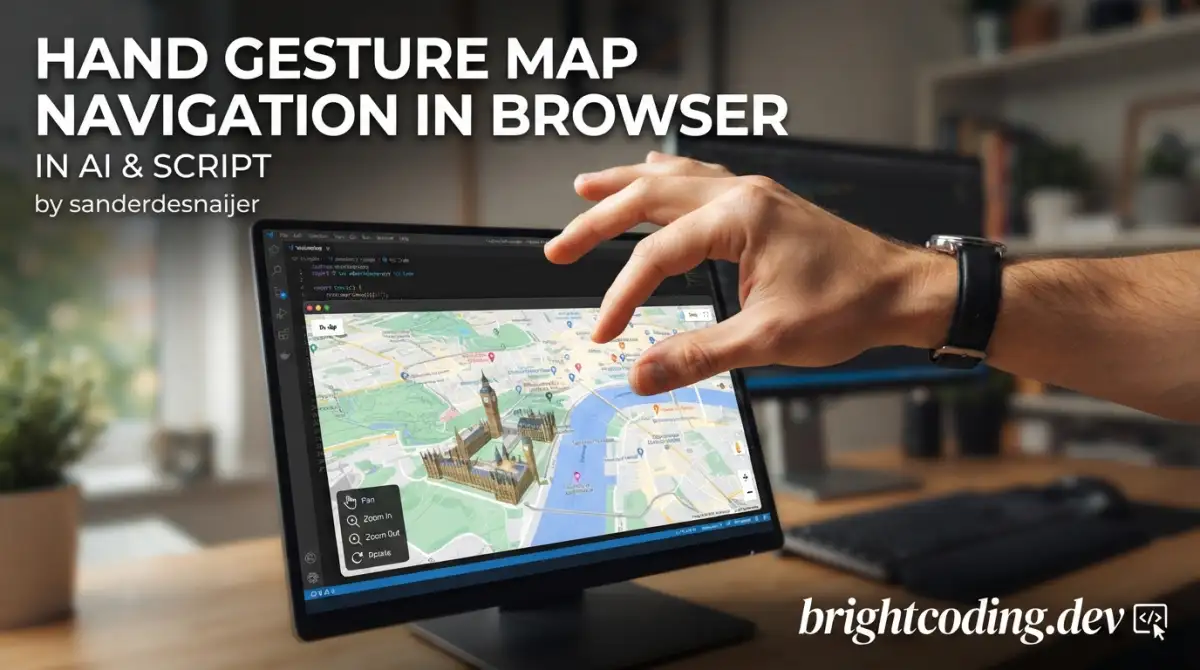
sanderdesnaijer/map-gesture-controls: Hand Gesture Map Navigation in Browser
Control web maps with hand gestures using your webcam. No mouse, no touch, no backend.
Introduction
Interactive maps have become essential across industries—from logistics dashboards to museum exhibits—but traditional input methods create friction in specific environments. Touchscreens require physical contact, which poses hygiene concerns in public spaces. Mouse and keyboard setups demand fine motor control that excludes some users. And voice commands struggle with precise spatial navigation. The core problem: how do you make map interaction accessible, hygienic, and intuitive without adding backend infrastructure or specialized hardware?
sanderdesnaijer/map-gesture-controls addresses this directly. Built by Sander de Snaijer and released under the MIT License, this TypeScript library brings real-time hand tracking to three major web mapping platforms entirely in the browser. Using Google's MediaPipe Hand Landmarker WASM, it converts webcam input into pan, zoom, and rotate commands—no video leaves the device, no server processes data, no API keys required beyond what the map provider itself needs. With 99 GitHub stars and active maintenance (last commit May 13, 2026), it represents a pragmatic approach to touchless UI that developers can integrate today.
What is sanderdesnaijer/map-gesture-controls?
sanderdesnaijer/map-gesture-controls is a modular TypeScript library that enables hand-gesture control of web-based maps through webcam input. It targets three dominant open-source and commercial mapping libraries: OpenLayers, Google Maps JavaScript↗ Bright Coding Blog API, and Leaflet. The project is maintained by Sander de Snaijer, a developer focused on interactive web experiences.
Technically, the library sits at the intersection of computer vision and geospatial web development↗ Bright Coding Blog. It leverages MediaPipe's hand-tracking model—a ~10 MB WASM binary loaded on first use—to detect 21 3-D landmarks per hand in real time. A custom gesture state machine classifies these landmarks into actionable commands: left-hand fist or pinch triggers pan, right-hand fist or pinch triggers zoom, both hands together enable rotation. A configurable dwell timer (default 80 ms) prevents accidental triggers, while a release grace period (default 150 ms) smooths transitions when tracking briefly drops.
The library's architecture follows a clean separation between core gesture detection (@map-gesture-controls/core) and map-specific integrations (@map-gesture-controls/ol, @map-gesture-controls/google-maps, @map-gesture-controls/leaflet). Each integration package re-exports the full core API, so most developers install only their target platform's package. This design mirrors patterns seen in adapter-based libraries like [INTERNAL_LINK: web-mapping-libraries-comparison], where abstraction layers reduce vendor lock-in.
Relevance today stems from converging demands: accessibility requirements for motor-impaired users, hygiene-conscious touchless interfaces in post-pandemic public spaces, and the maturation of browser-based ML via WebAssembly. The library requires no backend, making it deployable to static sites and edge-hosted applications—a significant operational simplification over cloud-vision alternatives.
Key Features
Browser-Local Processing All hand tracking executes via MediaPipe's WASM runtime in the browser. Camera data never transmits to external servers. This eliminates latency from network round-trips, ensures GDPR/CCPA compliance for video data, and allows offline operation after initial model load.
Triple Map Engine Support
The library provides first-class integrations for OpenLayers 10.x, Google Maps JavaScript API (with vector Map ID for rotation), and Leaflet 1.9.x. Each integration includes a GestureMapController class and map-specific interaction handlers (OpenLayersGestureInteraction, GoogleMapsGestureInteraction, LeafletGestureInteraction).
Dual Gesture Modalities Both fist and pinch gestures trigger identical actions—users choose whichever feels ergonomic. This accommodates varying hand mobility: pinching requires fine thumb-index coordination, while fist closure engages larger muscle groups.
Configurable Tuning Parameters
Eight tuning options expose MediaPipe confidence thresholds, deadzone filtering, and smoothing behavior. The smoothingAlpha parameter (default 0.35) applies exponential smoothing to hand deltas; lower values yield smoother but more lagged response, higher values increase responsiveness at cost of jitter.
Visual Feedback Overlay
The WebcamOverlay component renders camera preview with configurable position (top-left, bottom-right, etc.), dimensions, and opacity. A debug mode logs gesture state transitions to console for development troubleshooting.
Graceful Degradation
When hands exit frame or adopt unrecognized poses, the system enters idle state without map manipulation. The 150 ms releaseGraceMs prevents jarring re-centering from brief tracking loss.
Zero Backend Footprint No server-side component means no scaling concerns, no API rate limits for gesture processing, and simplified security posture. The only external dependencies are MediaPipe CDN assets and map provider APIs.
Use Cases
Public Kiosks and Museum Exhibits Touchless interaction eliminates surface contamination concerns and reduces hardware wear from thousands of daily touch interactions. A 240×180 corner overlay provides user feedback without obstructing map content. The dwell timer prevents accidental triggers from passersby gesturing near the display.
Accessibility-First Applications Users with limited fine motor control—tremors, arthritis, or partial paralysis—may find fist gestures more reliable than mouse precision or touchscreen taps. The library's support for both fist and pinch gestures lets individuals self-select their optimal interaction mode. No specialized hardware (eye trackers, sip-puff devices) reduces cost barriers.
Industrial and Clean-Room Environments Workers wearing gloves or handling materials can navigate facility maps without removing protective equipment or contaminating interfaces. Browser-local processing avoids air-gapped network concerns that would block cloud-vision services.
Novelty and Engagement Installations Event activations, real-estate showrooms, and tourism centers benefit from memorable interaction paradigms. The "pray/namaste" reset gesture—hold both hands together for one second to restore initial view—provides intuitive recovery from disorientation without visible UI chrome.
Rapid Prototyping and UX Research Teams exploring touchless interfaces can validate concepts without building custom computer vision pipelines. The modular architecture lets researchers swap between OpenLayers (open-source flexibility), Google Maps (familiar UX), and Leaflet (lightweight deployment) to match study requirements.
Installation & Setup
Each map platform requires distinct dependencies. Install only the package matching your stack.
OpenLayers:
npm install @map-gesture-controls/ol ol
The ol peer dependency provides the map engine. The @map-gesture-controls/ol package includes bundled CSS for overlay styling.
Google Maps:
npm install @map-gesture-controls/google-maps @googlemaps/js-api-loader
npm install -D @types/google.maps
@googlemaps/js-api-loader dynamically loads the Google Maps API. TypeScript definitions are development-only. You must obtain an API key and Map ID (Vector type) from Google Cloud Console for rotation support.
Leaflet:
npm install @map-gesture-controls/leaflet leaflet
npm install -D @types/leaflet
Leaflet requires no API key for default OpenStreetMap tiles. Rotation uses CSS transforms on the map pane rather than native renderer support.
Development Environment:
npm install
npm run dev
This serves the examples/ directory via Vite on port 5173, demonstrating all three integrations.
Build (for maintainers):
npm run build
Generates dist/ with JavaScript, TypeScript declarations, and bundled CSS. The repository does not commit dist/; build before publishing.
Type Checking:
npm run type-check
Required before PR submission. The project uses Conventional Commits (feat:, fix:, chore:) for changelog generation.
Real Code Examples
OpenLayers Integration
The following initializes a basic OpenLayers map with gesture controls:
import Map from 'ol/Map.js';
import View from 'ol/View.js';
import TileLayer from 'ol/layer/Tile.js';
import OSM from 'ol/source/OSM.js';
import { fromLonLat } from 'ol/proj.js';
import { GestureMapController } from '@map-gesture-controls/ol';
import '@map-gesture-controls/ol/style.css';

const map = new Map({
  target: 'map',
  layers: [new TileLayer({ source: new OSM() })],
  view: new View({ center: fromLonLat([0, 0]), zoom: 2 }),
});

const controller = new GestureMapController({ map });

// Must be called from a user gesture (e.g. button click) for webcam permission
await controller.start();

controller.stop(); // tear down webcam and overlay
Explanation: GestureMapController wraps the ol/Map instance, injecting a WebcamOverlay and OpenLayersGestureInteraction. The start() method requests camera access and begins MediaPipe processing. Because browsers gate getUserMedia behind user activation, this cannot fire on page load—attach to a button click. The stop() method cleans up video streams and DOM elements, preventing memory leaks in single-page applications.
Google Maps Integration
import { Loader } from '@googlemaps/js-api-loader';
import { GestureMapController } from '@map-gesture-controls/google-maps';
import '@map-gesture-controls/google-maps/style.css';

const loader = new Loader({ apiKey: 'YOUR_API_KEY', version: 'weekly' });
const { Map } = await loader.importLibrary('maps');

const map = new Map(document.getElementById('map')!, {
  center: { lat: 0, lng: 0 },
  zoom: 2,
  mapId: 'YOUR_MAP_ID', // enables vector maps (required for rotation)
});

const controller = new GestureMapController({ map });

await controller.start();

controller.stop();
Explanation: Google Maps requires a mapId with Vector map type for programmatic rotation. The Loader pattern avoids polluting index.html with script tags. Note the non-null assertion (!) on getElementById—TypeScript strict mode users may prefer explicit null checks. The same start()/stop() lifecycle applies.
Leaflet Integration
import L from 'leaflet';
import 'leaflet/dist/leaflet.css';
import { GestureMapController } from '@map-gesture-controls/leaflet';
import '@map-gesture-controls/leaflet/style.css';
const map = L.map('map').setView([52.37, 4.9], 10);
L.tileLayer('https://{s}.tile.openstreetmap.org/{z}/{x}/{y}.png', {
attribution:
'© <a href="https://www.openstreetmap.org/copyright">OpenStreetMap</a> contributors',
}).addTo(map);
const controller = new GestureMapController({ map });
await controller.start();
controller.stop();
Explanation: Leaflet's simplicity shines here—no API key, minimal boilerplate. The Amsterdam coordinates (52.37, 4.9) demonstrate real-world usage. CSS import order matters: Leaflet's base styles before gesture overlay styles prevents specificity conflicts.
Configuration Example
const controller = new GestureMapController({
  map,
  webcam: {
    position: 'top-left',
    width: 240,
    height: 180,
    margin: 24,
    opacity: 0.7,
  },
  tuning: {
    actionDwellMs: 40,      // faster gesture confirmation
    releaseGraceMs: 80,     // shorter grace period
    panDeadzonePx: 0,       // direct panning for slow movement
  },
  debug: true,              // log gesture mode to console
});
Explanation: This aggressive tuning suits controlled environments (quiet museum alcoves, not busy trade shows) where false positives are less costly than sluggish response. The debug flag helps identify why gestures fail to register—check console for idle → pan state transitions.
Advanced Usage & Best Practices
Optimize Model Load Timing
MediaPipe's ~10 MB WASM model downloads on first start() call. For production, consider prefetching or caching strategies if your application tolerates the bandwidth. The model loads from public CDNs configured in src/constants.ts—review these if your security policy restricts external assets.
Handle Permission Denial Gracefully
Camera access may be denied by user choice, enterprise policy, or missing HTTPS. Wrap start() in try/catch and provide fallback instructions. The library throws standard DOMException for permission issues—no custom error classes to learn.
Tune for Your Environment
High-traffic installations should increase actionDwellMs to 120-200 ms to reduce accidental triggers from background movement. Conversely, gaming or fast-navigation contexts benefit from 40 ms dwell with higher smoothingAlpha (0.5-0.7) for responsiveness. Test with actual users—gesture ergonomics vary significantly by arm position (standing vs. seated) and camera angle.
Monitor Bundle Impact
Check bundlephobia badges in the README for current minzipped sizes. The core package size excludes map engines, but MediaPipe's runtime adds substantial weight. For performance-critical applications, consider dynamic import() to defer gesture loading until user opts in.
Rotation Limitations Google Maps rotation requires Vector map type—raster Map IDs silently ignore rotate commands. Leaflet rotation uses CSS transforms, which may conflict with plugins manipulating the map pane directly. Test thoroughly with your full plugin stack.
Comparison with Alternatives
| Aspect | sanderdesnaijer/map-gesture-controls | Handtrack.js + Custom Integration | Native Touchscreen |
|---|---|---|---|
| Backend Required | No | No | N/A |
| Map Integration | OpenLayers, Google Maps, Leaflet ready | Manual binding to any canvas/WebGL | Native for supported devices |
| Gesture Set | Pan, zoom, rotate, reset | User-defined (lower-level API) | Pinch, swipe (device-dependent) |
| Setup Complexity | npm install + 5 lines | Library + custom gesture logic + map binding | Hardware-dependent |
| Privacy | Local processing | Local processing | N/A |
| Accessibility | Fist/pinch options, no fine motor precision | Depends on implementation | Requires direct contact |
| Browser Support | Chrome 111+, Edge 111+, Firefox 115+, Safari 17+ | Broader (lighter models) | Universal |
Handtrack.js offers broader browser support and smaller models but demands significant integration work—no map-specific helpers, no gesture state machine, no smoothing. For teams with computer vision expertise and unique gesture requirements, it provides more flexibility. For rapid deployment with standard map interactions, sanderdesnaijer/map-gesture-controls reduces time-to-functional by 10x or more.
Native touchscreen remains superior for personal devices in unconstrained environments. The value proposition of gesture control emerges specifically where touch is undesirable or impossible.
FAQ
Q: Does it work on mobile browsers?
A: Mobile browsers are currently untested. The README notes WebGL, getUserMedia, and WASM requirements—modern mobile browsers support these, but camera access patterns and viewport constraints may require adjustments.
Q: Can I use this commercially? A: Yes. MIT License permits commercial use, modification, and distribution with attribution.
Q: Why does start() require a user gesture?
A: Browsers mandate user activation for getUserMedia to prevent unauthorized camera access. Attach to a button click, not DOMContentLoaded.
Q: How accurate is the hand tracking?
A: Default MediaPipe confidence thresholds are 0.60-0.65. Adjust minDetectionConfidence, minTrackingConfidence, and minPresenceConfidence in tuning config for your lighting and use case.
Q: Does video leave my device? A: No. Processing occurs locally via MediaPipe WASM. The library loads model files from CDNs but does not transmit video streams.
Q: Can I add custom gestures?
A: The core exports classifyGesture() and GestureStateMachine, but extending beyond fist/pinch/rotate/reset requires modifying source or forking. The architecture supports this, but no plugin API exists yet.
Q: What's the performance impact? A: MediaPipe runs at camera frame rate (typically 30 FPS) with one hand-landmarker inference per frame. Modern laptops handle this smoothly; lower-end devices may see reduced responsiveness. No benchmarks are published—profile on your target hardware.
Conclusion
sanderdesnaijer/map-gesture-controls solves a specific, well-defined problem: bringing touchless map interaction to web browsers without backend complexity or specialized hardware. Its triple support for OpenLayers, Google Maps, and Leaflet—combined with thoughtful accessibility features like dual gesture modalities and configurable timing—makes it immediately applicable to kiosks, accessibility tools, and clean-room environments.
The library is not a general-purpose computer vision framework. Developers needing custom gesture vocabularies or broad mobile support should evaluate lower-level alternatives. But for teams that need working hand-gesture map control this week, not next quarter, it delivers substantial value per integration hour.
With 99 stars, active maintenance, and comprehensive documentation including live demos, the project demonstrates healthy open-source stewardship. The MIT License removes adoption friction for commercial projects.
Explore the repository, try the live demo, and evaluate whether touchless interaction fits your next mapping project: https://github.com/sanderdesnaijer/map-gesture-controls