
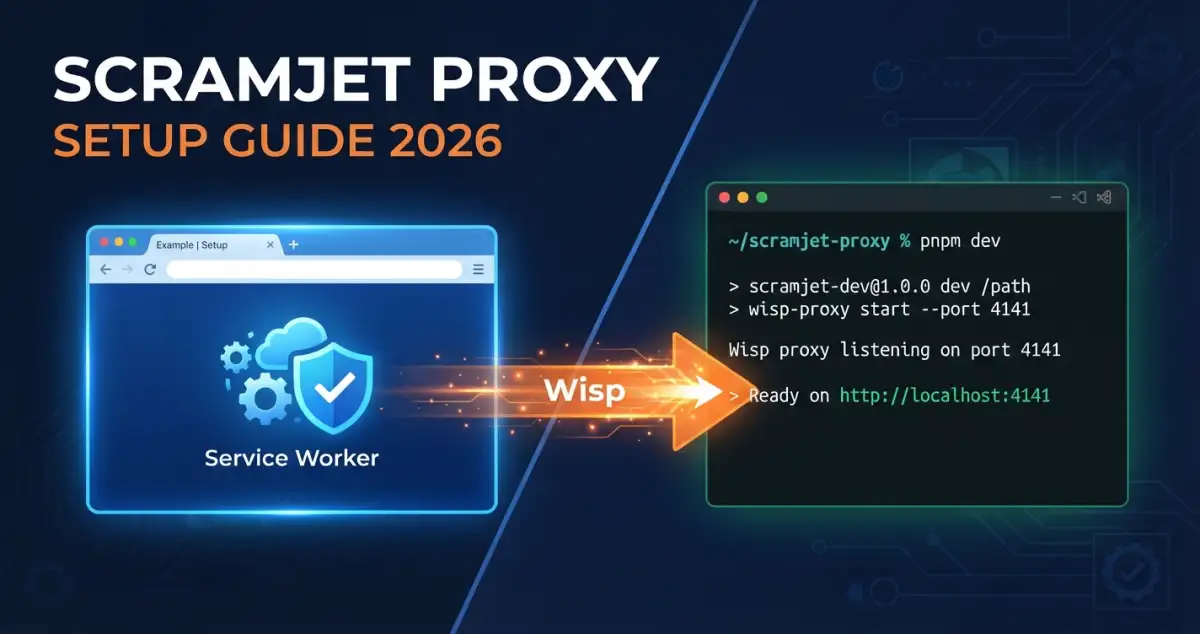
You need to access a site that your network blocks, or you want to sandbox untrusted web content without exposing your main browser session. You have heard about the Scramjet proxy but are not sure where to start. You are not alone.
Scramjet is not just another "enter a URL and hope for the best" proxy. It is an experimental, interception-based web proxy that rewrites JavaScript↗ Bright Coding Blog, WebAssembly, and network requests in real time to bypass censorship and arbitrary browser restrictions. Unlike classic proxies that fetch a page for you and send it back, Scramjet intercepts everything inside your browser: JavaScript requests, WebSockets, workers, and even proxy-detection attempts. It uses a Rust-compiled WebAssembly rewriter for speed.
This guide walks you through what Scramjet is, how it works under the hood, and exactly how to install and configure your own instance in 2026. You will get working terminal commands, a troubleshooting section for the most common failures, and a clear-eyed look at the security trade-offs so you can decide whether self-hosting a Scramjet proxy is right for you.
What Is the Scramjet Proxy?
The Scramjet proxy is an open-source, browser-based web proxy built by MercuryWorkshop. It is designed to evade internet censorship and bypass arbitrary browser restrictions by sandboxing arbitrary web content, bypassing CORS limitations, and instrumenting websites inside the browser itself.
Scramjet is the spiritual successor to Ultraviolet, the proxy engine that pioneered the service-worker interception model. Ultraviolet is now deprecated, and Scramjet is the current standard for browser-based proxying.
The project is actively maintained on GitHub and ships as an npm package (@mercuryworkshop/scramjet). A demo instance, a playground, and API documentation are all available for developers who want to inspect exactly how requests are rewritten before they commit to a self-hosted deployment.
How Does the Scramjet Proxy Work?
Scramjet works in three coordinated layers: request interception, backend transport, and runtime rewriting. Understanding these layers is the difference between blindly copying commands and actually being able to debug your proxy when something breaks.
Layer 1: Service Worker Interception
When you load a Scramjet-powered site, it registers a service worker in your browser. That service worker intercepts fetch events: XHR calls, fetch() requests, stylesheet loads, script loads, and image requests that pages under its control make. Every request is caught before it leaves the browser tab.
The service worker rewrites URLs so that they route through the proxy backend, and it patches browser APIs so the page behaves as if it loaded directly from the original origin.
Layer 2: Backend Transport (Wisp Protocol)
The actual network requests are handled server-side by a Wisp WebSocket server. Wisp is a low-overhead protocol for proxying multiple TCP/UDP sockets over a single WebSocket connection. Scramjet's default demo uses EpoxyTransport to fetch proxied data with end-to-end encryption, though CurlTransport is available as an alternative.
A simpler way to think about it: the service worker is the traffic controller inside your browser, and the Wisp server is the tunnel that carries the traffic out to the open internet.
Layer 3: WASM-Powered Rewriting
Scramjet uses a Rust-compiled WebAssembly rewriter to transform HTML, CSS, and JavaScript on the fly. This is what allows it to handle complex single-page applications (SPAs) that simpler proxies break on. The rewriter runs in the browser, which means the heavy transformation work is distributed to the client rather than bottlenecked on the server.
Main Features and Capabilities
Scramjet ships with a feature set that goes well beyond basic URL rewriting:
- CAPTCHA support (with caveats about datacenter IPs; see the troubleshooting section).
- End-to-end TLS encryption between the browser and the proxy backend, powered by
libcurl.jsand the Wisp protocol. - Sandboxing and instrumentation: you can write your own HTML/CSS/JS snippets and run them inside the Scramjet sandbox from a fake origin, making it useful for debugging and security research.
- Supported sites include Google, YouTube, Instagram, ChatGPT, Reddit, Twitter, Discord, Spotify, GeForce NOW, and now.gg.
- Two-way RPC communication between the main thread, service workers, and transport layers for request routing.
The official documentation notes that Scramjet prioritizes security, developer friendliness, and performance, and that it can act as middleware for other open-source projects, not just as an end-user proxy.
Requirements and Prerequisites
Before you install Scramjet, make sure your environment meets these requirements. The build process is not trivial, and missing a dependency is the most common reason first-time installations fail.
| Requirement | Why You Need It |
|---|---|
| Recent Node.js | Runtime for the demo application and build tooling |
| pnpm | Scramjet uses pnpm workspaces; npm and Yarn are not officially supported for development |
| Rustup | Compiles the Rust-based rewriter |
| wasm-bindgen | Generates JavaScript bindings for the WebAssembly module |
Binaryen's wasm-opt |
Optimizes the compiled WASM binary |
wasm-snip fork |
Removes unused WASM code (Scramjet requires a specific fork) |
These dependencies are listed explicitly in the official repository. If you are deploying a pre-built demo application rather than building Scramjet from source, you may only need Node.js and pnpm, but you will still need a Wisp server running.
Step-by-Step Installation and Configuration Guide
There are two paths: building Scramjet from source (for developers who want to modify the engine) and deploying a pre-built demo application (for anyone who just wants a working proxy). We will cover both.
Path A: Build Scramjet from Source
Step 1: Clone the repository with submodules.
Scramjet uses Git submodules, so you must include the --recursive flag.
git clone --recursive https://github.com/MercuryWorkshop/scramjet
cd scramjet
Step 2: Install dependencies.
pnpm i
Step 3: Build the rewriter.
The rewriter is the Rust/WASM component. It must be built before the rest of the package.
cd packages/core
pnpm rewriter:build
Step 4: Build Scramjet.
pnpm build
Step 5: Run the development server.
From the repository root:
pnpm dev
The demo should now be running at http://localhost:4141 and will rebuild automatically when you change files (excluding the rewriter).
Note: Some community guides list the local dev URL as
http://localhost:1337. If port 4141 does not respond, check the terminal output frompnpm devfor the actual address.
Path B: Deploy a Pre-Built Demo Application
If you do not need to modify Scramjet itself, the Scramjet-App repository provides a mass-deployable example that is based on the familiar Ultraviolet-App structure.
Step 1: Clone the app repository.
git clone https://github.com/MercuryWorkshop/Scramjet-App
cd Scramjet-App
Step 2: Install dependencies and start.
pnpm install
pnpm start
This example uses EpoxyTransport to fetch proxied data encrypted. For production, the maintainers recommend replacing the default Node Wisp server with wisp-server-python↗ Bright Coding Blog, which is considered more suitable for production workloads.
Configuring Your Transport and Wisp Server
Scramjet is transport-agnostic. The two official transport options are:
- EpoxyTransport: the default in most demos, providing encrypted transport.
- CurlTransport: an alternative fetch method maintained by the same organization.
Your Wisp server is the critical backend component. For a production deployment, you will want to:
- Run a dedicated Wisp server (Node or Python).
- Ensure your server has a residential or non-datacenter IP if you expect CAPTCHAs and YouTube to work reliably.
- Consider rotating IPs or routing through WireGuard (for example, with
wireproxy) if you expect heavy traffic, because a single IP will cause some sites to stop working.
Practical Use Cases and Examples
Scramjet is not a one-size-fits-all tool. Here are the scenarios where it genuinely shines, and where it does not.
Use Case 1: Bypassing Network-Level Blocks
Scramjet sees the most use in schools and workplaces where administrators block domains at the DNS or firewall level. A browser-based proxy sidesteps this by routing all traffic through its own unblocked domain. The proxy site itself gets blocked eventually, a new mirror goes up, and the cycle continues. Self-hosting gives you control over that mirror.
Use Case 2: Sandboxing Untrusted Content
Because Scramjet runs arbitrary web content inside a sandbox and lets you inspect every rewritten request, it is useful for security researchers who want to observe how a page behaves without letting it touch their real origin.
Use Case 3: Debugging Complex Web Apps
The playground feature lets you write HTML/CSS/JS snippets and run them from a configurable fake origin. Adding console.log(location.href) will show the page running on that fake origin, which is invaluable for testing origin-dependent behavior.
Use Case 4: Middleware for Open-Source Projects
Scramjet is designed to act as middleware. If you are building a tool that needs to load third-party web content without CORS headaches, Scramjet's API and Typedoc documentation give you a programmatic entry point.
Advantages and Disadvantages
| Advantages | Disadvantages |
|---|---|
| Open-source and actively maintained on GitHub | Experimental: not a stable, production-hardened product |
| WASM rewriter handles complex SPAs better than older proxies | Frequently breaks on Google Sign-in, Cloudflare challenges, DRM content, and some SPAs |
| End-to-end TLS between browser and proxy backend | The proxy operator sees cleartext: TLS terminates at the proxy server |
| CAPTCHA support (with IP caveats) | Datacenter IPs break CAPTCHAs and YouTube; you may need residential IPs or IP rotation |
| Free and self-hostable | Build process is heavy: Rust, WASM tooling, and pnpm are required for source builds |
| Useful for debugging and sandboxing | Not a VPN replacement: it protects against network filters, not against the proxy operator |
Common Problems and Troubleshooting
Here are the failures you are most likely to hit, based on the official documentation and community reports.
Problem 1: The Proxy Loads but Sites Break Immediately
Symptom: The proxy homepage works, but entering a URL returns a blank page or a connection error.
Fix: This is often a first-use issue. Click the refresh button and reload the page. Community troubleshooting guides report that this resolves the problem in many first-time cases. If it persists, clear the site's IndexedDB data and hard-refresh with Ctrl+Shift+R.
Problem 2: CAPTCHAs or YouTube Fail
Symptom: Google challenges loop forever, or YouTube refuses to play.
Fix: Check your server's IP. Scramjet explicitly warns that datacenter IPs will cause CAPTCHAs and YouTube to fail. You need a residential IP, or you need to rotate IPs or route through WireGuard using a project like wireproxy.
Problem 3: Google Sign-in or Cloudflare Challenges Loop
Symptom: You can browse simple sites, but authentication flows and bot-protection pages break.
Fix: This is a known limitation of the browser-based proxy model, not a configuration error. Scramjet handles simple sites well but frequently breaks on Google Sign-in, Cloudflare challenges, DRM content, and complex SPAs. For these sites, you need a different tool.
Problem 4: Image and Site Loading Failures (GZIP Corruption)
Symptom: Images fail to load or pages show corrupted content.
Fix: Community reports link this to Scramjet instability and GZIP corruption. A page reload often resolves it. If not, verify that you are running a recent build and that your Wisp server is not mangling compression headers.
Problem 5: pnpm rewriter:build Fails
Symptom: The build fails at the WASM step.
Fix: Verify that rustup, wasm-bindgen, wasm-opt, and the required wasm-snip fork are all installed and on your PATH. Scramjet's build is sensitive to toolchain versions. Using the exact dependencies listed in the repository is the fastest path to a successful build.
Alternatives and Comparisons
Scramjet is not the only interception-based proxy, and it is not always the right one.
| Tool | Model | Status / Notes |
|---|---|---|
| Scramjet | Service-worker interception plus WASM rewriter | Current best option for browser-based proxying; experimental |
| Ultraviolet | Service-worker interception (pioneer) | Deprecated; Scramjet is its successor |
| Rammerhead | Session-based server-side URL rewriting | Different architecture; not service-worker-based |
| Womginx | Pure nginx approach | Server-side, not browser-based |
| Holy Unblocker / InvisiProxy LTS | Aggregates multiple engines (Ultraviolet, Scramjet, Rammerhead) | Not a direct alternative; it is a platform that can include Scramjet |
| Commercial VPN | Encrypts all device traffic | Protects against the network operator, but not a substitute for a browser-based proxy when you need to bypass domain-level blocks |
If your goal is to self-host a modern browser-based proxy, Scramjet is the engine to build on. If you need to bypass DRM or enterprise SSO, no browser-based proxy, including Scramjet, will reliably do that.
Security, Privacy, and Best Practices
This section is not optional reading. Browser-based proxies have a trust model that many users misunderstand.
The Proxy Operator Can See Everything
HTTPS between your browser and the proxy protects the connection to the proxy. But TLS terminates at the proxy server. The proxy process decrypts your request, makes its own connection to the target site, and relays the response back. At that point, the operator's code has access to the cleartext: every URL, every form submission, every cookie, every response body. They can log it, modify it, or inject content into it.
If you self-host, you are the operator. That is an advantage for privacy from third parties, but it also means you are responsible for securing the server.
Best Practices for Self-Hosting
- Never type passwords into a proxy you do not control. The same logic applies to your own proxy: if your server is compromised, your cleartext traffic is exposed.
- Do not host on a datacenter IP if you need CAPTCHAs and YouTube to work. Use a residential IP or IP rotation.
- Use end-to-end encryption transports (EpoxyTransport or CurlTransport over Wisp) rather than plain HTTP transport.
- Harden your Wisp server. For production, use
wisp-server-pythonrather than the default Node server, and keep it updated. - Understand that Scramjet is experimental. Treat it as a research and access tool, not as a hardened security boundary. The project itself labels it experimental, and its maintainers prioritize developer friendliness and performance alongside security.
Frequently Asked Questions (FAQ)
1. Is the Scramjet proxy free?
Yes. Scramjet is open-source software. You can clone it from GitHub, build it, and self-host it without paying a license fee. You only pay for the server infrastructure you run it on.
2. Is Scramjet a VPN?
No. A VPN encrypts all traffic from your device at the operating-system level. Scramjet is a browser-based proxy that runs inside a browser tab and intercepts requests from pages it controls. It is not a VPN replacement, and you should not treat it as one for sensitive activities.
3. Can Scramjet bypass Google Sign-in?
Reliably, no. Scramjet handles simple sites well but frequently breaks on Google Sign-in, Cloudflare challenges, DRM content, and complex SPAs. It is not designed to defeat enterprise authentication flows.
4. Why do CAPTCHAs fail on my Scramjet instance?
The most common cause is hosting on a datacenter IP. Scramjet's documentation explicitly warns that CAPTCHAs and YouTube require a non-datacenter IP, and that heavy traffic on a single IP will cause some sites to stop working. Rotate IPs or route through WireGuard if you need reliability.
5. What is the difference between Scramjet and Ultraviolet?
Ultraviolet pioneered the service-worker interception model but is now deprecated. Scramjet is its successor, using a Rust/WASM rewriter for better performance on complex sites and adding features like CAPTCHA support and end-to-end encrypted transport.
6. Do I need Rust to run Scramjet?
Only if you build the rewriter from source. If you deploy a pre-built demo application, you may not need the Rust toolchain. However, the official development workflow requires rustup, wasm-bindgen, wasm-opt, and a specific wasm-snip fork.
7. What is a Wisp server, and do I need one?
A Wisp server is the backend that handles the actual network requests after the service worker intercepts them. Yes, you need one for Scramjet to function. The default demos include a Node-based Wisp server; production deployments should use wisp-server-python.
8. Is self-hosting a Scramjet proxy legal?
Scramjet itself is open-source software, and running a web proxy is legal in most jurisdictions. However, using a proxy to bypass network policies at a school or employer may violate acceptable-use agreements. You are responsible for complying with the laws and policies that apply to you.
9. Can I use Scramjet on a phone?
Scramjet runs in a browser tab, so any modern mobile browser that supports service workers can load a Scramjet instance. The self-hosting server runs on a normal server; there is no separate mobile app.
10. What should I do if my Scramjet instance keeps breaking?
Start with the basics: reload the page, clear IndexedDB site data, and hard-refresh with Ctrl+Shift+R. If the problem is specific to certain sites (Google, Cloudflare, DRM), it is a known limitation rather than a bug you can fix with configuration.
Final Thoughts and Conclusion
The Scramjet proxy is one of the most technically ambitious browser-based proxy engines available today. Its combination of service-worker interception, Rust/WASM rewriting, and encrypted Wisp transport gives it a real performance edge over older proxies. And because it is open-source, you can self-host it and inspect exactly what it does with your traffic.
That said, it is experimental. It breaks on Google Sign-in, Cloudflare challenges, DRM content, and some complex SPAs. It requires a non-datacenter IP for CAPTCHAs and YouTube. And its trust model means the proxy operator, whether that is you or someone else, can see your cleartext traffic.
If you are a developer, a security researcher, or someone who wants to understand how modern interception-based proxies work, setting up your own Scramjet instance is an excellent learning project and a genuinely useful tool. Start by cloning the repository, working through the build steps, and running the local demo. Once you have it running on localhost, deploy it behind a Wisp server on a residential IP, and treat it as a research and access tool, not as a replacement for a VPN or a hardened security boundary.
Your next step: clone the official repository and run pnpm dev to see Scramjet working on your own machine. The source code, issue tracker, and Discord community are the best places to go when you hit a wall.
C. Visual Content Recommendations
Image 1: Scramjet Architecture Diagram
- Placement: Immediately after the "How Does the Scramjet Proxy Work?" section.
- Prompt: A clean, modern technical diagram showing three layers: a browser tab with a service worker icon intercepting requests, a Wisp WebSocket tunnel in the middle, and a server labeled "Proxy Backend" connecting to the open internet. Use blue and orange accents on a white background, flat vector style, with labeled arrows.
- Filename:
scramjet-proxy-architecture-diagram.webp - ALT: "Diagram showing the three layers of the Scramjet proxy: browser service worker interception, Wisp transport tunnel, and backend server."
Image 2: Terminal Screenshot of Build Steps
- Placement: Inside the "Step-by-Step Installation" section, after the source-build commands.
- Prompt: A realistic macOS terminal screenshot showing the commands
git clone --recursive,pnpm i,pnpm rewriter:build, andpnpm buildwith successful output lines. Dark theme, monospace font, clean and readable, no sensitive data. - Filename:
scramjet-proxy-installation-terminal-steps.webp - ALT: "Terminal window showing the Scramjet proxy source build commands and successful build output."
Image 3: Scramjet Playground Interface
- Placement: In the "Practical Use Cases" section, under the "Debugging Complex Web Apps" subsection.
- Prompt: A browser screenshot of the Scramjet playground interface with a code editor on the left containing a small HTML/JS snippet, and a preview pane on the right showing a rendered page with a console log output. Clean UI, light theme, browser chrome visible.
- Filename:
scramjet-proxy-playground-interface.webp - ALT: "Scramjet proxy playground showing a code editor and a live preview of HTML and JavaScript running from a fake origin."
Image 4: CAPTCHA and IP Troubleshooting Flowchart
- Placement: In the "Common Problems and Troubleshooting" section, above the problem list.
- Prompt: A simple decision-tree flowchart: "CAPTCHA failing?" to "Is your server on a datacenter IP?" to Yes to "Use residential IP or IP rotation" to No to "Check Wisp server and reload." Minimalist, two-color, clear arrows.
- Filename:
scramjet-proxy-captcha-troubleshooting-flowchart.webp - ALT: "Flowchart for troubleshooting Scramjet proxy CAPTCHA failures based on server IP type."
D. SEO↗ Bright Coding Blog Extras
5 Related Long-Tail Keywords
- How to self-host Scramjet proxy in 2026
- Scramjet proxy vs Ultraviolet comparison
- Scramjet Wisp server setup tutorial
- Fix Scramjet proxy CAPTCHA not working
- Scramjet proxy build from source step by step
5 People Also Ask (PAA) Questions
- Is Scramjet better than Ultraviolet?
- Does Scramjet proxy work with Google?
- What is a Wisp server in Scramjet?
- Can I self-host Scramjet on a VPS?
- Why does Scramjet keep breaking on YouTube?
3 to 5 Internal Linking Opportunities
| Anchor Text | Suggested Placement | Topic of Internal Article |
|---|---|---|
| "How browser-based proxies intercept traffic" | In the "How Does the Scramjet Proxy Work?" section | Explainer on service workers and fetch interception |
| "Ultraviolet proxy: what it was and why it was deprecated" | In the "Alternatives and Comparisons" section | Historical overview of the Ultraviolet engine |
| "Self-hosting security checklist for developers" | In the "Security, Privacy, and Best Practices" section | General guide to hardening self-hosted web services |
| "WASM performance for web developers" | In the "WASM-Powered Rewriting" subsection | Introductory guide to Rust-to-WebAssembly workflows |
| "VPN vs. proxy vs. browser extension" | In the FAQ, under "Is Scramjet a VPN?" | Comparison of traffic-routing tools |
Suggested Schema Markup
Primary: HowTo. The core of the article is a step-by-step installation and configuration guide, which maps directly to HowTo structured data with step entities for each build command.
Secondary: SoftwareApplication. Add markup for Scramjet as a SoftwareApplication with applicationCategory: "WebApplication", operatingSystem: "Web", and offers.price: "0".