
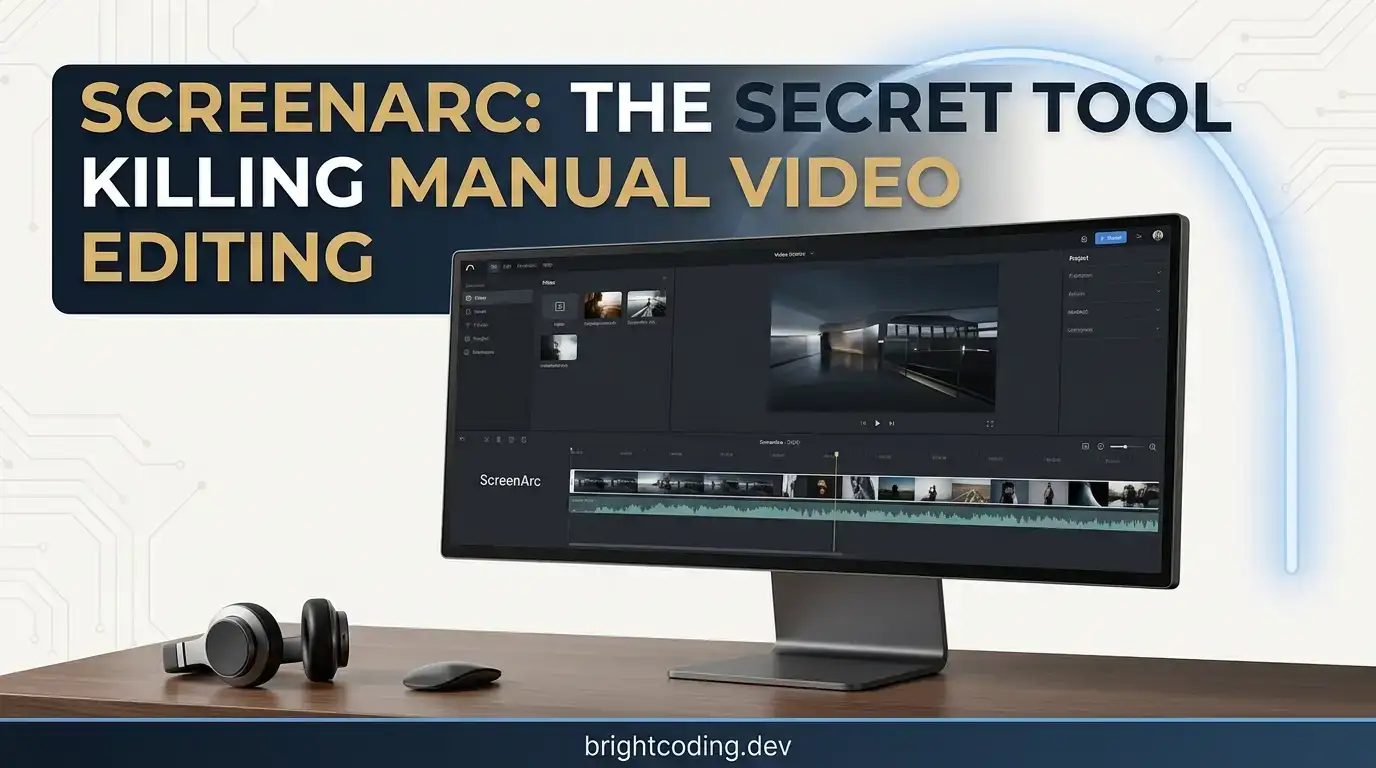
ScreenArc: The Secret Tool Killing Manual Video Editing
Stop wasting 3 hours on 30 seconds of video. If you've ever recorded a screen tutorial, you know the brutal truth: the recording takes 10 minutes, but the editing consumes your entire afternoon. Zooming into clicks. Panning to follow your cursor. Adding smooth transitions that don't make viewers seasick. Frame by frame. Keyframe by keyframe. Until your eyes bleed and your creativity dies.
What if I told you there's a tool that eliminates this entire nightmare? A tool that watches your mouse, predicts your intent, and automatically generates Hollywood-grade pan-and-zoom effects—no manual keyframing, no timeline wrestling, no plugins to configure. Just record, and let the magic happen.
Meet ScreenArc, the open-source screen recorder that's making professional video creators secretly panic. Built by developer Tam Nguyen Van and already gaining insane traction across GitHub, ScreenArc doesn't just capture your screen—it directs your content like a cinematographer. Whether you're building developer tutorials, product demos, online courses, or viral social content, this tool transforms raw footage into polished, engaging narratives while you focus on what actually matters: your message.
Ready to discover why creators are abandoning traditional editors? Let's dive deep.
What is ScreenArc?
ScreenArc is a cross-platform screen recorder and editor that fuses intelligent automation with professional-grade output. Born from the frustration of manual video production, this open-source project—hosted at https://github.com/tamnguyenvan/screenarc—leverages real-time mouse tracking algorithms to generate cinematic camera movements automatically.
The brainchild of Tam Nguyen Van, ScreenArc emerged when existing solutions forced creators into impossible choices: either sacrifice quality with basic built-in recorders, or drown in complexity with professional suites like After Effects or Premiere Pro. Van's breakthrough insight? Most screen recording movements are predictable. Clicks demand attention. Cursor paths tell stories. If software could interpret these patterns intelligently, the machine—not the human—could handle the mechanical artistry of camera work.
Built on a modern Electron + Vite + TypeScript foundation with React↗ Bright Coding Blog and TailwindCSS powering the interface, ScreenArc represents a new breed of creative tooling: desktop-class performance with web-technology agility. The backend video processing pipeline harnesses FFmpeg for rock-solid encoding, while Zustand with Immer and Zundo provides buttery-smooth state management—including undo/redo that actually works across complex editing operations.
What's fueling ScreenArc's viral momentum? Three converging forces: the explosion of developer content creation, the relentless demand for short-form vertical video (9:16), and a genuine hunger for tools that respect creators' time. Unlike SaaS alternatives that lock features behind subscriptions, ScreenArc is fully open-source under GPL-3.0—no watermarks, no feature gates, no monthly ransom.
Key Features That Destroy the Competition
ScreenArc isn't another screen recorder with a fresh coat of paint. Every feature addresses a specific pain point that traditional tools ignore—or exploit for upselling.
🎥 Flexible Capture Architecture
Record full screen, specific application windows, or custom regions with seamless multi-monitor support. ScreenArc's capture engine intelligently handles mixed-DPI environments where 4K and 1080p displays coexist—no more blurry scaling artifacts or coordinate confusion. The underlying system leverages platform-specific APIs: global-mouse-events on Windows, node-x11 bindings for Linux X11 sessions, and native macOS accessibility frameworks.
👤 Webcam Overlay Integration
Humanize technical content without juggling OBS scenes. ScreenArc overlays your webcam feed with automatic positioning, letting viewers connect with your personality while following complex demonstrations. The compositing happens in-engine, eliminating sync drift between screen and camera tracks.
🎬 Cinematic Mouse Tracking (The Killer Feature)
Here's where ScreenArc exposes the limitations of every competitor. The software analyzes your mouse velocity, click patterns, and dwell times to generate procedural camera movements. Fast cursor travel? Smooth pan follows. Click detected? Elegant zoom emphasizes. Pause for explanation? Gentle drift maintains visual interest. The algorithms interpolate motion curves that feel intentional, not robotic—all without a single keyframe.
🎨 Visual Timeline Editor
For creators who want manual control, ScreenArc provides a visual timeline with frame-accurate trimming, customizable backgrounds (solid colors, gradients, even wallpapers), drop shadows, and border styling. The interface design draws inspiration from Cursorful's intuitive approach, refined with direct manipulation patterns that minimize cognitive load.
📏 Instant Aspect Ratio Morphing
One click transforms 16:9 (YouTube) → 9:16 (TikTok/Reels/Shorts) → 1:1 (Instagram). ScreenArc's smart reframing preserves focal points during conversion, automatically repositioning your content to maintain compositional balance. No more black bars, no more awkward cropping decisions.
💾 Preset System for Brand Consistency
Save complete styling configurations—colors, shadows, zoom intensity, transition speed—as named presets. Apply them instantly across projects. For agencies and prolific creators, this ensures visual brand consistency without repetitive setup.
📤 Professional Export Pipeline
Output as MP4 or GIF with resolutions up to 2K. The FFmpeg backend supports hardware-accelerated encoding where available, dramatically reducing render times for lengthy recordings.
Use Cases: Where ScreenArc Absolutely Dominates
1. Developer Documentation & API Tutorials
You've built an incredible library. Now explain it. ScreenArc's automatic zooms emphasize method signatures, highlight configuration files, and dramatize terminal output—keeping viewers locked into your narrative flow. The result? Documentation that converts users into contributors.
2. SaaS Product Demos
Sales teams waste hours producing generic walkthroughs. With ScreenArc, record once, export in multiple aspect ratios for different channels, and let the automatic camera work guide prospects' attention to value-driving features. The preset system ensures every demo matches your brand guidelines.
3. Online Course Creation
Educators know: student retention dies with static screens. ScreenArc's dynamic camera movements mimic the energy of in-person instruction, zooming into details when concepts intensify, pulling back for context during transitions. Courses feel produced, not recorded.
4. Social Media↗ Bright Coding Blog Technical Content
The 9:16 vertical format demands aggressive reframing. ScreenArc's instant aspect switching, combined with automatic mouse tracking, transforms horizontal workflow demos into thumb-stopping vertical content—without re-recording or manual repositioning every zoom point.
5. Remote Team Async Communication
Replace wall-of-text Slack updates with 30-second narrated screen captures that automatically emphasize relevant UI elements. Faster to produce than Loom, more polished than basic recordings, and completely self-hosted.
Step-by-Step Installation & Setup Guide
Linux Installation (X11 Required)
ScreenArc currently requires X11 display server—Wayland support is on the roadmap. Verify your session:
# Check your display server type
echo $XDG_SESSION_TYPE
# Must output: x11
# If "wayland", switch from your login screen before proceeding
Download and execute the latest AppImage:
# Download the latest release
wget https://github.com/tamnguyenvan/screenarc/releases/latest/download/ScreenArc-*-linux-x64.AppImage

# Make executable
chmod +x ScreenArc-*-linux-x64.AppImage

# Launch ScreenArc
./ScreenArc-*-linux-x64.AppImage
Troubleshooting tip: If you encounter permission errors, double-check the executable bit. For sandbox-related AppImage issues, append the --no-sandbox flag.
Windows Installation
As an emerging open-source project, ScreenArc lacks code signing certificates—expect SmartScreen warnings. The code is fully auditable at https://github.com/tamnguyenvan/screenarc.
- Download
ScreenArc-*-Setup.exefrom the Releases Page - Click "Keep anyway" if your browser warns about the download
- On SmartScreen, click "More info" → "Run anyway"
- Follow installation wizard
macOS Installation
Apple Silicon and Intel builds are separately optimized:
| Architecture | Download File |
|---|---|
| Apple Silicon (M1/M2/M3) | ScreenArc-*-arm64.dmg |
| Intel Macs | ScreenArc-*-x64.dmg |
Security bypass process:
- Attempt to open the app (will show security warning)
- Close warning, open System Settings → Privacy & Security
- Scroll to Security section, click "Open Anyway" next to ScreenArc's warning
- Confirm with "Open" in the dialog
Development Environment Setup
Want to hack on ScreenArc? The modern stack makes contribution accessible:
Prerequisites by platform:
- Linux: X11 session confirmed
- Windows: Visual Studio 2022 Build Tools with "Desktop development with C++" workload, Python↗ Bright Coding Blog 3.8+ in PATH
- macOS: Xcode Command Line Tools, Python 3.8+ in PATH
Clone and bootstrap:
# Clone the repository
git clone https://github.com/tamnguyenvan/screenarc.git
cd screenarc

# Clean install dependencies
rm package-lock.json
npm install
FFmpeg binary setup (critical for video processing):
# Linux x64
wget https://github.com/tamnguyenvan/screenarc-assets/releases/download/v0.0.1/ffmpeg-linux-x64 -O binaries/linux/ffmpeg
chmod +x binaries/linux/ffmpeg

# macOS Apple Silicon
wget https://github.com/tamnguyenvan/screenarc-assets/releases/download/v0.0.1/ffmpeg-darwin-arm64 -O binaries/darwin/ffmpeg-arm64
chmod +x binaries/darwin/ffmpeg-arm64

# macOS Intel
wget https://github.com/tamnguyenvan/screenarc-assets/releases/download/v0.0.1/ffmpeg-darwin-x64 -O binaries/darwin/ffmpeg-x64
chmod +x binaries/darwin/ffmpeg-x64

# Windows
wget https://github.com/tamnguyenvan/screenarc-assets/releases/download/v0.0.1/ffmpeg.exe -O binaries/windows/ffmpeg.exe
Launch development mode:
npm run dev
The Vite-powered dev server provides hot module replacement for rapid iteration.
REAL Code Examples from the Repository
Let's examine how ScreenArc's architecture enables its signature features. These patterns reveal the engineering decisions that separate amateur tools from professional-grade software.
Example 1: Repository Structure & Tech Stack Integration
The README's tech stack declaration isn't marketing fluff—it reflects deliberate architectural choices:
⚡ Core Framework: Electron, Vite, TypeScript
💅 Frontend: React, TailwindCSS
📦 State Management: Zustand with Immer & Zundo
🎥 Backend & Video Processing: Node.js, FFmpeg
Why this matters: Electron provides cross-platform desktop distribution with web-technology developer velocity. But Electron apps often feel sluggish. Vite eliminates this by replacing webpack with native ESM-based builds—development server startup in milliseconds, not minutes. TypeScript across the stack catches integration errors between main and renderer processes before runtime.
The Zustand + Immer + Zundo combination is particularly clever. Zustand's minimal API reduces boilerplate versus Redux. Immer enables immutable state updates with mutable syntax—critical for complex timeline manipulations. Zundo adds performant undo/redo without the memory explosion of naive snapshot strategies. When you're scrubbing through 30 minutes of captured frames, this matters.
Example 2: FFmpeg Integration Pattern
The FFmpeg binary management reveals cross-platform packaging sophistication:
# Linux: Direct executable with permission setting
wget https://github.com/tamnguyenvan/screenarc-assets/releases/download/v0.0.1/ffmpeg-linux-x64 -O binaries/linux/ffmpeg
chmod +x binaries/linux/ffmpeg

# macOS: Architecture-specific binaries for universal performance
# Apple Silicon gets native ARM64 build
wget https://github.com/tamnguyenvan/screenarc-assets/releases/download/v0.0.1/ffmpeg-darwin-arm64 -O binaries/darwin/ffmpeg-arm64
chmod +x binaries/darwin/ffmpeg-arm64

# Intel gets x64 optimization
wget https://github.com/tamnguyenvan/screenarc-assets/releases/download/v0.0.1/ffmpeg-darwin-x64 -O binaries/darwin/ffmpeg-x64
chmod +x binaries/darwin/ffmpeg-x64
Technical insight: Separate FFmpeg builds per architecture aren't just about compatibility—they unlock hardware-accelerated encoding. Apple Silicon's VideoToolbox, Intel's Quick Sync, and VA-API on Linux each require specific compile flags. By distributing optimized binaries, ScreenArc ensures export performance that generic builds can't match. The binaries/[os] directory structure enables runtime platform detection and correct binary selection.
Example 3: Development Workflow Commands
The contribution setup demonstrates modern Node.js project hygiene:
# Explicit lockfile removal ensures clean dependency resolution
rm package-lock.json
npm install

# Vite dev server with HMR for rapid UI iteration
npm run dev
Why remove package-lock.json? In rapidly evolving projects, stale lockfiles can pin incompatible transitive dependencies. This instruction—unusual in production documentation—signals that ScreenArc prioritizes contributor success over theoretical reproducibility. The npm install regenerates from package.json with latest compatible versions, reducing "works on my machine" friction.
The npm run dev command leverages Vite's transformative development experience: instant server start, lightning-fast HMR (Hot Module Replacement), and on-demand compilation that scales to large codebases without the webpack memory wall.
Example 4: Mouse Event System Architecture
The acknowledgements section reveals critical low-level dependencies:
- [global-mouse-events](https://github.com/xanderfrangos/global-mouse-events): Mouse event listener on Windows
- [node-x11](https://github.com/sidorares/node-x11): X11 Node.js binding
Deep technical analysis: ScreenArc's automatic zooms require system-level mouse event interception—not just cursor position polling, but click detection, velocity calculation, and acceleration curves. On Windows, global-mouse-events provides native hook access without requiring elevated privileges. On Linux, node-x11 binds to X11's event stream directly.
This architecture explains the Wayland limitation: Wayland's security model intentionally restricts global input monitoring. The project needs equivalent portal APIs or compositor-specific protocols to replicate this functionality. The explicit X11 requirement in documentation shows honest engineering communication—setting correct expectations rather than hiding limitations.
Advanced Usage & Best Practices
Optimize Automatic Zoom Intensity
ScreenArc's algorithms have tunable sensitivity. For dense code walkthroughs, reduce zoom intensity to prevent excessive motion. For product demos with sparse UI, increase intensity to dramatize interactions. Save these as presets per content type.
Master Aspect Ratio Workflows
Record in 16:9 for maximum information density, then export 9:16 for social clips. ScreenArc's smart reframing preserves your focal point—test the automatic crop before final export, adjusting if the algorithm misses secondary UI elements you want visible.
Leverage FFmpeg Hardware Acceleration
On supported systems, verify hardware encoding is active by monitoring CPU usage during export. Near-zero CPU with fast progress indicates GPU acceleration. If CPU pegs at 100%, check that your FFmpeg binary matches your architecture (especially critical for Apple Silicon).
Build Custom Presets for Team Scaling
Export preset configurations as JSON, version them in your team's repository, and distribute via shared storage. This transforms ScreenArc from individual tool to organizational production pipeline.
Comparison with Alternatives
| Feature | ScreenArc | OBS Studio | Loom | Camtasia | After Effects |
|---|---|---|---|---|---|
| Automatic pan/zoom | ✅ Native | ❌ Manual plugins | ❌ None | ⚠️ Manual | ⚠️ Complex keyframes |
| Open source | ✅ GPL-3.0 | ✅ GPL-2.0+ | ❌ Proprietary | ❌ Proprietary | ❌ Proprietary |
| No watermarks | ✅ Always | ✅ Always | ❌ Free tier | ✅ Paid | ✅ Paid |
| Instant aspect switch | ✅ One click | ❌ Manual rescale | ❌ Fixed ratio | ⚠️ Project rebuild | ⚠️ Composition rework |
| Offline operation | ✅ Fully | ✅ Fully | ❌ Cloud required | ✅ Fully | ✅ Fully |
| Learning curve | 🟢 Minimal | 🔴 Steep | 🟢 Minimal | 🟡 Moderate | 🔴 Expert |
| Price | Free | Free | $12.50+/mo | $249.99 | $54.99/mo |
The verdict: ScreenArc occupies a unique position—professional automation at zero cost. OBS demands technical investment for equivalent results. Loom locks features and requires internet. Camtasia and After Effects demand serious budgets and time investment. For creators who value both quality and efficiency, ScreenArc is increasingly the only rational choice.
FAQ
Is ScreenArc completely free to use?
Yes. ScreenArc is released under GPL-3.0, meaning zero cost, no watermarks, no feature limitations, and full source code access. You can even modify and redistribute under the same license.
Why doesn't ScreenArc support Wayland on Linux?
Wayland's security architecture restricts global input monitoring that ScreenArc requires for automatic mouse tracking. The project explicitly acknowledges this limitation and requires X11 sessions. Wayland support may arrive via new portal APIs in future releases.
Can I use ScreenArc for commercial content?
Absolutely. GPL-3.0 permits commercial use. Create paid courses, client demos, SaaS marketing—no attribution required beyond license terms for derivative works.
How does automatic zoom quality compare to manual keyframing?
ScreenArc's algorithms produce professionally acceptable results for 90% of use cases. For highly stylized productions requiring precise timing control, manual tools still offer finer granularity—but at massive time cost.
Is my data sent to any servers?
No. ScreenArc operates entirely offline. No cloud processing, no account required, no telemetry. Your recordings never leave your machine unless you choose to upload them.
What export formats and resolutions are supported?
MP4 and GIF exports, with resolutions up to 2K. The FFmpeg backend can theoretically support additional formats; community contributions may expand this.
How can I contribute to ScreenArc development?
Clone https://github.com/tamnguyenvan/screenarc, follow the development setup, and submit pull requests. The modern stack (React, TypeScript, Electron) makes contribution accessible to web developers.
Conclusion: The Future of Screen Recording is Automatic
ScreenArc represents more than a tool—it's a philosophical shift in creative software. The old paradigm demanded humans perform mechanical artistry: keyframe, render, adjust, repeat. The new paradigm, exemplified by ScreenArc's intelligent automation, lets machines handle pattern-based production while humans focus on irreplaceable creativity: narrative, expertise, personality.
For developers documenting APIs, educators building courses, founders demoing products, or creators feeding the content machine—ScreenArc delivers professional output without professional time investment. The automatic cinematic zooms aren't a gimmick; they're a genuine productivity revolution that compounds with every video produced.
The open-source commitment matters too. In an era of subscription fatigue and platform risk, ScreenArc offers permanent, inspectable, community-owned tooling. No vendor lock-in. No surprise pricing changes. Just pure creative utility.
Your move. Stop wrestling with timelines. Stop paying rent for basic functionality. Head to https://github.com/tamnguyenvan/screenarc, download for your platform, and record your first effortlessly cinematic video today. The creators already using ScreenArc aren't looking back—and once you experience automatic pan-and-zoom that actually works, neither will you.
Found this breakdown valuable? Star the repository, share with your creator network, and watch your video production time plummet.

