
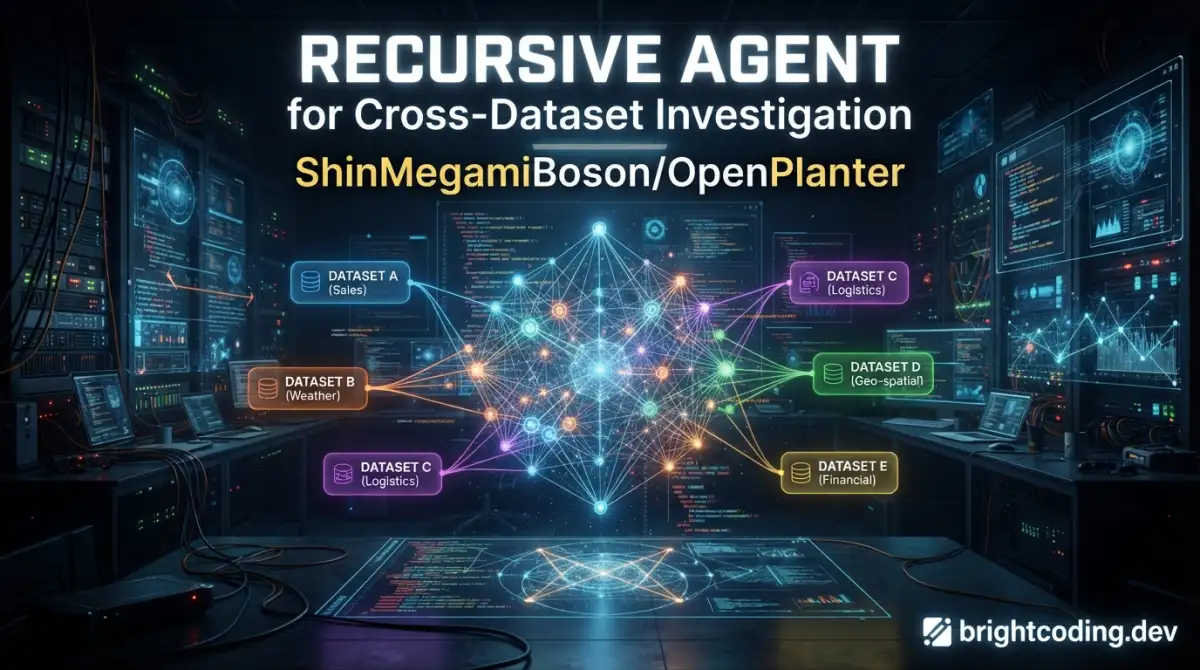
ShinMegamiBoson/OpenPlanter: Recursive Agent for Cross-Dataset Investigation
Developers and researchers working with fragmented public records—corporate registries, campaign finance data, lobbying disclosures, government contracts—face a persistent problem: connecting entities across siloed datasets without drowning in manual cross-referencing. The data exists. The relationships exist. But surfacing them requires either expensive proprietary platforms or custom pipelines that take weeks to build.
ShinMegamiBoson/OpenPlanter addresses this directly. It's a recursive language-model investigation agent with both a desktop GUI and terminal interface, designed to ingest heterogeneous datasets, resolve entities across them, and surface non-obvious connections through evidence-backed analysis. With 1,646 GitHub stars, 248 forks, and an MIT license, it's gaining traction among developers who need autonomous investigation capabilities without vendor lock-in.
This article breaks down what OpenPlanter does, how it works, and how to start using it—whether you prefer a polished desktop app or a scriptable CLI.
What is ShinMegamiBoson/OpenPlanter?
OpenPlanter is an open-source investigation agent built primarily in Python↗ Bright Coding Blog, with a Tauri 2 desktop application providing a graphical interface. It was created by ShinMegamiBoson and last updated on March 6, 2026.
The tool sits at the intersection of several technical categories: LLM-powered autonomous agents, entity resolution systems, and knowledge graph visualization platforms. Unlike single-purpose tools that only ingest data or only visualize it, OpenPlanter handles the full pipeline: dataset loading, cross-reference analysis, recursive sub-agent delegation for parallel investigation, and interactive graph exploration of discovered relationships.
Its core architecture reflects a design philosophy of recursive decomposition. When faced with a complex investigation—say, tracing connections between a vendor's government contracts and its lobbying expenditures—the agent spawns sub-agents via subtask and execute calls. Each sub-agent focuses on a narrower scope with defined acceptance criteria, then reports back. This mirrors how experienced investigators actually work: break the problem down, assign focused tasks, verify independently.
The desktop app adds a Cytoscape.js-powered knowledge graph that renders entities and relationships in real time as the agent works. Nodes are color-coded by category—corporate, campaign-finance, lobbying, contracts, sanctions—making pattern recognition immediate rather than requiring post-hoc report reading.
Key Features
Recursive Sub-Agent Delegation
OpenPlanter's default mode uses recursive sub-agent spawning to parallelize entity resolution, cross-dataset linking, and evidence-chain construction. The subtask and execute tools let an investigation branch into focused sub-investigations, each with independent verification. A max-depth parameter (default: 4) prevents runaway recursion.
Live Knowledge Graph Visualization
The desktop app renders an interactive Cytoscape.js graph that updates in real time. Users switch between force-directed, hierarchical, and circular layouts; search and filter by category; and click any node to open a wiki source drawer with the full markdown↗ Smart Converter document backing that entity. Internal wiki links navigate between documents and auto-focus the corresponding graph node.
Multi-Provider LLM Support
OpenPlanter abstracts across OpenAI, Anthropic, OpenRouter, Cerebras, and Ollama (local). Switch providers from the sidebar without reconfiguring the investigation. Local Ollama support means sensitive investigations never leave your machine—relevant for journalists, compliance officers, or researchers handling non-public data.
19 Built-In Tools
The agent has structured access to: file I/O (list_files, read_file, write_file, edit_file, apply_patch), shell execution (run_shell, run_shell_bg, check_shell_bg, kill_shell_bg), web search (web_search via Exa, fetch_url), and planning/delegation (think, subtask, execute, list_artifacts, read_artifact). This covers the full investigation lifecycle from raw data to structured findings.
Session Persistence & Background Curation
Investigations save automatically. Resume previous sessions or start fresh. A lightweight background agent maintains wiki document consistency and cross-linking, so the knowledge base stays coherent as the investigation scales.
Cross-Platform Desktop Binaries
Pre-built .dmg (macOS), .msi (Windows), and .AppImage (Linux) are available on the Releases page. Build from source with Rust stable and Node.js 20+ if you need customization.
Use Cases
1. Vendor-Contract-Lobbying Overlap Detection
A procurement officer or journalist needs to check whether companies receiving government contracts also lobby the same agencies. OpenPlanter ingests contract award databases and lobbying disclosure filings, resolves entity names ("Acme Corp" vs "Acme Corporation, LLC"), and flags temporal and financial overlaps with cited evidence.
2. Corporate Network Mapping
Given corporate registry extracts from multiple jurisdictions, the agent traces ownership chains, identifies shell company patterns, and surfaces beneficial ownership connections that don't appear in any single filing. The knowledge graph makes multi-hop relationships visually apparent.
3. Campaign Finance Compliance Review
Cross-reference campaign contribution records with contractor payment data to identify potential pay-to-play patterns. The recursive agent structure lets one sub-agent focus on contribution timing, another on contract award timing, and a third on entity resolution—then synthesizes findings.
4. Sanctions Evasion Investigation
Ingest sanctions lists, shipping manifests, and corporate registries. The agent flags potential alias usage, address clustering, and rapid company formation/dissolution patterns around sanctioned entities.
5. Due Diligence Automation
For M&A or investment screening: automate the initial sweep of public records to build a relationship map around a target company, flagging litigation, regulatory actions, and connected parties for human analyst review.
Installation & Setup
Desktop App (Pre-Built)
Download the appropriate binary from the Releases page:
- macOS:
.dmg - Windows:
.msi - Linux:
.AppImage
No additional dependencies required for the pre-built versions.
Desktop App (Build from Source)
cd openplanter-desktop

# Install frontend dependencies
cd frontend && npm install && cd ..

# Run in development mode
cargo tauri dev

# Build distributable binary
cargo tauri build
Prerequisites: Rust stable, Node.js 20+, and platform-specific Tauri dependencies (see Tauri prerequisites).
CLI Agent
# Install in editable mode
pip install -e .

# Configure API keys (interactive prompt)
openplanter-agent --configure-keys

# Launch the TUI
openplanter-agent --workspace /path/to/your/project
Requirements: Python 3.10+. Dependencies: rich, prompt_toolkit, pyfiglet.
Docker↗ Bright Coding Blog
# Add your API keys to .env, then:
docker compose up
The container mounts ./workspace as the agent's working directory.
API Key Configuration
Keys resolve in priority order (highest wins):
- CLI flags (
--openai-api-key, etc.) - Environment variables (
OPENAI_API_KEYorOPENPLANTER_OPENAI_API_KEY) .envfile in the workspace- Workspace credential store (
.openplanter/credentials.json) - User credential store (
~/.openplanter/credentials.json)
Additional service keys: EXA_API_KEY (web search), VOYAGE_API_KEY (embeddings).
Real Code Examples
Headless Single Task Execution
Run a focused investigation without interactive TUI:
openplanter-agent --task "Cross-reference vendor payments against lobbying disclosures and flag overlaps" --workspace ./data
This launches the agent with a specific objective, runs to completion, and exits. Ideal for CI pipelines or scheduled compliance checks. The --workspace ./data flag points to your dataset directory; the agent will list_files and read_file as needed, then write findings back to the workspace.
Local Model with Ollama
For fully offline operation:
# Pull a model first
ollama pull llama3.2

# Run with local provider
openplanter-agent --provider ollama

# Or specify a different local model
openplanter-agent --provider ollama --model mistral

# List available local models
openplanter-agent --provider ollama --list-models
The base URL defaults to http://localhost:11434/v1. Override with OPENPLANTER_OLLAMA_BASE_URL or --base-url. Note: the first request may be slow while Ollama loads the model into memory; OpenPlanter automatically uses a 120-second first-byte timeout.
Recursive Investigation with Constraints
openplanter-agent --task "Map ownership network for ABC Holdings" \
  --recursive \
  --max-depth 6 \
  --max-steps 200 \
  --acceptance-criteria \
  --workspace ./abc-investigation
Here --recursive enables sub-agent delegation (the default, but explicit here), --max-depth 6 allows deeper investigation chains than default, --max-steps 200 extends per-call step budget, and --acceptance-criteria enables lightweight model judging of subtask results for quality control.
Docker Compose Setup
# Create .env with required keys
cat > .env << 'EOF'
OPENAI_API_KEY=sk-...
EXA_API_KEY=...
EOF

# Launch container with workspace mounted
docker compose up
The docker-compose.yml (implied by the README reference) mounts ./workspace for persistent data between container restarts.
Advanced Usage & Best Practices
Start with --task before TUI: If your investigation has a clear scope, headless mode avoids interactive overhead and produces reproducible outputs. Save the command in version control for audit trails.
Use --demo for presentations: The --demo flag censors entity names and workspace paths in output—useful when sharing investigation logs or recording demos without exposing sensitive targets.
Layer credential scopes: For sensitive investigations, use workspace-local credentials (.openplanter/credentials.json) rather than user-global ones. Delete the workspace directory when the investigation concludes for clean key removal.
Tune recursion depth to data size: The default max-depth: 4 suits most investigations. Increase for deep ownership chains or complex litigation histories; decrease for quick sanity checks where you want direct answers.
Monitor background shell jobs: Long-running data pipelines launched via run_shell_bg can be checked with check_shell_bg and killed with kill_shell_bg. The agent manages these, but manual inspection via the TUI or logs helps debug stuck investigations.
Persistent defaults: Use --default-model, --default-reasoning-effort, or per-provider variants like --default-model-openai to save workspace defaults to .openplanter/settings.json. This avoids repeating flags across sessions.
Comparison with Alternatives
| Tool | Approach | Key Difference |
|---|---|---|
| OpenPlanter | Recursive LLM agent with knowledge graph | Full pipeline: ingestion → entity resolution → visualization; open-source; local model support |
| Palantir Gotham/Foundry | Enterprise data integration platform | Proprietary; requires significant infrastructure; no LLM-native recursive investigation |
| Neo4j + custom ETL | Graph database with manual pipeline | Flexible graph queries but requires building entity resolution and investigation logic from scratch |
| OpenAI Assistants API | Single-agent LLM with file search | No native recursive delegation; no built-in knowledge graph visualization; no cross-dataset entity resolution |
OpenPlanter occupies a distinct niche: autonomous investigation with transparent, inspectable reasoning. Palantir scales better for enterprise data volumes but locks you in and lacks LLM-native investigation chaining. Neo4j offers superior graph query performance but demands substantial development effort to replicate OpenPlanter's agentic capabilities. The OpenAI Assistants API is simpler to start but doesn't handle the recursive decomposition and evidence-chain construction that complex investigations require.
The trade-off is maturity: at 1,646 stars, OpenPlanter is actively developed but not battle-tested at Palantir scale. For individual researchers, journalists, and small compliance teams, that trade-off often favors OpenPlanter's flexibility and cost structure.
FAQ
What LLM providers work out of the box?
OpenAI, Anthropic, OpenRouter, Cerebras, and Ollama (local). Configure via CLI flags, environment variables, or .env files.
Can I run this entirely offline?
Yes, with Ollama. Pull a local model, set --provider ollama, and ensure your datasets are local. Web search tools will fail without connectivity.
What's the license? MIT License. Free for commercial and non-commercial use with attribution.
How do I update the desktop app?
Download the latest release binary, or pull and rebuild from source with cargo tauri build.
Is there a hosted/SaaS version? No. OpenPlanter is self-hosted only. Run locally, via Docker, or on your own infrastructure.
What Python version is required? Python 3.10 or higher for the CLI agent.
How are sessions stored?
Automatically in the workspace directory. Use --resume to continue, --list-sessions to browse history.
Conclusion
ShinMegamiBoson/OpenPlanter fills a genuine gap for developers and researchers who need to connect dots across messy, heterogeneous public records without building custom pipelines or paying enterprise prices. Its recursive agent architecture, live knowledge graph, and multi-provider LLM support make it particularly suited to investigative workflows where the questions evolve as you find answers.
The tool is best for: journalists, compliance officers, academic researchers, and developers building due-diligence or transparency tools. It's less suited for high-volume production ETL where deterministic, audited transforms matter more than adaptive investigation.
If that matches your needs, start with the pre-built desktop binary or pip install -e . for the CLI. The MIT license means you can embed, modify, and ship it with minimal friction. For related approaches to knowledge graph construction, see our coverage of [INTERNAL_LINK: graph-database-tools].
Explore the code and contribute: https://github.com/ShinMegamiBoson/OpenPlanter


