
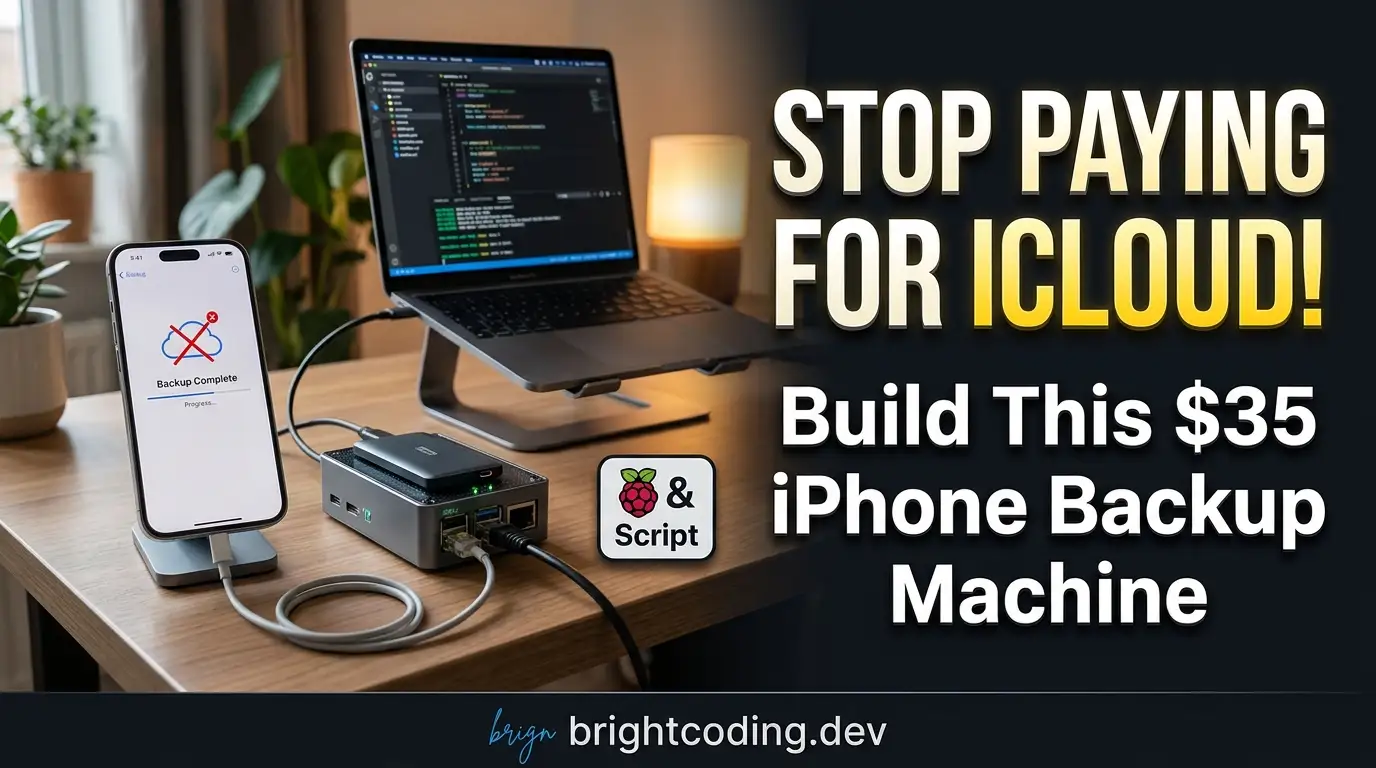
Stop Paying for iCloud! Build This $35 iPhone Backup Machine
Your iPhone just died. Three years of photos, messages, and memories—gone. You trusted iCloud, but the restore failed. Or worse: Apple locked your account. Or maybe you're simply done paying $9.99/month for storage that isn't really yours.
Here's the brutal truth most developers won't admit: you don't own your iPhone backup if it lives on someone else's server. Every byte in iCloud is a byte you rent, subject to terms of service changes, regional data laws, and the whims of a trillion-dollar corporation.
But what if you could walk into a room, plug your iPhone into a tiny box the size of a matchbook, and have a complete encrypted backup waiting on local storage before you finish your coffee? No subscriptions. No internet required. No Apple services involved at all.
This isn't hypothetical. This is ios-backup-machine—an open-source, fully automated iPhone backup appliance that runs on a $35 single-board computer. And in this guide, I'm going to show you exactly how to build it, why it destroys every alternative, and why privacy-conscious developers are quietly switching to this approach.
What is ios-backup-machine?
ios-backup-machine is a self-contained, offline, portable iPhone backup system created by developer giovi321. It runs entirely on a Radxa Zero 3W—a credit-card-sized ARM board that's essentially a faster, more capable Raspberry Pi Zero W with 8GB of eMMC storage.
The project's philosophy is radical in its simplicity: your data should never leave your physical possession. When you plug your iPhone into this device, it automatically triggers idevicebackup2 (from the open-source libimobiledevice project) to create encrypted, incremental backups directly to local microSD storage. A crisp e-ink display shows real-time progress. A built-in UPS prevents corruption during power outages. And when you're done, you can restore those backups using standard tools—no proprietary software required.
Why is this trending now? Three forces are converging:
- Privacy backlash: Users are waking up to surveillance capitalism and cloud dependency
- Right-to-repair momentum: People want control over their devices and data
- Hardware accessibility: Boards like the Radxa Zero 3W make embedded projects trivially cheap
The project isn't just a script—it's a complete appliance ecosystem with web-based configuration, network notifications, VPN integration, and even a companion tool called Apple Juicer for browsing backup contents.
Key Features That Make This Insane
Let's dissect what makes ios-backup-machine genuinely special compared to "just run a cron job" solutions:
Fully Automated Triggering — The system uses udev rules and systemd integration to detect iPhone connections instantly. No button presses. No SSH commands. Plug in, unlock, trust the computer—the backup begins before you set your phone down.
E-Ink Display Feedback — A Waveshare 2.13" e-paper HAT provides persistent, readable status without power consumption. It shows encryption status, progress percentage, error messages, and even persists your contact information after complete power loss. This isn't vanity—it's practical monitoring without a connected monitor.
Hardware-Level Data Protection — The PiSugar 3 UPS isn't just battery backup. It implements graceful shutdown when power fails or battery drops below 30%, preventing the microSD corruption that kills most embedded projects. Your backup integrity is protected at the circuit level.
Credential Encryption with Dual Modes — WireGuard VPN configs and remote sync credentials use AES-256-GCM encryption. You can auto-decrypt using your iPhone's unique UDID (convenient, tied to physical possession) or a custom password (maximum security, manual entry required).
Network-Aware Remote Sync — Need offsite redundancy? Configure rsync-over-SSH that only triggers on specific networks—your home WiFi, a trusted SSID, or even iPhone USB tethering. The system is smart enough to know when it's safe to transmit.
Zero Apple Dependencies — No Apple ID. No iTunes installation. No Finder sync. No iCloud API. The entire stack runs on open-source tools from libimobiledevice, the same project that powers Linux iPhone support.
Real-World Use Cases Where This Dominates
The Privacy-First Professional
Journalists, lawyers, medical professionals—anyone handling sensitive data can't ethically use cloud backups. ios-backup-machine creates air-gapped backups that never touch the internet. The device filter even restricts which specific iPhones can trigger backups, preventing unauthorized data extraction.
The Off-Grid Traveler
Working from a van in Patagonia? Sailboat in the Pacific? This device needs zero connectivity. Back up your iPhone's entire contents to local storage, then optionally sync when you hit port WiFi. The NTP sync works through iPhone USB tethering when you do have signal.
The Multi-Device Family
Stop paying for 2TB of iCloud Family storage. One $35 appliance backs up every family member's iPhone (with device filtering for security). Kids' photos, spouse's messages—everything local, everything under your roof.
The Disaster-Preparedness Engineer
Cloud services fail during crises. Hurricanes, cyberattacks, geopolitical conflicts—your data in iCloud is only as available as Apple's infrastructure. A local appliance with UPS protection and optional WireGuard VPN for remote retrieval is genuine resilience engineering.
The Developer Testing Lab
Need to snapshot iPhone states for regression testing? Automate encrypted backups before risky iOS beta installs. Restore clean states in minutes using standard idevicebackup2 commands.
Step-by-Step Installation & Setup Guide
Hardware Required
| Component | Cost (Approx.) | Purpose |
|---|---|---|
| Radxa Zero 3W (8GB eMMC) | $25 | Main controller |
| Waveshare 2.13" e-Paper HAT V4 | $15 | Status display |
| PiSugar 3 | $30 | UPS and safe shutdown |
| MicroSD Card (256GB+) | $20 | Backup storage |
| 3D Printed Case | $5 | Physical protection |
Total: ~$95 for a complete appliance that replaces perpetual cloud subscriptions.
Phase 1: Flash Armbian to eMMC
The Radxa Zero 3W's eMMC is faster and more reliable than microSD for the OS. Follow Radxa's official guide, or use these condensed commands on a Linux host:
# Install the Rockchip flashing tool
apt install rkdeveloptool

# Enter maskrom mode on the Radxa (hold maskrom button while powering)
rkdeveloptool db rk356x_spl_loader_ddr1056_v1.12.109_no_check_todly.bin

# Decompress and flash the Armbian image
xz -d Armbian_community_25.11.0-trunk.334_Radxa-zero3_trixie_vendor_6.1.115_minimal.img.xz
rkdeveloptool wl 0 Armbian_community_25.11.0-trunk.334_Radxa-zero3_trixie_vendor_6.1.115_minimal.img
rkdeveloptool rd  # Reboot the device
Phase 2: Automated Installation (Recommended)
Once Armbian boots and you're logged in as root:
cd /root
git clone https://github.com/giovi321/ios-backup-machine.git
bash ios-backup-machine/install.sh
This single script performs everything:
- Enables I2C and SPI overlays for the e-ink display
- Installs
libimobiledevice, Python↗ Bright Coding Blog 3.13, WireGuard tools, and dependencies - Creates a Python virtual environment with all requirements
- Clones and integrates the Waveshare e-Paper driver
- Installs 9 systemd services and udev automation rules
- Prepares backup storage with integrity markers
- Configures PiSugar UPS with safe-shutdown behavior
- Runs post-install health verification
Reboot when prompted. The entire process takes under 10 minutes on a decent connection.
Phase 3: First-Start Configuration
Open http://<device-ip>:8080 in any browser. The guided wizard walks through:
- Owner Information — Displayed on e-ink when idle (reward if found!)
- WiFi — Optional, for NTP sync and remote access
- Backup Directory — Defaults to
/media/iosbackup/ - Encryption Password — Set directly on your iPhone, never stored on device
- Device Filter — Restrict which iPhones can trigger backups
- Notifications — Webhook/MQTT alerts for backup events
Critical: Write down your backup encryption password. It lives only in your iPhone's secure enclave, not on this device.
REAL Code Examples from the Repository
Let's examine actual implementation patterns from ios-backup-machine's codebase. These aren't toy examples—they're production code running on real hardware.
Example 1: Core Configuration Structure
The entire system is controlled through a single YAML file. Here's the actual config.yaml structure with annotations:
# --- Core backup settings ---
backup_dir: /media/iosbackup/           # Dedicated microSD mount point
marker_file: .foldermarker              # Integrity verification file
disk_device: /dev/mmcblk1               # For usage monitoring after backup
orientation: landscape_right            # E-ink display rotation
font_path: "/root/UbuntuMono-Regular.ttf"  # Monospace for crisp e-ink rendering
owner_lines:
  - "Property of Titius Caius"         # Persistent "reward if found" info
  - "+33 123 456 7890"
  - "write@titiuscaius.com"
  - "Reward if found €€€"

# --- Backup behavior ---
backup:
  auto_start: true              # CRITICAL: enables plug-and-backup automation
  notify_on_rejected: true      # Alert when unauthorized device connects

# --- Device security filter ---
device_filter:
  enabled: false                # Set true to enforce allow-list
  allowed_devices:              # Array of {udid, name} dictionaries
    # - udid: "00008030-001A..."
    #   name: "John's iPhone 15"
Why this matters: The marker_file (/media/iosbackup/.foldermarker) is a simple but brilliant safety mechanism. If the microSD fails to mount, backups won't proceed to the OS filesystem. The auto_start flag is what transforms this from a manual tool into an appliance.
Example 2: Automated Installation Commands
The install.sh script encapsulates complex embedded setup. Here are the key operations it performs:
# Clone the repository and enter it
cd /root
git clone https://github.com/giovi321/ios-backup-machine.git
bash ios-backup-machine/install.sh

# What happens inside install.sh (condensed):
# 1. Enable hardware interfaces for e-ink display
# overlays=rk3568-spi3-m1-cs0-spidev rk3568-i2c3-m0

# 2. Install system-level iPhone communication libraries
apt install -y libimobiledevice-1.0-6 libimobiledevice-utils usbmuxd

# 3. Create isolated Python environment
python3 -m venv /root/iosbackupmachine
source /root/iosbackupmachine/bin/activate
pip install -r /root/ios-backup-machine/requirements.txt

# 4. Link Waveshare driver into venv for hardware access
ln -s /root/e-Paper/RaspberryPi_JetsonNano/python/lib/waveshare_epd \
  /root/iosbackupmachine/lib/python3.13/site-packages/

# 5. Install automation triggers
systemctl enable boot-message      # Show logo on startup
systemctl enable webui.service     # Flask configuration interface
udevadm control --reload-rules     # Activate iPhone plug detection
The insight: Notice how libimobiledevice and usbmuxd provide the actual iPhone communication layer. This isn't hacky reverse-engineering—it's the same open-source stack that Apple themselves contribute to for Linux compatibility.
Example 3: Backup Restoration Command
Restoration uses standard tools, proving there's no lock-in:
# Mount the backup microSD on any computer with libimobiledevice installed
# Then restore to a connected iPhone:
idevicebackup2 restore --password <your_backup_password> /media/sdcard/iosbackup/
Critical implementation detail: The --password flag decrypts the iPhone's backup encryption on-device using keys from the secure enclave. The password was never stored on the backup machine—it was transmitted directly to the iPhone during initial setup and exists only in your memory.
Example 4: Credential Encryption (WireGuard)
For users wanting VPN integration, credentials are protected with AES-256-GCM:
# From wg_crypto.py - encryption/decryption workflow
# Key derivation: PBKDF2 with 100,000 iterations
# Two modes supported:

# MODE 1: iPhone UDID as passphrase (auto-decrypt when connected)
# - Convenience: no manual password entry
# - Security: decryption requires physical iPhone possession

# MODE 2: Custom password (manual entry required)
# - Convenience: lower
# - Security: protected by password strength and memorization

# CLI usage:
python3 wg_crypto.py decrypt  # Auto-uses UDID if iPhone connected, else prompts
The architecture: Encrypted files (wireguard.enc, sync.enc) sit on the filesystem as opaque blobs. Without either the specific iPhone or your custom password, they're computationally infeasible to crack. This is genuinely thoughtful threat modeling for a hobbyist project.
Example 5: Network-Aware Sync Configuration
Remote sync isn't "upload whenever"—it's contextually aware:
# Remote sync with network restrictions
# Configure via web UI or directly in config.yaml

# Sync triggers:
# - Manual: double-tap PiSugar button
# - Auto: after each successful backup (optional)

# Network restrictions available:
# - WiFi only (any network)
# - Specific SSID only (e.g., "HomeSecure_5G")
# - iPhone USB tethering only (uses phone's data, but encrypted tunnel)

# Under the hood: rsync over SSH with key or password auth
# Encrypted credentials stored in sync.enc (AES-256-GCM)
Why developers care: This isn't naive "cloud sync." It's conditional sync that understands network trust boundaries. Tethering through your iPhone's USB connection means you can securely rsync from literally anywhere without trusting public WiFi.
Advanced Usage & Best Practices
MicroSD Longevity: Backup storage is write-intensive. Use high-endurance cards (SanDisk Max Endurance, Samsung Pro Endurance) and monitor wear with smartctl if your card supports it. The disk_device setting enables usage monitoring in the web UI.
Encryption Strategy: Enable backup encryption immediately. Without it, your backups contain readable data. With it, even physical microSD theft reveals nothing. Remember: the password is never stored on the backup machine. Write it in your password manager and a physical safe.
UPS Calibration: The PiSugar 3's RTC needs initial time sync. After first boot:
echo "rtc_pi2rtc" | nc -q 1 127.0.0.1 8423
systemctl enable rtc-sync.service
Notification Integration: Webhook to Home Assistant, MQTT to Node-RED, or simple Slack/Discord webhooks. The event taxonomy (backup_start, backup_complete, backup_error, device_connected, device_rejected, device_disconnected) enables rich automation.
Version Management: Updates are non-destructive. The system keeps 5 backup snapshots of itself in /root/iosbackupmachine-backups/ and merges new config defaults without overwriting your settings.
Comparison with Alternatives
| Feature | iCloud Backup | iTunes/Finder | ios-backup-machine |
|---|---|---|---|
| Cost | $0.99-$29.99/month | Free (Mac/PC required) | ~$95 one-time |
| Internet Required | Yes | No | No |
| Apple Account Required | Yes | Yes | No |
| Automation | Scheduled only | Manual | Plug-to-backup |
| Data Location | Apple's servers | Local drive | Local, your control |
| Encrypted by Default | Yes (Apple holds keys) | Optional | Yes (you hold keys) |
| Portable Appliance | No | No | Yes, pocket-sized |
| Open Source | No | No | Yes, MIT License |
| Restore Without Tool | No | No | Yes, standard tools |
| UPS Protection | N/A | N/A | Built-in |
| VPN Integration | No | No | WireGuard client |
| Notification Webhooks | Limited | No | Full MQTT/Webhook |
The verdict: iCloud is convenient but expensive and surveilled. iTunes is free but manual and computer-dependent. ios-backup-machine is the only option that combines automation, true ownership, offline operation, and hardware resilience.
FAQ
Does this work with all iPhone models? Yes, any iPhone supported by libimobiledevice—generally iPhone 4S through latest models. iPad and iPod Touch are also supported.
Can I restore backups to a new iPhone?
Absolutely. Use idevicebackup2 restore with any computer running libimobiledevice. Your backups aren't locked to this appliance.
What happens if the power goes out during backup? The PiSugar 3 UPS provides graceful shutdown below 30% battery. The e-ink display even persists status information without power.
Is my backup password stored anywhere? No. It's transmitted directly to your iPhone during setup and never persisted on the backup machine. This is by design.
Can I use a Raspberry Pi instead of Radxa Zero 3W? The project targets Radxa Zero 3W specifically for its eMMC speed and form factor. Pi Zero 2 W may work with modifications, but isn't officially supported.
How much storage do I need? Plan for 2-3x your iPhone's used capacity for incremental backups. A 256GB microSD handles most 128GB iPhones comfortably.
Does this violate Apple's terms of service? No. You're using standard, documented protocols (the same ones iTunes uses) with hardware you own. This is genuine device interoperability.
Conclusion
ios-backup-machine represents something rare in modern tech: genuine digital sovereignty. For less than the cost of three months of iCloud 2TB, you build an appliance that works forever, never sends your data to third parties, and continues functioning even if Apple disappears tomorrow.
The project isn't just well-engineered—it's ethically engineered. Encryption keys you control. Open-source stack you can audit. Hardware you can replace. Backups you can restore with standard tools.
For developers who understand that "cloud" is just someone else's computer, this is the backup solution that finally aligns with your values. For privacy advocates, it's a practical demonstration that convenience and control aren't mutually exclusive. For everyone else, it's simply the most reliable iPhone backup you'll ever own.
Ready to own your data? Clone the repository, order the parts, and join the growing community building backup infrastructure that respects users. The future of personal data isn't subscription services—it's appliances like this.
