
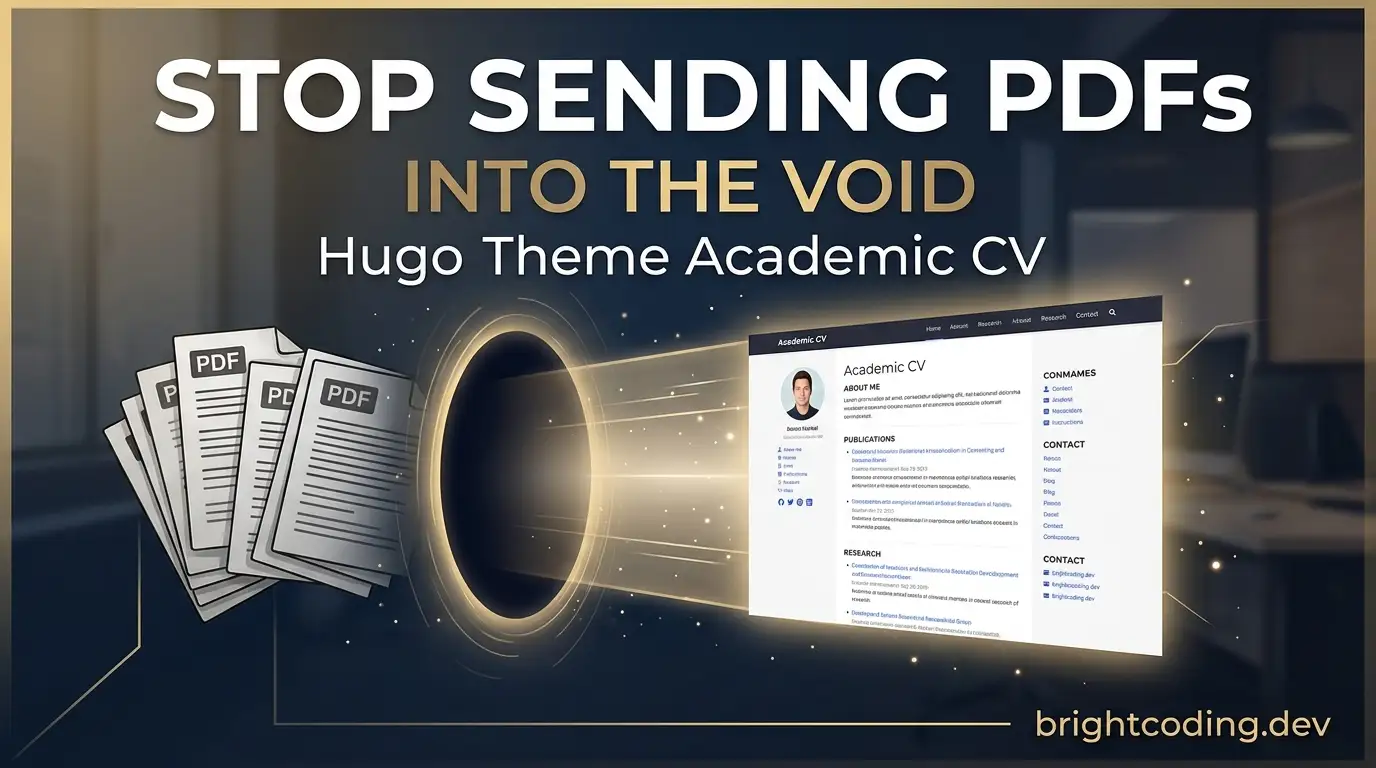
Stop Sending PDFs Into the Void: Hugo Theme Academic CV
Your meticulously crafted academic CV? It's probably dying in someone's inbox right now. Buried under 200 other PDFs. Unsearchable. Unclickable. A static tombstone of your achievements that nobody can actually find.
Here's the brutal truth: PDFs don't get cited. Websites do.
Every day, brilliant researchers lose opportunities — postdoc positions, collaborations, speaking invites — because their work lives in invisible documents rather than a discoverable, living portfolio. Google Scholar can't index your PDF. Conference organizers can't easily verify your publication list. Potential collaborators can't click through to your latest preprint.
But what if your academic portfolio worked while you slept? What if it automatically imported your BibTeX citations, rendered your Jupyter notebooks as beautiful blog posts, and ranked on Google for your research keywords?
Enter Hugo Theme Academic CV — the open-source portfolio framework that's quietly become the secret weapon for 150,000+ researchers at MIT, Stanford, Google, and NVIDIA. This isn't just another website template. It's an AI-powered, citation-boosting machine that transforms plain Markdown↗ Smart Converter into a professional academic presence — free to host forever, with zero vendor lock-in.
Ready to stop being invisible? Let's dive into why this tool is rewriting the rules of academic self-promotion.
What is Hugo Theme Academic CV?
Hugo Theme Academic CV is a specialized static site template built on the HugoBlox framework — an open-source ecosystem designed for creating fast, secure, and AI-enhanced websites from Markdown files.
Created by George Cushen and maintained by Lore Labs since 2016, this template has evolved from a simple Hugo theme into a comprehensive academic publishing platform. The project's core philosophy is radical: AI generates your pages, but you own everything as plain Markdown. No proprietary databases. No walled gardens. No subscription traps.
The template leverages Hugo — the world's fastest static site generator written in Go — to build complete academic portfolios in milliseconds. But unlike raw Hugo, which requires learning Go templates and configuration files, Hugo Theme Academic CV abstracts away the complexity through two powerful interfaces: Hugo Chat (an AI assistant that generates structured content) and Ownable CMS (a visual drag-and-drop editor inside VS Code).
What makes it trending now? Three converging forces:
- The AI revolution in academia — Researchers need portfolios that integrate with AI tools, not static documents
- The collapse of academic social networks — With platforms like Academia.edu and ResearchGate pushing paywalls, owning your content has become essential
- The Markdown renaissance — Developers and researchers alike are rejecting bloated CMS platforms for simple, portable, version-controlled content
The result? A 4.9/5 rated template (from official surveys) that's become the de facto standard for serious researchers who want their work discovered, cited, and respected.
Key Features That Make Researchers Obsessed
Let's dissect what makes Hugo Theme Academic CV genuinely irresistible for academic use:
BibTeX / DOI Auto-Import: The Citation Game-Changer
Drop a .bib file into your project. That's it. Publication pages generate automatically with proper citations, metadata, author links, and DOI resolution. No more hand-crafting HTML for every paper. No more broken citation formats. Your Google Scholar profile and your website stay in perfect sync.
Jupyter & RMarkdown Native Support
Publish .ipynb notebooks as first-class blog posts — code cells, outputs, visualizations, and narrative intact. For data scientists and computational researchers, this is transformative. Your reproducible research becomes your public content without any conversion friction.
LaTeX Math Rendering
Native KaTeX or MathJax support means your equations render beautifully without plugins or hacks. Write $E = mc^2$ in Markdown, get perfect typography on the web.
Markdown Slides with reveal.js
Convert any Markdown file into a presentation with reveal.js — complete with math, syntax highlighting, diagrams, and speaker notes. One source file becomes your paper, your talk, and your blog post.
SEO & AI-Readiness Engineered In
Structured data, Open Graph tags, Twitter Cards, and semantic HTML are built-in. But here's the insane part: the template is optimized for LLM discovery. As AI assistants increasingly recommend researchers and papers, having clean, structured, crawlable content gives you an unfair advantage.
AI Page Generation via Hugo Chat
Describe what you need in plain English: "Add a projects section with my three current grants, each linking to their NSF award pages." Hugo Chat generates the correct front matter, shortcodes, and block structure instantly.
Visual Editing in VS Code
The Ownable CMS extension transforms VS Code into a drag-and-drop page builder. Non-technical collaborators — students, lab managers, co-authors — can edit without touching Markdown.
Plain Markdown = True Ownership
Every file is human-readable Markdown with YAML front matter. No database. No proprietary format. If HugoBlox disappeared tomorrow, you'd still have perfectly portable content.
Free Hosting Forever
Deploy to GitHub Pages, Netlify, Vercel, or Cloudflare Pages — all with generous free tiers. Your only cost is your domain name (optional but recommended).
Real-World Use Cases Where This Tool Dominates
Scenario 1: The PhD Candidate on the Job Market
You're applying to 50 postdoc positions and 20 industry labs. Instead of attaching a PDF that gets lost, you send a link to your living portfolio — with auto-updated publications, embedded talks, interactive project demos, and a contact form. Search committees can explore your work, not just read about it. Result: More interviews, better offers.
Scenario 2: The Research Group PI Building Lab Visibility
Your lab of 12 students needs individual profiles, shared publication lists, news updates, and project pages. With Hugo Theme Academic CV, you create a monorepo where each student edits their own Markdown files. The PI reviews via GitHub PRs. The entire site rebuilds automatically on every merge. Result: Professional lab presence without IT tickets or WordPress↗ Bright Coding Blog maintenance hell.
Scenario 3: The Computational Researcher Publishing Reproducible Science
Your latest paper has 47 figures, 12 supplementary analyses, and a Jupyter notebook demonstrating the core algorithm. You publish the notebook directly as a blog post, embed the figures with proper captions, and link to the GitHub repository. Readers can reproduce your work from your portfolio. Result: Higher citation rates, better reproducibility scores, grant reviewers impressed.
Scenario 4: The Conference Speaker Building Personal Brand
You give 15 talks per year. Each talk becomes a Markdown slide deck on your site — with speaker notes, embedded video recordings, and downloadable PDFs. Over five years, you build a searchable archive of your intellectual contributions that ranks for your name and research keywords. Result: Speaking invites find you. Collaborators discover your evolution.
Step-by-Step Installation & Setup Guide
Prerequisites
Before starting, ensure you have:
- Node.js 18+ (for the HugoBlox CLI)
- Git (for version control and deployment)
- VS Code (recommended, for the Ownable CMS extension)
Option A: One-Click Deploy (Fastest — 60 Seconds)
No installation needed. Click the deploy button on the official template page and follow the wizard. Your site goes live on Netlify or Vercel immediately.
Option B: CLI Installation (Recommended for Developers)
# Step 1: Verify prerequisites
node --version  # Should show v18.0.0 or higher

# Step 2: Create your site using the HugoBlox CLI
# This scaffolds a complete project with the Academic CV template
npx hugoblox create site --template academic-cv

# Step 3: Navigate into your new project
cd my-academic-site

# Step 4: Start the development server
# Hot reload enabled — changes appear instantly
npm run dev
The CLI automatically:
- Downloads the latest template files
- Configures Hugo Extended (the Go-based static site generator)
- Sets up the Node.js build pipeline
- Initializes a Git repository
Configuration Essentials
After creation, edit these critical files:
# config/_default/hugo.yaml — Core site settings
baseURL: 'https://yourname.github.io'  # Your deployed URL
languageCode: 'en-us'
title: 'Dr. Your Name — Academic Portfolio'
theme: 'hugo-theme-academic-cv'

# config/_default/params.yaml — Personal branding
params:
  author:
    name: 'Dr. Your Name'
    role: 'Assistant Professor of Computer Science'
    organizations:
      - name: 'Stanford University'
        url: 'https://stanford.edu'
    email: 'your.email@stanford.edu'

  # SEO and social optimization
  seo:
    site_type: 'Person'
    local_business_type: ''
    org_name: ''
    description: 'Research portfolio for Dr. Your Name, focusing on machine learning and computational biology.'
    twitter: 'yourhandle'

  # Academic-specific features
  features:
    math:
      enable: true  # Enable LaTeX rendering
    privacy_pack:
      enable: true  # GDPR-compliant analytics
Deploying to GitHub Pages
# Step 1: Create a GitHub repository
git init
git add .
git commit -m "Initial academic portfolio"
git branch -M main
git remote add origin https://github.com/yourusername/yourusername.github.io.git
git push -u origin main

# Step 2: Enable GitHub Actions for automated deployment
# The template includes .github/workflows/gh-pages.yml
# Go to Settings → Pages → Source: GitHub Actions

# Step 3: Your site builds automatically
# Visit https://yourusername.github.io in 2-3 minutes
REAL Code Examples from the Repository
Let's examine actual implementation patterns from the Hugo Theme Academic CV codebase, with detailed explanations of how each works.
Example 1: Creating a Publication from BibTeX
The template's killer feature — auto-importing publications — works through a simple file convention:
# content/publication/my-awesome-paper/cite.bib
@article{zhang2024neural,
  title={Neural Architecture Search for Protein Folding},
  author={Zhang, Li and Chen, Sarah and Kumar, Raj},
  journal={Nature Machine Intelligence},
  volume={6},
  pages={112--128},
  year={2024},
  publisher={Nature Publishing Group},
  doi={10.1038/s42256-024-00789-x}
}
# content/publication/my-awesome-paper/index.md
---
title: "Neural Architecture Search for Protein Folding"
authors:
  - Li Zhang
  - Sarah Chen
  - Raj Kumar
date: "2024-03-15T00:00:00Z"
doi: "10.1038/s42256-024-00789-x"

# Publication type: 1=conference, 2=journal, 3=preprint, etc.
publication_types: ["2"]

# Featured image (optional)
image:
  filename: featured.jpg
  focal_point: Smart
  preview_only: false

# Links to resources
url_pdf: "https://arxiv.org/pdf/2403.12345"
url_code: "https://github.com/lizhang/protein-nas"
url_dataset: ""
url_poster: ""
url_project: ""
url_slides: ""
url_source: ""
url_video: ""

# Featured? (true for highlighting on homepage)
featured: true

# Abstract (auto-populated from BibTeX if empty)
abstract: "We present a novel neural architecture search framework..."
---

{{% callout note %}}
Supplementary materials and reproducibility notes are available in our [GitHub repository](https://github.com/lizhang/protein-nas).
{{% /callout %}}
How this works: The template's cite.bib parser extracts BibTeX entries and cross-references them with index.md front matter. The doi field auto-resolves to generate proper citation links. The publication_types array controls how the entry appears in filtered views (journal papers vs. conferences vs. preprints). The featured: true flag promotes this to your homepage's highlighted publications carousel.
Example 2: Embedding a Jupyter Notebook as a Blog Post
# content/post/reproducible-analysis/index.md
---
title: "Reproducible Analysis of Single-Cell RNA Sequencing Data"
subtitle: "A step-by-step walkthrough with scanpy and leiden clustering"
summary: "This notebook demonstrates our complete analysis pipeline for the Nature 2024 paper."
authors:
  - admin  # References your author profile
date: "2024-06-10T00:00:00Z"
lastmod: "2024-06-12T00:00:00Z"

# Jupyter notebook integration
jupyter:
  notebook: analysis.ipynb  # Place .ipynb in same folder

# Categories and tags for discoverability
categories:
  - Tutorial
  - Single-Cell Analysis
tags:
  - python↗ Bright Coding Blog
  - scanpy
  - reproducibility
  - rna-sequencing

# Enable code syntax highlighting and math
highlight: true
math: true
---

This post accompanies our recent publication on single-cell analysis methods. The complete notebook is embedded below with all outputs preserved.

{{< jupyter-notebook "analysis.ipynb" >}}
The magic: The jupyter.notebook field triggers HugoBlox's notebook processor, which converts .ipynb JSON into semantic HTML with preserved cell outputs. Code cells get syntax highlighting via Prism.js. The {{< jupyter-notebook >}} shortcode allows inline embedding at any position, not just at the post's end.
Example 3: Creating a Markdown Slide Deck
<!-- content/slides/my-conference-talk/index.md -->
---
title: "Neural Architecture Search for Protein Folding"
summary: "Presented at ISMB 2024, Montreal"
authors: [admin]
tags: [protein-folding, nas, deep-learning]
categories: []
date: "2024-07-15T00:00:00Z"

# Slide configuration
slides:
  # Choose a theme
  theme: black  # black, white, league, sky, etc.

  # Reveal.js options
  highlight_style: dracula  # Code highlighting theme
  diagram: true  # Enable Mermaid diagrams
  diagram_options:
    theme: dark
---

# Neural Architecture Search for Protein Folding

## The Problem: Manual Design Bottlenecks

- Protein structure prediction has **exploded** with AlphaFold
- But **designing** novel proteins remains artisanal
- Expert intuition → months of trial and error

---

## Our Approach: Differentiable NAS

```python
# Pseudocode for our DARTS-based search
import torch.nn as nn

class ProteinCell(nn.Module):
    def __init__(self, ops_candidates):
        super().__init__()
        # Learnable architecture parameters
        self.alphas = nn.Parameter(torch.randn(len(ops_candidates)))
        self.ops = nn.ModuleList(ops_candidates)

    def forward(self, x):
        # Softmax-weighted combination of operations
        weights = F.softmax(self.alphas, dim=0)
        return sum(w * op(x) for w, op in zip(weights, self.ops))
Results: 3.2× Speedup at Equal Accuracy
| Method | RMSD (Å) | Search Time (GPU-hours) |
|---|---|---|
| Manual design | 2.1 | 2,400 |
| Random search | 2.3 | 800 |
| Our NAS | 2.0 | 250 |
Live Demo & Questions
{{< slide background-image="demo-screenshot.png" >}}
Try it yourself: huggingface.co/spaces/protein-nas
{{% callout note %}} Paper: Nature MI 2024 | Code: github.com/lizhang/protein-nas {{% /callout %}}
**What's happening:** The `slides` front matter configures reveal.js options. `---` separators become slide boundaries. Code blocks get syntax highlighting via the specified `highlight_style`. The `{{< slide >}}` shortcode sets per-slide backgrounds. The entire deck renders as an interactive HTML presentation with keyboard navigation, speaker notes, and export-to-PDF functionality.

### **Example 4: Homepage Widget Configuration**

```yaml
# content/_index.md (homepage composition)
---
title: "Dr. Li Zhang"

# Define which sections appear and in what order
type: landing

sections:
  - block: hero
    content:
      title: |
        **Li Zhang, PhD**
      image:
        filename: avatar.jpg
      cta:
        label: "Download CV (PDF)"
        url: uploads/cv.pdf
      text: |
        Assistant Professor of Computer Science at Stanford University.
        I develop **machine learning methods for structural biology**.

  - block: collection
    content:
      title: Recent Publications
      filters:
        folders:
          - publication
        featured_only: true
      count: 5
    design:
      view: citation  # Compact academic citation format
      columns: "1"

  - block: collection
    content:
      title: Featured Projects
      filters:
        folders:
          - project
      count: 3
    design:
      view: showcase  # Large cards with images
      columns: "2"

  - block: contact
    content:
      title: Contact
      email: lizhang@stanford.edu
      phone: ""
      address:
        street: "353 Serra Mall"
        city: Stanford
        region: CA
        postcode: "94305"
        country: United States
      coordinates:
        latitude: "37.4275"
        longitude: "-122.1697"
      directions: "Gates Computer Science Building, Room 388"
      autolink: true  # Auto-link emails and phone
---
The power of blocks: HugoBlox's block system lets you compose pages from reusable, configurable components. Each block has content (data) and design (presentation) layers. The collection block is particularly powerful — it queries content folders with filters and renders them through different view templates (citation, showcase, card, compact, etc.).
Advanced Usage & Best Practices
Version Control Your Academic Life
Treat your portfolio as a research artifact. Use Git branches for major updates (job market season, grant deadline pushes). Tag releases when you submit tenure packets. The Git history becomes a time machine for your academic evolution.
Automate with GitHub Actions
# .github/workflows/auto-pub-import.yml
name: Auto-import Publications
on:
  schedule:
    - cron: '0 0 * * 0'  # Weekly on Sundays
  workflow_dispatch:  # Manual trigger

jobs:
  import:
    runs-on: ubuntu-latest
    steps:
      - uses: actions/checkout@v4
      - name: Fetch latest from Google Scholar
        run: |
          python scripts/fetch_scholar.py --output content/publications/
      - name: Commit and push
        run: |
          git config user.name "GitHub Action"
          git config user.email "action@github.com"
          git add content/publications/
          git diff --quiet && git diff --staged --quiet || git commit -m "Auto-import publications"
          git push
Optimize for LLM Discovery
Structure your content with clear hierarchical headings, semantic HTML, and comprehensive alt text. The template does the technical SEO; you provide the intellectual SEO — clear problem statements, explicit methodology descriptions, and accessible summaries.
Multi-Language Support
For international collaboration, configure languages in hugo.yaml to serve your portfolio in multiple languages with proper hreflang tags.
Comparison with Alternatives
| Feature | Hugo Theme Academic CV | WordPress + Plugins | Webflow | Google Sites | Lovable/v0 AI Builders |
|---|---|---|---|---|---|
| AI generates pages | ✅ Hugo Chat | ❌ Manual | ❌ Manual | ❌ Manual | ✅ Yes |
| Own output as readable files | ✅ Plain Markdown | ❌ Database/PHP | ❌ Proprietary | ❌ Google-locked | ❌ React↗ Bright Coding Blog code soup |
| Free hosting forever | ✅ Any static host | ❌ Requires paid host | ❌ Paid plans | ✅ Free | ❌ Paid tiers |
| BibTeX auto-import | ✅ Built-in | ⚠️ Plugin required | ❌ Manual | ❌ Manual | ❌ Manual |
| Jupyter notebook support | ✅ Native | ❌ Complex embedding | ❌ Not possible | ❌ Not possible | ❌ Not possible |
| LaTeX math rendering | ✅ Native | ⚠️ Plugin conflicts | ⚠️ Limited | ❌ Not possible | ⚠️ Limited |
| No vendor lock-in | ✅ MIT licensed | ⚠️ GPL/commercial mix | ❌ Platform-dependent | ❌ Google-dependent | ❌ Code export limited |
| Open source | ✅ Full source | ⚠️ Core + plugins | ❌ Closed | ❌ Closed | ❌ Closed |
| Performance (Lighthouse) | 💯 95-100 | ⚠️ 60-80 | ⚠️ 70-85 | ⚠️ 70-85 | ⚠️ 60-75 |
The verdict: Hugo Theme Academic CV is the only solution that combines AI assistance, complete content ownership, academic-specific features, and zero cost. Everything else forces compromises on at least one critical dimension.
FAQ: Your Burning Questions Answered
Do I need to learn Hugo to use this?
Absolutely not. The template is designed for researchers, not web developers. Edit visually with Ownable CMS in VS Code, or write simple Markdown. Hugo runs under the hood — you never touch it unless you want deep customization.
Can I import my existing publications from Zotero, Mendeley, or EndNote?
Yes. Export to BibTeX format from any reference manager, drop the .bib file into your content/publications/ folder, and the template auto-generates publication pages with proper citations, metadata, and DOI links.
Is hosting really free? What's the catch?
No catch. Static sites require no server processing. GitHub Pages, Netlify, Vercel, and Cloudflare Pages all offer generous free tiers for personal academic use. You only pay for a custom domain (~$12/year) if you want one.
Can I migrate my content if I stop using HugoBlox?
Trivially. Your entire site is Markdown files in a folder. Copy them to any static site generator (Jekyll, Eleventy, Astro) or even a basic HTML build pipeline. The content is yours forever.
What is Hugo Chat exactly?
Hugo Chat is an AI assistant trained on Hugo and HugoBlox documentation. Describe what you want in natural language — "Create a projects page with three cards, each linking to a GitHub repo" — and it generates the correct Markdown with proper front matter and shortcodes. Try it free.
How does this compare to ORCID or Google Scholar profiles?
ORCID and Google Scholar are indexes, not portfolios. They list your work but don't let you present it — no project descriptions, no embedded notebooks, no custom branding, no contact forms. Hugo Theme Academic CV complements these by giving you a discoverable, controllable home base that links out to them.
Can I use this for non-academic purposes?
Definitely. While optimized for researchers, the template works beautifully for data scientists, open-source maintainers, consultants, or anyone wanting a professional, content-rich personal site. The "Resume Pro" variant is specifically tailored for industry roles.
Conclusion: Your Academic Career Deserves Better Than PDFs
Let's be honest: the academic job market has never been more competitive. Postdoc positions receive 300+ applications. Grant review panels Google your name. Collaboration requests come from people who found your work online, not from conference handshakes.
In this environment, a static PDF is professional malpractice. It's invisible to search engines, unshareable on social media↗ Bright Coding Blog, and unimpressive to anyone under 40 making hiring decisions.
Hugo Theme Academic CV fixes this with elegance. It gives you AI-assisted content creation, complete ownership of your intellectual property, automatic citation management, and free hosting — all wrapped in a design trusted by researchers at the world's top institutions.
The 60-second deploy option means you can have a live portfolio before lunch. The Markdown foundation means you'll still have that content in 2040, regardless of what happens to any company. The BibTeX auto-import means your publication list stays current without manual drudgery.
Stop sending PDFs into the void. Build something that works while you sleep. Your future collaborators — and your citation count — will thank you.
👉 Deploy your Academic CV free in 60 seconds
🤖 Customize with AI via Hugo Chat
⭐ Star the repository to help other researchers discover this tool
Built with HugoBlox — the open-source framework where AI generates your pages and you own everything as Markdown. Trusted by 150,000+ researchers since 2016.