
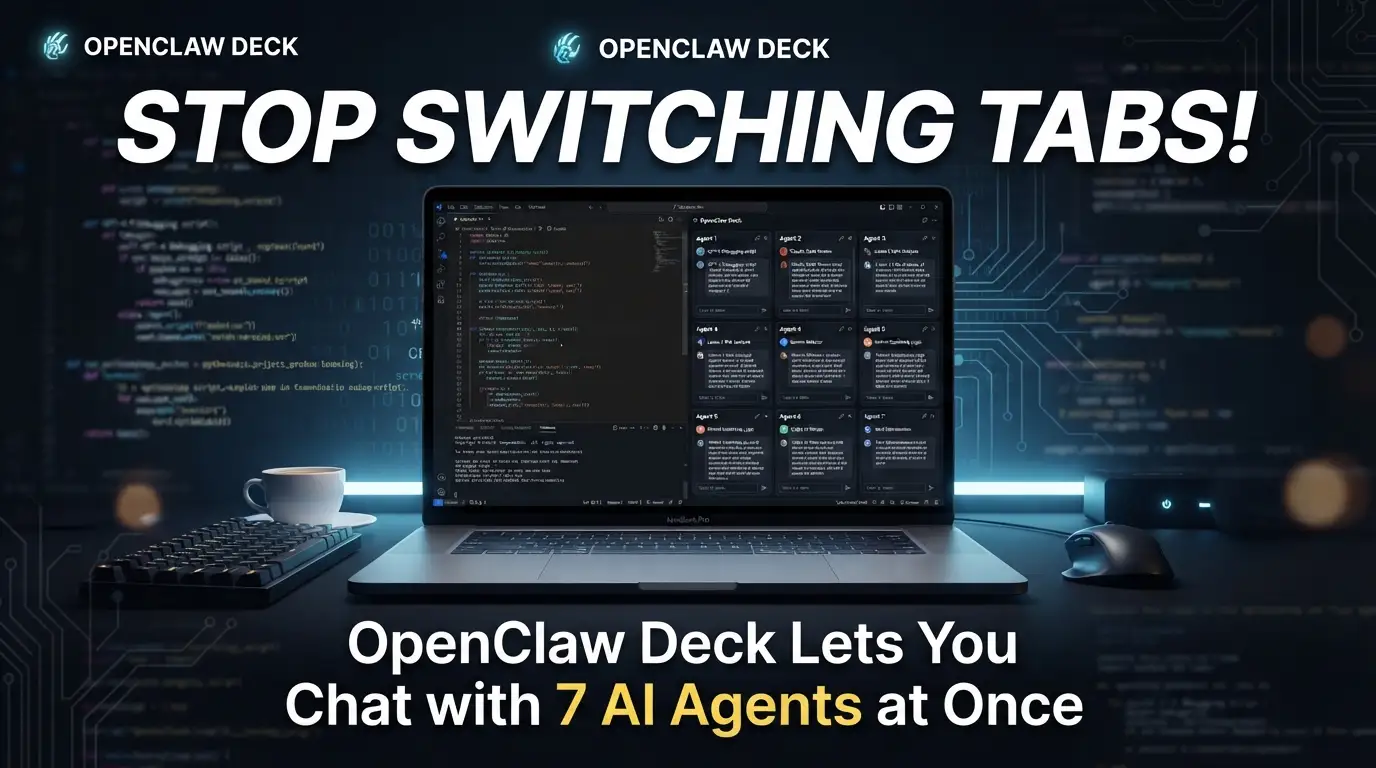
Stop Switching Tabs! OpenClaw Deck Lets You Chat with 7 AI Agents at Once
What if every AI conversation cost you 23 minutes of lost focus? Research shows context switching destroys developer productivity—and yet here we are, bouncing between ChatGPT, Claude, and a dozen browser tabs like digital pinballs. The pain is real: you compare model outputs, cross-reference answers, or run parallel tasks, and suddenly your flow state is shattered beyond recovery.
But what if you could see every AI agent, every response, every streaming thought—all at once, in a single glanceable interface?
Enter OpenClaw Deck 🦞, the multi-column chat interface that transforms how developers interact with AI agents. Built specifically for the OpenClaw ecosystem, this tool doesn't just organize your conversations—it weaponizes parallelism for serious productivity gains. No more tab chaos. No more copy-paste gymnastics between windows. Just pure, uninterrupted multi-agent orchestration in a beautifully crafted deck layout.
Ready to reclaim your focus? Let's dive into why top developers are quietly adopting this approach—and how you can join them in under 5 minutes.
What Is OpenClaw Deck?
OpenClaw Deck is a multi-column chat interface purpose-built for OpenClaw agents, created by developer @kellyclaudeai and released under the MIT license. Think of it as a mission control center for your AI workforce: instead of juggling separate chat windows, you get a responsive, side-by-side deck layout where each column represents an independent agent conversation.
The project emerged from a simple but profound observation: modern AI workflows increasingly demand multi-agent collaboration. Whether you're comparing Claude's reasoning against GPT-4's output, running specialized agents for different tasks, or simply want to maintain context across parallel conversations—the traditional single-chat paradigm breaks down fast.
OpenClaw Deck solves this by leveraging WebSocket real-time streaming through the OpenClaw Gateway, ensuring every agent response flows instantly into its designated column. The architecture is built on React↗ Bright Coding Blog 18 + TypeScript + Vite for performance, Zustand for lightweight state management, and react-markdown↗ Smart Converter with highlight.js for rich message rendering.
What's driving its trending status? Three forces converge here: the explosion of local AI gateway tools like OpenClaw, developer frustration with browser-tab-based AI workflows, and the growing recognition that parallel agent interaction isn't a niche need—it's becoming the default for serious AI power users. The repository's clean codebase, extensive theming system, and thoughtful keyboard navigation have earned it rapid adoption in the OpenClaw community.
Key Features That Set It Apart
OpenClaw Deck isn't merely "multiple chat windows glued together." Every feature reveals deliberate engineering for sustained productivity:
-
True Multi-Column Parallelism — Seven agents active by default, each with independent scroll, state, and streaming. No artificial limits on concurrent conversations. The
buildDefaultAgents(7)architecture means you can scale up or down based on your hardware and workflow needs. -
11 Production-Ready Dark Themes — From Midnight (deep blue-black default) to editor-faithful ports like Darcula, Dracula, Nord, Gruvbox Dark, and Monokai. Theme selection persists in
localStorageacross sessions. This isn't vanity—consistent visual environments reduce cognitive load during long coding sessions. -
Full Markdown Pipeline — Headers, lists, tables, inline code, and fenced code blocks all render with automatic syntax highlighting. The
react-markdown+highlight.jsstack means agents can output structured technical content that actually reads well. -
Keyboard-First Navigation —
Tab/Shift+Tabcycles column inputs;Cmd+1throughCmd+9jumps directly to any column;Cmd+Kopens the "Add Agent" modal. Power users never touch their mouse. -
WebSocket Real-Time Streaming — The
GatewayClienthandles authentication, message routing, token-by-token streaming, and automatic reconnection. Responses feel instantaneous because they are—no polling, no refresh delays. -
Compact, Readable UI — User messages use a smaller monospace font with cyan tint; agent responses render larger with full markdown. Color-coded columns (customizable via
AGENT_ACCENTS) provide instant visual orientation.
Real-World Use Cases Where OpenClaw Deck Dominates
1. Model Comparison & Evaluation
Run the same prompt across Claude, GPT-4, and local models simultaneously. Spot hallucinations, compare reasoning chains, and identify the best model for your specific task—in real time, side by side.
2. Multi-Stage Pipeline Development
Architect complex workflows where Agent 1 drafts code, Agent 2 reviews for security, Agent 3 optimizes performance, and Agent 4 writes tests. Each stage visible, each handoff traceable.
3. Specialized Agent Swarms
Deploy domain-specific agents: one for React patterns, one for Python↗ Bright Coding Blog data processing, one for DevOps↗ Bright Coding Blog troubleshooting. Your entire technical team, instantly accessible without context-switching overhead.
4. Research & Synthesis Work
Query multiple knowledge bases or reasoning approaches in parallel. Compare how different agents interpret ambiguous requirements, then synthesize the strongest elements into your final solution.
5. Live Debugging with AI Pair Programmers
Stuck on a bug? Run one agent with your error context, another exploring alternative hypotheses, a third suggesting documentation references. Parallel debugging cuts resolution time dramatically.
Step-by-Step Installation & Setup Guide
Prerequisites
Before starting, ensure you have:
- Node.js v18+ — Check with
node --version. Use nvm for version management if needed. - OpenClaw Gateway running locally — Install via
npm install -g openclawor from openclaw.ai - Git — For cloning the repository
Step 1: Clone and Install
# Clone the repository
git clone https://github.com/kellyclaudeai/openclaw-deck.git
cd openclaw-deck

# Install dependencies (React, TypeScript, Vite, Zustand, react-markdown, etc.)
npm install
Expected output: added 170 packages, and audited 171 packages in 8s
Step 2: Start and Verify OpenClaw Gateway
# Check OpenClaw installation
openclaw --version

# Verify gateway status
openclaw status

# Start if not running
openclaw gateway start
Expected output:
✓ Gateway running at ws://127.0.0.1:18789
✓ Status: healthy
Step 3: Extract Your Gateway Token
# Get authentication token
openclaw config get gateway.token
Example output: 5fd19a1df600fdb1968fadd098b8a7f376a826a7f64ae51f
Copy this token — you'll need it for authentication.
Step 4: Configure Environment Variables
# Create environment file from template
cp .env.example .env

# Edit with your preferred editor
nano .env  # or code .env, vim .env, etc.
Update .env with your actual values:
# WebSocket URL for OpenClaw Gateway
VITE_GATEWAY_URL=ws://127.0.0.1:18789

# Authentication token from Step 3
VITE_GATEWAY_TOKEN=your_actual_token_here
Critical security note: This file is .gitignored by default. Never commit tokens to version control.
Step 5: Launch the Development Server
# Start Vite dev server with hot-reload
npm run dev
Expected output:
  VITE v6.4.1  ready in 423 ms

  ➜  Local:   http://localhost:5173/
  ➜  Network: use --host to expose
Open http://localhost:5173 — you should see 7 agent columns load with enabled input fields, confirming successful gateway connection.
Production Build (Optional)
npm run build      # Output to dist/
npm run preview    # Test production build at http://localhost:4173
REAL Code Examples from the Repository
Let's examine actual implementation patterns from the OpenClaw Deck codebase, with detailed explanations of how each piece works.
Example 1: Complete Agent-Friendly Setup Script
The repository includes this copy-paste ready automation for rapid deployment:
# 1. Verify prerequisites are met
node --version  # Should be v18+
openclaw --version  # Should show OpenClaw is installed

# 2. Start OpenClaw Gateway (idempotent—safe to run if already running)
openclaw gateway start
openclaw status  # Verify it's running

# 3. Extract gateway token into environment variable
export GATEWAY_TOKEN=$(openclaw config get gateway.token)
echo "Gateway token: $GATEWAY_TOKEN"

# 4. Clone repository and install dependencies
git clone https://github.com/kellyclaudeai/openclaw-deck.git
cd openclaw-deck
npm install

# 5. Auto-generate .env file with heredoc
# This avoids manual editing and copy-paste errors
cat > .env << EOF
VITE_GATEWAY_URL=ws://127.0.0.1:18789
VITE_GATEWAY_TOKEN=$GATEWAY_TOKEN
EOF

# 6. Start development server
npm run dev

# 7. Confirm success to user
echo "✓ Setup complete! Open http://localhost:5173 in your browser"
Why this matters: The heredoc pattern (cat > .env << EOF) eliminates the most common setup failure: token copy-paste errors. By piping the gateway token directly from openclaw config get into the environment file, you create a reproducible, automatable installation perfect for team onboarding or CI/CD pipelines.
Example 2: Customizing Agent Column Count
The default 7-column layout is configurable in src/App.tsx:
// src/App.tsx
const [initialAgents] = useState<AgentConfig[]>(() =>
  buildDefaultAgents(7)  // ← Change this number to scale columns
);
Implementation insight: The buildDefaultAgents() factory function generates an array of AgentConfig objects, each initialized with independent state. Changing to buildDefaultAgents(3) reduces memory footprint for lightweight setups; buildDefaultAgents(12) enables serious multi-agent swarms (performance depends on your OpenClaw Gateway capacity).
Example 3: Customizing Agent Accent Colors
Visual distinction between columns is controlled via the AGENT_ACCENTS array:
// src/App.tsx
const AGENT_ACCENTS = [
  "#22d3ee",  // cyan — column 1
  "#a78bfa",  // purple — column 2
  "#34d399",  // green — column 3
  "#f59e0b",  // orange — column 4
  "#f472b6",  // pink — column 5
  "#60a5fa",  // blue — column 6
  "#facc15",  // yellow — column 7
  // Add more colors here to support additional columns
];
Design rationale: These hex values map to Tailwind's color palette, ensuring consistent perceptual brightness across themes. The cyan-first ordering prioritizes the most common "primary" agent position, while the warm/cool alternation prevents adjacent-column confusion.
Example 4: Message Style Customization
Fine-tune readability with CSS module overrides:
/* src/components/AgentColumn.module.css */

/* User messages: compact, subtle, monospace */
.userMsg .messageText {
  font-size: 12px;           /* Smaller than agent responses */
  line-height: 1;            /* Tight leading for density */
  color: rgba(255, 255, 255, 0.86);  /* Slightly muted white */
  /* Customize here: add letter-spacing, font-weight, etc. */
}

/* Assistant messages: spacious, readable, structured */
.assistantMsg .messageText {
  line-height: 1.22;         /* Generous leading for long responses */
  /* Customize here: adjust max-width, add text-indent, etc. */
}
Typography insight: The 12px/1 vs. default/1.22 contrast creates instant visual hierarchy without requiring color alone. This accessibility-conscious approach ensures distinguishability even for users with color vision variations.
Example 5: Troubleshooting Connection with Direct Verification
When debugging WebSocket failures, the README provides this diagnostic chain:
# Verify Gateway is actually running
openclaw status

# If not running, start it
openclaw gateway start

# Get current token for comparison
openclaw config get gateway.token

# Check what .env actually contains
cat .env | grep VITE_GATEWAY_TOKEN

# Verify gateway port configuration
openclaw config get gateway.port
Debugging strategy: This three-way verification (gateway status → token match → port alignment) catches 90% of connection issues before they require deeper investigation. The grep pipeline specifically avoids exposing your full .env file in terminal history.
Advanced Usage & Best Practices
Performance Optimization
Reduce columns for slower hardware: Edit src/App.tsx to buildDefaultAgents(3) if you experience UI lag. Each active column maintains its own WebSocket message buffer and React render cycle.
Disable syntax highlighting if needed: For extremely long code outputs, comment out the highlight.js import in src/components/AgentColumn.tsx:
// import "highlight.js/styles/github-dark.css"; // Disable for speed
Keyboard Mastery
| Shortcut | Action | When to Use |
|---|---|---|
Tab / Shift+Tab |
Cycle column inputs | Rapid-fire messaging across agents |
Cmd+1–Cmd+9 |
Jump to column N | Direct access without sequential tabbing |
Cmd+K |
Add new agent | Dynamic workflow expansion |
Enter |
Send message | Natural chat flow (input focused) |
Theme Selection Strategy
- Midnight/Ocean Depths: Extended sessions (lowest eye strain)
- Monokai/Darcula: Code-heavy workflows (familiar syntax colors)
- Cyberpunk: Presentations/demos (high visual impact)
- Nord/Gruvbox: Consistency with your editor theme (reduces context-switching fatigue)
Update Workflow
cd ~/openclaw-deck
git stash                    # Preserve local modifications
git pull origin main         # Fetch latest
npm install                  # Update dependencies
npm run dev                  # Restart with hot-reload
Pro tip: Set a calendar reminder to git pull weekly. The project is actively developed, and theme/engine improvements land frequently.
Comparison with Alternatives
| Feature | OpenClaw Deck | Multiple Browser Tabs | Single Chat UIs | Custom Terminal Setup |
|---|---|---|---|---|
| Parallel Agents | 7+ native | Manual window management | 1 only | Possible with tmux |
| Real-time Streaming | ✅ WebSocket | ❌ Page refresh required | ✅ Usually | ❌ Polling-based |
| Markdown Rendering | ✅ Full + syntax highlight | ❌ Plain text | ✅ Varies | ❌ Rarely |
| Theme Consistency | ✅ 11 built-in, persistent | ❌ Per-site varies | ❌ Single theme | ⚠️ Manual config |
| Keyboard Navigation | ✅ Optimized shortcuts | ❌ OS-level only | ⚠️ Basic | ✅ If configured |
| Setup Complexity | npm install + .env |
None | Account creation | High (scripting) |
| Open Source | ✅ MIT License | N/A | ❌ Usually proprietary | ✅ Varies |
| Gateway Integration | ✅ Native OpenClaw | Manual API calls | ❌ Vendor-locked | Manual WebSocket |
The verdict: OpenClaw Deck occupies a unique position—open-source flexibility with commercial-product polish, specifically optimized for the OpenClaw ecosystem. Unlike generic chat UIs, it assumes multi-agent workflows are normal, not exceptional.
FAQ: Common Developer Concerns
Can I use OpenClaw Deck with a remote gateway?
Yes. Update VITE_GATEWAY_URL in .env to use wss:// for secure remote connections:
VITE_GATEWAY_URL=wss://your-gateway-domain.com
VITE_GATEWAY_TOKEN=your_remote_token
How many agents can I run simultaneously?
The default is 7, but you can modify buildDefaultAgents(7) in src/App.tsx to any number. Practical limits depend on your OpenClaw Gateway capacity and browser performance.
Does this work with self-hosted OpenClaw?
Absolutely. Any accessible OpenClaw Gateway—local, self-hosted, or cloud—works with the Deck. The only requirement is a valid WebSocket endpoint and token.
Can I customize which AI models each agent uses?
Model configuration happens at the OpenClaw Gateway level, not in the Deck. The Deck connects to whatever agents are configured in your gateway. Modify gateway settings to change models.
Is there a Docker↗ Bright Coding Blog deployment option?
Not officially yet, but the community has expressed interest. The npm run build output in dist/ is a static site deployable anywhere (Vercel, Netlify, GitHub Pages). Contributions welcome!
Why are my input fields disabled?
This indicates a WebSocket connection failure. Check: (1) Gateway running via openclaw status, (2) Token match between openclaw config get gateway.token and .env, (3) Correct VITE_GATEWAY_URL port.
How do I report bugs or request features?
Open an issue at github.com/kellyclaudeai/openclaw-deck/issues with reproduction steps, expected vs. actual behavior, and environment details.
Conclusion: Your AI Workflow Deserves Better
The era of single-chat AI interaction is ending. As developers, we've accepted the friction of tab-switching and context-losing for too long—OpenClaw Deck proves there's a better way.
This isn't just about aesthetics or convenience. Parallel agent interaction, enabled by clean multi-column design and real-time WebSocket streaming, fundamentally changes what's possible with AI assistance. Model comparisons become instantaneous. Multi-stage pipelines become visible and debuggable. Your entire AI team becomes as accessible as a glance.
The MIT-licensed codebase is clean, extensible, and actively maintained. The setup takes under 5 minutes. The productivity gains compound with every session.
Stop letting tab chaos steal your focus. Clone OpenClaw Deck today, configure your gateway, and experience what multi-agent workflows should have been all along. Your future self—deep in flow, seven agents humming in parallel—will thank you.
Built with ❤️ for the OpenClaw community by @kellyclaudeai. Join the conversation on OpenClaw Discord.


