
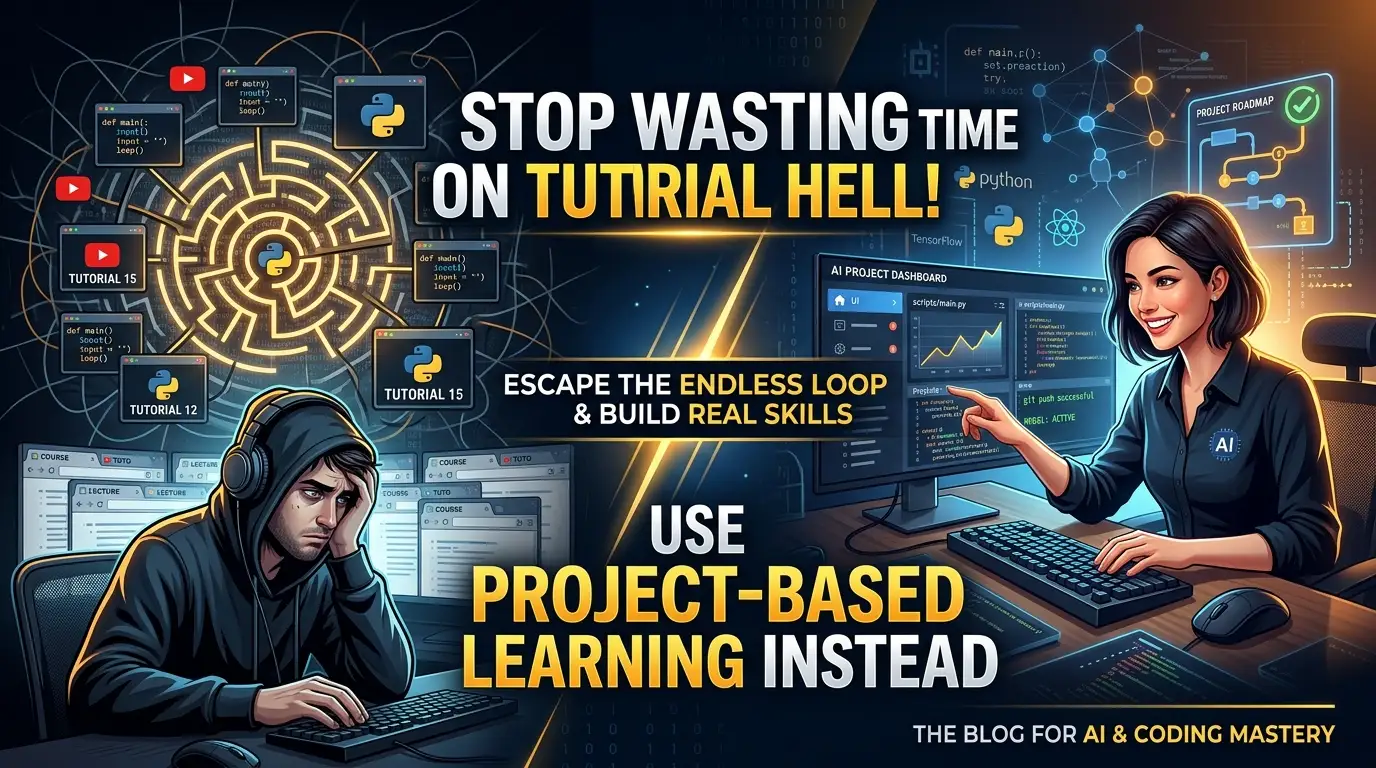
Stop Wasting Time on Tutorial Hell! Use project-based-learning Instead
You've been there. Stuck in an endless loop of "Hello World" tutorials, watching video after video, feeling like you're learning—until you sit down to build something real. The cursor blinks. Your mind goes blank. Tutorial hell is real, and it's destroying your programming career.
But what if I told you there's a weapon that top developers are secretly using to break free? A curated arsenal of project-based tutorials that force you to build actual applications from scratch—no more passive consumption, no more copy-paste coding. Welcome to practical-tutorials/project-based-learning, the GitHub repository that's helping thousands of developers escape the tutorial trap and ship real code.
This isn't just another list of resources. It's a battle-tested curriculum spanning over 20 programming languages, designed by developers who understand that you don't truly learn to code until you build something that breaks, fix it, and break it again. Ready to transform from tutorial zombie to project-building machine? Let's dive in.
What is practical-tutorials/project-based-learning?
practical-tutorials/project-based-learning is a meticulously curated GitHub repository that serves as the ultimate directory of programming tutorials where aspiring software developers learn by doing—not by watching. Created and maintained by the practical-tutorials community, this open-source collection has become one of the most-starred educational repositories on GitHub, trending consistently among developers who are serious about leveling up their skills.
The repository's genius lies in its radical simplicity: every tutorial listed requires you to build a complete application from an empty file. No hand-holding. No magical frameworks that hide the complexity. Just you, your editor, and a specification that forces you to think like an engineer.
What makes this repository explode in popularity right now? The timing couldn't be more perfect. As the tech industry shifts toward practical portfolio-based hiring, employers are increasingly skeptical of certificates and impressed by shipped projects. Bootcamps charge $15,000+ for curricula that pale in comparison to what's freely available here. Meanwhile, self-taught developers are proving they can compete with CS graduates by building interpreters, databases, operating systems, and blockchain implementations from scratch.
The repository covers an insane breadth of technologies—from systems programming in C and Rust to web development↗ Bright Coding Blog with JavaScript↗ Bright Coding Blog frameworks, from machine learning pipelines in Python↗ Bright Coding Blog to mobile apps in Dart and Kotlin. Whether you're a beginner looking for your first meaningful project or a senior engineer wanting to understand how Redis actually works under the hood, this collection has something that will make you uncomfortable in the best possible way.
Key Features That Make This Repository Unstoppable
Language-Agnostic Organization The repository is brilliantly structured by primary programming language, making it effortless to find projects that match your current stack or expansion goals. C/C++, Python, JavaScript, Go, Rust, Haskell, Elixir—over 20 languages are represented with substantial project collections, not token examples.
Progressive Difficulty Scaling Projects range from accessible (build a weather app in JavaScript) to mind-bendingly complex (write an operating system from scratch in C, implement a TCP/IP stack, build a JIT compiler). This deliberate difficulty curve means you can grow with the repository over years, not weeks.
Systems Programming Deep Dives Where this repository truly shines is its exceptional systems programming content. You'll find tutorials for building memory allocators, filesystems, shells, virtual machines, emulators, and debuggers. These aren't academic exercises—they're the foundational skills that separate senior engineers from code assemblers.
Modern Technology Coverage The curators actively maintain contemporary relevance. You'll discover Flutter app clones, React Native implementations, blockchain tutorials, machine learning pipelines, WebAssembly projects, and serverless architectures alongside timeless classics like database implementation and compiler construction.
Community-Driven Curation With contribution guidelines via CONTRIBUTING.md and an active Gitter community, the repository evolves with industry trends. Dead links get replaced. Better tutorials get surfaced. New technologies get represented. This living document quality ensures you're never learning obsolete practices.
Multi-Technology Integration Many tutorials deliberately span multiple technologies, teaching you integration skills that mirror real development work. Build a chat app with Elixir and Phoenix, create a full-stack movie voting app with React, Node, MongoDB and SocketIO, or construct a real-time markdown↗ Smart Converter editor↗ Smart Converter with NodeJS.
Use Cases: Where This Repository Transforms Your Skills
Breaking Into Systems Programming
Dream of working on databases, browsers, or operating systems? The C/C++ section is absolutely brutal in the best way. Build your own Redis, write a Linux container in 500 lines, create a CHIP-8 emulator, or implement a key-value store. These projects demystify the "magic" of infrastructure software and make you employable at companies like MongoDB, Redis Labs, or any systems-focused startup.
Escaping Frontend Tutorial Purgatory
If you've done fifty React tutorials but never architected a full application, the JavaScript section will force you to level up. Build a Twitter stream with Node and React, clone Trello with Phoenix and React, create a Medium clone with React and Node, or construct a real-time chat with sentiment analysis. These aren't toy projects—they're portfolio pieces that demonstrate you understand state management, API design, and real-time data flow.
Mastering Machine Learning Engineering
The Python section goes far beyond "import tensorflow." You'll build neural networks from scratch without sklearn, implement linear regression from first principles, create your own CNN for image classification, and construct complete ML pipelines. This foundational knowledge becomes crucial when you need to debug why a production model is drifting or optimize inference latency.
Becoming a Polyglot Programmer
Want to understand why Go dominates cloud infrastructure? Build a blockchain in Go, create WebAssembly applications, or construct concurrent servers. Curious about Rust's memory safety guarantees? Write an OS in pure Rust, build a browser engine, or create a scalable chat service. The repository's breadth enables strategic language learning based on project interest rather than abstract syntax comparison.
Step-by-Step Installation & Setup Guide
Getting started with practical-tutorials/project-based-learning requires minimal setup—the repository itself is a curated index, but following along with its tutorials demands proper environment preparation.
Step 1: Fork and Clone the Repository
# Fork the repository on GitHub, then clone your fork
git clone https://github.com/YOUR_USERNAME/project-based-learning.git
cd project-based-learning
This gives you a personal copy to bookmark, annotate, and track your progress through different projects.
Step 2: Choose Your First Project Strategically
Don't randomly pick. Assess honestly:
- Beginner: HTML/CSS calculator, JavaScript weather app, Python web scraper
- Intermediate: React full-stack application, Go REST API, Rust command-line tool
- Advanced: C compiler, operating system kernel, database implementation
Step 3: Environment Setup by Language
For C/C++ systems projects:
# Ubuntu/Debian
sudo apt-get install build-essential gdb valgrind cmake

# macOS
xcode-select --install

# Verify installation
gcc --version
gdb --version
For Python data/ML projects:
# Create isolated environment
python -m venv pbl-env
source pbl-env/bin/activate  # Linux/Mac
# pbl-env\Scripts\activate  # Windows

# Install common dependencies
pip install numpy pandas scikit-learn opencv-python jupyter
For JavaScript/Node web projects:
# Install Node.js via nvm (recommended)
curl -o- https://raw.githubusercontent.com/nvm-sh/nvm/v0.39.0/install.sh | bash
nvm install --lts
nvm use --lts

# Verify
node --version
npm --version
For Go systems projects:
# Download from https://golang.org/dl/
# Or use package manager
brew install go  # macOS
sudo apt-get install golang-go  # Ubuntu

# Set GOPATH in ~/.bashrc or ~/.zshrc
export GOPATH=$HOME/go
export PATH=$PATH:$GOPATH/bin
For Rust low-level projects:
curl --proto '=https' --tlsv1.2 -sSf https://sh.rustup.rs | sh
source $HOME/.cargo/env
rustc --version
cargo --version
Step 4: Create a Progress Tracking System
# In your fork, create a tracking branch
git checkout -b my-progress

# Create a progress log
mkdir progress
echo "# Project Progress Log" > progress/README.md
echo "- [ ] Build Your Own Lisp (C)" >> progress/README.md
echo "- [ ] Build a Simple Interpreter (Python)" >> progress/README.md
echo "- [ ] React Todo App with Redux" >> progress/README.md
Step 5: Join the Community
# Click the Gitter badge in the repository
# Or visit directly:
# https://gitter.im/practical-tutorials/community
Engage with other learners, ask questions when stuck, and contribute back when you discover improvements.
REAL Code Examples from the Repository
The repository itself is a curated index, but the tutorials it links to contain extraordinary code examples that reveal how much you can build from scratch. Let me extract and explain patterns from several featured projects.
Example 1: Building a Simple Database (C)
From the "Let's Build a Simple Database" tutorial in the C/C++ section, here's the fundamental structure that powers SQLite-like databases:
// Basic row structure for a simple SQL database
#define COLUMN_USERNAME_SIZE 32
#define COLUMN_EMAIL_SIZE 255

typedef struct {
    uint32_t id;
    char username[COLUMN_USERNAME_SIZE];
    char email[COLUMN_EMAIL_SIZE];
} Row;

// Table structure using a simple array (later upgraded to B-tree)
#define TABLE_MAX_PAGES 100
const uint32_t PAGE_SIZE = 4096;  // Same as typical OS page size

typedef struct {
    uint32_t num_rows;
    void* pages[TABLE_MAX_PAGES];
} Table;

// Serialize row to compact byte representation (platform-independent)
void serialize_row(Row* source, void* destination) {
    memcpy(destination + ID_OFFSET, &(source->id), ID_SIZE);
    memcpy(destination + USERNAME_OFFSET, &(source->username), USERNAME_SIZE);
    memcpy(destination + EMAIL_OFFSET, &(source->email), EMAIL_SIZE);
}

// Deserialize bytes back to Row structure
void deserialize_row(void* source, Row* destination) {
    memcpy(&(destination->id), source + ID_OFFSET, ID_SIZE);
    memcpy(&(destination->username), source + USERNAME_OFFSET, USERNAME_SIZE);
    memcpy(&(destination->email), source + EMAIL_OFFSET, EMAIL_SIZE);
}
What's happening here? This code reveals how databases actually store records on disk. The serialize_row function packs a C struct into a contiguous byte array—critical for writing to files. The fixed-size fields (COLUMN_USERNAME_SIZE, COLUMN_EMAIL_SIZE) enable O(1) row lookup by calculating offsets directly. This tutorial eventually evolves this into a B-tree implementation with proper paging, demonstrating how real databases achieve durability and performance.
Example 2: Writing Your Own Virtual Machine (C)
From "Write Your Own Virtual Machine" in the C/C++ section, the core execution loop that interprets bytecode:
// LC-3 Virtual Machine main execution loop
enum {
    OP_BR = 0,  // Branch
    OP_ADD,     // Add
    OP_LD,      // Load
    OP_ST,      // Store
    OP_JSR,     // Jump Register
    OP_AND,     // Bitwise AND
    OP_LDR,     // Load Register
    OP_STR,     // Store Register
    OP_RTI,     // Unused
    OP_NOT,     // Bitwise NOT
    OP_LDI,     // Load Indirect
    OP_STI,     // Store Indirect
    OP_JMP,     // Jump
    OP_RES,     // Reserved (unused)
    OP_LEA,     // Load Effective Address
    OP_TRAP     // Execute Trap
};

// Main execution: fetch-decode-execute cycle
void execute_instruction(uint16_t instr) {
    uint16_t op = instr >> 12;  // Extract opcode from top 4 bits

    switch (op) {
        case OP_ADD: {
            // Destination register (bits 11-9)
            uint16_t r0 = (instr >> 9) & 0x7;
            // First source register (bits 8-6)
            uint16_t r1 = (instr >> 6) & 0x7;
            // Mode flag: immediate or register (bit 5)
            uint16_t imm_flag = (instr >> 5) & 0x1;

            if (imm_flag) {
                // Sign-extend 5-bit immediate to 16 bits
                uint16_t imm5 = sign_extend(instr & 0x1F, 5);
                reg[r0] = reg[r1] + imm5;
            } else {
                uint16_t r2 = instr & 0x7;
                reg[r0] = reg[r1] + reg[r2];
            }
            update_flags(r0);
            break;
        }
        case OP_LD: {
            uint16_t r0 = (instr >> 9) & 0x7;
            // PC-relative offset (9 bits, sign-extended)
            uint16_t pc_offset = sign_extend(instr & 0x1FF, 9);
            reg[r0] = mem_read(reg[R_PC] + pc_offset);
            update_flags(r0);
            break;
        }
        case OP_JMP: {
            // Base register for jump target
            uint16_t r1 = (instr >> 6) & 0x7;
            reg[R_PC] = reg[r1];  // Jump to address in register
            break;
        }
        // ... additional opcodes
    }
}
Why this matters: This is literally how Java's JVM, Python's interpreter, and WebAssembly engines work at their core. The fetch-decode-execute cycle is the fundamental pattern of all virtual machines. Notice the bit manipulation for extracting instruction fields—this is how real processors decode binary instructions. The sign-extension logic handles negative numbers in two's complement representation. Building this VM gives you intuition for why certain JavaScript operations are slow (interpreter overhead) and how JIT compilation eliminates that overhead.
Example 3: Neural Network from Scratch (Python)
From "Learn to Code a simple Neural Network in 11 lines of Python":
import numpy as np

# Sigmoid activation: maps any value to 0-1 range
# Derivative used for backpropagation: sigmoid(x) * (1 - sigmoid(x))
def sigmoid(x, deriv=False):
    if deriv:
        return x * (1 - x)  # x is already sigmoid-activated
    return 1 / (1 + np.exp(-x))

# Training data: input patterns
# Each row is a training example, each column is an input feature
X = np.array([
    [0, 0, 1],
    [0, 1, 1],
    [1, 0, 1],
    [1, 1, 1]
])

# Target outputs (what we want to predict)
y = np.array([[0, 0, 1, 1]]).T  # Simple pattern: output = first input

# Seed for reproducibility
np.random.seed(1)

# Initialize weights randomly with mean 0
# Single layer with 3 inputs, 1 output
syn0 = 2 * np.random.random((3, 1)) - 1

# Training loop: gradient descent
for iter in range(10000):
    # Forward propagation: matrix multiply + activation
    l0 = X  # Input layer
    l1 = sigmoid(np.dot(l0, syn0))  # Output layer prediction

    # Calculate error (how wrong are we?)
    l1_error = y - l1

    # Backpropagation: multiply error by gradient of sigmoid
    # This gives us the direction and magnitude to adjust weights
    l1_delta = l1_error * sigmoid(l1, deriv=True)

    # Update weights: input transposed · delta
    # This is the core learning step
    syn0 += np.dot(l0.T, l1_delta)

print("Output After Training:")
print(l1)
The insight here: Before using model.fit() in Keras, understand that neural networks are just matrix multiplication chained with non-linear activations. The l1_delta calculation implements the chain rule from calculus—this is backpropagation in its purest form. When you later encounter vanishing gradients in deep networks, you'll understand it stems from the sigmoid derivative becoming near-zero for large inputs. This foundation makes you capable of debugging production ML systems, not just calling APIs.
Advanced Usage & Best Practices
Build a Portfolio System, Not Isolated Projects Don't treat tutorials as checkbox exercises. Chain related projects into narrative arcs. Start with "Build Your Own Lisp" in C, then progress to "Write a C Compiler," then "Implementing a Language with LLVM." This creates deep expertise that reads as senior-level specialization on your resume.
Contribute Back to Earn Visibility The repository accepts contributions via CONTRIBUTING.md. Found a dead link? Discovered a better tutorial? Submit a pull request. This demonstrates open-source collaboration skills that employers actively seek. Even documentation improvements count as legitimate contributions.
Implement, Then Optimize, Then Reimplement First pass: get it working following the tutorial exactly. Second pass: profile and optimize—can you make the database 10x faster with better data structures? Third pass: reimplement from memory without looking at the tutorial. This spaced repetition with increasing difficulty cements knowledge permanently.
Cross-Reference Multiple Tutorials The repository's strength is breadth. Learning about databases? Compare "Let's Build a Simple Database" (C, educational) with "Build Your Own Redis" (C/C++, production-oriented). The juxtaposition reveals trade-offs between clarity and performance.
Document Your Learning Publicly Blog about each project. Create a GitHub repository with your implementation. Public learning creates accountability and builds your professional network. The tutorial "Write a hash table in C" becomes significantly more valuable when accompanied by your analysis of collision resolution strategies.
Comparison with Alternatives
| Feature | practical-tutorials/project-based-learning | FreeCodeCamp | Odin Project | CS50 |
|---|---|---|---|---|
| Cost | Free (GitHub) | Free | Free | Free (edX audit) |
| Language Coverage | 20+ languages | JavaScript-focused | JavaScript/Ruby only | C, Python, SQL |
| Project Depth | Build databases, OSes, compilers | Web apps, algorithms | Web development | Broad CS fundamentals |
| Systems Programming | Exceptional (VMs, kernels, allocators) | Minimal | None | Introductory |
| Self-Paced | Fully self-directed | Curriculum-guided | Curriculum-guided | Semester-structured |
| Community | Gitter, GitHub issues | Discord, forums | Discord | EdX forums |
| Portfolio Value | Extreme (unique projects) | High (standard projects) | High (standard projects) | Moderate (problem sets) |
| Best For | Self-motivated learners seeking depth | Career-changers wanting structure | Web dev specialization | Academic CS foundation |
The verdict: FreeCodeCamp and Odin Project excel at guided web development curricula. CS50 provides unmatched academic rigor. But practical-tutorials/project-based-learning occupies a unique niche: it's the only resource that lets you build a Redis competitor, a programming language, or an operating system with zero cost and maximum flexibility. For developers who want to understand how technology actually works—not just how to use it—this repository is irreplaceable.
FAQ
Q: Is practical-tutorials/project-based-learning suitable for complete beginners? A: Selectively yes. Start with HTML/CSS projects, JavaScript weather apps, or Python web scrapers. Avoid C compiler construction or OS development until you have solid fundamentals. The repository's organization by language helps you find appropriate difficulty levels.
Q: How long does it take to complete a typical project? A: Varies enormously. A JavaScript todo app might take a weekend. Building a database or compiler spans weeks of focused effort. The repository doesn't prescribe timelines—work at your own pace, but expect meaningful projects to require 20-100+ hours.
Q: Can I put these projects on my resume? A: Absolutely, with proper attribution. Employers value demonstrated ability to build complex systems. "Built a Redis-compatible server from scratch in C" significantly outperforms "Completed React tutorial series" in technical interviews.
Q: Are the tutorials kept up-to-date? A: The curators actively maintain the repository, but individual tutorials may become outdated. The community contributes replacements via pull requests. Always verify that linked resources are current before starting extensive projects.
Q: Do I need a Computer Science degree to attempt these projects? A: Not for most projects. Systems programming tutorials (compilers, OSes) assume some self-study of computer architecture and algorithms, but the best tutorials explain concepts as they arise. Determination and patience matter more than formal credentials.
Q: How do I choose between similar projects? A: Consider your goals: job-seeking (choose web/mobile projects in your target stack), intellectual curiosity (explore systems programming), or specific skill gaps (targeted selection). The repository's breadth enables strategic choices.
Q: Can I contribute my own tutorial? A: Yes! Refer to CONTRIBUTING.md in the repository. Quality tutorials that teach through building complete applications are welcomed. Ensure your content is freely accessible and substantially educational.
Conclusion
practical-tutorials/project-based-learning isn't just a GitHub repository—it's a declaration of independence from tutorial hell. In an industry where "I watched 50 hours of courses" means nothing and "I built a working compiler" opens every door, this curated collection gives you the projects that transform consumers into creators.
The brutal truth? No one becomes a senior engineer by following along. They get there by breaking things, understanding why they broke, and rebuilding them better. This repository provides the blueprints for that journey across every major programming domain.
Your move. You can keep watching React tutorials until your eyes glaze over. Or you can fork practical-tutorials/project-based-learning right now, pick a project that terrifies you slightly, and start building something that proves you can actually code.
The cursor is blinking. But this time, you'll know exactly what to type.