
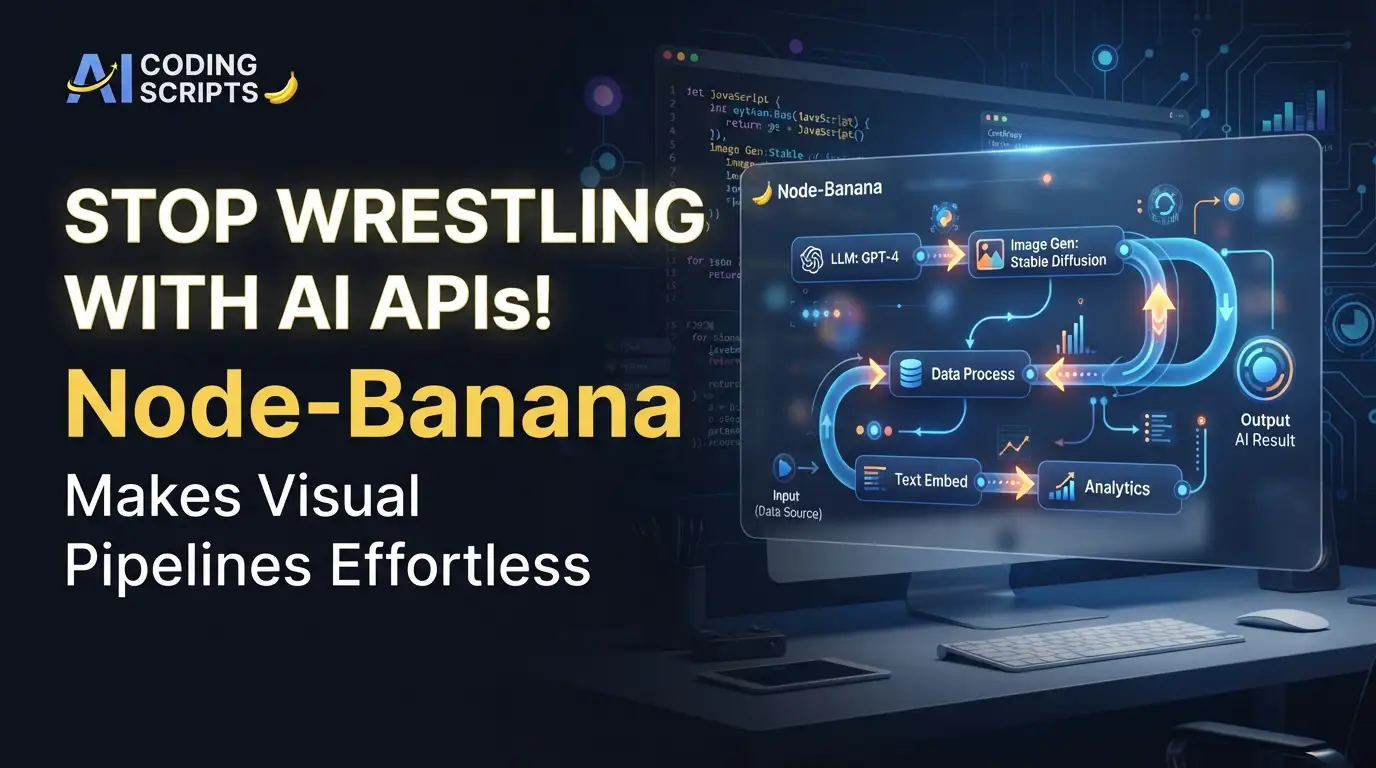
Stop Wrestling with AI APIs! Node-Banana Makes Visual Pipelines Effortless
What if building complex AI media pipelines was as simple as connecting dots on a canvas? No more drowning in API documentation. No more juggling half a dozen Python↗ Bright Coding Blog scripts. No more praying your prompt chaining doesn't break between Replicate and fal.ai. The secret weapon top AI developers are quietly adopting isn't another CLI tool—it's a radical reimagining of how we interact with generative AI APIs.
Enter Node-Banana, the free and open-source visual workflow editor that's turning API chaos into creative flow. Built by developer Shrimbly and released under the permissive MIT license, this tool lets you construct sophisticated image, video, 3D, and audio generation pipelines by literally dragging nodes onto an infinite canvas and connecting them with typed handles. The result? Execution engines that call AI APIs in perfect dependency order—all without writing a single line of glue code.
If you've ever spent three hours debugging why your Stable Diffusion output won't feed into your video generator, or if you're tired of managing API keys across seven different providers, this is the revelation you've been waiting for. Node-Banana isn't just another wrapper. It's a paradigm shift. And in this deep dive, I'll show you exactly why developers are abandoning their custom scripts for this visual powerhouse—and how you can get started in under five minutes.
What Is Node-Banana? The Visual Revolution in AI Pipeline Construction
Node-Banana is a node-based workflow editor for AI media generation that transforms how developers and creators interact with generative AI APIs. Created by Shrimbly and hosted at github.com/shrimbly/node-banana, this open-source project represents a fundamental departure from traditional code-first approaches to AI pipeline construction.
At its core, Node-Banana provides an infinite canvas interface where users drag specialized nodes—each representing an API call, data transformation, or media operation—and connect them through typed handles that enforce data compatibility. When executed, the system resolves dependencies topologically, ensuring each API call receives properly formatted inputs from upstream nodes.
Why is it trending now? The timing couldn't be more perfect. As AI generation fragments across dozens of specialized providers (image from Gemini, video from Replicate, 3D from emerging APIs), developers face an integration nightmare. Node-Banana's multi-provider architecture—supporting Google Gemini, Replicate, fal.ai, Kie.ai, WaveSpeed, and OpenAI—addresses this fragmentation head-on. Meanwhile, its "BYOK" (Bring Your Own Key) model respects privacy and cost control, running locally without vendor lock-in.
The project's momentum is undeniable: active Discord community, comprehensive documentation at node-banana-docs.vercel.app, and a feature velocity that puts commercial alternatives to shame. For developers who remember the pain of ComfyUI's steep learning curve or the limitations of no-code platforms, Node-Banana strikes a rare balance—visual simplicity with hackable depth.
Key Features: The Technical Arsenal That Sets It Apart
Node-Banana's feature set reveals sophisticated engineering beneath its approachable surface. Let's dissect what makes this tool genuinely powerful:
Dynamic Prompting Engine
The Prompt Constructor node goes far beyond simple string concatenation. It supports variable interpolation, LLM/VLM-powered text construction, and reusable prompt chains that adapt per execution based on inputs. This means your prompts can self-modify using Gemini or OpenAI to optimize themselves for downstream generators—a meta-creative capability that manual scripting struggles to replicate cleanly.
Natural Language Workflow Generation
Perhaps the most mind-bending feature: describe your desired pipeline in plain English, and Node-Banana generates the complete node graph. This "prompt-to-workflow" capability, powered by Google's Gemini API, collapses the iteration loop from hours to seconds. The system parses intent, selects appropriate node types, and wires dependencies automatically.
Multi-Modal, Multi-Provider Architecture
Unlike tools locked to single ecosystems, Node-Banana treats providers as interchangeable backends. The Generate node abstracts image generation across Gemini, Replicate, fal.ai, and Kie.ai. Separate nodes handle video generation, audio/text-to-speech, 3D model generation, and LLM text completion—all chainable in arbitrary combinations.
Full-Screen Annotation Workspace
The Annotation node integrates Konva.js-powered drawing tools directly into workflows. Draw rectangles, circles, arrows, freehand sketches, or text overlays on images—useful for inpainting guidance, creating masks, or preparing training data. This isn't an afterthought; it's a first-class node type with full pipeline integration.
Execution Control & Workflow Portability
Group Locking lets you freeze node groups during execution—essential for debugging complex pipelines. Workflows export as portable JSON files, enabling version control, sharing, and programmatic generation. The /examples directory demonstrates production-ready patterns you can adapt immediately.
Use Cases: Where Node-Banana Absolutely Dominates
1. Multi-Provider Image Generation with Fallbacks
Build pipelines that try Gemini first, fall back to Replicate on rate limits, and queue to fal.ai during peak demand—all automatically. The Router and Conditional Switch nodes handle failure modes gracefully, something that would require hundreds of lines of defensive code in traditional implementations.
2. Automated Video Production Pipelines
Chain image generation → video generation → audio generation → video stitching in a single workflow. Generate a product visual, animate it with video AI, synthesize matching voiceover, and composite final deliverables. Content teams are using this to produce social media↗ Bright Coding Blog assets at scale without touching After Effects.
3. Iterative 3D Asset Workflows
Use the GLB Viewer node to inspect AI-generated 3D models, annotate required modifications with the drawing tools, and feed corrected prompts back through the generation loop. Game developers and AR creators are finding this tightens the concept-to-asset pipeline dramatically.
4. Dynamic Prompt Engineering at Scale
The Array node enables batch processing with per-item prompt variation. Combine with the Prompt Constructor's LLM-powered expansion to generate hundreds of optimized prompts from seed concepts, then distribute across multiple providers for A/B comparison via the Image Compare node.
Step-by-Step Installation & Setup Guide
Getting Node-Banana running locally is deliberately frictionless. The entire stack—Next.js↗ Bright Coding Blog frontend, React↗ Bright Coding Blog Flow canvas, Zustand state management—ships as a single repository.
Prerequisites
- Node.js 18+ (verify with
node --version) - npm (comes with Node.js)
Clone and Install
# Clone the repository
git clone https://github.com/shrimbly/node-banana.git

# Enter project directory
cd node-banana

# Install dependencies
npm install

# Start development server
npm run dev
Navigate to http://localhost:3000—your canvas awaits.
Configure API Keys
Create .env.local in the project root:
# Required for prompt-to-workflow generation
GEMINI_API_KEY=your_gemini_api_key

# Optional: enable additional providers
OPENAI_API_KEY=your_openai_api_key
ANTHROPIC_API_KEY=your_anthropic_api_key
REPLICATE_API_KEY=your_replicate_api_key
FAL_API_KEY=your_fal_api_key
KIE_API_KEY=your_kie_api_key
WAVESPEED_API_KEY=your_wavespeed_api_key
Pro tip: API keys can also be configured in Project Settings within the app—useful for team environments where .env.local isn't practical.
Production Build
# Create optimized production build
npm run build

# Start production server
npm run start
Running Tests
# Interactive watch mode
npm test

# Single CI-friendly run
npm run test:run

# With coverage analysis
npm run test:coverage
REAL Code Examples from the Repository
Let's examine actual patterns from Node-Banana's codebase and documentation, with detailed technical commentary.
Example 1: Quick Start Commands (From README)
The installation sequence reveals architectural decisions:
git clone https://github.com/shrimbly/node-banana.git
cd node-banana
npm install
npm run dev
What's happening under the hood? This pulls a Next.js 14+ application with App Router, installs dependencies including React Flow for the canvas engine, Konva.js for annotation rendering, and Zustand for lightweight state management. The npm run dev command leverages Next.js's Turbopack for rapid HMR—critical when iterating on node designs. Notice there's no Docker↗ Bright Coding Blog requirement, no database setup, no cloud dependency. The entire application runs client-side with API calls direct to providers from your browser (or via Next.js API routes if configured).
Example 2: Environment Configuration Pattern
GEMINI_API_KEY=your_gemini_api_key          # Required for prompt-to-workflow
OPENAI_API_KEY=your_openai_api_key          # Optional
ANTHROPIC_API_KEY=your_anthropic_api_key    # Optional
REPLICATE_API_KEY=your_replicate_api_key    # Optional
FAL_API_KEY=your_fal_api_key                # Optional
KIE_API_KEY=your_kie_api_key                # Optional
WAVESPEED_API_KEY=your_wavespeed_api_key    # Optional
This configuration design is strategically brilliant. By making Gemini the only required key, Shrimbly ensures the "prompt-to-workflow" magic works out-of-the-box while maintaining provider-agnostic flexibility. The comment structure guides users to add keys progressively as they expand their provider portfolio. In the application code, these keys populate a Zustand store that nodes access reactively—when you add a Replicate key mid-session, Generate nodes immediately gain that provider option without restart.
Example 3: Workflow Import/Export (JSON Format)
While not explicit code, the README describes this critical workflow:
# Start the dev server
npm run dev

# Drag any .json file from /examples into browser window
# Review prompts in each node before running
The JSON workflow format is Node-Banana's secret superpower. Each .json file contains:
- Node definitions with unique IDs and type specifications
- Position data for canvas rendering
- Connection edges with source/target handle mappings
- Per-node configuration including prompts, provider selections, and parameters
This enables version-controlled AI pipelines—imagine Git branches for different creative directions, pull requests for prompt improvements, and CI/CD that validates workflow JSON schema. The drag-to-import UX eliminates file picker friction, and the "review before running" warning acknowledges that shared workflows may contain prompts tuned to specific use cases—a thoughtful safety measure.
Example 4: Build and Test Commands
npm run build    # Production optimization
npm run start    # Serve built application
npm test         # Development testing with watch
npm run test:run # Single execution for CI
npm run test:coverage # Coverage reporting
The testing infrastructure signals project maturity. Vitest (inferred from modern Next.js patterns) provides fast unit testing for node logic, edge resolution algorithms, and provider API adapters. Coverage reporting ensures critical path reliability—essential when users depend on workflows executing expensive API calls correctly. The build/start separation follows Twelve-Factor App methodology, enabling containerized deployment if you choose to host for teams.
Advanced Usage & Best Practices: Pro Strategies
Lock Groups for Iterative Debugging
Complex pipelines fail. Use Group Locking to isolate sections—lock everything except the failing segment, iterate rapidly, then unlock progressively. This beats re-executing expensive upstream nodes repeatedly.
Leverage the Array Node for Batch Economics
AI APIs often have per-request overhead. Batch 50 prompts through an Array node with single upstream generation, then distribute results to parallel downstream processing. You'll minimize latency and maximize throughput.
Compose Prompt Chains for Emergent Quality
Don't write final prompts directly. Chain: Seed Concept → LLM Expansion → Prompt Constructor Variable Substitution → Final Output. Each layer adds refinement that beats monolithic prompting.
Version Your Workflows in Git
Treat .json workflow files as source code. Commit working states, branch experimental variations, and use git diff to understand what changed between pipeline versions. This transforms creative exploration into reproducible engineering.
Use Annotation for Precision Control
The full-screen editor isn't just for markup—draw precise masks for inpainting, annotate regions for attention guidance, or create storyboards that feed into video generation nodes. The Konva.js integration means professional-grade vector tools in your pipeline.
Comparison with Alternatives: Why Node-Banana Wins
| Capability | Node-Banana | ComfyUI | n8n/MAKE | Custom Scripts |
|---|---|---|---|---|
| Visual Editing | ✅ Native infinite canvas | ✅ Specialized for SD | ✅ General automation | ❌ Code-only |
| Multi-Provider AI | ✅ 6+ providers, unified nodes | ❌ Primarily local models | ⚠️ Via HTTP nodes, manual | ✅ Unlimited, high effort |
| Prompt-to-Workflow | ✅ Gemini-powered generation | ❌ None | ❌ None | ❌ None |
| Local/Privacy | ✅ Runs locally, BYOK | ✅ Fully local | ⚠️ Cloud or self-hosted | ✅ Fully controlled |
| Learning Curve | ✅ Minutes to productive | ⚠️ Steep, domain-specific | ⚠️ General, not AI-native | ❌ Weeks of integration |
| Code Extensibility | ✅ MIT, Next.js/React | ✅ Python, custom nodes | ⚠️ Limited | ✅ Unlimited |
| 3D/Audio/Video | ✅ First-class nodes | ⚠️ Via extensions | ❌ Not native | ⚠️ Manual integration |
| Workflow Portability | ✅ JSON, version-controllable | ⚠️ Proprietary formats | ⚠️ Platform-locked | ✅ Code is portable |
The verdict? Node-Banana occupies a unique position: more accessible than ComfyUI, more AI-native than general automation tools, faster to iterate than custom development. For teams shipping AI-powered media products, it's the pragmatic sweet spot.
FAQ: Your Burning Questions Answered
Is Node-Banana completely free to use?
Yes. The application is MIT-licensed and runs locally. You only pay for API calls to providers (Gemini, Replicate, etc.) using your own keys. No subscription fees, no usage tracking by the application itself.
Can I use Node-Banana without coding experience?
Absolutely. The visual node editor requires no programming. However, understanding API concepts (prompts, models, parameters) helps optimize results. The prompt-to-workflow feature further lowers the barrier.
How does it compare to ComfyUI for Stable Diffusion?
Different paradigms. ComfyUI excels at local Stable Diffusion with granular sampler control. Node-Banana shines at multi-provider cloud APIs with broader modality support (video, audio, 3D, LLMs) and superior workflow sharing. Many developers use both for different pipelines.
Is my data private when using Node-Banana?
Yes, by design. The application runs locally in your browser. API keys and generated content never pass through Shrimbly's servers. Your prompts go directly to your chosen providers under their privacy policies.
Can I add custom node types or providers?
The codebase is open for extension. Being Next.js/React, you can fork and add nodes. For larger contributions, join the Discord to coordinate with Shrimbly's roadmap.
What happens if a provider API fails mid-pipeline?
The Router and Conditional Switch nodes handle failure routing. Design fallback paths—retry with different providers, skip failed branches, or surface errors gracefully. This resilience is built into the node system.
Are there example workflows to learn from?
Yes. The /examples directory contains production-ready .json files. Drag them into your canvas, inspect node configurations, and adapt to your needs. The documentation site expands with detailed guides.
Conclusion: The Future of AI Pipeline Construction Is Visual
Node-Banana represents something rare in the AI tooling landscape: genuine innovation that respects both simplicity and power. By reimagining API orchestration as visual graph construction, Shrimbly has created a tool that accelerates beginners and doesn't constrain experts.
The technical decisions impress—Next.js for performance, React Flow for proven canvas interaction, Zustand for minimal state overhead, and a provider architecture that embraces rather than fights API fragmentation. The "prompt-to-workflow" feature isn't gimmickry; it's a genuine productivity multiplier that turns natural language into executable pipelines.
For developers building AI-powered products, content creators scaling production, or researchers exploring generative model combinations, Node-Banana deserves immediate evaluation. The zero-cost entry (open source, BYOK) removes risk; the rapid setup (clone, install, dev) respects your time; the extensible architecture ensures it grows with your ambitions.
Don't let another project drown in API integration complexity. Star the repository, join the Discord community, and experience how visual pipeline construction transforms your AI workflow. The canvas is infinite—what will you build?
