
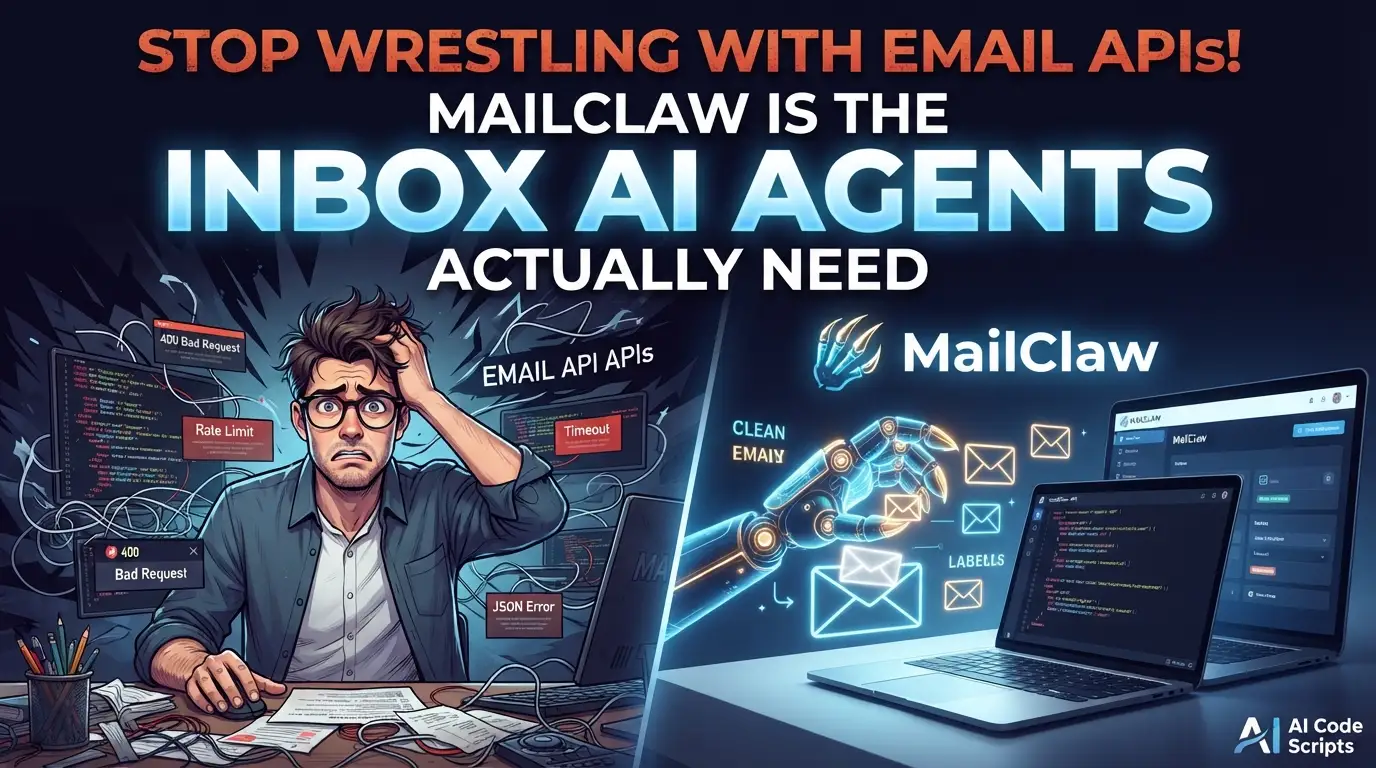
Stop Wrestling with Email APIs! MailClaw Is the Inbox AI Agents Actually Need
What if your AI agent could read, search, and respond to emails without you writing a single line of IMAP code?
Here's the dirty secret most developers learn the hard way: building email integration for AI agents is a nightmare. You wrestle with Gmail's OAuth dance, fight Microsoft's Byzantine Graph API permissions, or worse—self-host a mail server that becomes a maintenance burden. Meanwhile, your AI agent sits idle, unable to access the one communication channel that still runs the business world.
The pain is real. Every developer who's tried to connect Claude Code or OpenClaw to an inbox has hit the same wall. Email protocols weren't built for machines. They're archaic, stateful, and require persistent connections that clash with serverless architectures. You need something born in the edge computing era—something that speaks REST, authenticates with simple tokens, and runs globally without servers to manage.
Enter MailClaw, the open-source project that's making developers abandon complex email integrations overnight. Built by missuo and deployed on Cloudflare's edge network, MailClaw transforms any domain into a catch-all email inbox with a clean, token-protected API. No servers. No OAuth. No headaches. Just emails flowing into a SQLite database, ready for your AI agents to consume.
In this deep dive, I'll show you why MailClaw is becoming the secret weapon for AI agent builders, how to deploy it in under 10 minutes, and the exact code patterns that make email automation effortless. Whether you're building a customer support bot, a lead qualification agent, or an automated personal assistant, this changes everything.
What Is MailClaw?
MailClaw is a Cloudflare Workers-based email inbox service that receives all emails sent to *@yourdomain.com via catch-all Email Routing, stores them in Cloudflare's D1 database, and exposes a token-protected REST API for reading and searching emails.
Created by missuo, MailClaw represents a fundamental shift in how developers think about email infrastructure. Instead of treating email as a legacy protocol to be endured, it reimagines email as a modern data stream—accessible via HTTP, queryable with SQL-like search, and consumable by any software that can call a REST endpoint.
The project is specifically "built to be consumed by AI agents"—tools like Claude Code, OpenClaw, and other automated systems that need programmatic access to email content. This isn't an afterthought; it's the core design philosophy. Every API endpoint, every query parameter, every response format is optimized for machine consumption.
Why it's trending now:
- The AI agent ecosystem is exploding, but email integration remains a bottleneck
- Cloudflare's free tier makes this genuinely zero-cost to start
- The Rust CLI + skill system enables seamless AI agent integration without code changes
- Edge deployment means sub-100ms response times globally
Unlike traditional email services that charge per mailbox or API call, MailClaw leverages Cloudflare's generous free tier: 100,000 requests/day on Workers, 500MB storage on D1, and free email routing. For most AI agent use cases, this means running production workloads at zero cost.
Key Features That Make MailClaw Insane
Catch-All Inbox with Zero Configuration
Receive emails to any address on your domain—support@yourdomain.com, leads@yourdomain.com, random-string@yourdomain.com—all flow into the same inbox. This is revolutionary for AI agents that need to monitor multiple email aliases without provisioning separate mailboxes.
Full-Text Search Across Subject and Body
The search isn't some basic substring match. MailClaw indexes email content for full-text search via the q parameter, letting AI agents find relevant messages with natural language-like queries. Search for "partnership proposal" and get matches across subjects, bodies, and metadata.
Flexible Filtering for Precision Retrieval
Beyond search, filter by:
- Sender (
from): Exact match on sender address - Recipient (
to): Exact match on recipient address - Date ranges (
after/before): ISO 8601 or Unix timestamps - Pagination (
limit/offset): Controlled data retrieval
This combination lets AI agents construct precise queries like: "emails from partner@company.com received after March 1st containing 'contract'".
Token Authentication Without OAuth Complexity
Every API endpoint is protected with a simple Bearer token. Generate it once, set it as a Cloudflare secret, and your AI agent includes it in every request. No refresh tokens. No consent screens. No token expiration gymnastics.
Edge-Native Architecture
Running on Cloudflare's global network means:
- Sub-100ms latency worldwide
- Zero cold starts—Workers are always ready
- Automatic scaling from 0 to millions of requests
- Durable storage via D1 with SQLite's reliability
Dual Send Providers
MailClaw doesn't just receive—it sends too. Choose between:
- Resend: Modern email API with excellent deliverability
- Cloudflare Email Service: Native integration, no external dependencies
Rust CLI for Power Users
The mailclaw CLI binary wraps all API functionality with local credential storage, making it perfect for scripts and AI agent skill invocation.
Real-World Use Cases Where MailClaw Dominates
1. AI Customer Support Agent
Deploy an agent that monitors support@yourdomain.com, automatically categorizes incoming tickets by sentiment and urgency, and drafts responses for human review. The catch-all feature means customers can email billing-support@, technical-support@, or returns@—all captured and searchable by the same agent.
2. Automated Lead Qualification
Sales teams waste hours on unqualified leads. Configure MailClaw on your marketing domain, then let an AI agent:
- Monitor
demo@,pricing@,partnerships@aliases - Score leads based on email content and sender domain
- Enrich with external data and push qualified leads to your CRM
- Auto-respond with relevant collateral
3. Personal AI Executive Assistant
Forward all your emails through a MailClaw-powered system that:
- Summarizes newsletters and long threads
- Extracts action items and calendar events
- Flags urgent messages requiring immediate attention
- Archives promotional emails after brief summarization
The date filtering lets the agent focus on "this week's emails" or "messages since yesterday."
4. Security and Monitoring Alerts Ingestion
Infrastructure monitoring tools love email. MailClaw becomes the ingestion point:
- Receive alerts from legacy systems that only support email notifications
- AI agent correlates alerts across time windows using
after/beforefilters - Automatically creates incidents in modern systems like PagerDuty or Opsgenie
- Full-text search finds related historical alerts for pattern analysis
5. Newsletter and Content Aggregation
Subscribe to industry newsletters across multiple newsletter-*@yourdomain.com addresses. Your AI agent:
- Extracts key insights and trends
- Generates weekly digest summaries
- Archives original emails for reference
- Surfaces relevant articles based on your current projects
Step-by-Step Installation & Setup Guide
Prerequisites
Before starting, ensure you have:
- Bun installed (faster than npm, used throughout)
- A Cloudflare account with Workers access
- A domain added to Cloudflare with Email Routing enabled
Step 1: Clone and Install
# Clone the repository
git clone https://github.com/missuo/mailclaw
cd mailclaw

# Install dependencies with Bun
bun install
Step 2: Authenticate with Cloudflare
# Login to your Cloudflare account via Wrangler CLI
bunx wrangler login
This opens a browser window for OAuth authentication. Grant permissions for Workers and D1 management.
Step 3: Create Your D1 Database
# Create the SQLite database on Cloudflare's edge
bun run db:create
Critical: Copy the database ID from the output. You'll need it in the next step.
Step 4: Configure Wrangler
Edit wrangler.jsonc and replace REPLACE_WITH_YOUR_DATABASE_ID:
"d1_databases": [
  {
    "binding": "D1",
    "database_name": "mailclaw-d1",
    "database_id": "your-database-id-here"  // <-- Paste your ID here
  }
]
Step 5: Initialize Database Schema
# Create tables and search indexes
bun run db:tables
bun run db:indexes
The indexes step is crucial for full-text search performance.
Step 6: Set Your API Token
# Generate a cryptographically secure token
openssl rand -hex 32

# Store it as a Cloudflare secret (never expose in code!)
bunx wrangler secret put API_TOKEN
Save this token securely—it's your only authentication mechanism.
Step 7: Deploy to Edge
# Deploy the Worker globally
bun run deploy
Note the Worker URL: https://mailclaw.<your-subdomain>.workers.dev
Step 8: Configure Email Routing
- Open Cloudflare Dashboard
- Select your domain
- Navigate to Email > Email Routing > Routing rules
- Under Catch-all address, click Edit
- Set action to Send to a Worker
- Select the
mailclawworker - Save
Done! Every email to *@yourdomain.com now flows into your API-accessible inbox.
REAL Code Examples from the Repository
Example 1: Basic Email Listing with Authentication
The foundation of any MailClaw integration is authenticated API access. Here's the exact pattern from the documentation:
# List recent emails with Bearer token authentication
curl -H "Authorization: Bearer $TOKEN" \
  "https://mailclaw.example.com/api/emails"
What's happening: The -H flag injects the Authorization header with your secret token. MailClaw's Hono-based middleware validates this against the API_TOKEN secret before processing. The response contains metadata-only—perfect for list views where you don't need full content.
For AI agents: This is the primary polling endpoint. Your agent can hit this every minute, compare id values against previously seen emails, and process new messages.
Example 2: Advanced Filtering and Search
MailClaw's query parameters enable precise data retrieval. Here's the multi-filter pattern:
# Filter by sender AND date range—exactly what AI agents need
curl -H "Authorization: Bearer $TOKEN" \
  "https://mailclaw.example.com/api/emails?from=partner@company.com&after=2026-03-01"

# Full-text search across subject and body
curl -H "Authorization: Bearer $TOKEN" \
  "https://mailclaw.example.com/api/emails?q=partnership"
Technical breakdown:
from=partner@company.com: Exact string match onfrom_addresscolumnafter=2026-03-01: Parsed as ISO 8601, converted to Unix timestamp forreceived_atcomparisonq=partnership: Full-text search using D1's FTS5 or equivalent indexing
AI agent pattern: Construct queries dynamically based on conversation context. If a user asks "any emails from Acme Corp about contracts this month?", translate to: ?from=*@acmecorp.com&q=contract&after=2026-06-01.
Example 3: Export with Full Content
When you need email bodies for processing, use the export endpoint:
# Get full email content including HTML and text bodies
curl -H "Authorization: Bearer $TOKEN" \
  "https://mailclaw.example.com/api/emails/export?limit=10"
Critical difference from /api/emails: This includes text_content and html_content fields. Use it sparingly—larger payloads, but necessary when your AI agent needs to analyze email body content, extract signatures, or parse HTML structures.
Performance tip: Always use limit with export. Full content is significantly larger; paginate aggressively.
Example 4: Sending Email via API
MailClaw isn't just ingestion—it's bidirectional. Here's the send endpoint:
{
  "from": "noreply@yourdomain.com",
  "to": "recipient@example.com",
  "subject": "Hello",
  "text": "Plain text body",
  "html": "<p>HTML body</p>",
  "cc": ["cc@example.com"],
  "bcc": ["bcc@example.com"],
  "reply_to": "reply@yourdomain.com"
}
Implementation note: At least one of html or text is required. The cc and bcc arrays are optional. The reply_to field ensures responses route correctly—critical for AI agents that send on behalf of humans.
Provider selection: Controlled by the EMAIL_PROVIDER secret (resend or cloudflare). The response includes the provider used and message ID for tracking.
Example 5: Rust CLI Configuration and Usage
For AI agent skills and scripts, the Rust CLI provides local credential management:
# One-time configuration stores credentials securely
mailclaw config set \
  --host "https://mailclaw.example.com" \
  --api-token "your-api-token-here"

# Verify connectivity
mailclaw health

# Machine-readable JSON for agent consumption
mailclaw list --q partnership --json
Why this matters for AI agents: The CLI stores config in ~/.mailclaw/config.json, so skills can invoke mailclaw list --json without embedding credentials in prompts or environment variables. The --json flag returns structured data that LLMs parse reliably.
Advanced Usage & Best Practices
Optimize Your D1 Queries
D1 is SQLite-based—leverage that. The db:indexes step in setup creates covering indexes. For high-volume inboxes, consider:
- Archiving old emails via the DELETE endpoint
- Using
limit=1withoffset=0for "latest email" patterns - Combining
afterwithfromfor time-boxed sender monitoring
Secure Your Token Rotation
The API_TOKEN is your only security boundary. Implement rotation:
# Generate new token
openssl rand -hex 32

# Update secret (zero-downtime rotation not automatic—plan maintenance)
bunx wrangler secret put API_TOKEN
AI Agent Skill Integration
For Claude Code, the one-liner installation:
npx skills add missuo/mailclaw
The skill auto-installs the CLI if missing, configures credentials interactively, and exposes natural language commands. Pro tip: Customize skills/mailclaw/SKILL.md for your specific domain aliases and common queries.
Local Development Workflow
Create .dev.vars for secrets:
API_TOKEN=dev-token-here
Then:
bun run dev # Local Wrangler dev server with hot reload
Sending Domain Verification
Whether using Resend or Cloudflare Email Service, verify your sending domain before production. Unverified domains hit spam filters or get rejected outright. The DNS records (SPF, DKIM, DMARC) are non-negotiable for deliverability.
Comparison with Alternatives
| Feature | MailClaw | Gmail API | Microsoft Graph | Self-Hosted IMAP | Mailgun/Routes |
|---|---|---|---|---|---|
| Setup Complexity | 10 min, CLI-driven | OAuth 2.0 + consent screens | Azure AD + permissions | Server provisioning + maintenance | DNS + webhook config |
| Authentication | Simple Bearer token | OAuth tokens, refresh logic | OAuth tokens, refresh logic | Username/password or OAuth | API key + webhook sig |
| AI-Agent Optimized | ✅ Built for this | ❌ General purpose | ❌ General purpose | ❌ Requires protocol translation | ⚠️ Webhook-only, no search |
| Full-Text Search | ✅ Native | ⚠️ Limited, complex queries | ⚠️ Limited, complex queries | ❌ Requires external index | ❌ No |
| Catch-All Receiving | ✅ Native | ❌ Per-mailbox only | ❌ Per-mailbox only | ✅ If configured | ⚠️ Route patterns |
| Cost at Scale | Free tier generous | Paid after limits | Paid after limits | Server + bandwidth costs | Per-message pricing |
| Edge Deployment | ✅ Global, <100ms | Regional endpoints | Regional endpoints | Your infrastructure | Regional endpoints |
| Send + Receive | ✅ Both | ✅ Both | ✅ Both | ✅ Both | ⚠️ Separate products |
Verdict: MailClaw wins for AI agent integrations where simplicity, searchability, and edge performance matter. Choose Gmail/Graph only if you need deep integration with those ecosystems. Choose Mailgun for high-volume marketing sends, not programmatic inbox access.
FAQ
Is MailClaw free to use?
Yes, on Cloudflare's free tier you get 100,000 Worker requests/day and 500MB D1 storage—sufficient for most AI agent workloads. Scale to paid tiers only when needed.
Can I use MailClaw without AI agents?
Absolutely. The REST API works for any integration: dashboards, notification systems, data pipelines. The AI agent focus is a design philosophy, not a limitation.
How secure is the token authentication?
The API_TOKEN is stored as an encrypted Cloudflare secret, never in code. Use HTTPS only (enforced by Cloudflare), rotate tokens periodically, and scope access via Worker-level IP restrictions if needed.
What email providers can I send with?
Currently Resend and Cloudflare Email Service. Both require domain verification. The EMAIL_PROVIDER secret switches between them without code changes.
Can I receive attachments?
The metadata indicates has_attachments and attachment_count, but full attachment handling isn't detailed in the current README. Check the repository for updates or extend the parsing logic using postal-mime capabilities.
How do I back up my email data?
Use the export endpoint with large limit values, or query D1 directly via Wrangler's d1 export command for SQLite dumps.
Is there a hosted version I can use without deploying?
Not currently—MailClaw is self-hosted by design. This keeps your email data in your Cloudflare account, maintaining privacy and control.
Conclusion
MailClaw solves a problem that shouldn't exist: making email accessible to modern software. In an era where AI agents are becoming first-class users of our systems, email remains stubbornly human-centric—until now.
By leveraging Cloudflare's edge infrastructure, MailClaw delivers what developers actually need: catch-all receiving, full-text search, token authentication, and a clean REST API—all deployable in minutes without server management. The Rust CLI and AI skill system complete the picture, enabling natural language email interaction that feels like magic.
Whether you're building the next generation of automated support, sales intelligence, or personal productivity tools, MailClaw removes email infrastructure from your list of hard problems. The code is clean, the architecture is modern, and the cost starts at zero.
Ready to give your AI agents an inbox?
⭐ Star the repository, deploy your instance, and join the growing community of developers who've stopped wrestling with email protocols. Your agents will thank you.