
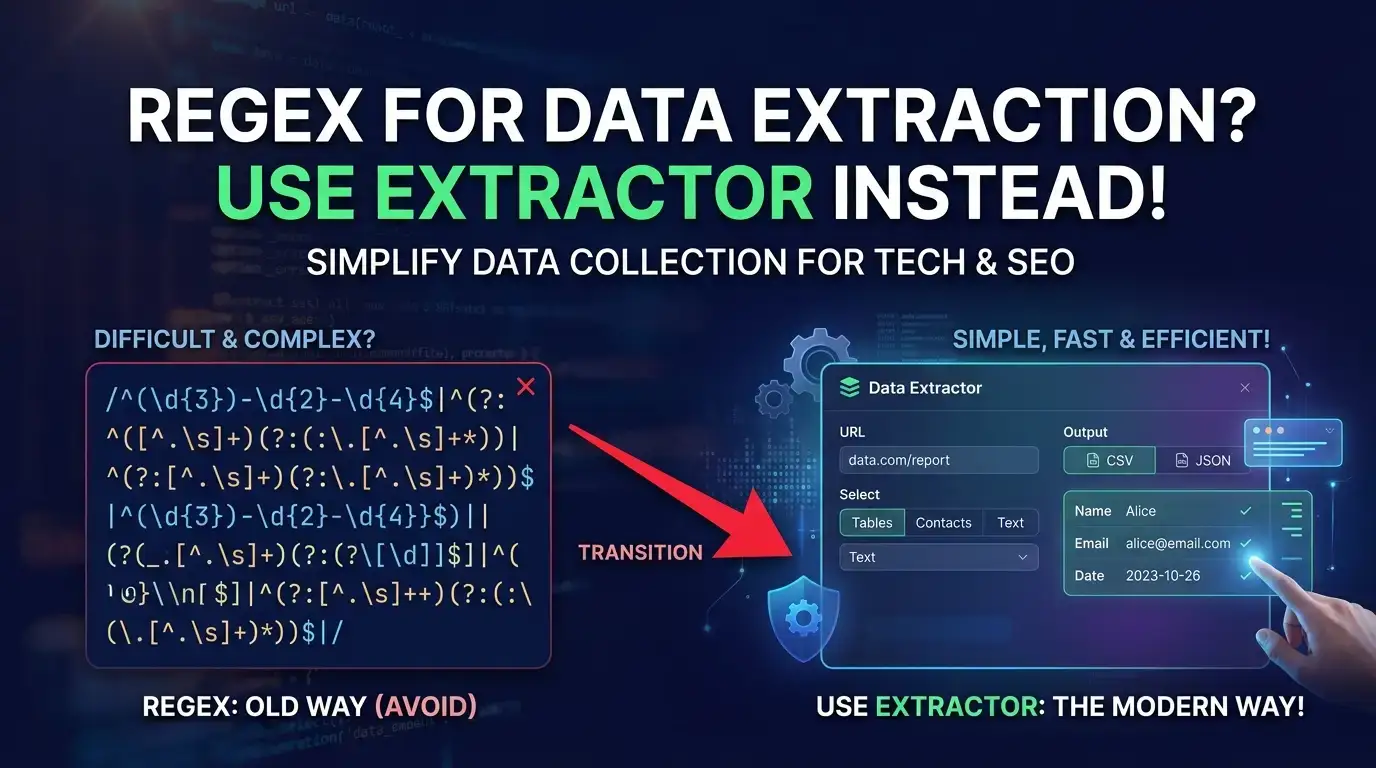
How many hours have you lost wrestling with brittle regular expressions? Wrestling with PDF parsers that choke on scanned documents? Building custom OCR pipelines that break every other Tuesday? If you're a Laravel↗ Bright Coding Blog developer who's ever needed to pull structured data from invoices, resumes, menus, or screenshots, you know the pain. The dirty secret of modern web development↗ Bright Coding Blog is that data extraction remains one of the most tedious, error-prone tasks we face—and we've been solving it with tools from the previous decade.
But what if you could skip the regex hell entirely? What if a single Laravel package could transform images, PDFs, Word docs, and raw web pages into clean, structured PHP↗ Bright Coding Blog arrays or typed DTOs—with nothing more than a method call and a field definition?
Enter Extractor, the AI-powered data extraction library that's making Laravel developers rethink how they handle unstructured content. Built by Helge Sverre and powered by OpenAI's latest models, this package doesn't just parse documents—it understands them. And it's about to save you hundreds of hours of boilerplate code.
What Is Extractor?
Extractor is a Laravel package that wraps OpenAI's Chat and Vision APIs into an elegant, developer-friendly interface for structured data extraction. Created by Helge Sverre, a prolific Laravel package author also known for tools like receipt-scanner, Extractor represents a fundamental shift in how PHP applications handle document processing.
The package sits at the intersection of three exploding trends: Laravel's continued dominance as the framework of choice for pragmatic PHP developers, OpenAI's rapidly improving vision and reasoning capabilities, and the enterprise desperation to automate document workflows without massive ML engineering teams. Where traditional solutions demand complex regex patterns, specialized OCR services, or expensive SaaS subscriptions with per-page pricing, Extractor offers a radically simpler alternative: describe what you want, pass the document, receive structured data.
What makes Extractor particularly compelling is its architectural philosophy. Rather than treating AI as a black-box replacement for traditional parsing, it provides intelligent abstractions that combine the best of both worlds. You get deterministic text extraction where possible (via PDF parsers, HTML strippers, and AWS↗ Bright Coding Blog Textract integration) and AI-powered structuring where it matters. This hybrid approach means you're not burning API tokens on simple text extraction—only on the genuinely hard problem of semantic understanding.
The package has gained significant traction in the Laravel community, with thousands of downloads and active development. Its integration with Spatie's laravel-data package for typed DTOs, support for custom OpenAI-compatible endpoints (including Ollama, Groq, and Together.ai), and robust JSON Mode reliability make it production-ready for serious applications.
Key Features That Set Extractor Apart
Multi-Format Input Support — Extractor doesn't discriminate by file type. Plain text, PDF, RTF, images (PNG, JPG), Word documents (.doc), HTML files, and live web pages all feed into the same pipeline. The Text facade provides specialized methods for each format, automatically selecting the appropriate extraction strategy.
AWS Textract Integration — For production OCR needs, Extractor integrates with Amazon Textract through two modes: direct base64 encoding for speed (ideal for single-page documents) and S3 upload with polling for large multi-page PDFs. This isn't toy OCR—it's the same service banks use to process millions of documents.
Flexible Field Extraction — The crown jewel. Define your desired output structure as a nested PHP array, and Extractor handles the prompt engineering, JSON schema enforcement, and data transformation. No custom prompt writing required—though you can if you want to.
Vision API Support — GPT-4o's multimodal capabilities mean Extractor can analyze images directly, extracting data from charts, photographed documents, screenshots, and product catalogs without any intermediate OCR step.
Custom Extractor Classes — When you need reusable, validated extraction logic, extend the base Extractor class. Add Laravel validation rules, Spatie DTO casting, and register your extractors for clean, testable code.
JSON Mode Reliability — OpenAI's structured JSON output dramatically reduces hallucination and format errors. Extractor leverages this for predictable, parseable responses every time.
Model Flexibility — From cost-effective gpt-4o-mini to reasoning-heavy o3-pro, choose the intelligence level your task demands. Support for custom endpoints means you're never locked into OpenAI's pricing.
Real-World Use Cases Where Extractor Dominates
1. Automated Invoice Processing
Every accounting system eventually faces the invoice ingestion problem. Vendors send PDFs in inconsistent formats, scanned images with skewed text, and Excel files renamed with .pdf extensions. Traditional solutions require template-based extraction that breaks when a vendor redesigns their layout. With Extractor, you define the fields once—vendor, line items, tax, total—and let the AI handle format variations.
2. Resume Parsing at Scale
HR platforms and recruitment tools need to parse thousands of CV formats. The fields method shines here: extract candidate names, skills, work history with date ranges, certifications, and education—regardless of whether the resume is a sleek PDF, a Word doc from 2003, or a photographed paper copy. The nested field support handles complex structures like employment timelines automatically.
3. Menu Digitization for Food Delivery
Restaurant partners upload photographed menus, PDF catering lists, and hastily formatted Word documents. Extractor's Vision API integration reads the actual menu images, while Text::pdf handles digital files. The nested dishes array structure captures item names, descriptions, and prices in a single extraction pass—no manual data entry, no $5/hour offshore transcription teams.
4. Web Content Monitoring
Need to track competitor pricing, job postings, or regulatory filings across hundreds of sites? Text::web() fetches and strips HTML, then Extractor structures the relevant data. Combine with Laravel's scheduling and queue system for fully automated intelligence gathering.
5. Legacy Document Migration
Organizations sitting on decades of Word docs, scanned reports, and HTML exports can batch-process everything into structured databases. The AWS Textract S3 integration handles volume, while custom extractors with validation ensure data quality meets migration standards.
Step-by-Step Installation & Setup Guide
Getting Extractor running takes under five minutes. Here's the complete setup:
Install the Package
composer require helgesverre/extractor
Publish Configuration
php artisan vendor:publish --tag="extractor-config"
This creates config/extractor.php where you can customize default models, Textract settings, and behavior hooks.
Configure OpenAI
Since Extractor builds on the OpenAI PHP Laravel package, publish its config and add your key:
php artisan vendor:publish --provider="OpenAI\Laravel\ServiceProvider"
OPENAI_API_KEY="your-key-here"

# Optional: increase timeout for large extractions
OPENAI_REQUEST_TIMEOUT=60
Using Alternative AI Providers (Optional)
Extractor works with any OpenAI-compatible API. Popular alternatives:
# Local development with Ollama
OPENAI_BASE_URI="http://localhost:11434/v1"

# High-speed inference with Groq
OPENAI_BASE_URI="https://api.groq.com/openai/v1"

# Together.ai for open-source models
OPENAI_BASE_URI="https://api.together.xyz/v1"
Azure OpenAI Setup
For enterprise Azure deployments, override the client binding in AppServiceProvider:
// app/Providers/AppServiceProvider.php

use OpenAI;
use OpenAI\Client;
use OpenAI\Contracts\ClientContract;

public function register(): void
{
    $this->app->singleton(ClientContract::class, function (): Client {
        return OpenAI::factory()
            ->withBaseUri(env('AZURE_OPENAI_ENDPOINT') . '/openai/deployments/' . env('AZURE_OPENAI_DEPLOYMENT'))
            ->withHttpHeader('api-key', env('AZURE_OPENAI_API_KEY'))
            ->withQueryParam('api-version', env('AZURE_OPENAI_API_VERSION', '2024-02-01'))
            ->withHttpClient(new \GuzzleHttp\Client(['timeout' => config('openai.request_timeout', 30)]))
            ->make();
    });
}
AZURE_OPENAI_ENDPOINT="https://your-resource.openai.azure.com"
AZURE_OPENAI_DEPLOYMENT="gpt-4"
AZURE_OPENAI_API_KEY="your-azure-api-key"
AZURE_OPENAI_API_VERSION="2024-02-01"
AWS Textract Configuration (For OCR)
For scanned documents and images, configure Textract credentials:
TEXTRACT_KEY="your-aws-access-key"
TEXTRACT_SECRET="your-aws-security"
TEXTRACT_REGION="us-east-1"
TEXTRACT_BUCKET="your-processing-bucket"
Add the S3 disk in config/filesystems.php:
'textract' => [
    'driver' => 's3',
    'key' => env('TEXTRACT_KEY'),
    'secret' => env('TEXTRACT_SECRET'),
    'region' => env('TEXTRACT_REGION'),
    'bucket' => env('TEXTRACT_BUCKET'),
],
REAL Code Examples from the Repository
Example 1: Restaurant Menu Extraction from Image
This is the showcase example from Extractor's documentation—converting a photographed menu into structured data:
<?php

use HelgeSverre\Extractor\Engine;
use HelgeSverre\Extractor\Facades\Extractor;
use HelgeSverre\Extractor\Facades\Text;
use Illuminate\Support\Facades\Storage;

// Load image from Laravel Storage (local, S3, etc.)
$image = Storage::get("restaurant_menu.png");

// Step 1: Extract raw text from image using AWS Textract OCR
$textFromImage = Text::textract($image);

// Step 2: Structure the extracted text with AI
$menu = Extractor::fields($textFromImage,
    fields: [
        'restaurantName',
        'phoneNumber',
        // Nested array for list of dishes with descriptions
        'dishes' => [
            'name' => 'name of the dish',
            'description' => 'description of the dish',
            'price' => 'price of the dish as a number',
        ],
    ],
    model: Engine::GPT_4O_MINI,  // Cost-effective vision-capable model
    maxTokens: 4000,              // Allow long menu descriptions
);
What's happening here? First, Text::textract() sends the image to AWS Textract for OCR, returning plain text with preserved structure. Then Extractor::fields() sends that text to OpenAI with a schema definition. The fields array describes the desired output shape—note how 'dishes' is a nested array, telling the AI to extract multiple items with sub-fields. GPT-4o-mini interprets the messy OCR output, normalizes prices to numbers, and returns clean JSON matching your schema.
Example 2: CV/Resume Parsing with Nested Work History
Real-world recruitment automation requires handling complex document structures:
// Extract text from a PDF resume
$sample = Text::pdf(file_get_contents(__DIR__.'/../samples/helge-cv.pdf'));

// Extract structured candidate information
$data = Extractor::fields($sample,
    fields: [
        'name' => 'the name of the candidate',
        'email',
        'certifications' => 'list of certifications, if any',
        // Nested work history with date formatting instructions
        'workHistory' => [
            'companyName',
            'from' => 'Y-m-d if available, Year only if not, null if missing',
            'to' => 'Y-m-d if available, Year only if not, null if missing',
            'text',  // Job description/responsibilities
        ],
    ],
    model: Engine::GPT_4O_MINI,
);
The power of descriptions: Notice how 'from' and 'to' include natural language instructions for the AI. This is Extractor's secret sauce—you're not just naming fields, you're coaching the model on how to interpret ambiguous data. The AI handles "Jan 2020 – Present", "2019-2021", and "Summer internship 2018" consistently, normalizing to your specified format.
Example 3: Vision API Direct Image Analysis
Skip OCR entirely for images where visual understanding matters:
use HelgeSverre\Extractor\Engine;
use HelgeSverre\Extractor\Facades\Extractor;
use HelgeSverre\Extractor\Text\ImageContent;

// Prepare image content using one of three methods:
// 1. From file path
$imageContent = ImageContent::file(__DIR__ . '/../samples/product-catalog.jpg');

// 2. From raw binary data (e.g., uploaded file)
// $imageContent = ImageContent::raw($request->file('catalog')->get());

// 3. From remote URL
// $imageContent = ImageContent::url('https://example.com/catalog.jpg');

// Extract directly with vision-capable model
$data = Extractor::fields(
    $imageContent,  // Pass ImageContent object directly
    fields: [
        'productName',
        'price',
        'description',
    ],
    model: Engine::GPT_4O,  // Full vision model for complex images
);
Why this matters: For product catalogs, infographics, or charts with visual layout information, sending the image directly to GPT-4o preserves spatial relationships that OCR destroys. The model "sees" that a price is positioned next to a product name, or that a discount is highlighted in red—context that's lost when converting to plain text.
Example 4: Custom Extractor with Validation and DTOs
For production systems, Extractor supports full object-oriented extraction pipelines:
<?php

namespace App\Extractors;

use DateTime;
use HelgeSverre\Extractor\Extraction\Concerns\HasDto;
use HelgeSverre\Extractor\Extraction\Concerns\HasValidation;
use HelgeSverre\Extractor\Extraction\Extractor;
use Spatie\LaravelData\Data;

// Define typed DTO for extracted data
class JobPostingDto extends Data
{
    public function __construct(
        public string $jobTitle,
        public string $companyName,
        public string $location,
        public string $jobType,
        public int|float $salary,
        public string $description,
        public DateTime $applicationDeadline
    ) {
    }
}

// Custom extractor with validation and DTO casting
class JobPostingExtractor extends Extractor
{
    use HasValidation;  // Enables Laravel validation rules
    use HasDto;         // Enables automatic DTO transformation

    // Define the prompt template for this extraction type
    public function prompt(string|TextContent $input): string
    {
        $outputKey = $this->expectedOutputKey();

        return "Extract the following fields from the job posting below:"
            . "\n- jobTitle: The title or designation of the job."
            . "\n- companyName: The name of the company or organization posting the job."
            . "\n- location: The geographical location or workplace where the job is based."
            . "\n- jobType: The nature of employment (e.g., Full-time, Part-time, Contract)."
            . "\n- description: A brief summary or detailed description of the job."
            . "\n- applicationDeadline: The closing date for applications, if specified."
            . "\n\nThe output should be a JSON object under the key '{$outputKey}'."
            . "\n\nINPUT STARTS HERE\n\n$input\n\nOUTPUT IN JSON:\n";
    }

    // Tell base class which JSON key contains our data
    public function expectedOutputKey(): string
    {
        return 'extractedData';
    }

    // Laravel validation rules for extracted data
    public function rules(): array
    {
        return [
            'jobTitle' => ['required', 'string'],
            'companyName' => ['required', 'string'],
            'location' => ['required', 'string'],
            'jobType' => ['required', 'string'],
            'salary' => ['required', 'numeric'],
            'description' => ['required', 'string'],
            'applicationDeadline' => ['required', 'date']
        ];
    }

    // Specify DTO class for automatic casting
    public function dataClass(): string
    {
        return JobPostingDto::class;
    }

    public function isCollection(): bool
    {
        return false;
    }
}
Registration and usage:
use HelgeSverre\Extractor\Extractor;
use HelgeSverre\Extractor\Facades\Text;

// Register once (typically in AppServiceProvider)
Extractor::extend("job-posting", fn() => new JobPostingExtractor());

// Use anywhere
$jobPostingContent = Text::web("https://www.finn.no/job/fulltime/ad.html?finnkode=329443482");
$extractedData = Extractor::extract('job-posting', $jobPostingContent);

// $extractedData is now a JobPostingDto instance with validated fields
Production-grade patterns: This example demonstrates Extractor's full power. The HasValidation trait runs Laravel's validator against AI output—if the model hallucinates a non-numeric salary or invalid date, validation fails cleanly. The HasDto trait transforms raw arrays into typed objects with IDE autocompletion. The custom prompt gives you surgical control over AI behavior while the base class handles JSON parsing, error handling, and retry logic.
Advanced Usage & Best Practices
Model Selection Strategy — Use GPT_4O_MINI as your default; it's 20x cheaper than GPT-4o with minimal quality loss for extraction tasks. Upgrade to GPT_4O only for complex visual layouts or when dealing with low-quality scans. The O-series reasoning models (o3, o1) excel at multi-step logical extractions but cost more and don't support temperature adjustment.
Temperature Tuning — Set temperature to 0.1 for deterministic extractions. Higher values introduce creativity you don't want when parsing invoices. Note that reasoning models automatically ignore this parameter.
Token Budgeting — Default maxTokens is 2000, sufficient for most documents. For 50-page contracts or detailed technical manuals, increase proportionally. The package automatically uses max_completion_tokens for GPT-5 and O-series models.
S3 Cleanup Hooks — Textract S3 uploads persist by default. Implement cleanup to avoid storage bloat:
use HelgeSverre\Extractor\Text\TextractUsingS3Upload;

TextractUsingS3Upload::cleanupFileUsing(function (string $filePath) {
    Storage::disk('textract')->delete($filePath);
});
Queue Large Extractions — Wrap Extractor calls in Laravel jobs with timeout extensions. Vision API calls with large images can exceed 30 seconds.
Cache Repeated Extractions — For static documents like templates or reference materials, cache extracted structures to avoid redundant API costs.
Comparison with Alternatives
| Feature | Extractor | Traditional Regex | Cloud OCR APIs | Custom ML Pipeline |
|---|---|---|---|---|
| Setup Time | 5 minutes | Hours to days | 1-2 hours | Weeks to months |
| Format Flexibility | High (AI understands context) | None (breaks on changes) | Medium (needs templates) | High (if trained well) |
| Maintenance Burden | Low | Very High | Medium | Very High |
| Cost Model | Per-token (scales with complexity) | Free (developer time) | Per-page (often expensive) | Infrastructure + training |
| Laravel Integration | Native (Facades, Config, DTOs) | Manual | SDK wrapper needed | Custom API |
| Vision/Image Support | Native (GPT-4o, Textract) | None | Requires separate service | Requires separate training |
| Validation & Typing | Built-in (Laravel + Spatie) | Manual | Manual | Manual |
| Custom Endpoints | Yes (Ollama, Groq, Azure, etc.) | N/A | No | N/A |
The verdict: Extractor wins on development velocity and maintenance burden. Regex is "free" until you calculate developer time. Cloud OCR APIs like Google Document AI or AWS Textract alone lack the semantic understanding layer—Extractor combines Textract's OCR with OpenAI's comprehension. Custom ML pipelines offer ultimate control but require data science expertise most teams don't have.
FAQ
Is Extractor production-ready for handling sensitive documents?
Yes, but with caveats. Data flows to OpenAI's API (or your chosen provider), so review their data processing agreements. For HIPAA, GDPR, or PCI-sensitive content, use Azure OpenAI with private endpoints or local Ollama instances via custom OPENAI_BASE_URI configuration.
How accurate is the extraction compared to manual data entry? For clearly formatted documents, accuracy exceeds 95%. Handwritten text, poor scans, and highly unusual layouts reduce this. The built-in validation system catches most format errors, and you can implement human-in-the-loop review queues for critical data.
Can I use Extractor without OpenAI (self-hosted, private)?
Absolutely. Configure OPENAI_BASE_URI to point at Ollama, llama.cpp, or any OpenAI-compatible server. Performance varies by model capability—test thoroughly with your document types.
What's the cost for processing 1,000 invoices? With GPT-4o-mini and typical invoice length (~500 tokens), expect $2-5 total. Textract adds ~$1.50 per 1,000 pages if OCR is needed. Compare to $50-200 for manual entry or $20-50 for template-based OCR services.
Does Extractor support batch processing?
The package handles single documents per call. For batch operations, wrap in Laravel's queue system with Bus::batch() for parallel processing and progress tracking.
How do I handle extraction failures or hallucinations?
Implement the HasValidation trait with strict rules. Catch ValidationException to flag for review. For critical systems, implement retry logic with fallback models (e.g., retry with GPT-4o if mini fails).
Can Extractor maintain state across multi-page documents? Currently, each extraction is stateless. For multi-document context (e.g., matching invoices to purchase orders), extract separately and correlate in your application logic.
Conclusion
Data extraction has been a solved problem in theory and a nightmare in practice for decades. We've accepted fragile regex, expensive manual processes, and heavyweight ML pipelines as the only options. Extractor shatters that false choice.
By combining Laravel's elegant developer experience with OpenAI's rapidly advancing document understanding, Helge Sverre has created something genuinely transformative: a tool that turns "impossible" extraction tasks into five-line method calls. The nested field definitions, custom extractor classes with validation, DTO integration, and multi-provider flexibility make this production-ready for everything from startup MVPs to enterprise document workflows.
My take? If you're still writing regex for document parsing in 2024, you're solving yesterday's problem with yesterday's tools. The future is semantic understanding—and Extractor puts it one composer require away.
Ready to stop parsing and start extracting? Star the repository, install the package, and watch your most tedious data tasks dissolve into structured arrays. Your future self will thank you.
👉 Get Extractor on GitHub — and join the developers who've already abandoned regex for good.

