
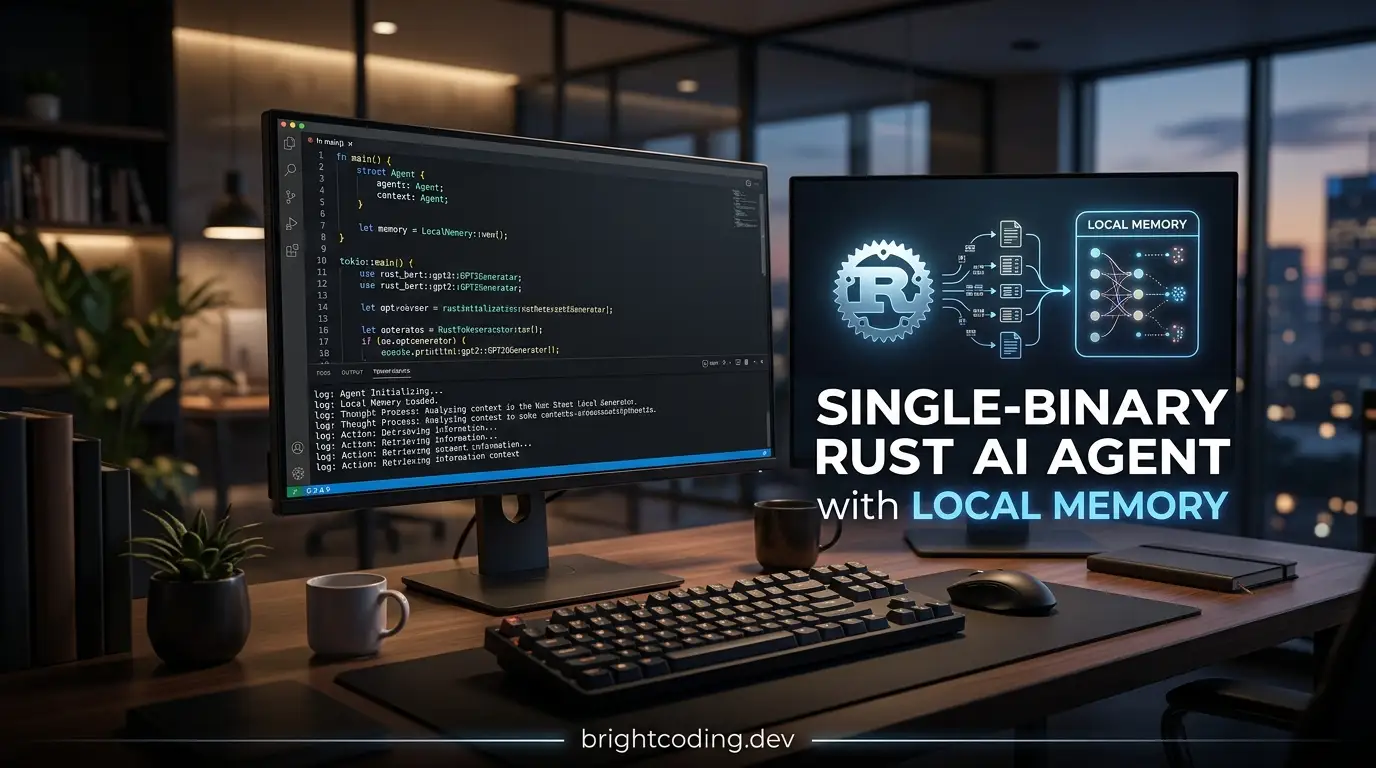
Developers deploying AI assistants face a frustrating trade-off: powerful agent frameworks ship as heavy Python↗ Bright Coding Blog environments with hundreds of megabytes of dependencies, while lightweight solutions often sacrifice capability. Container overhead, virtual environment drift, and cold-start latency make running personal or small-team AI agents more painful than it should be. zofrasca/lightclaw attacks this problem directly—a Rust-compiled, single-binary AI agent with local-first memory, tool execution, and native chat integrations at roughly 15MB.
What is zofrasca/lightclaw?
zofrasca/lightclaw is an open-source AI assistant framework maintained by zofrasca and built in Rust. With 224 GitHub stars and 35 forks as of its last commit on February 18, 2026, it occupies a specific niche: developers who want agentic tooling without runtime bloat. The project is explicitly inspired by OpenClaw and nanobot, but distinguishes itself through distribution model and resource footprint.
The tool packages into a single executable—no Python interpreter, no virtual environment, no Docker↗ Bright Coding Blog required. It runs on an async Tokio runtime with an actor-like architecture centered on a MessageBus that coordinates between Agent (LLM orchestration), channel adapters (Telegram, Discord), Tools (file, shell, web, scheduling), and Memory (local vector + metadata storage). Under the hood, it leverages Rig for provider abstraction and structured tool calling across OpenAI-compatible, OpenRouter, Ollama, and Mistral backends.
The project's tagline—"Claw but for every user, and computer"—signals its intent: democratize access to lightweight, capable AI agents that run on everything from Apple Silicon Macs to Raspberry Pi 4/5 boards and older ARMv7 devices like e-readers.
Key Features
Single-binary deployment is the headline feature. The compiled artifact weighs approximately 15MB total, compared to nanobot's ~350MB Python environment or OpenClaw's heavier distribution. This matters for edge deployment, CI/CD artifacts, and personal infrastructure where disk and bandwidth are constrained.
Local-first memory uses SQLite for vector and metadata storage—no external Pinecone, Weaviate, or pgvector required. The memory system implements short-term chat history per session, periodic summarization of conversation chunks, and semantic retrieval over stored memories. For privacy-conscious users or air-gapped environments, this eliminates network dependencies for memory operations.
Tool-capable agent execution covers file system operations, shell commands, web search (via Firecrawl), scheduling via cron, and message sending. The activate_skill mechanism loads OpenClaw-style SKILL.md instructions dynamically, letting the model discover and invoke domain-specific capabilities without reloading the binary.
Native Telegram and Discord integrations use high-performance polling rather than webhook gymnastics. Both support allowlists (allow_from, allowed_channels) for access control. Telegram additionally supports audio transcription via OpenAI Whisper with configurable language, diarization, and timestamp granularity.
Cross-platform builds cover Linux x86_64/ARM64/ARMv7, macOS x86_64/ARM64, with a Windows binary that exists but is explicitly noted as less stable.
Use Cases
Personal infrastructure bot on Raspberry Pi: The ARM64 build and low footprint make zofrasca/lightclaw viable for always-on home servers. A developer can run a Telegram bot that executes shell commands, queries files, and remembers context across sessions—without the memory pressure of a Python runtime.
Privacy-first team assistant: Organizations avoiding cloud vector databases can deploy with local SQLite memory, Ollama for local LLM inference, and Discord integration for team channels. All conversation history and embeddings stay on-premise.
Lightweight CI/CD agent: The single binary simplifies distribution in container images or GitHub Actions runners. A ~15MB download versus pulling a Python environment measurably improves pipeline startup time.
Offline-capable field device: ARMv7 support extends to older industrial hardware or e-readers. Paired with Ollama on-device, this enables agentic functionality without internet connectivity—useful for constrained environments where external API calls are impossible or prohibited.
Skill-driven automation hub: The SKILL.md ecosystem lets teams codify repetitive workflows (infrastructure runbooks, data pipeline operations) as discoverable, model-activatable capabilities without modifying core code.
Installation & Setup
The project provides a one-line installer for quick deployment:
# Download and install the latest binary
curl -fsSL https://lightclaw.dev/install.sh | bash

# Run interactive configuration
lightclaw configure
The install.sh script detects platform and architecture, downloading the appropriate artifact. After installation, lightclaw configure creates the initial ~/.lightclaw/config.json through an interactive CLI flow.
For developers preferring to build from source:
# Standard release build
cargo build --release

# Run the compiled binary
./target/release/lightclaw
Cross-platform compilation is handled via:
# Build for all supported targets
./scripts/build.sh
The build script targets Linux (x86_64, ARM64, ARMv7), macOS (x86_64, ARM64), and Windows. Note that Windows binaries are currently less stable and not as well-supported.
Real Code Examples
Basic Configuration
The README provides a complete config.json structure. Here's the core agent and provider setup:
{
  "agents": {
    "defaults": {
      "provider": "openrouter",
      "model": "anthropic/claude-opus-4-5",
      "model_fallbacks": [
        "openai/gpt-4o-mini",
        "ollama/llama3.2"
      ]
    }
  },
  "providers": {
    "openrouter": {
      "apiKey": "sk-or-..."
    },
    "openai": {
      "apiKey": "sk-..."
    },
    "ollama": {
      "apiBase": "http://127.0.0.1:11434/v1"
    },
    "mistral": {
      "apiKey": "..."
    }
  }
}
This configuration prioritizes OpenRouter for provider flexibility, with fallbacks to cheaper or local options if the primary model fails. The ollama entry points to a local inference server—critical for offline or cost-sensitive deployments.
Telegram Bot with Transcription
{
  "channels": {
    "telegram": {
      "token": "YOUR_BOT_TOKEN",
      "allow_from": ["123456789"],
      "transcription": {
        "enabled": true,
        "provider": "openai",
        "model": "whisper-1",
        "language": "en",
        "max_bytes": 20971520,
        "diarize": false,
        "context_bias": "",
        "timestamp_granularities": ["segment"]
      }
    }
  }
}
The allow_from array restricts bot access to specific Telegram user IDs—a simple but effective security control. The transcription block enables voice message processing with 20MB size limits and segment-level timestamps.
Skills Installation
# Search across all backends (ClawHub + skills.sh)
lightclaw skills search "calendar"

# Install from ClawHub
lightclaw skills install weather --from clawhub

# Install from source with OpenClaw-compatible layout
lightclaw skills install vercel-labs/agent-skills --from skills
The skills system bridges multiple repositories. Installs from skills.sh land in ./skills under the workspace, while ClawHub uses its own registry format.
Service Management
# Install as user-level background service
lightclaw service install

# Stream logs in real-time
lightclaw service logs -f

# Full removal including optional cleanup
lightclaw uninstall
The service command group abstracts platform-specific daemon management (likely systemd on Linux, launchd on macOS) behind a uniform CLI. The --system flag elevates to system-level services when needed.
Advanced Usage & Best Practices
Memory hygiene: The SQLite-backed memory grows indefinitely without pruning. For long-running deployments, consider periodic archive or the [INTERNAL_LINK: sqlite-maintenance-strategies] pattern of rotating the database file and starting fresh. The README does not document automatic retention policies, so this requires operational attention.
Model fallback strategy: The model_fallbacks array executes left-to-right. Place cheaper models (GPT-4o-mini) before local Ollama instances if API cost matters; reverse the order if latency or privacy is paramount.
Skill path organization: The three search paths (~/.lightclaw/workspace/skills/, ~/.lightclaw/workspace/.agents/skills/, ~/.agents/skills/) enable both project-local and global skill installations. Use workspace-scoped skills for team-shared runbooks, global paths for personal utilities.
Transcription cost control: Whisper-1 pricing scales with audio duration. The 20MB max_bytes limit prevents abuse, but consider disabling transcription ("enabled": false) for high-traffic bots where voice messages are uncommon.
Windows caution: The explicit stability warning for Windows suggests production deployments should target Linux or macOS. If Windows is required, test thoroughly in staging before production use.
Comparison with Alternatives
| Metric | OpenClaw | Nanobot | zofrasca/lightclaw |
|---|---|---|---|
| Distribution | Complex repo | Python + venv | Single binary |
| Disk overhead | Heavy | ~350MB env | ~15MB total |
| Runtime footprint | High | ~100MB+ | Low footprint |
| Startup | Slow | ~0.5s | Near-instant |
OpenClaw offers the most mature skill ecosystem but requires more complex setup. Choose it if you need established community skills and don't mind the infrastructure overhead.
Nanobot provides similar agentic capabilities in Python with strong academic backing (HKUDS). It's preferable for researchers wanting to modify core behavior in a familiar language, or when Python's ML ecosystem is required.
zofrasca/lightclaw wins on deployment simplicity and resource efficiency. The trade-off is ecosystem maturity—fewer pre-built skills and a smaller community. It's the rational choice when binary size, startup time, or cross-platform distribution matters more than feature breadth.
FAQ
What license does zofrasca/lightclaw use?
The README displays an MIT badge, though the repository metadata lists "License: Not specified." The badge likely reflects intent; verify the actual LICENSE file in the repository before commercial use.
Can I run entirely offline? Yes, with Ollama as the provider and local SQLite memory. Web search and Whisper transcription require external APIs.
How does memory retrieval work? Semantic search over vectorized conversation summaries stored in SQLite. No external vector database needed.
Is Windows production-ready? No—a Windows binary exists but is explicitly noted as less stable and not well-supported.
What's the minimum hardware? ARMv7 is supported, enabling older Raspberry Pi models and embedded devices. RAM requirements aren't documented but implied low by the Rust/Tokio stack.
Can I add custom tools?
The README documents file, shell, web, send, and cron tools. Custom tool development isn't detailed—inspect the src/tools/ source or open an issue.
How do skills differ from tools?
Skills are SKILL.md instruction sets the model can activate; tools are executable code modules. Skills guide behavior, tools perform actions.
Conclusion
zofrasca/lightclaw fills a genuine gap in the AI agent landscape: capable agentic behavior without the deployment tax of Python runtimes. At ~15MB, with local SQLite memory, cross-platform ARM support, and native chat integrations, it targets developers who value operational simplicity—home lab enthusiasts, privacy-focused teams, and anyone running agents on resource-constrained hardware.
The project is young (224 stars, active development as of February 2026) and trades ecosystem maturity for architectural discipline. If your use case tolerates building skills from scratch and you prioritize binary size over pre-built integrations, zofrasca/lightclaw deserves evaluation.
Explore the repository, try the one-line installer, and assess whether the single-binary model fits your infrastructure: https://github.com/zofrasca/lightclaw


