
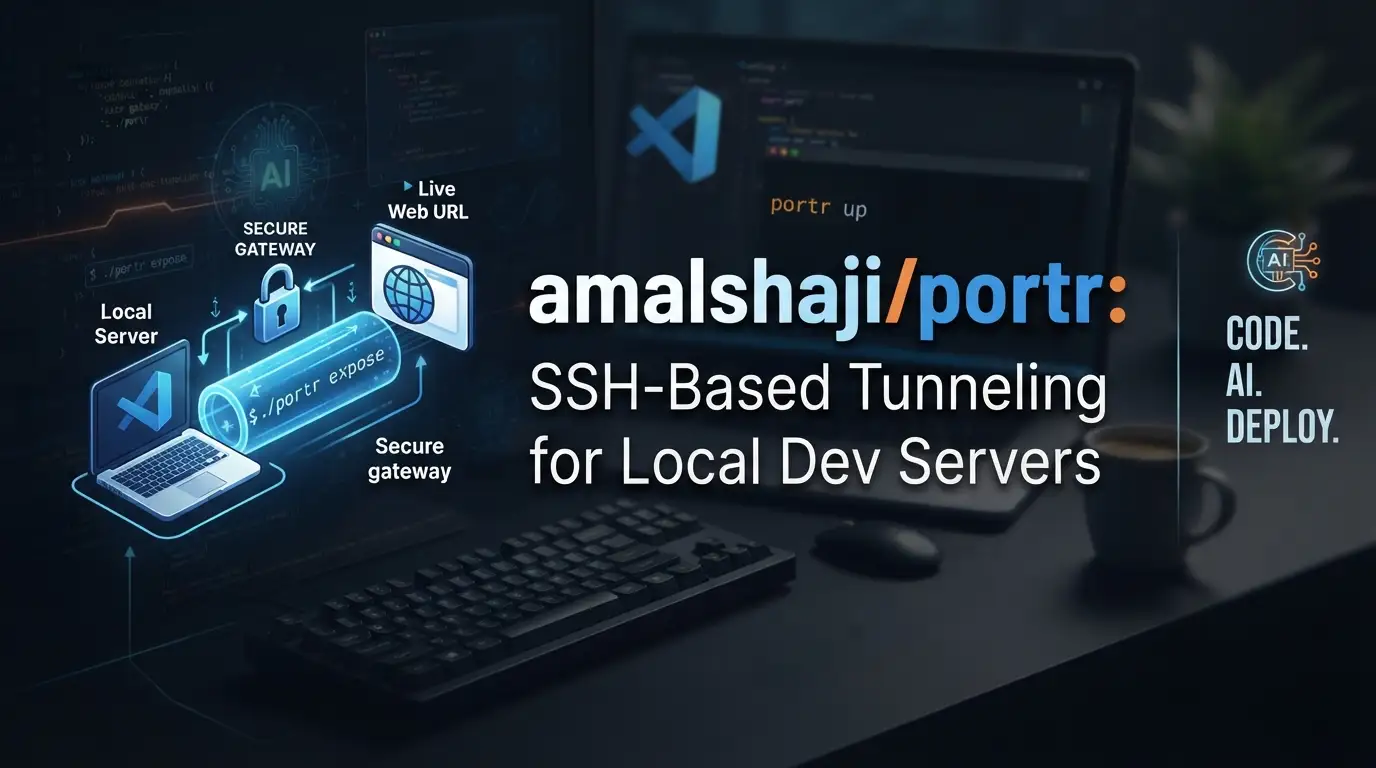
amalshaji/portr: SSH-Based Tunneling for Local Dev Servers
Every developer has faced the same friction: you've got a service running on localhost:3000, a teammate needs to see it, a webhook needs to hit it, or a mobile device on another network needs to connect. The traditional answers—deploying to staging, configuring cloud load balancers, or wrestling with VPNs—add latency and complexity that don't match the pace of iterative development. What you need is a tunnel: something that takes your local port and makes it reachable from the public internet, securely, with minimal setup. That's where amalshaji/portr comes in. This open-source Go project uses SSH remote port forwarding to expose local HTTP, TCP, and WebSocket connections, designed specifically for small teams who need public URLs for development servers—not production workloads.
What is amalshaji/portr?
amalshaji/portr is an open-source tunnel solution written in Go, licensed under the GNU Affero General Public License v3.0 (AGPL-3.0). As of its last commit on July 14, 2026, the project has accumulated 3,141 GitHub stars and 111 forks—modest traction that suggests a focused, utility-driven tool rather than a hype-driven project.
The tool's core mechanism is SSH remote port forwarding. Unlike some tunneling services that rely on custom protocols or proprietary relay infrastructure, portr leans on a battle-tested standard: SSH. This matters for developers who already understand SSH key management, who have existing SSH infrastructure, or who simply prefer tools built on transparent, inspectable protocols. The server component handles the public-facing side; the client runs wherever your local service lives.
Portr's positioning is deliberate and worth noting: it's "primarily designed for small teams looking to expose development servers on a public URL" and explicitly "not recommended for use alongside production servers." This honesty is refreshing. The tool isn't trying to be a CDN edge, a global load balancer, or a zero-trust enterprise gateway. It's a development workflow utility, scoped appropriately.
The project includes an admin dashboard for team and connection management, a local inspector for debugging, CLI-based log access, and even an agent skill for Claude Code and Codex through Vercel Labs skills. Documentation lives at portr.dev, with dedicated guides for server setup, client installation, and HTTP tunnel configuration.
Key Features
Multi-Protocol Tunneling Portr handles three connection types: HTTP, TCP, and WebSocket. This covers the majority of local development scenarios—web applications, API servers, database connections, and real-time services. The WebSocket support is particularly notable; many tunneling tools treat WebSockets as an afterthought, but portr's inspector can monitor upgraded WebSocket sessions and capture frames.
Built-In Local Inspector
Every HTTP tunnel automatically starts a local inspector at http://localhost:7777. This isn't just a traffic log—it's an interactive debugging interface where you can inspect incoming requests and responses, replay stored requests, examine headers and payloads, and monitor WebSocket sessions. For developers debugging webhook integrations or API edge cases, this eliminates the cycle of adding print statements or external proxy tools.
Persistent CLI Logs
HTTP request data is stored locally in ~/.portr/db.sqlite and queryable from the command line via portr logs. You can filter by subdomain, search URL substrings, or emit full records as JSON for piping into other tools. This agent-friendly design means you can integrate portr's traffic data into scripts, CI pipelines, or custom debugging workflows.
Subdomain Pinning
Tunnels can be pinned to specific subdomains (--subdomain amal-test), giving you stable URLs across restarts. This predictability matters when you're configuring third-party webhooks, sharing links with teammates, or documenting integration steps.
Admin Dashboard The server includes an admin dashboard for managing teams, users, and active connections. For small teams sharing a single portr server instance, this provides the necessary visibility and access control without requiring a separate identity provider.
Agent Integration
The portr-cli skill for Claude Code and Codex allows AI coding agents to interact with portr directly. Installable via npx skills add, this reflects a forward-looking design choice: tooling that integrates into emerging AI-assisted development workflows.
Use Cases
Webhook Development and Testing Building integrations with Stripe, GitHub, Slack, or any service that sends webhooks requires a public URL that can reach your local machine. Portr provides this instantly. The local inspector lets you examine the exact payload and headers, replay failed deliveries, and verify your signature validation logic—without deploying to a staging environment.
Mobile and IoT Device Testing
When your frontend runs on a physical mobile device or embedded hardware, localhost doesn't exist. Portr's HTTP and WebSocket tunneling lets you serve your development build to devices on any network, with the inspector capturing every request for debugging CORS issues, asset loading problems, or API failures.
Teammate Collaboration
Share a work-in-progress feature branch by running portr http 3000 --subdomain feature-xyz. Your designer, product manager, or fellow developer gets a stable URL. When you're done, the tunnel closes. No staging deploys, no DNS changes, no lingering cloud resources.
TCP Service Exposure Not everything speaks HTTP. Database connections, gRPC services, or custom TCP protocols can be tunneled for remote access. While the README emphasizes HTTP use cases, the TCP support extends portr's utility to infrastructure debugging and non-HTTP service development.
WebSocket Development Real-time features—chat, live updates, collaborative editing—are notoriously hard to test through tunnels that don't properly handle the WebSocket upgrade handshake. Portr's explicit WebSocket support and frame inspection in the local debugger address this directly.
Installation & Setup
Portr requires both a server and client component. The server needs a publicly reachable host; the client runs on your development machine.
Server Setup
Follow the server setup guide at portr.dev. The documentation covers installation, configuration, and running the server with appropriate TLS termination for HTTPS URLs.
Client Installation
Install the portr client following the client installation guide. The exact installation method depends on your platform—check the current documentation for the latest package managers and binaries.
Starting Your First Tunnel
With the client installed and configured to point at your portr server:
# Expose a local HTTP service on port 9000
portr http 9000
This single command does three things: creates a public HTTPS URL forwarding to your local service, starts the local inspector at http://localhost:7777, and begins persisting HTTP request logs to ~/.portr/db.sqlite.
Pinning a Subdomain
# Request a specific subdomain for a stable URL
portr http 9000 --subdomain amal-test
Subdomain availability depends on your portr server's configuration and whether the name is already claimed by another tunnel.
For comprehensive setup instructions, refer to the getting started guide and the HTTP tunnel guide.
Real Code Examples
Basic HTTP Tunnel
# Start a local service (example: Python↗ Bright Coding Blog HTTP server)
python -m http.server 9000

# In another terminal, expose it publicly
portr http 9000
After running portr http 9000, the CLI outputs your public URL. Simultaneously, the local inspector becomes available at http://localhost:7777 for request inspection. This dual output—public access plus local debugging—is portr's core value proposition.
Subdomain-Pinned Tunnel
# Pin to a specific subdomain for stable URLs across restarts
portr http 9000 --subdomain amal-test
This is essential when configuring external services. A webhook URL like https://amal-test.your-portr-server.dev won't change when you restart the tunnel, unlike randomly assigned subdomains.
Querying Local Logs
# Show latest logs for a specific subdomain
portr logs amal-test

# Filter by URL substring
portr logs amal-test /api/

# Emit full records as JSON for programmatic use
portr logs amal-test --json
The SQLite-backed storage means logs are queryable with standard tools. The --json flag enables integration with jq, log aggregation scripts, or test harnesses that verify request patterns.
Installing Agent Skills
# Add portr-cli skill to Claude Code and Codex
npx skills add amalshaji/portr --skill portr-cli -a claude-code -a codex -y

# Or install globally for all projects
npx skills add amalshaji/portr --skill portr-cli -a claude-code -a codex -g -y
This integrates portr into AI-assisted development workflows, allowing agents to manage tunnels as part of automated tasks.
Note: The README contains these four code examples. The following sections expand on usage patterns and best practices rather than inventing additional commands.
Advanced Usage & Best Practices
Scope Appropriately Portr's maintainers explicitly warn against production use. Treat it as a development and staging tool. For production traffic, use proper load balancers, CDNs, and security controls. The AGPL-3.0 license also has implications for hosted services—understand your obligations if you modify and deploy the server component.
Inspector as Debugging Default
Make http://localhost:7777 your first stop when tunnel behavior surprises you. The ability to replay requests eliminates the "it works on my machine" debugging cycle when external services behave differently against your local code.
Log Integration
The ~/.portr/db.sqlite file is a standard SQLite database. For teams building custom dashboards or automated test verification, connect directly or wrap portr logs --json in scripts. The schema isn't documented in the README, so inspect it directly with .schema in the sqlite3 CLI.
SSH Key Management Since portr uses SSH under the hood, standard SSH hardening applies: use key-based authentication, protect private keys appropriately, and rotate keys on any suspected compromise. The security of your tunnels depends on your SSH configuration.
Team Server Hygiene If running a shared team server, use the admin dashboard to audit active connections and remove unused user accounts. The dashboard provides this visibility—use it actively rather than letting stale access accumulate.
Comparison with Alternatives
| Tool | Protocol | Self-Hostable | Inspector | Best For |
|---|---|---|---|---|
| amalshaji/portr | SSH | Yes (server) | Built-in local | Small teams, dev servers, WebSocket debugging |
| ngrok | Custom | Paid plans only | Web dashboard | Quick individual use, broad protocol support |
| Cloudflare Tunnel | WireGuard/QUIC | Yes (cloudflared) | Limited | Production-adjacent, Cloudflare ecosystem |
| localtunnel | HTTP | No | None | Simplest possible HTTP exposure, ephemeral |
ngrok is the established incumbent with broader protocol support and a polished SaaS experience, but self-hosting requires paid plans and the protocol is proprietary. Cloudflare Tunnel integrates deeply with Cloudflare's edge network and is suitable for more permanent infrastructure, though its inspector capabilities are less focused on interactive request replay. localtunnel is the zero-friction option for one-off sharing but lacks persistence, inspection, and team management entirely.
Portr's niche is clear: teams who want SSH-based transparency, local request inspection, self-hosted control, and explicit non-production scoping. The trade-off is operational responsibility—you run the server, you manage the infrastructure, you handle TLS.
FAQ
Is amalshaji/portr free to use? Yes, it's open-source under AGPL-3.0. You self-host the server; there are no usage fees to the project itself.
Can I use portr for production traffic? No. The README explicitly states it's "not recommended for use alongside production servers."
What protocols does portr support? HTTP, TCP, and WebSocket tunnels are documented.
How does portr secure connections? It uses SSH remote port forwarding for the underlying tunnel, plus HTTPS for public HTTP endpoints.
Where are request logs stored?
Locally in ~/.portr/db.sqlite, queryable via the portr logs CLI command.
Can multiple team members share a portr server? Yes, the admin dashboard supports team and user management.
What license obligations come with AGPL-3.0? If you modify the server and make it available over a network, AGPL requires sharing those modifications. Consult legal guidance for your specific use case.
Conclusion
amalshaji/portr fills a specific, well-defined need: getting public URLs for local development servers without proprietary protocols or SaaS dependencies. Its SSH-based foundation, built-in local inspector, and team-oriented admin dashboard make it a pragmatic choice for small engineering teams who value transparency and self-hosting. The explicit scoping away from production use is a feature, not a limitation—it means the tool does one thing honestly rather than overpromising.
If you're currently juggling ngrok free-tier limitations, managing Cloudflare Tunnel configurations for ephemeral dev work, or simply want request inspection without external dashboards, portr merits evaluation. The 3,141-star project is actively maintained with a clear documentation site and a growing ecosystem including AI agent integration.
Explore the source, read the server setup guide, and try your first tunnel: https://github.com/amalshaji/portr.


