
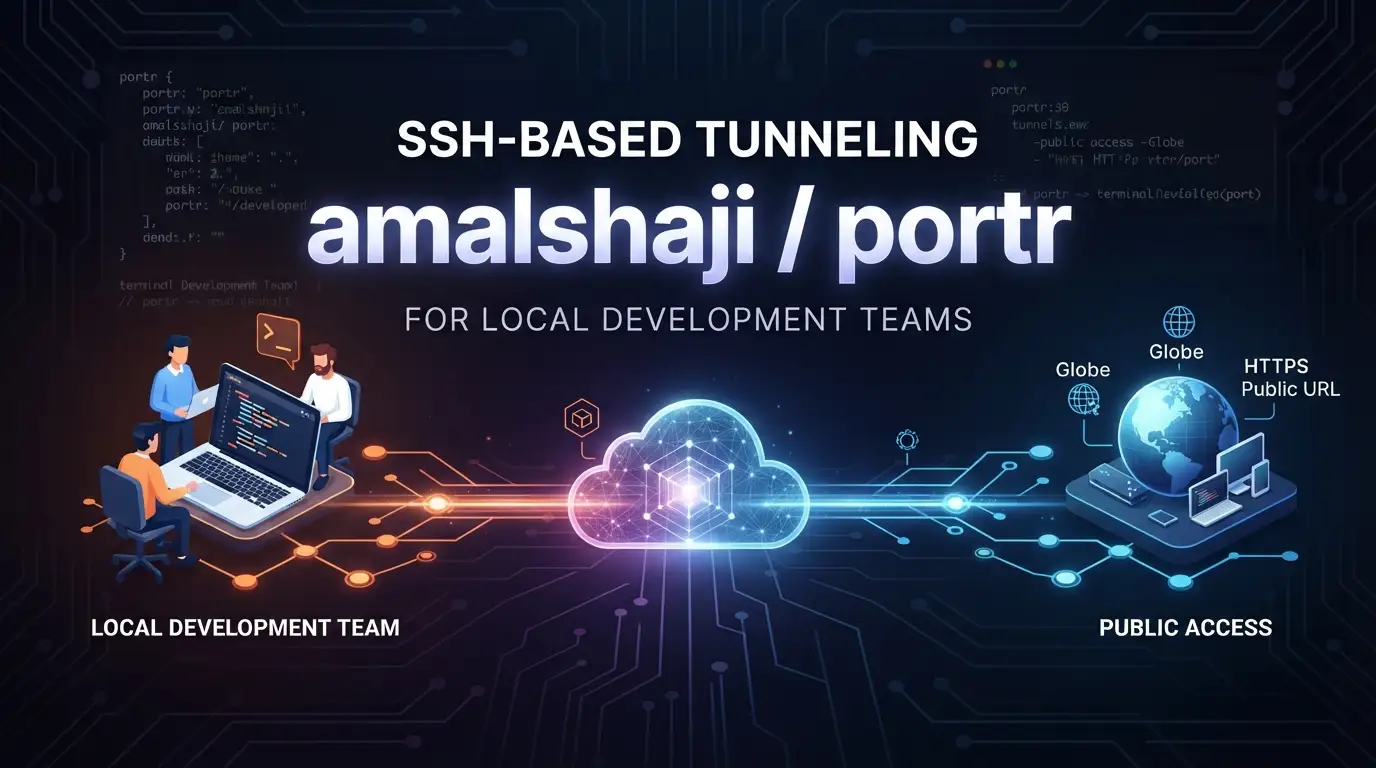
amalshaji/portr: SSH-Based Tunneling for Local Development Teams
Local development servers are essential to modern software engineering, yet sharing them with teammates, stakeholders, or testing services remains a persistent friction point. Developers routinely face the challenge of exposing localhost:3000 or internal APIs to the public internet without deploying incomplete code to production infrastructure. Traditional solutions range from heavyweight VPNs to fragile manual SSH configurations, each introducing operational overhead or security concerns.
amalshaji/portr addresses this directly. Built in Go and licensed under AGPL-3.0, this open-source tunneling solution leverages SSH remote port forwarding to expose local HTTP, TCP, and WebSocket connections through public URLs. With 3,141 GitHub stars and active maintenance as of July 2026, it targets a specific but underserved audience: small teams who need reliable, secure tunneling without enterprise-grade complexity. This article examines what amalshaji/portr offers, how it works, and whether it fits your development workflow.
What is amalshaji/portr?
amalshaji/portr is a tunnel solution that exposes local services to the public internet using SSH remote port forwarding as its underlying transport mechanism. The project is maintained by Amal Shaji and released under the GNU Affero General Public License v3.0, a copyleft license that requires derivative works to share their source code—a relevant consideration for teams evaluating compliance requirements.
The tool occupies a specific niche in the broader landscape of development infrastructure tools. Unlike general-purpose reverse proxies or cloud-based preview environments, amalshaji/portr is explicitly not recommended for production servers. This self-imposed limitation is a feature, not a deficiency: it reflects a design philosophy focused on development and staging scenarios where convenience and rapid iteration outweigh the redundancy and hardening demands of production systems.
The project's technical foundation in Go provides inherent advantages: single-binary deployment, cross-platform compatibility, and efficient resource utilization. The 111 forks and steady star growth suggest genuine community interest beyond passive GitHub discovery. The tool's architecture separates concerns between a server component (which accepts and routes tunneled connections) and a client CLI (which establishes the SSH forwarding session and provides local utilities like request inspection and logging).
What distinguishes amalshaji/portr from simpler ngrok alternatives is its team-oriented feature set: an admin dashboard for connection and user management, persistent local request logging with SQLite-backed storage, and a built-in inspector for debugging HTTP traffic and WebSocket sessions. These capabilities indicate the maintainer's understanding that development tunneling is fundamentally a collaborative activity, not merely a technical bridge between networks.
Key Features
Multi-Protocol Tunneling
The core capability spans three transport protocols: HTTP, TCP, and WebSocket. HTTP tunnels automatically provision public HTTPS URLs, eliminating the certificate management burden for local development. TCP tunneling supports non-HTTP services—databases, message queues, custom protocols—while WebSocket handling includes frame-level inspection for real-time application debugging.
Local Inspector at localhost:7777
Every HTTP tunnel instantiation launches a local web interface on port 7777. This inspector enables:
- Real-time examination of incoming HTTP requests and responses
- Request replay for reproducing specific client behaviors
- Header and payload inspection without external proxy tools
- WebSocket session monitoring with captured frame visualization
The inspector operates entirely locally—request data never leaves the developer's machine unless explicitly forwarded through the tunnel, addressing privacy concerns for sensitive development work.
SQLite-Backed Request Logging
HTTP request data persists to ~/.portr/db.sqlite, enabling retrospective analysis through both the inspector UI and CLI. The portr logs command supports filtering by subdomain and URL substring, with JSON export for integration with external analysis tools. This architectural choice prioritizes developer autonomy: logs remain under local control rather than centralized on a third-party service.
Team Management Dashboard
The admin dashboard provides functionality for managing team membership, user permissions, and active connections. This distinguishes amalshaji/portr from personal-use tunneling tools and aligns with its stated target audience of small teams requiring shared infrastructure with accountability.
Agent Integration
The repository includes a portr-cli skill for Claude Code and Codex through Vercel Labs skills, enabling AI-assisted workflows that interact with tunneling operations programmatically.
Use Cases
Collaborative Frontend Development↗ Bright Coding Blog
A frontend developer working on a React↗ Bright Coding Blog or Vue application served locally on port 5173 needs feedback from a designer or product manager. Rather than deploying to a staging environment or configuring cloud preview builds, they execute portr http 5173 --subdomain feature-redesign. The stakeholder receives a stable HTTPS URL, while the developer retains full control over the local development server with hot-reload intact.
Webhook Development and Testing
Building integrations with third-party services (Stripe webhooks, GitHub Apps, Slack event subscriptions) requires publicly accessible endpoints during development. amalshaji/portr provides these endpoints without CI/CD pipeline involvement, enabling rapid iteration on webhook handlers. The local inspector captures incoming payloads for verification and replay, streamlining debugging of signature validation and event processing logic.
Mobile Application Backend Testing
Mobile developers testing against local backend services face network isolation between simulators/devices and development machines. A TCP or HTTP tunnel bridges this gap, allowing physical devices on cellular networks to reach localhost APIs. The WebSocket inspection capability proves particularly valuable for debugging real-time features like chat or live updates.
Database and Service Access for Remote Team Members
In distributed teams, a developer running a PostgreSQL↗ Bright Coding Blog instance or Redis server locally can expose it via TCP tunnel for temporary collaborative access. This pattern suits pair programming scenarios or incident response where direct database inspection accelerates debugging—though teams should implement appropriate access controls given the tool's development-focused security model.
Microservice Development in Partial Environments
When developing a single service in a microservice architecture, engineers often need their local instance to receive requests from other services running in shared development clusters. amalshaji/portr enables this hybrid topology without requiring full local replication of dependent services.
Installation & Setup
The setup process involves two components: server infrastructure and client installation. The project provides dedicated documentation at portr.dev for both paths.
Server Setup
Teams must first deploy a Portr server or identify an existing instance. The server setup guide covers configuration requirements. This represents the primary operational investment—unlike managed tunneling services, amalshaji/portr requires self-hosted infrastructure, trading operational responsibility for data sovereignty and cost predictability.
Client Installation
Install the Portr client on individual developer machines following the client installation guide. The Go-based distribution typically provides precompiled binaries or source compilation options.
Establishing a Tunnel
With both components operational, expose a local service:
# Basic HTTP tunnel on port 9000
portr http 9000
This command performs three operations simultaneously: creates the public HTTPS tunnel, launches the local inspector on http://localhost:7777, and initializes SQLite logging for the session.
For stable URLs across restarts, pin a specific subdomain:
portr http 9000 --subdomain amal-test
The subdomain flag ensures consistent URLs for bookmarked testing endpoints or configured webhook URLs.
Additional protocol-specific setup guides are available for HTTP tunnels and general getting started workflows.
Real Code Examples
The README provides explicit command patterns that demonstrate core functionality. Below are the documented examples with contextual explanation.
Basic HTTP Tunnel Creation
portr http 9000
This establishes the fundamental tunneling session. The command assumes a service listens on local port 9000—common for Python↗ Bright Coding Blog Flask/Django development servers, Node.js applications, or Go services. Upon execution, the CLI outputs the assigned public URL and confirms inspector availability. The three simultaneous operations (HTTPS URL creation, inspector startup, log persistence) occur without additional flags, minimizing cognitive load for routine use.
Subdomain-Pinned Tunnel
portr http 9000 --subdomain amal-test
Subdomain pinning addresses a practical pain point: default tunnel URLs are ephemeral, changing with each session restart. For workflows requiring stable references—such as OAuth callback configurations, mobile app deep links, or shared documentation—explicit subdomain assignment ensures continuity. The example uses amal-test, presumably reflecting the maintainer's demonstration; teams should adopt naming conventions aligned with their environment management practices.
Log Querying from CLI
# Show latest logs for a specific subdomain
portr logs amal-test

# Filter by URL path substring
portr logs amal-test /api/

# Export full records as structured JSON
portr logs amal-test --json
These commands demonstrate the local-first logging architecture. The SQLite backend enables fast substring filtering without network round-trips, while JSON export facilitates integration with jq, custom scripts, or log aggregation pipelines. The progression from basic listing to filtered views to structured output reflects anticipated debugging workflows: identify relevant traffic, narrow to specific endpoints, then extract machine-parseable data for deeper analysis.
The README's example set is intentionally focused—three core patterns cover the majority of use cases. Teams requiring additional automation should consult the [INTERNAL_LINK: ssh-tunnel-automation] patterns or explore the agent skills integration for programmatic control.
Advanced Usage & Best Practices
Security Posture Awareness
The README's explicit warning against production use deserves emphasis. amalshaji/portr's security model assumes development-context threat profiles: authenticated team members, short-lived sessions, and non-sensitive data. Before expanding usage, audit whether your data classification and compliance requirements align with this positioning. The AGPL-3.0 license additionally requires attention if modifying or embedding the tool in proprietary distributions.
Inspector Workflow Integration
Incorporate http://localhost:7777 into standard debugging procedures. The request replay capability particularly reduces reproduction friction—capture a failing request once, then iterate on handler code without re-triggering complex client state. For WebSocket development, the frame inspection reveals protocol-level behavior invisible to higher-level logging.
Log Retention Management
The ~/.portr/db.sqlite file grows with session volume. Implement periodic cleanup or archival based on your storage constraints and data retention policies. The JSON export capability supports external archiving before local deletion.
Team Onboarding Consistency
Standardize subdomain naming conventions and server instance selection to prevent collision and confusion. The admin dashboard's user management features should be configured before scaling beyond initial adopters.
Agent Skill Utilization
Teams using Claude Code or Codex can install the provided skill for conversational tunnel management:
# Install for both agents
npx skills add amalshaji/portr --skill portr-cli -a claude-code -a codex -y

# Or install globally
npx skills add amalshaji/portr --skill portr-cli -a claude-code -a codex -g -y
This integration suits teams already invested in AI-assisted development workflows, though it represents optional functionality rather than core requirement.
Comparison with Alternatives
| Feature | amalshaji/portr | ngrok | Cloudflare Tunnel |
|---|---|---|---|
| Self-hosted option | Required (server component) | Available (ngrok Edge, paid) | Available (cloudflared) |
| License | AGPL-3.0 (open source) | Proprietary | Apache 2.0 (client) |
| Local request inspection | Built-in inspector + SQLite logs | Limited (paid plans) | Via external tools |
| Team management | Native admin dashboard | Team plans (paid) | Cloudflare Access integration |
| Protocol support | HTTP, TCP, WebSocket | HTTP, TCP, TLS | HTTP, TCP, SSH, RDP |
| Production suitability | Explicitly not recommended | Marketed for production | Production-oriented |
ngrok remains the category incumbent with broader protocol support and managed infrastructure, but introduces ongoing costs for team features and data residency control. amalshaji/portr appeals to teams prioritizing source availability and local data retention over operational convenience.
Cloudflare Tunnel targets production ingress scenarios with deeper ecosystem integration (Zero Trust, Access policies). Its complexity exceeds typical development tunneling needs, though teams already invested in Cloudflare's stack may find unified management compelling.
The decisive factor is typically organizational: teams with Go expertise and infrastructure capacity gain meaningful control from amalshaji/portr, while those preferring managed services trade customization for reduced operational burden.
FAQ
Is amalshaji/portr free to use?
Yes, the AGPL-3.0 license permits use, modification, and distribution under copyleft terms. Self-hosted server infrastructure incurs your own hosting costs.
Can I use this for production traffic?
The maintainers explicitly advise against production use. The tool is designed for development server exposure with corresponding security assumptions.
What Go version is required?
The README does not specify minimum Go versions; consult the repository's go.mod or build documentation for compilation requirements.
Does it support custom domains?
The README documents subdomain pinning (--subdomain) but does not detail full custom domain configuration; check the server setup documentation for advanced DNS options.
How are logs stored and secured?
HTTP request logs persist to local SQLite at ~/.portr/db.sqlite. They do not transmit to the tunnel server unless explicitly exported.
Is Windows supported?
Go's cross-platform compilation suggests compatibility, but the README does not explicitly confirm Windows support; verify through issue trackers or community reports.
What happens when my tunnel disconnects?
SSH-based tunnels terminate with connection loss; reconnect to restore service. Subdomain-pinned URLs become available again upon reconnection.
Conclusion
amalshaji/portr occupies a well-defined position in the development tooling ecosystem: open-source tunneling with team-oriented features, local data control, and explicit scope boundaries. Its 3,141 stars and active maintenance indicate sustained relevance, while the AGPL-3.0 licensing and self-hosted model attract organizations with specific compliance or cost requirements.
The tool best serves small engineering teams with existing infrastructure capacity who need shared, inspectable tunneling without managed service pricing. Developers valuing local request privacy, WebSocket debugging capabilities, or CLI-integrated workflows will find particular alignment with its design decisions.
However, teams seeking production-grade ingress, global edge distribution, or zero-configuration deployment should evaluate managed alternatives. amalshaji/portr's explicit development-focus disclaimer is a strength—it enables honest architectural choices rather than overstretched capability claims.
To assess fit for your workflow, explore the repository at https://github.com/amalshaji/portr, review the portr.dev documentation, and consider contributing through the project's development environment setup if the codebase aligns with your technical investments.


