
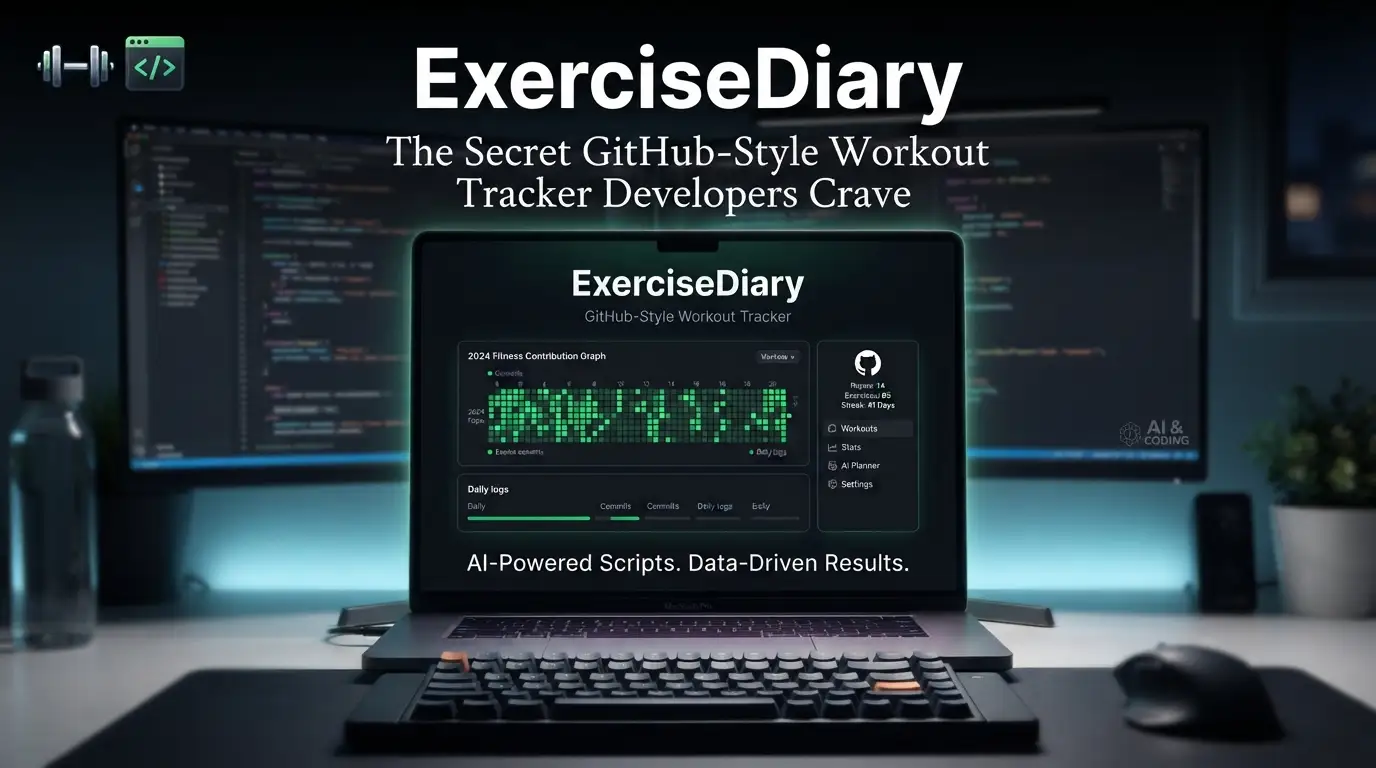
ExerciseDiary: The Secret GitHub-Style Workout Tracker Developers Crave
What if your fitness streak was as addictive as your GitHub green squares?
We've all been there. That soul-crushing moment when you open your fitness app and see... nothing. No streak. No momentum. Just another failed New Year's resolution buried under a cluttered UI designed by people who think "engagement" means flooding you with push notifications at 6 AM. Meanwhile, your GitHub profile? Pristine. Those emerald contribution squares mock you with their consistency, their visual proof of daily discipline. Why can't fitness be this satisfying?
Here's the brutal truth: most workout trackers are built for gym bros, not builders. They don't understand the developer brain—the craving for data visualization, the satisfaction of commit streaks, the dopamine hit of a filled grid. ExerciseDiary changes everything. This isn't another calorie-counting nightmare or social media↗ Bright Coding Blog fitness flex. It's a self-hosted workout diary with GitHub-style year visualization that turns every squat, run, and stretch into a contribution graph you'll actually want to maintain.
Created by aceberg and built with the reliability of Go, ExerciseDiary is quietly becoming the secret weapon for developers who want to level up their physical health without abandoning their technical values. No cloud lock-in. No data mining. Just clean code, beautiful heatmaps, and the satisfaction of watching your fitness life turn as green as your most productive coding year.
Ready to discover why developers are abandoning mainstream fitness apps? Let's dive deep.
What is ExerciseDiary?
ExerciseDiary is a lightweight, self-hosted workout tracking application that reimagines fitness logging through the lens of developer-centric design. At its core, it solves a deceptively simple problem: making fitness consistency visually addictive by borrowing the most successful habit-tracking interface ever created—GitHub's contribution heatmap.
The brainchild of aceberg, a developer clearly frustrated with the bloat and privacy nightmares of commercial fitness platforms, ExerciseDiary represents a growing movement in the self-hosted community. Why surrender your health data to corporations when you can own it completely?
Built in Go with a clean web interface powered by Bootstrap and Chart.js, ExerciseDiary prioritizes three things that matter to technical users: speed, privacy, and data ownership. The entire application runs in a Docker↗ Bright Coding Blog container weighing mere megabytes, starts in seconds, and stores everything locally. No accounts to create. No terms of service to blindly accept. No surprise acquisitions that leave your data stranded.
The project's momentum is undeniable. With active CI/CD pipelines, passing Go Report Card scores, and maintainability badges that would make any engineering manager smile, ExerciseDiary demonstrates what happens when developers build tools for themselves. The GitHub-style visualization isn't a gimmick—it's behavioral psychology weaponized for your health. Those green squares? They leverage the exact same completion bias that keeps you pushing commits at 11:58 PM. Except now, that compulsive energy fuels your deadlifts.
In an era where "move fast and break things" applies more to our spines from poor posture than our deployments, ExerciseDiary offers something radical: infrastructure for sustainable physical health.
Key Features That Make ExerciseDiary Irresistible
🔥 GitHub-Style Contribution Heatmap
The crown jewel. ExerciseDiary renders your entire year as an interactive matrix where workout intensity maps to color saturation. Light green for light days. Deep emerald for crushing PRs. That empty square glaring at you? That's yesterday's skipped session. The guilt is the feature.
🐳 Dead-Simple Docker Deployment
One command. That's it. No database configuration nightmares, no dependency hell, no npm install running for twenty minutes. The containerized approach means you can spin ExerciseDiary up on your home server, Raspberry Pi, or VPS in under sixty seconds. The image size is optimized for minimal resource consumption.
🔒 Optional Session-Cookie Authentication
Not everyone wants their workout data exposed, even on a home network. ExerciseDiary offers configurable authentication with bcrypt-encrypted passwords and customizable session expiration. Set it and forget it, or lock it down tight.
🎨 Extensive Theming Engine
Bored of default Bootstrap? ExerciseDiary integrates with Bootswatch themes plus aceberg's custom palette including emerald, grass, grayscale, ocean, sand, and wood. Match your tracker to your terminal aesthetic. Dark mode support included because we know you're logging workouts at 2 AM.
⚡ Customizable Heatmap Colors
The default #03a70c green not doing it for you? Override HEATCOLOR to match your terminal's powerline theme, your IDE's syntax highlighting, or yes, even that regrettable neon orange phase you're going through.
📊 Chart.js Powered Visualizations
Beyond the annual heatmap, leverage professional-grade charting for workout analytics. The matrix chart implementation enables dense, information-rich displays that would make a data scientist nod approvingly.
🌐 Local Network Independence
Paranoid about external CDN dependencies? ExerciseDiary supports fully air-gapped deployment using the companion node-bootstrap image. Your fitness data never touches the internet. Tinfoil hat sold separately.
📁 Flexible Configuration
Environment variables, config files, or GUI—configure your way. The config.yaml mirrors environment variable names in lowercase for intuitive management. Twelve configurable parameters cover every operational scenario.
Use Cases Where ExerciseDiary Absolutely Dominates
The Commit Streak Addict
You've got 847 days on GitHub. Your fitness? Sporadic at best. ExerciseDiary hijacks the same psychological machinery. That unbroken green chain becomes your new obsession. Miss a day? Watch that square stay empty while your code contributions mock you from another tab. Gamification that actually works.
The Privacy-Paranoid Self-Hoster
Strava sold your data. MyFitnessPal had a breach. Whoops, there goes your running route and heart rate history. ExerciseDiary keeps everything on hardware you control. Deploy on your NAS, back up to your S3-compatible storage, sleep soundly knowing no algorithm is profiling your bench press progression.
The Minimalist Developer
You run a dozen services on your homelab and refuse bloat. ExerciseDiary's Docker image is lean, its dependencies minimal, its resource footprint negligible. No Electron app hogging 400MB RAM. No mobile app demanding fourteen permissions. Just a clean web interface that loads instantly.
The Remote Team Health Challenge
Spin up an instance for your engineering team. Compete on contribution squares without exposing personal health data to Slack's data pipeline. The authentication system keeps scores private while the visualization fuels friendly rivalry. Ship code, ship features, ship healthier teams.
The Quantified Self Experimenter
You're tracking sleep, nutrition, and productivity in a dozen systems. ExerciseDiary's simple data model and local storage make it trivial to extract, transform, and correlate with your other metrics. Build the unified health dashboard of your dreams.
Step-by-Step Installation & Setup Guide
Prerequisites
- Docker Engine 20.10+ or Docker Desktop
- (Optional) Docker Compose for declarative deployment
- ~50MB available storage for persistent data
Method 1: Quick Docker Run
The fastest path to your first green square:
# Pull and run ExerciseDiary with persistent storage
docker run --name exdiary \
  -e "TZ=Asia/Novosibirsk" \
  -v ~/.dockerdata/ExerciseDiary:/data/ExerciseDiary \
  -p 8851:8851 \
  aceberg/exercisediary
Critical flags explained:
--name exdiary: Names container for easy management-e "TZ=Asia/Novosibirsk": Sets timezone for correct timestamp recording—change this to your location!-v ~/.dockerdata/ExerciseDiary:/data/ExerciseDiary: Persists data across container restarts-p 8851:8851: Exposes web interface on host port 8851
Access at http://localhost:8851 and start logging.
Method 2: Docker Compose (Recommended)
Create docker-compose.yml:
version: '3.8'

services:
  exercisediary:
    image: aceberg/exercisediary
    container_name: exdiary
    environment:
      - TZ=America/New_York  # Adjust to your timezone
      - THEME=ocean          # Bootswatch theme selection
      - COLOR=dark           # Dark mode for late-night logging
    volumes:
      - ./exercisediary-data:/data/ExerciseDiary
    ports:
      - "8851:8851"
    restart: unless-stopped
Deploy with:
docker compose up -d
Method 3: Binary Installation
For bare-metal purists, grab the .deb from aceberg's PPA or extract binaries from latest releases.
Enabling Authentication
Generate bcrypt hash for your password (see docs/BCRYPT.md), then:
docker run --name exdiary \
  -e "AUTH=true" \
  -e "AUTH_USER=admin" \
  -e "AUTH_PASSWORD=$2a$10$..." \
  -e "AUTH_EXPIRE=30d" \
  -v ~/.dockerdata/ExerciseDiary:/data/ExerciseDiary \
  -p 8851:8851 \
  aceberg/exercisediary
Air-Gapped Deployment
For network-independent operation, first deploy the asset server:
# Terminal 1: Local bootstrap server
docker run --name node-bootstrap \
  -v ~/.dockerdata/icons:/app/icons \
  -p 8850:8850 \
  aceberg/node-bootstrap
Then point ExerciseDiary to it:
# Terminal 2: ExerciseDiary with local assets
docker run --name exdiary \
  -v ~/.dockerdata/ExerciseDiary:/data/ExerciseDiary \
  -p 8851:8851 \
  aceberg/exercisediary -n "http://YOUR_IP:8850"
Or use the provided docker-compose-local.yml for combined deployment.
REAL Code Examples from the Repository
Let's examine the actual deployment patterns from ExerciseDiary's documentation, annotated for maximum understanding.
Example 1: Basic Docker Deployment
This is the exact quick-start command from the README, the one-liner that launched a thousand fitness streaks:
# ExerciseDiary Quick Start - Production-ready single command
docker run --name exdiary \
  -e "TZ=Asia/Novosibirsk" \              # Timezone: CRITICAL for correct date attribution
  -v ~/.dockerdata/ExerciseDiary:/data/ExerciseDiary \  # Host:Container volume mount
  -p 8851:8851 \                           # Port mapping: host:container
  aceberg/exercisediary                    # Official image from Docker Hub
Why this matters: The volume mount ~/.dockerdata/ExerciseDiary:/data/ExerciseDiary is your data lifeline. Without it, container recreation wipes your entire workout history. The -e "TZ=..." environment variable ensures your late-night 11:59 PM session registers on the correct calendar day—essential for streak accuracy. The default port 8851 avoids conflicts with common services like Plex (32400) or Pi-hole (80/53).
Example 2: Local Network Asset Serving
For complete internet independence, aceberg provides this two-container pattern:
# Step 1: Deploy local asset server (node-bootstrap)
# This container serves Bootstrap themes, icons, and fonts locally
docker run --name node-bootstrap       \
  -v ~/.dockerdata/icons:/app/icons  \ # Optional: mount custom icons directory
  -p 8850:8850                       \ # Dedicated port for asset serving
  aceberg/node-bootstrap               # Companion image with all web dependencies
# Step 2: ExerciseDiary pointing to local assets
# The -n flag overrides default CDN URLs with your local server
docker run --name exdiary \
  -v ~/.dockerdata/ExerciseDiary:/data/ExerciseDiary \
  -p 8851:8851 \
  aceberg/exercisediary -n "http://$YOUR_IP:8850"  # Dynamic IP injection
The -n flag deep-dive: This command-line option accepts a URL string that replaces all external resource references. The "http://$YOUR_IP:8850" syntax assumes shell variable expansion—replace $YOUR_IP with your actual machine IP (192.168.1.50, 10.0.0.5, etc.). This pattern is identical to how enterprise air-gapped deployments work, just simplified for homelab scale. The node-bootstrap image contains vendored Bootstrap 5, Font Awesome, and all Bootswatch themes—roughly 15MB of assets that normally download from CDNs on first load.
Example 3: Docker Compose Local Deployment
While not explicitly shown in the README, we can construct the compose equivalent from the provided docker-compose-local.yml reference:
# docker-compose-local.yml - Complete air-gapped stack
version: '3.8'

services:
  # Asset server: provides all UI dependencies locally
  node-bootstrap:
    image: aceberg/node-bootstrap
    container_name: node-bootstrap
    volumes:
      - ./icons:/app/icons  # Custom icon mount point
    ports:
      - "8850:8850"         # Asset serving endpoint
    restart: unless-stopped

  # Main application: ExerciseDiary with local asset override
  exercisediary:
    image: aceberg/exercisediary
    container_name: exdiary
    command: ["-n", "http://node-bootstrap:8850"]  # Internal Docker DNS resolution
    environment:
      - TZ=UTC
      - THEME=grass        # Default theme, overridden here for clarity
      - HEATCOLOR=#03a70c  # Default green heatmap
    volumes:
      - ./exercisediary-data:/data/ExerciseDiary
    ports:
      - "8851:8851"
    depends_on:
      - node-bootstrap       # Ensures asset server starts first
    restart: unless-stopped
Key insight: Using http://node-bootstrap:8850 leverages Docker's internal DNS. No IP guessing required. The command override replaces the default container entrypoint with our -n flag. This pattern scales to Kubernetes, Swarm, or any container orchestrator.
Advanced Usage & Best Practices
Backup Strategy: Your ~/.dockerdata/ExerciseDiary directory contains SQLite databases and config. Back this up with your standard restic/rclone/borg routine. The files are small enough for hourly snapshots without storage anxiety.
Reverse Proxy Integration: Put ExerciseDiary behind Traefik or Nginx Proxy Manager. Set AUTH=true with strong bcrypt passwords for public exposure, or rely on your proxy's basic auth. The session cookie implementation plays nicely with standard reverse proxy patterns.
Theme Optimization for OLED: Using COLOR=dark with THEME=grayscale minimizes power consumption on OLED displays. For maximum GitHub authenticity, THEME=grass with HEATCOLOR=#39d353 matches GitHub's 2024 contribution color scheme exactly.
Multi-User Household: While single-user by design, run multiple instances on different ports with Docker Compose scaling. Each family member gets their own heatmap without data commingling.
API Exploration: Though undocumented, the Go backend likely exposes REST endpoints for data operations. Explore with browser DevTools Network tab for integration possibilities with Home Assistant, n8n, or custom dashboards.
Comparison with Alternatives
| Feature | ExerciseDiary | Strava | Strong App | Google Fit | Hevy |
|---|---|---|---|---|---|
| Self-hosted | ✅ Full control | ❌ Cloud only | ❌ Cloud only | ❌ Cloud only | ❌ Cloud only |
| GitHub-style viz | ✅ Native | ❌ No | ❌ No | ❌ Basic | ❌ No |
| Open source | ✅ MIT/Apache | ❌ Proprietary | ❌ Proprietary | ❌ Proprietary | ❌ Proprietary |
| Docker deploy | ✅ One command | ❌ N/A | ❌ N/A | ❌ N/A | ❌ N/A |
| Data export | ✅ SQLite files | ⚠️ Limited | ⚠️ Subscription | ⚠️ Google Takeout | ⚠️ Subscription |
| Social features | ❌ None | ✅ Extensive | ❌ Minimal | ❌ Minimal | ✅ Moderate |
| Mobile app | ❌ Web only | ✅ Native | ✅ Native | ✅ Native | ✅ Native |
| Cost | Free forever | Freemium | Freemium | Free | Freemium |
The verdict: Choose ExerciseDiary when privacy, data ownership, and developer-centric design outweigh mobile convenience. It's not replacing Strava for segment hunting or Hevy for gym social sharing. It's for builders who want their fitness infrastructure as clean as their code infrastructure.
FAQ
Q: Can I import data from Apple Health, Fitbit, or Garmin?
A: Not natively yet—check the ROADMAP for planned integrations. Currently, manual entry or SQLite manipulation required.
Q: Does ExerciseDiary work offline after initial load?
A: Only with the node-bootstrap local asset configuration. Standard deployment requires internet for theme/font CDN loads.
Q: Is there a mobile app or PWA support?
A: No dedicated app, but the responsive Bootstrap interface works well in mobile browsers. Add to home screen for pseudo-PWA experience.
Q: How do I migrate data between servers?
A: Simply copy your ~/.dockerdata/ExerciseDiary directory. The SQLite database and config files are fully portable across architectures (with proper Docker image pulling).
Q: Can I customize the heatmap color beyond HEX codes?
A: The HEATCOLOR variable accepts standard CSS color formats. For gradient effects, modify the Chart.js configuration in source and rebuild.
Q: What's the performance with years of data?
A: SQLite handles millions of rows effortlessly. The annual heatmap renders client-side via Chart.js, so browser memory becomes the bottleneck before database performance.
Q: Is authentication mandatory for internet-facing deployments?
A: Absolutely enable AUTH=true. The bcrypt implementation is production-grade. Exposing without authentication leaks personal health data and workout patterns.
Conclusion
ExerciseDiary isn't trying to be everything to everyone. It's a laser-focused tool for developers who understand that the best infrastructure is infrastructure you control. The GitHub-style visualization isn't cosmetic—it's behavioral engineering that transforms sporadic exercise into compulsive consistency.
In a landscape of surveillance-capitalism fitness apps, aceberg's creation is a breath of fresh air. No accounts. No ads. No algorithmic manipulation. Just clean code, beautiful data, and the quiet satisfaction of watching your year turn progressively greener.
The real question isn't whether ExerciseDiary can replace your current tracker. It's whether you're ready to treat your body with the same systematic care you apply to your deployments.
Your commit graph is green. Your servers are monitored. Your uptime is 99.99%. Now make your fitness streak match your engineering excellence.
👉 Star ExerciseDiary on GitHub — deploy it tonight, log your first workout, and join the growing community of developers who've discovered that the best DevOps↗ Bright Coding Blog practice is one that includes self-care.
Your future self—the one with the unbroken green squares and the actual muscle definition—will thank you.
