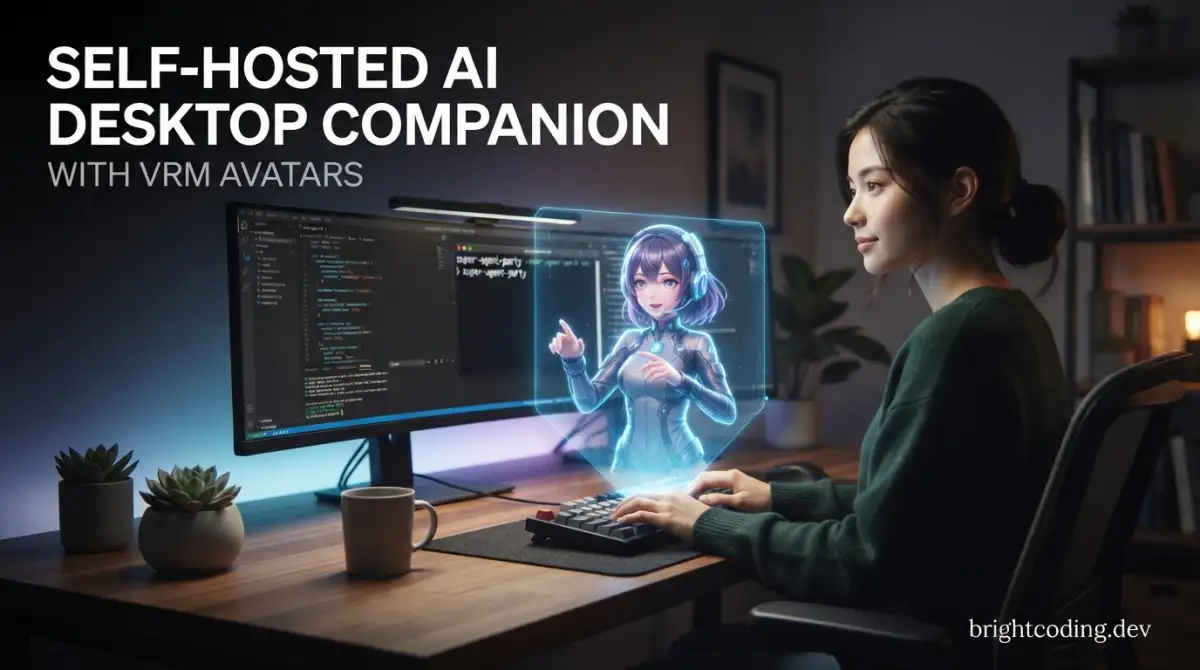
Developers seeking alternatives to cloud-dependent AI assistants face a recurring dilemma: proprietary platforms lock your data, limit customization, and charge recurring fees for features you could run locally. The rise of local LLM inference and open-weight models has created demand for a unified interface that combines conversational AI, visual presence, and practical automation—without surrendering control to third-party infrastructure. heshengtao/super-agent-party addresses this gap directly. This self-hosted AI companion integrates 3D VRM avatars, desktop pet visualization, multi-platform bot deployment, and computer control capabilities into a single JavaScript↗ Bright Coding Blog-based application. With 2,476 GitHub stars and active development through July 2026, super-agent-party represents a mature attempt at the "neuro-sama + openclaw" formula: a personable AI presence that can actually manipulate your computing environment.
What is heshengtao/super-agent-party?
heshengtao/super-agent-party is an all-in-one AI companion platform maintained by heshengtao and released under the GNU Affero General Public License v3.0. The project's self-description positions it as "Self hosted neuro sama + openclaw"—a reference to two distinct cultural touchstones in the AI community. Neuro-sama represents the paradigm of persistent, personality-driven AI avatars with visual presence; openclaw evokes autonomous agent capabilities that interact with systems and tools.
Technically, super-agent-party is a JavaScript application (with Python↗ Bright Coding Blog backend components evident in the uv sync deployment path) that bundles multiple interaction modalities into one deployable package. It functions as a desktop application with web interface, Docker↗ Bright Coding Blog container, or lite client—offering flexibility for developers who prefer native apps, browser access, or containerized deployment.
The repository shows healthy community engagement with 259 forks and sustained commit activity through mid-2026. Its international scope is notable: documentation exists in ten languages including Chinese, English, French, German, Russian, Arabic, Spanish, Portuguese, Japanese, and Korean. This multilingual support, combined with China-specific download mirrors via ModelScope and Alibaba Cloud ACR, suggests significant adoption in Chinese-speaking developer communities alongside international users.
The dual-licensing model is worth attention: AGPLv3 by default, with commercial licensing available through direct contact. This structure protects open-source derivatives while enabling commercial applications—a pragmatic approach for projects bridging hobbyist and professional use cases.
Key Features
Desktop Companion Visualization
The signature feature is customizable 3D avatar presentation. Users can load custom VRM models with custom animations and scenes, or alternatively use THA (Talking Head Anime)-based 2D avatars with audio-driven blendshapes. The system supports transparent overlay for OBS streaming and bidirectional VMC protocol integration. A separate Live2D extension (sap-live2d) provides additional 2D avatar options, and VTube Studio linkage enables control of external Live2D models with expression sync and lip-tracking.
Computer Control & Automation Beyond conversation, super-agent-party implements desktop vision combined with mouse, keyboard, and terminal control. The README demonstrates an AI playing Wordle autonomously—illustrating the "openclaw" agent capability. This operates through a toolchain approach: LLM visual reasoning drives single-step operations with human-like randomized delays, explicitly designed to avoid server pressure or detection as automated scraping.
Multi-Platform Bot Deployment One-click deployment covers QQ, WeChat, Feishu (Lark), DingTalk, Telegram, Discord, and Slack for messaging. Live streaming extension supports Bilibili, YouTube, and Twitch with 360-degree panoramic streaming capability. These integrations transform the personal companion into a public-facing automated presence.
Task Center & Background Execution AI agents can execute advanced tasks asynchronously, with MCP (Model Context Protocol) and Agent Skills providing structured tool access. The browser control feature equips agents with dedicated browser instances for autonomous web interaction.
Developer Integration The project exposes OpenAI-compatible API endpoints and MCP server interfaces, allowing external applications to consume super-agent-party's capabilities. An extension system with 18 documented plugins—including code server integration, AI-powered editors, music control, and remote access—enables community expansion.
Flexible Interface Modes The chat interface supports phone-sized and capsule-sized desktop docking, full window mode, and features A2UI rendering, mathematical formula display, Mermaid diagrams, and HTML graphics. Character personas support tavern card format with long-term memory and multi-voice configuration.
Use Cases
Personal Productivity Assistant with Visual Presence Developers running local LLMs can deploy super-agent-party as a persistent desktop companion that manages schedules, searches the web, executes code in sandboxed environments, and controls smart home devices—all while presenting through a customizable avatar that doesn't depend on cloud services. The capsule mode keeps the interface unobtrusive during focused work.
Content Creation & Streaming Automation VTubers and streamers can leverage the VRM/VTS integration to create an AI-driven co-host or standalone streamer. The 360-degree panoramic streaming support and platform-specific bot deployment (Bilibili, YouTube, Twitch) reduce technical overhead for multi-platform broadcasting. The announcer functionality handles long-text narration with multi-voice support and EPUB parsing for audiobook-style content.
Enterprise IM Integration
Teams using Feishu, DingTalk, Slack, or Discord can deploy super-agent-party as an internal assistant with natural language access to knowledge bases, code execution, and browser-based research. The shortcut command system (/plan, /read, /edit, /yolo, /cowork) provides granular control over agent autonomy levels appropriate for different operational contexts.
Accessibility Tool The browser control functionality is explicitly positioned as an accessibility aid: LLM-driven visual reasoning enables users with visual impairments, limited mobility, or other accessibility needs to operate browsers through natural language commands rather than direct manipulation.
Agent Development Platform The OpenAI-compatible API and MCP exposure make super-agent-party a backend for custom agent applications. Developers can build specialized frontends or automation pipelines that leverage the platform's model integration, tool execution, and memory systems without reimplementing infrastructure.
Installation & Setup
Windows Portable (Recommended)
The portable package requires no installation and supports one-click synchronization to the latest repository version:
# Download and extract, then run:
一键启动(start).bat    # Start the application
一键更新(update).bat   # Sync to latest version
System requirement: Windows 10/11 or Windows Server 2025.
macOS (Apple Silicon)
After extracting the portable package, quarantine removal is mandatory for proper Python environment function:
# Remove network download quarantine (drag folder after command)
sudo xattr -rd com.apple.quarantine /path/to/extracted/folder

# Grant execution permissions
cd /path/to/extracted/folder
chmod +x 一键更新(update).sh 一键启动(start).sh

# First run or update
./一键更新(update).sh

# Daily startup
./一键启动(start).sh
Note: Desktop .dmg installation requires additional quarantine removal:
sudo xattr -dr com.apple.quarantine /Applications/Super-Agent-Party.app
Docker Deployment
# International users
docker pull ailm32442/super-agent-party:latest
docker run -d -p 3456:3456 -v ./super-agent-data:/app/data ailm32442/super-agent-party:latest

# Chinese users (Alibaba Cloud ACR)
docker pull crpi-9mgnqijkd7wc42x2.cn-shenzhen.personal.cr.aliyuncs.com/ailm32442/super-agent-party:latest
docker run -d -p 3456:3456 -v ./super-agent-data:/app/data crpi-9mgnqijkd7wc42x2.cn-shenzhen.personal.cr.aliyuncs.com/ailm32442/super-agent-party:latest
Access at http://localhost:3456/. Data persists in the mounted local directory.
Docker Compose (with gateway for login management)
git clone https://github.com/heshengtao/super-agent-party.git
cd super-agent-party
docker-compose up -d

# Chinese users: use docker-compose-acr.yml instead
docker-compose -f docker-compose-acr.yml up -d
Default credentials: username root, password pass—change immediately after first login.
Source Deployment
git clone https://github.com/heshengtao/super-agent-party.git
cd super-agent-party
uv sync           # Python dependency synchronization
npm install       # Node.js dependencies
npm run dev       # Development server start
The uv command indicates Python package management; ensure [INTERNAL_LINK: uv python package manager] is installed.
Real Code Examples
OpenAI-Compatible API Consumption
The project exposes a standard OpenAI API interface for external integration:
from openai import OpenAI

client = OpenAI(
    api_key="super-secret-key",
    base_url="http://localhost:3456/v1"
)

response = client.chat.completions.create(
    model="super-model",
    messages=[
        {"role": "user", "content": "What is Super Agent Party?"}
    ]
)

print(response.choices[0].message.content)
This requires no modification to existing OpenAI client code—change only the base_url and api_key. The README emphasizes real-time output streaming is preserved without latency degradation versus direct API calls.
MCP Server Configuration
For applications supporting Model Context Protocol, super-agent-party functions as an MCP server:
{
    "mcpServers": {
        "super-agent-party": {
            "url": "http://127.0.0.1:3456/mcp"
        }
    }
}
This enables Claude Desktop, Cursor, or other MCP-compatible tools to invoke super-agent-party's capabilities as structured tools. The MCP endpoint provides access to the platform's full toolchain: browser control, code execution, knowledge base retrieval, and agent skills.
CLI Agent Installation Reference
For automated deployment scenarios, the project provides a machine-readable installation guide:
# Retrieve agent installation instructions
curl -fsSL https://raw.githubusercontent.com/heshengtao/super-agent-party/main/README_AGENT.md
This endpoint returns structured documentation designed for LLM consumption—enabling AI assistants to guide users through installation without human intervention. The dual audience (human CLI users and AI agents) reflects the project's meta-awareness of its own automation domain.
Advanced Usage & Best Practices
Model Provider Flexibility The platform supports multiple backend configurations: local engines (Ollama), cloud APIs (OpenAI, Dify), and hybrid setups. Because all models are optional, minimum hardware requirements remain low—2 CPU cores and 2GB RAM suffice for API-only operation. For local inference, allocate resources proportionally to model size.
Workspace Configuration for Full Agent Capabilities
Skill injection (/<skill-name>), workspace memory (#<text>), and file references (@<path>) require explicit workspace configuration. Without this, marked shortcut commands in the table will fail silently or return errors. Plan workspace structure before deploying agent-heavy workflows.
Autonomy Mode Selection
The tiered command system (/plan, /read, /edit, /yolo, /cowork, /goal) represents distinct trust boundaries. /yolo grants full autonomous execution—appropriate for sandboxed environments, risky for production systems with write access. /read mode with per-action confirmation provides safer exploration of new agent skills.
Extension Development
The sap-extension-creator skill enables bootstrapping new extensions from within the platform itself. For distribution, extensions can be submitted to the official plugin registry at super-agent-party.github.io—creating a discoverable ecosystem.
Quarantine Handling on macOS
The documented quarantine removal steps are not optional workarounds but requirements for Python environment initialization. Skipping xattr operations produces cryptic failures from code signature validation. Document this for team deployments to reduce support burden.
Comparison with Alternatives
| Dimension | super-agent-party | Character.AI/Replika | Oobabooga TextGen WebUI |
|---|---|---|---|
| Hosting | Self-hosted, local or cloud | Cloud-only, proprietary | Self-hosted |
| Avatar System | VRM 3D, THA 2D, Live2D/VTS | Pre-defined 2D only | None native |
| Computer Control | Native desktop vision + input | None | Limited via extensions |
| API Exposure | OpenAI-compatible + MCP | Proprietary API only | OpenAI-compatible |
| IM/Streaming Bots | Built-in multi-platform | None | Requires separate setup |
| License | AGPLv3 / Commercial dual | Proprietary | AGPLv3 |
| Target User | Technical, automation-focused | Consumer, entertainment | Model experimentation |
super-agent-party occupies a distinct niche: more visually integrated and automation-capable than inference UIs like Oobabooga, yet fully self-hostable unlike commercial alternatives. The trade-off is complexity—deployment requires more technical investment than cloud services, and the JavaScript/Python hybrid stack demands comfort with both ecosystems.
FAQ
Q: What hardware is required for local deployment? A: Minimum 2 CPU cores and 2GB RAM for API-only operation. Local model inference requires additional resources proportional to model size.
Q: Does the Docker version support desktop pets? A: Desktop pets are viewable through browser only in Docker deployments. Native desktop overlay requires Windows or macOS installation.
Q: Is Apple Silicon Intel Mac supported? A: Currently Apple Silicon (M chips) only. Intel Mac builds are not provided as of version 0.4.2.
Q: Can I use this commercially? A: AGPLv3 requires source disclosure for distributed derivatives. Contact hst97@qq.com for closed-source commercial licensing.
Q: Why does macOS require quarantine removal?
A: Downloaded executables carry com.apple.quarantine attributes that block unsigned code. The Python environment fails without recursive removal.
Q: Are my conversations stored locally? A: Docker deployments persist data in the mounted local volume only. Cloud API calls transit respective providers per their terms.
Q: What happens if third-party services change? A: Features like Edge TTS depend on public interfaces that may become unavailable. The project disclaims responsibility for third-party service continuity.
Conclusion
heshengtao/super-agent-party delivers on a specific developer need: a unified, self-hosted platform combining AI conversation, visual avatar presence, and genuine system automation. Its strength lies in integration breadth rather than depth in any single domain—VRM avatars, multi-platform bots, browser control, and MCP tool exposure coexist where users might otherwise stitch together separate tools.
The project suits developers comfortable with JavaScript/Python deployment who want persistent AI assistance without cloud dependency, content creators seeking VTuber automation infrastructure, and teams requiring internal IM-integrated agents with configurable autonomy levels. The AGPLv3 licensing demands attention for commercial contexts, but the dual-license option provides a path for proprietary applications.
With active development, substantial documentation in multiple languages, and a growing extension ecosystem, super-agent-party has evolved beyond experimental status into a viable platform. Evaluate whether its specific combination of avatar visualization and computer control aligns with your workflow—if both matter, few alternatives match its integration density.
Explore the repository, download the portable package for your platform, or deploy via Docker at https://github.com/heshengtao/super-agent-party.