
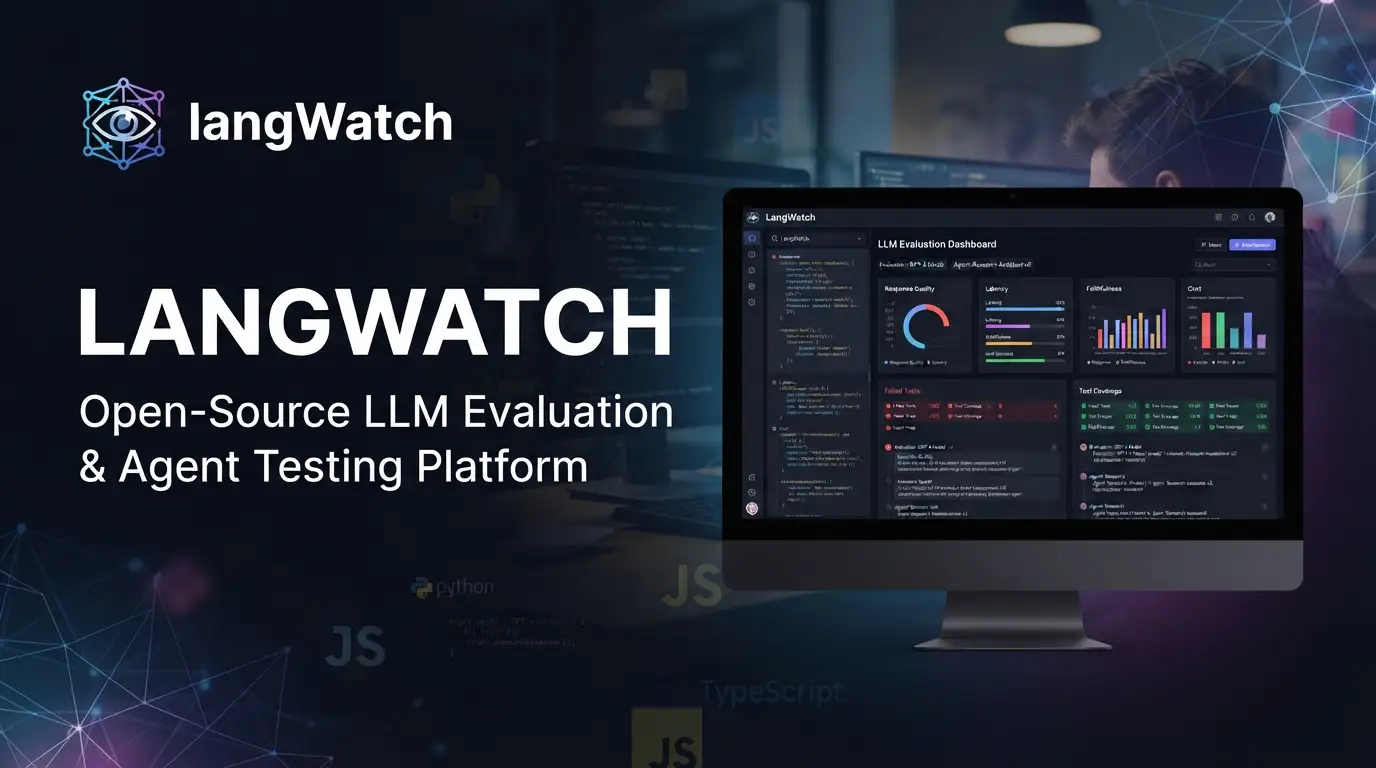
langwatch/langwatch: Open-Source LLM Evaluation & Agent Testing Platform
Building reliable LLM-powered applications means confronting a hard truth: traditional software testing breaks down when your system makes probabilistic decisions, calls external tools, and maintains state across multi-step conversations. Teams shipping AI agents need to validate behavior before production, catch regressions across prompt versions, and understand why an agent failed—not just that it failed. langwatch/langwatch addresses this gap with an open-source platform that unifies simulation, evaluation, observability, and prompt optimization in a single feedback loop.
What is langwatch/langwatch?
langwatch/langwatch is an open-source platform for LLM evaluations and AI agent testing, maintained by the LangWatch team and available under the Apache License 2.0 (with enterprise extensions). As of July 2026, the repository has accumulated 3,365 stars and 329 forks, with TypeScript as its primary language—indicating a substantial, actively maintained codebase.
The project sits at the intersection of three converging needs in modern AI engineering: regression testing for prompt and model changes, simulation-based validation of agent behavior in realistic scenarios, and production observability that traces full execution context rather than just logging API calls. Unlike point solutions that handle only tracing or only evaluation, langwatch/langwatch builds these capabilities into a continuous loop: trace executions, curate datasets, run evaluations, optimize prompts or models, then re-test.
A notable architectural decision is the project's OpenTelemetry-native design. Rather than inventing a proprietary instrumentation format, langwatch/langwatch ingests OTLP traces, making it framework- and LLM-provider agnostic by default. This matters for teams already invested in observability infrastructure and for avoiding the lock-in risks that come with vendor-specific SDKs.
The project also ships an AI Gateway—a separate Go binary providing an OpenAI/Anthropic-compatible proxy with features like virtual keys, hierarchical budgets, inline guardrails, automatic provider fallback, and Anthropic cache_control passthrough. The ~700 nanosecond hot-path overhead suggests this was built for latency-sensitive production deployments, not just development convenience.
Key Features
End-to-end agent simulations allow teams to run realistic scenarios against the complete agent stack—including tools, state management, user simulators, and judge models. The goal is pinpointing where and why an agent breaks, down to individual decisions, rather than discovering failures in production.
Integrated evaluation-observability-prompt loop eliminates the tool sprawl that typically fragments AI engineering workflows. The documented flow runs: trace → dataset → evaluate → optimize prompts/models → re-test. This tight integration reduces glue code and context-switching between disconnected systems.
OpenTelemetry-native architecture means any OTLP-compatible library works out of the box. The platform explicitly supports integrations with LangChain, LangGraph, Vercel AI SDK, Mastra, CrewAI, Google ADK, and direct model providers including OpenAI, Anthropic, Azure, Google Cloud, AWS, Groq, and Ollama. Platform integrations include LangFlow, Flowise, and n8n.
AI Gateway for governance and cost control operates as a separate Go binary (services/gateway/) with its own Helm sub-chart (charts/gateway/). Features include virtual API keys, hierarchical budget enforcement, inline guardrails, automatic fallback across providers, and passthrough for Anthropic's cache_control—the latter being particularly relevant for teams optimizing Claude's prompt caching for cost reduction.
Collaboration infrastructure includes annotation queues for domain experts to label edge cases, a GitHub integration for keeping prompts in version control, and trace-to-prompt-version linking for reproducibility.
Use Cases
Pre-release agent validation is the primary use case documented by the project. Teams building customer-facing AI agents can simulate realistic user interactions, tool failures, and edge cases before deployment. The "full stack↗ Bright Coding Blog" simulation capability—testing not just the LLM call but tool execution, state transitions, and recovery behavior—catches integration failures that unit tests miss.
Regression testing for prompt and model migrations becomes systematic rather than ad-hoc. When upgrading from GPT-4 to GPT-4o, or A/B testing prompt variants, teams can run established evaluation datasets against the new configuration and compare metrics quantitatively rather than relying on manual spot-checks.
Production debugging and root-cause analysis leverages the tracing infrastructure. When an agent fails in production, the full execution trace—including intermediate states, tool calls, and timing—provides the context needed to reproduce and fix the issue, not just observe that an error occurred.
Cost governance at scale uses the AI Gateway's budget controls and provider fallback. Organizations with multiple teams consuming LLM APIs can enforce spending limits, route traffic to cheaper providers when appropriate, and maintain availability through automatic failover—without modifying application code.
Domain expert feedback loops for improving agent quality. The annotation and queue system lets non-engineering team members—support leads, legal reviewers, subject matter experts—flag incorrect agent behavior and contribute to training or evaluation datasets without needing Git access or engineering time.
Installation & Setup
Cloud (Quickest Start)
The managed cloud requires no infrastructure setup:
- Create a free account at app.langwatch.ai
- Create a project
- Copy your API key and begin integration
Local Setup (Node.js CLI)
The fastest local path requires only Node.js:
npx @langwatch/server
This command performs several operations automatically: installs uv (Python↗ Bright Coding Blog package manager), PostgreSQL↗ Bright Coding Blog, Redis, ClickHouse, and the AI Gateway binary into ~/.langwatch/; scaffolds a .env file with locally-generated secrets; starts all services in parallel; and opens http://localhost:5560 in your browser. The entire installation lives under ~/.langwatch/, and rm -rf ~/.langwatch provides a clean reset if needed.
Docker↗ Bright Coding Blog Compose
For teams preferring containerized deployment:
git clone https://github.com/langwatch/langwatch.git
cd langwatch
cp langwatch/.env.example langwatch/.env
docker compose up -d --wait --build
After startup completes, LangWatch is available at http://localhost:5560. Create your first project and API key through the web interface.
Kubernetes (Helm)
Production deployments use the Helm chart:
# See docs for full values configuration
helm install langwatch ./charts/langwatch
The AI Gateway deploys separately via its own sub-chart at charts/gateway/.
Local Development (Contributing)
For contributing to the project, run databases via Docker and the application directly:
# Terminal 1: databases
docker compose up redis postgres opensearch

# Terminal 2: application
make install
make start
Real Code Examples
The README does not contain extensive inline code examples for SDK usage; the following reflects the documented integration patterns and setup commands. Where specific implementation details are needed, refer to the official documentation.
Local server startup (one-liner):
npx @langwatch/server
This is the entry point for local evaluation. The CLI handles dependency provisioning that would otherwise require manual installation of Python, PostgreSQL, Redis, ClickHouse, and the Go-based gateway binary.
Docker Compose deployment (production-like local setup):
git clone https://github.com/langwatch/langwatch.git
cd langwatch
cp langwatch/.env.example langwatch/.env  # Copy and customize environment
docker compose up -d --wait --build        # Detached, wait for healthy, build images
The --wait flag ensures services reach healthy state before the command returns, making this suitable for CI pipelines or scripted setups.
Development database bootstrap:
docker compose up redis postgres opensearch # Long-running terminal
These three services form the data layer. OpenSearch handles trace indexing and search; PostgreSQL stores project metadata and configuration; Redis manages queues and caching.
Application startup (development):
make install  # Install Node.js dependencies
make start    # Start the LangWatch application server
The Makefile abstracts the monorepo's package management. Given the TypeScript primary language, this likely compiles shared packages and starts the Next.js↗ Bright Coding Blog-based frontend and Node.js backend services.
The limited inline code in the README suggests the project prioritizes getting the platform running over embedding SDK snippets directly in version control. The integration documentation and MCP server guide contain the detailed instrumentation examples for Python and TypeScript applications.
Advanced Usage & Best Practices
Instrument before optimizing. The trace → dataset → evaluate loop only works if you have representative production traces. Start with OpenTelemetry instrumentation across your agent's full execution path, including custom spans for tool calls and state transitions, before building evaluation suites.
Use the AI Gateway for provider-agnostic deployments. The ~700ns overhead is negligible compared to LLM API latency. Deploying the gateway early lets you switch providers, enforce budgets, and add guardrails without application code changes—a form of [INTERNAL_LINK: infrastructure-as-code for AI systems] that pays dividends as usage scales.
Version prompts in Git, not just the platform. The GitHub integration keeps prompt definitions in your repository where they belong. Link prompt versions to traces so evaluation failures are reproducible against the exact prompt template and model configuration that produced them.
Structure annotations as queues, not ad-hoc comments. The annotation system supports workflow-like queues. Define clear stages—"needs triage," "confirmed bug," "fixed in prompt v3"—so domain expert feedback flows into measurable improvement cycles rather than accumulating as unstructured notes.
Consider hybrid deployment for data residency. The documented hybrid option keeps data on-premise while using managed control plane features. This suits organizations with strict residency requirements that don't need full self-management overhead.
Comparison with Alternatives
| Dimension | langwatch/langwatch | Weights & Biases | LangSmith |
|---|---|---|---|
| Primary focus | LLM eval + agent simulation + observability loop | ML experiment tracking, expanding to LLMs | LangChain-centric tracing and evaluation |
| Open-source core | Yes (Apache 2.0) | Partial (client SDKs) | No (managed service only) |
| Framework agnostic | Yes (OpenTelemetry-native) | Yes | Optimized for LangChain/LangGraph |
| Self-hosting | Docker, K8s, OnPrem (AWS/GCP/Azure) | Limited | Not available |
| AI Gateway / cost control | Built-in (Go binary, ~700ns overhead) | No | No |
| License complexity | Open-core (Apache 2.0 + EE modules) | Proprietary platform | Proprietary platform |
Trade-offs to consider: Weights & Biases offers deeper traditional ML experiment tracking (hyperparameter sweeps, model registry). LangSmith provides tighter LangChain-specific integrations but requires accepting a fully managed, non-self-hosted architecture. langwatch/langwatch's strength is the unified loop for agent-specific needs—simulation, evaluation, observability, and cost governance—with deployment flexibility that matters for regulated or cost-sensitive environments.
FAQ
Is langwatch/langwatch fully open source?
The core platform is Apache 2.0. Enterprise modules (SCIM, audit logs, license/billing management) in langwatch/ee/ require a commercial license. SDKs are MIT-licensed.
What infrastructure is required for self-hosting? PostgreSQL, Redis, ClickHouse, and OpenSearch for the main platform. The AI Gateway is a separate Go binary with minimal dependencies.
Does it work without LangChain? Yes. OpenTelemetry-native design means any framework or direct API integration works. Explicit integrations include Vercel AI SDK, Mastra, CrewAI, and Google ADK.
How does the AI Gateway overhead compare to direct API calls? Documented at ~700 nanoseconds for the hot path—effectively negligible versus network latency to LLM providers.
Can I keep data on-premise while using managed features? Yes, the hybrid deployment option is documented for data residency requirements without full self-management.
Is there an MCP server available? Yes, documented at langwatch.ai/docs/integration/mcp for use with Claude Desktop and other MCP clients.
What compliance certifications does the managed service have? GDPR compliant with DPA available. ISO 27001 certified; certification report available on Enterprise plan.
Conclusion
langwatch/langwatch is a pragmatic, engineering-focused platform for teams shipping LLM-powered agents who need more than basic logging. The integration of simulation, evaluation, observability, and cost governance into a single loop—backed by genuine self-hosting options and an open-source core—addresses real operational pain points that fragment across multiple tools in most stacks.
It's best suited for: teams running multi-step agents with tool use, organizations with data residency or compliance requirements favoring self-hosting, and engineering leaders who want systematic regression testing before model or prompt changes reach production.
The 3,365-star repository with active maintenance through mid-2026 represents a mature, production-viable option rather than an experimental project. Start with the cloud account for immediate exploration, or clone the repository for Docker Compose or Kubernetes deployment.
For teams building [INTERNAL_LINK: production AI agent systems], langwatch/langwatch offers a rare combination of open-source flexibility and integrated functionality that avoids the build-vs-buy false dichotomy—you can self-host the core, extend as needed, and opt into commercial features only where they provide clear value.