
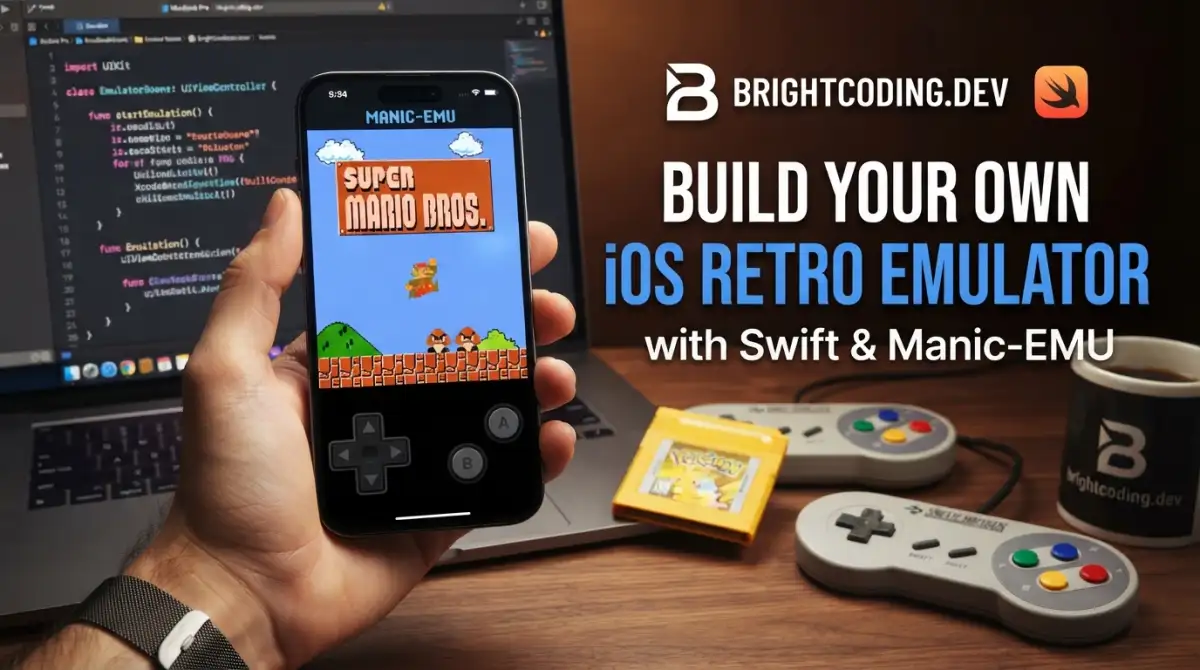
Manic-EMU/ManicEMU: Build an All-in-One iOS Retro Emulator with Swift
Emulating classic consoles on iOS has historically meant juggling multiple apps, dealing with revoked certificates, or settling for limited platform support. With Apple's evolving stance on retro gaming emulators and the growing demand for unified solutions, developers and power users need a single codebase that handles Nintendo 3DS, N64, PSP, and dozens more systems—while integrating modern iOS features like iCloud sync, controller support, and cloud imports. Manic-EMU/ManicEMU addresses this directly: an open-source, AGPL-3.0-licensed iOS emulator built in Swift that consolidates console, arcade, computer, and mobile Java emulation behind a clean native interface.
This article breaks down what Manic-EMU/ManicEMU actually delivers, how to build it from source, and where it fits in the current iOS emulation landscape. All technical claims are sourced from the upstream repository at https://github.com/Manic-EMU/ManicEMU.
What is Manic-EMU/ManicEMU?
Manic-EMU/ManicEMU is an all-in-one retro game emulator for iOS and iPadOS 15+, written primarily in Swift and distributed under the GNU Affero General Public License v3.0. The project currently holds 419 stars and 28 forks on GitHub, with its last commit dated June 8, 2026—indicating active maintenance.
The project occupies a specific niche in the iOS development ecosystem: it is not merely a wrapper around existing emulators, but a native iOS application that integrates multiple emulator cores—both Libretro-based frameworks and dedicated cores—into a unified Swift codebase. This architecture matters for developers because it demonstrates how to orchestrate complex, multi-core emulation workloads within Apple's constrained mobile environment, handling JIT compilation nuances, memory management for legacy hardware, and Metal-backed rendering pipelines.
The repository is community-driven, with core changes tracked through upstream Daiuno repositories. Its AGPL-3.0 license is notable: unlike more permissive licenses, AGPL requires that network-interacting versions (including App Store distributions) make source code available to users. This has implications for anyone considering commercial forks or derivative App Store releases.
Manic-EMU/ManicEMU's relevance now stems from two converging trends: Apple's 2024 policy shift allowing retro game emulators on the App Store, and the growing sophistication of iOS hardware (A17 Pro and M-series chips) capable of emulating demanding 3D consoles like Nintendo 3DS, Dreamcast, and Saturn with playable performance. The project serves as both a functional emulator and a reference implementation for iOS developers exploring emulation architecture, core integration, and modern Swift concurrency patterns.
Key Features
Manic-EMU/ManicEMU's feature set reflects its dual identity as both consumer app and technical platform. These capabilities are documented in the upstream README and relevant to developers evaluating the codebase:
Multi-Platform Core Integration. The emulator supports 20+ platforms across Nintendo (3DS, N64, DS, GBA, GB/C, NES, FDS, SNES, Virtual Boy, Pokemon Mini), Sony (PlayStation, PSP), Sega (Dreamcast, Saturn, Master System, Game Gear, SG-1000, 32X, Sega CD, Genesis), Atari (Jaguar, Lynx, 7800, 5200, 2600), Arcade (MAME, FBneo), MS-DOS, and J2ME. Marked platforms (3DS, DS, Dreamcast, PSP) support online play through select cores—a significant technical achievement given iOS networking constraints.
Modern iOS Integration. iCloud sync for games, saves, and settings uses encrypted storage with cloud backups. The app supports AirPlay mirroring for big-screen play, native controller integration (Joy-Con, DUALSHOCK, Xbox, Bluetooth, keyboard, Mac, multi-controller), and custom shortcuts. These aren't bolted-on features but native iOS implementations using GameController framework, CloudKit, and UIKit.
Save State Architecture. Manual saves plus 50 auto-save slots per game, with state management presumably handled through core-specific serialization. The README notes 5x speed control and cheat-code support, suggesting runtime memory manipulation capabilities.
Cloud Import Pipeline. Beyond iCloud, the app integrates Google Drive, Dropbox, OneDrive, Baidu Cloud, Aliyun, WebDAV, and SMB for ROM and save file import. This breadth of storage provider support indicates a modular import architecture, likely using provider-specific SDKs and generic WebDAV/SMB fallbacks.
RetroAchievements Integration. Hardcore Mode support with account-based achievement tracking, requiring third-party API integration and online validation.
Visual Customization. Retro filters, screenshot capture, and custom third-party-compatible skins. The skin system suggests a theming engine with defined asset specifications.
Distribution Flexibility. Available via App Store, StikStore, and SideStore—covering official, alternative marketplace, and sideloading channels. This triple distribution reflects the fragmented iOS app distribution landscape post-EU Digital Markets Act.
Use Cases
1. iOS Emulation Development Reference. For Swift developers building or maintaining iOS emulators, Manic-EMU/ManicEMU provides a production codebase demonstrating core integration patterns, JIT handling, Metal rendering bridges, and App Store compliance for emulation apps. The repository's use of both binary frameworks and source-built cores offers two integration models to study.
2. Retro Gaming Preservation and Access. Individuals with legally obtained game backups can consolidate multiple console libraries into one app with unified save management and cross-device sync. The iCloud sync and broad cloud import support make this viable for users with distributed ROM collections.
3. Controller-Centric Mobile Gaming. With native support for major controller ecosystems and multi-controller configurations, the app serves users building portable retro gaming setups—phone or iPad plus controller, with optional AirPlay to TV for local multiplayer.
4. Achievement Hunting on Mobile. RetroAchievements integration with Hardcore Mode appeals to completionists who want validated, no-save-state challenge runs on mobile hardware. This requires both technical implementation (memory inspection for achievement triggers) and community integration (account linking, leaderboard submission).
5. Alternative Distribution Research. For developers studying iOS app distribution beyond the App Store, the project's simultaneous availability through StikStore and SideStore demonstrates how to maintain multiple signing and distribution pipelines—including the technical and policy implications of each.
Installation & Setup
Building Manic-EMU/ManicEMU from source requires macOS with modern Xcode and specific tooling. The upstream README provides exact commands; reproduce them precisely:
Prerequisites
- macOS with Xcode 16 or newer
- iOS SDK 15 or newer
- Swift 5.9 or newer
- Git LFS for binary cores and bundled system assets
- Apple Developer Program account for App Groups, In-App Purchases, and iCloud capabilities (configurable by builder or removable before compiling)
- Third-party API keys in
Cipher.swiftwhen enabling specific services
Build Steps
Step 1: Install Git LFS
brew install git-lfs
git lfs install
Git LFS is mandatory because the Cores/ directory contains binary framework assets tracked through Large File Storage. Without this, cloned repositories will contain pointer files instead of actual core binaries, causing build failures.
Step 2: Clone with submodules
git clone --recursive https://github.com/Manic-EMU/ManicEMU.git
The --recursive flag ensures emulator core submodules initialize. Given the multi-core architecture, shallow clones or missing submodules will produce incomplete builds.
Step 3: Open in Xcode
open ManicEMU/ManicEmu/ManicEmu.xcodeproj
Note the nested path: ManicEMU/ManicEmu/ManicEmu.xcodeproj. The repository root contains additional directories (Cores/, System.core/, Scripts/) separate from the Xcode project.
Step 4: Configure signing
Update the developer team and bundle identifier in the ManicEmu target's Signing & Capabilities settings. This is non-optional for device builds; simulator builds may work with personal teams but will lack App Groups, iCloud, and In-App Purchase functionality.
Step 5: Resolve packages and build
Wait for Swift Package Manager to finish resolving dependencies, then run with Cmd+R.
The SPM resolution step is significant: the project uses Swift Package Manager for dependencies, and resolution times vary with network conditions and package complexity.
Build Architecture Notes
Some cores ship as binary frameworks; most build from upstream source without modification. Core changes flow through Daiuno repositories, establishing a maintenance and update pipeline separate from the main app codebase.
Real Code Examples
The upstream README contains limited inline code—primarily shell commands for build setup. This reflects the project's nature as a compiled iOS application rather than a library or CLI tool with extensive API surface. The following examples are reproduced directly from the documentation with explanatory context.
Example 1: Git LFS Installation and Initialization
brew install git-lfs
git lfs install
This two-command sequence establishes Large File Storage support. brew install git-lfs installs the Git extension; git lfs install configures the local Git environment to use LFS filters. For teams building collaboratively, this must be run once per machine. The LFS requirement stems from binary emulator core frameworks in Cores/ that exceed Git's standard file size thresholds and cannot be diffed meaningfully as text.
Example 2: Recursive Clone with Submodules
git clone --recursive https://github.com/Manic-EMU/ManicEMU.git
Standard git clone without --recursive would fetch the main repository but leave submodule directories empty. The Manic-EMU/ManicEMU architecture depends on external core repositories—likely the Daiuno-maintained cores referenced in the README—making this flag essential for functional builds. For CI/CD pipelines, equivalent behavior requires git submodule update --init --recursive after a standard clone.
Example 3: Project Opening via Command Line
open ManicEMU/ManicEmu/ManicEmu.xcodeproj
This opens the specific .xcodeproj within the nested directory structure. Developers should note this is a project file, not a workspace (.xcworkspace), meaning dependency management occurs through Swift Package Manager within the project rather than CocoaPods or Carthage. The path nesting—ManicEMU/ (repo root) / ManicEmu/ (app directory) / ManicEmu.xcodeproj—reflects organizational separation between application code and supporting repositories.
The README does not contain additional code examples for runtime configuration, API usage, or core integration. Developers seeking deeper implementation patterns must examine the Xcode project source directly, particularly Cipher.swift for third-party service configuration and the core loading architecture in ManicEmu/.
Advanced Usage & Best Practices
Based on the documented architecture, these practices align with the project's design without overstating undocumented capabilities:
JIT Availability Management. Performance for 3D consoles (Nintendo 3DS, Dreamcast, Saturn, N64) varies significantly with JIT compilation availability. App Store builds operate under Apple's JIT restrictions; sideloaded builds through SideStore or StikStore may enable alternative JIT workflows. Developers should test performance across distribution channels and document JIT dependencies for user guidance.
Capability Stripping for Personal Builds. The README explicitly notes that Apple Developer Program capabilities "must be configured by the builder or removed before compiling." For personal or open-source builds without program membership, strip App Groups, iCloud, and In-App Purchase entitlements to achieve successful compilation. This produces functionally limited builds but enables development participation.
API Key Isolation via Cipher.swift. Third-party service keys (cloud providers, RetroAchievements) are configured through Cipher.swift. For security and compliance, maintain separate key sets for development, testing, and production. The naming suggests obfuscation or encryption—review the implementation to understand key protection levels before deploying with production credentials.
Core Update Workflow. Since upstream core changes flow through Daiuno repositories, establish a submodule update workflow: monitor Daiuno repositories for core updates, test integration in feature branches, and update submodules with validated commits. This prevents core regressions from destabilizing the main app.
AGPL Compliance for Distribution. Any network-interacting distribution—including App Store releases—triggers AGPL source availability requirements. Maintain clean source archives corresponding to each distributed build, and establish a mechanism for user source requests. This is legal requirement, not optional courtesy.
Comparison with Alternatives
| Aspect | Manic-EMU/ManicEMU | Delta (rileytestut/Delta) | RetroArch iOS |
|---|---|---|---|
| License | AGPL-3.0 | Proprietary (source available) | GPL-3.0+ |
| Primary Language | Swift | Swift | C/C++ with Objective-C++ |
| Core Architecture | Libretro + dedicated cores | Proprietary DeltaCore | Libretro exclusively |
| Platform Count | 20+ (documented) | 10+ (Nintendo-focused) | 80+ via Libretro |
| iCloud Sync | Native, encrypted | Native | Manual/limited |
| Distribution | App Store, StikStore, SideStore | AltStore, SideStore | Sideloading primarily |
| Online Play | Select cores (3DS, DS, Dreamcast, PSP) | Limited | Core-dependent |
| Controller Support | Extensive (Joy-Con, Xbox, PlayStation, etc.) | Extensive | Extensive |
| Build Complexity | Moderate (Git LFS, SPM, signing) | Moderate | High (complex toolchain) |
Trade-offs: Manic-EMU/ManicEMU offers broader platform coverage than Delta with stronger cloud integration, but lacks Delta's polished Nintendo-specific optimizations and established AltStore distribution channel. Against RetroArch, it provides a native iOS experience with simpler build requirements, but cannot match RetroArch's sheer core variety. The AGPL license is more restrictive than Delta's proprietary model for commercial derivatives, but ensures source availability.
FAQ
Q: Does Manic-EMU/ManicEMU include ROMs or BIOS files? No. The project explicitly excludes copyrighted material. Users must supply legally owned backups, homebrew, or public-domain software.
Q: Can I build without an Apple Developer Program account? Yes, but you must remove App Groups, iCloud, and In-App Purchase capabilities. Resulting builds lack sync and cloud features.
Q: Which platforms support online multiplayer? Nintendo 3DS, Nintendo DS, Dreamcast, and PSP through select cores. Some functions require third-party services.
Q: Is the App Store version identical to sideloaded builds? No. App Store builds may differ in JIT availability, Apple services integration, and signing behavior.
Q: How are emulator cores updated? Most cores build from upstream source; changes track through Daiuno repositories. Binary frameworks update via Git LFS.
Q: What iOS version is required? iOS 15 or iPadOS 15 minimum, with Xcode 16 and Swift 5.9 for building.
Q: Is commercial use permitted under AGPL-3.0? Yes, with the critical requirement that network-interacting distributions make complete source code available to users.
Conclusion
Manic-EMU/ManicEMU is a technically ambitious, actively maintained open-source project that consolidates multi-platform retro emulation into a native Swift iOS application. Its 419-star GitHub presence, June 2026 commit activity, and triple-distribution model (App Store, StikStore, SideStore) demonstrate real-world traction. For iOS developers, it offers a reference implementation for core integration, modern iOS feature adoption, and alternative distribution strategies. For retro gaming enthusiasts with technical inclination, it provides customizable, sync-capable emulation across 20+ platforms.
The project is best suited for: Swift developers studying emulation architecture, power users needing unified multi-console libraries with cloud sync, and open-source advocates prioritizing source availability under AGPL. It is less ideal for those seeking zero-configuration simplicity or Nintendo-exclusive optimization.
Review the codebase, examine the core integration patterns, and evaluate whether the build requirements align with your setup. The upstream repository awaits at https://github.com/Manic-EMU/ManicEMU.
For related iOS development tooling coverage, see [INTERNAL_LINK: iOS open-source development tools].


