matplotlib/cheatsheets: Official PDF Reference Sheets for Data Visualization
Introduction
Every Python↗ Bright Coding Blog developer who has ever stared at a blank plotting window knows the friction of matplotlib's API. Do you need plt.figure() or plt.subplots()? Was it ax.scatter() or plt.scatter()? The object-oriented interface versus the pyplot state machine—switching between them mid-project breaks flow and wastes cognitive cycles. Documentation exists, but hunting through pages of narrative docs for a one-line syntax fix is inefficient when you're mid-visualization.
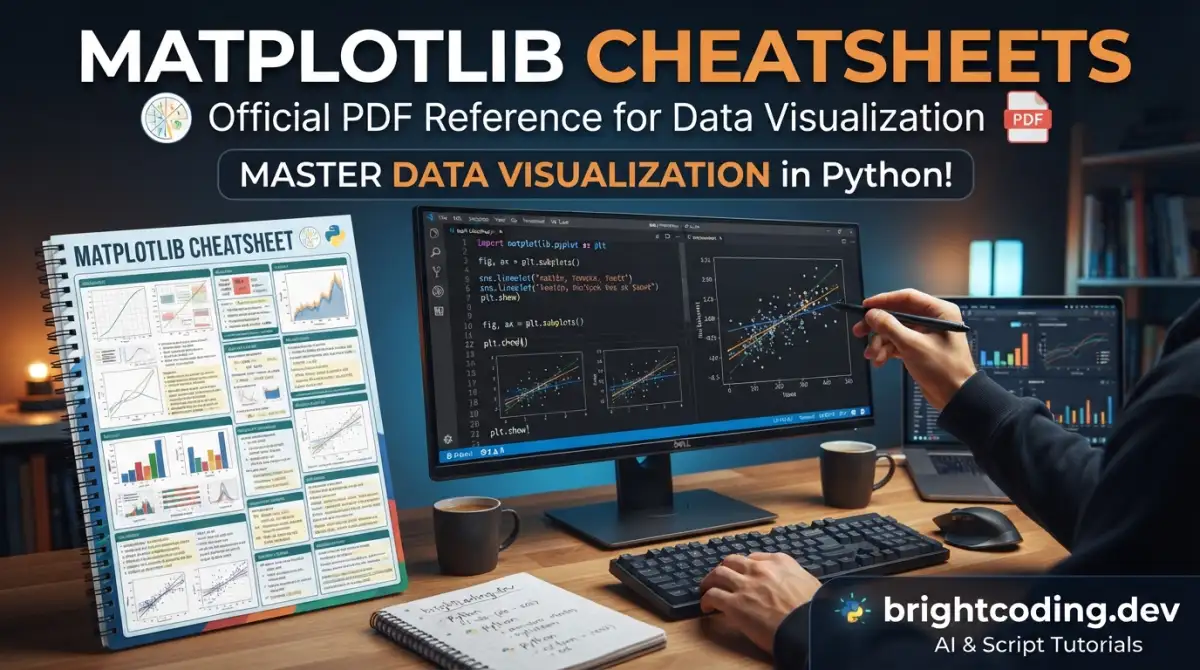
This is exactly why matplotlib/cheatsheets exists. Maintained by the official Matplotlib project, this repository distributes compact, printable PDF reference sheets and topic-specific handouts. With 7,710 GitHub stars and 916 forks, it has become a standard bookmark for developers who want syntax at their fingertips without leaving their editor context. The focus keyword matplotlib/cheatsheets represents not just a repository but a practical workflow optimization: reduce lookup time, maintain mental state, and ship plots faster.
What is matplotlib/cheatsheets?
matplotlib/cheatsheets is the official distribution point for Matplotlib's printable reference materials. It is not a Python package you install via pip—it's a documentation infrastructure project that produces PDF cheat sheets and educational handouts through a LaTeX-based build pipeline.
The repository sits under the matplotlib GitHub organization, confirming its first-party status. It carries a BSD 2-Clause "Simplified" License, permissive enough for commercial and academic redistribution. The primary language is Python, used for generating the hundreds of example figures that populate the sheets. The last commit dated July 14, 2026 indicates active maintenance.
The output artifacts fall into two categories:
- Cheatsheets: Dense two-page PDFs covering the full API surface—figure creation, axes manipulation, plot types, styling, and layout management.
- Handouts: Longer-form, topic-targeted PDFs for specific skill levels and workflows.
This structure matters because it separates reference (cheatsheets) from learning (handouts). A developer with six months of matplotlib experience needs different material than someone writing their first imshow() call. The repository serves both without conflating their needs.
Key Features
Official, Version-Tracked PDFs
Unlike third-party blog posts that drift out of date, these sheets are built from the same source tree as matplotlib itself. The PDF links in the README point to matplotlib.org/cheatsheets/, ensuring you receive documentation consistent with current releases.
Dual-Page Cheatsheet Layout The main cheatsheet spans two pages designed for side-by-side display or single-page printing. Coverage includes figure and axes initialization, 2D and 3D plotting commands, color and colormap specification, text annotation, and legend configuration.
Three Specialized Handouts The handout tier provides graduated depth:
- Beginner handout: Core concepts without overwhelming detail—suitable for onboarding or workshop distribution.
- Intermediate handout: Advanced axes manipulation, composite figures, and customization patterns.
- Tips handout: Workflow optimizations and lesser-known API corners.
Reproducible Build Pipeline The repository exposes its entire toolchain. Figures regenerate from Python scripts; LaTeX compiles the final PDFs. This transparency matters for educators who need to modify content, enterprises with branding requirements, or contributors fixing outdated examples.
Font-Configurable Rendering The build system depends on specific open-source typefaces (Roboto, Source families, Pacifico) but documents exact acquisition paths. This eliminates the "works on my machine" problem common in LaTeX projects with font dependencies.
Use Cases
Rapid Syntax Recovery During Active Development
The core use case: you're eight files deep in a data pipeline, need to add error bars to a plot, and cannot recall whether yerr accepts a scalar or sequence. Switching to a browser, searching, and filtering Stack Overflow results costs 90+ seconds. A pinned PDF cheatsheet on a second monitor—or printed beside the keyboard—reduces this to a ten-second visual scan.
Onboarding New Team Members Data science teams rotate members with varying visualization backgrounds. The beginner handout provides a consistent baseline: here's how matplotlib thinks about figures, axes, and artists. Teams can standardize on this material rather than maintaining internal wiki pages that themselves become stale.
Workshop and Conference Materials Educators teaching matplotlib benefit from ready-made, permissively-licensed handouts. The BSD 2-Clause license allows redistribution without the attribution complexity of Creative Commons variants. Print the intermediate handout for a tutorial session; participants leave with durable reference material.
Offline Documentation Environments Air-gapped development environments, remote field deployments, or simply unreliable conference Wi-Fi make web documentation inaccessible. The PDFs require no runtime dependencies—viewable in any PDF reader, archivable in version control, and distributable via internal package mirrors.
Custom Derivative Works Organizations with specific style guides or domain-specific plotting patterns can fork the repository, modify the Python figure scripts and LaTeX sources, and generate branded reference sheets. The build pipeline's explicitness makes this feasible where opaque documentation generators would not.
Installation & Setup
matplotlib/cheatsheets is not installed via pip install. It is a build-from-source documentation project. The README documents a three-phase setup.
Phase 1: Font Acquisition
Create a fonts directory with specific typeface families:
# Directory structure required:
# fonts/roboto/*           → https://fonts.google.com/specimen/Roboto
# fonts/roboto-slab/*      → https://fonts.google.com/specimen/Roboto+Slab
# fonts/source-code-pro/*  → https://fonts.google.com/specimen/Source+Code+Pro
# fonts/source-sans-pro/*  → https://fonts.google.com/specimen/Source+Sans+Pro
# fonts/source-serif-pro/* → https://fonts.google.com/specimen/Source+Serif+Pro
# fonts/pacifico/*         → https://fonts.google.com/download?family=Pacifico
On Linux with make available, automate this:
make -C fonts
To make these discoverable by matplotlib through fontconfig, create $HOME/.config/fontconfig/fonts.conf:
<?xml version="1.0"?>
<!DOCTYPE fontconfig SYSTEM "fonts.dtd">
<fontconfig>
<dir>/path/to/cheatsheets/fonts/</dir>
...
</fontconfig>
The fontconfig integration ensures matplotlib's font manager locates these typefaces during figure generation. Without this step, scripts may fall back to default fonts and alter layout calculations.
Phase 2: Figure Generation
cd scripts
for script in *.py; do python $script; done
cd ..
This iterates all Python scripts in the scripts/ directory, each generating a figure asset consumed by the LaTeX sources. The order is arbitrary; scripts are independent. Runtime varies with matplotlib backend and figure complexity.
Phase 3: LaTeX Compilation
xelatex cheatsheets.tex
xelatex cheatsheets.tex
The double xelatex invocation resolves cross-references and finalizes the PDF. xelatex is specified over pdflatex for its native OpenType font support, required by the Source and Roboto families.
Real Code Examples
The README does not contain traditional "usage examples" in the sense of import-and-run Python snippets. Instead, the repository's value lies in its build automation and output artifacts. Below are the documented procedures, presented as the executable workflows they are.
Example 1: Batch Figure Regeneration
This is the actual production command for rebuilding all visual assets:
cd scripts
for script in *.py; do python $script; done
cd ..
Explanation: Each .py file in scripts/ generates one or more PNG/PDF figures using matplotlib. These are not user-facing examples but build artifacts. The loop ensures no figure is stale before LaTeX compilation. If you modify a script—say, to update a deprecated API call—you must re-run this loop before rebuilding the PDF.
Example 2: Font Configuration for Build Reproducibility
The fontconfig XML snippet is itself a configuration "code block" critical to correct builds:
<?xml version="1.0"?>
<!DOCTYPE fontconfig SYSTEM "fonts.dtd">
<fontconfig>
<dir>/path/to/cheatsheets/fonts/</dir>
...
</fontconfig>
Explanation: Hardcoding font paths in fonts.conf eliminates system-dependent font resolution. The <dir> element points fontconfig to the repository-local fonts/ directory. The ellipsis (...) indicates additional user-specific configuration may coexist. Place this file at $HOME/.config/fontconfig/fonts.conf per the FreeDesktop specification linked in the README.
Example 3: LaTeX Compilation with Reference Resolution
xelatex cheatsheets.tex
xelatex cheatsheets.tex
Explanation: The first pass writes auxiliary files tracking figure placements, page references, and TOC entries. The second pass reads these auxiliaries to produce the final PDF with correct pagination. Single-pass compilation yields broken cross-references. This is standard LaTeX practice, not a repository-specific quirk.
The README contains no additional runnable Python examples. This reflects the project's nature as a documentation build system rather than a library with an API surface. Users consume outputs (PDFs), not execute the repository's internals.
Advanced Usage & Best Practices
Fork for Domain-Specific Customization
The BSD license permits derivative works. Consider forking if your organization uses consistent plot styling—corporate colors, mandated typefaces, or recurring chart types. Modify scripts/ to generate examples using your style sheet, then rebuild. The effort pays off for teams producing dozens of figures weekly.
Integrate into Documentation Pipelines
The make -C fonts target and script loop can run in CI. Schedule weekly rebuilds to catch matplotlib API deprecations before they break your internal documentation. Pin the matplotlib version in your CI environment for reproducibility.
Validate Fontconfig Before Debugging LaTeX
Build failures often manifest as LaTeX errors but root-cause in missing fonts. Verify fc-list | grep Roboto returns results before running xelatex. This saves hours of debugging phantom "font not found" errors in LaTeX logs.
Use Handouts Selectively for Training
The beginner handout covers through subplots and basic artist manipulation. The intermediate handout adds twin axes, inset plots, and constrained layout. Assess your audience's prior exposure—distributing the intermediate handout to true beginners creates intimidation, while experienced users find the beginner material redundant.
Comparison with Alternatives
| Tool/Resource | Type | Strengths | Trade-offs vs. matplotlib/cheatsheets |
|---|---|---|---|
| matplotlib/cheatsheets | Official PDF references | Authoritative, printable, permissively licensed, buildable from source | Static content; no interactive exploration |
| Matplotlib official documentation | Web HTML/docs | Comprehensive, searchable, versioned, includes tutorials | Requires internet; narrative format ill-suited for quick lookup |
| Python Graph Gallery | Community examples | Interactive code, diverse chart types, copy-paste ready | No systematic API coverage; third-party curation quality varies |
| Cheatography / third-party sheets | Unofficial PDFs | Sometimes more visually designed, topic-niche | Unverified accuracy; may reference deprecated APIs; licensing unclear |
The official documentation is complementary, not competitive. Use it for learning concepts; use matplotlib/cheatsheets for syntax recovery. Third-party galleries serve inspiration; matplotlib/cheatsheets serves precision. No alternative combines first-party accuracy, print portability, and permissive redistribution.
FAQ
Q: Is matplotlib/cheatsheets installable via pip or conda? No. It is a documentation build project, not a Python package. Download PDFs directly or clone to build from source.
Q: What Python version is required? The README does not specify; compatibility follows matplotlib's own requirements. Use a Python version supported by your target matplotlib release.
Q: Can I use these commercially? Yes. The BSD 2-Clause "Simplified" License permits commercial use, modification, and redistribution with minimal attribution.
Q: Why xelatex instead of pdflatex?
xelatex provides native OpenType and TrueType font support required by the Google Fonts and Adobe Source families specified in the build.
Q: Do I need all six font families? Yes. The LaTeX source references each; missing families cause compilation failures.
Q: How current are the PDFs linked in the README?
The repository's last commit was July 14, 2026. PDFs at matplotlib.org/cheatsheets/ reflect the latest successful build from this source.
Q: Can I contribute new cheat sheet sections? The README includes a "For contributors" section. Follow the documented build process and submit changes via the standard GitHub pull request workflow.
Conclusion
matplotlib/cheatsheets solves a specific, validated problem: matplotlib's API surface is broad, its documentation is thorough but slow to navigate, and developers need fast syntax recovery without context switching. The official PDFs—cheatsheets for dense reference, handouts for structured learning—address this with buildable, redistributable, offline-capable artifacts.
This resource suits data scientists who plot daily, educators who need durable training materials, and teams seeking to standardize visualization onboarding. It does not replace the full documentation for deep learning, nor does it compete with interactive galleries for exploration. It occupies a precise niche: authoritative reference at the speed of muscle memory.
The repository is actively maintained, permissively licensed, and transparent in its construction. Whether you download the pre-built PDFs or fork to customize for your organization's workflow, the value proposition is immediate and concrete.
Get the official cheat sheets and handouts at https://github.com/matplotlib/cheatsheets. Star the repository to track updates, or fork it to build your own domain-specific reference materials.