
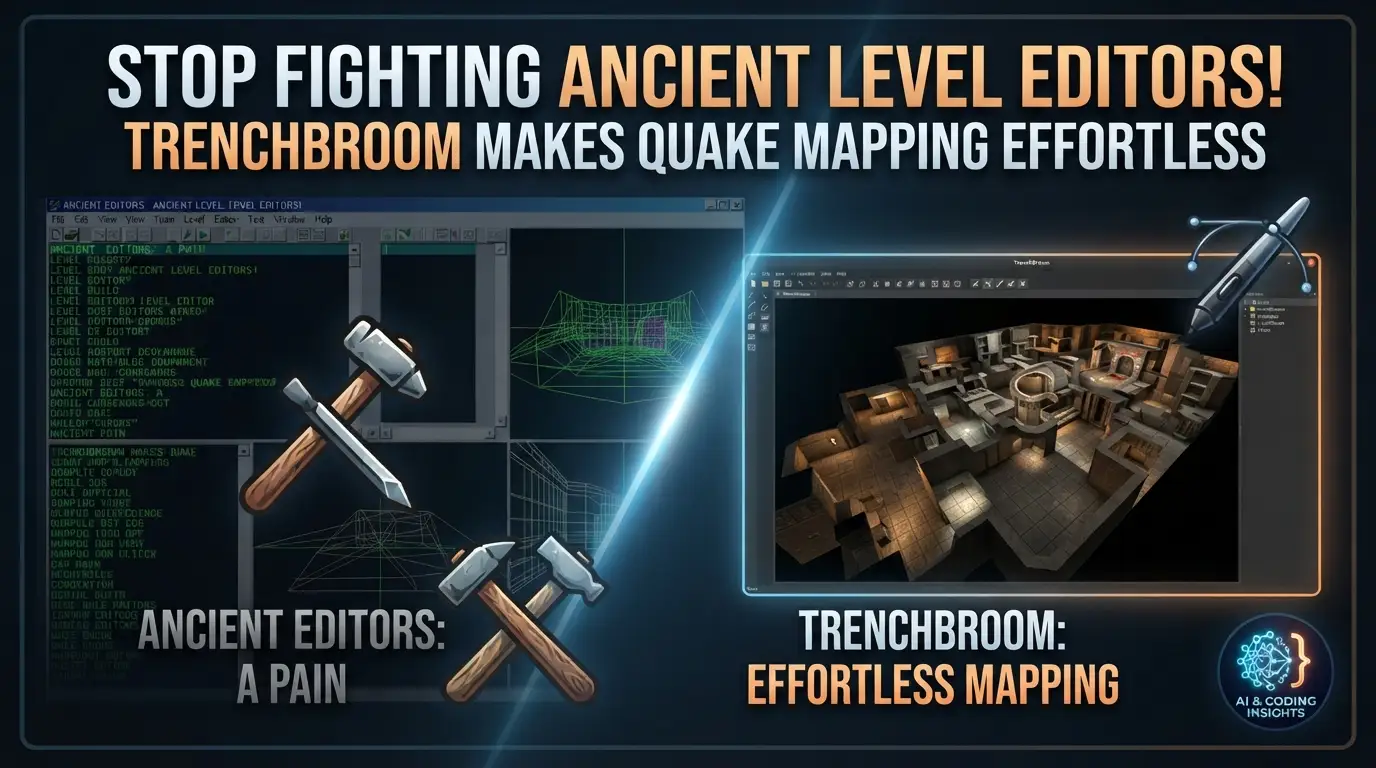
Stop Fighting Ancient Level Editors! TrenchBroom Makes Quake Mapping Effortless
What if I told you that thousands of game developers are still battling level editors from 1996? Picture this: you're brimming with creative ideas for a Quake-inspired arena shooter, a dark Lovecraftian horror map, or a fast-paced retro FPS. You fire up the old tools, and suddenly you're trapped in a nightmare of archaic interfaces, cryptic command lines, and workflows that feel like they were designed by masochists. The frustration is real. The abandonment rate for aspiring Quake mappers has historically hovered near 70%—not because the engine lacks power, but because the tooling actively fights you every step of the way.
But what if the barrier simply... vanished?
Enter TrenchBroom—the modern cross-platform level editor that has quietly become the secret weapon of elite Quake mappers and indie developers worldwide. This isn't some janky wrapper around legacy code. This is a ground-up reimagining of what Quake level editing should feel like in 2024: fluid, visual, and genuinely enjoyable. Whether you're crafting your first .bsp or you're a veteran releasing your tenth episode, TrenchBroom transforms the entire experience from punishment to pleasure.
Ready to discover why the smartest developers are abandoning the old guard? Let's dive deep.
What Is TrenchBroom?
TrenchBroom is a modern, cross-platform level editor purpose-built for Quake-engine based games. Created by Kristian Duske and maintained as an open-source project on GitHub, it represents a complete paradigm shift from the traditional WorldCraft/Hammer-style or Radiant-based workflows that dominated Quake mapping for decades.
The project's philosophy is deceptively simple: level design should be about creativity, not wrestling with your tools. Where classic editors demanded you memorize hotkeys like a DOS wizard and navigate through nested modal dialogs, TrenchBroom puts direct manipulation first. Click, drag, see results immediately. No compilation step just to preview your geometry. No guessing whether that brush will seal properly.
TrenchBroom is trending now for several converging reasons. The retro FPS renaissance—fueled by games like Dusk, Amid Evil, Prodeus, and Ion Fury—has created massive demand for accessible Quake-engine tooling. Simultaneously, the speedrunning and mapping communities have exploded on Twitch and YouTube, with creators needing professional-grade tools that don't require a computer science degree. The editor's active Discord community, Mastodon presence, and regular release cycle signal a project that's alive and accelerating—not abandoned ware.
Critically, TrenchBroom isn't locked to a single game. It supports Quake (both Standard and Valve 220 formats), Quake 2, Quake 3 (partial), Hexen 2, Daikatana, and even generic custom engines through configurable game definitions. This flexibility makes it invaluable for indie developers building their own tech on Quake-derived architectures.
The editor is completely free, licensed under open terms that encourage both commercial and non-commercial use. Binary builds are available for Windows, macOS, and Linux—true cross-platform parity that most legacy editors never achieved.
Key Features That Destroy the Competition
TrenchBroom's feature set reads like a wishlist that classic mappers have been screaming into the void for twenty years. Here's what makes it genuinely special:
Dual-Nature Editing: 3D Freedom + 2D Precision
The editor offers full support for editing in 3D and up to three 2D views simultaneously. This isn't the awkward "3D preview window" of old editors—it's seamless context switching. Sketch rough geometry in 3D for spatial intuition, then snap to orthographic views for pixel-perfect alignment. The 2D views support arbitrary axis alignment, so you're never locked to XY/YZ/XZ presets that don't match your geometry's orientation.
High-Performance Renderer for Monumental Scales
Quake maps can get big. Modern total conversions push thousands of brushes with complex entity setups. TrenchBroom's high-performance renderer handles huge maps without choking, maintaining interactive framerates that keep you in flow state. This isn't trivial—many legacy editors grind to a halt on maps that TrenchBroom navigates effortlessly.
Unlimited Undo/Redo + Command Repetition
Fearless experimentation requires a safety net. Unlimited undo and redo means you can explore radical geometry changes without anxiety. The macro-like command repetition takes this further—perform a complex operation once, then replay it with a keystroke. Mass-place entities? Repetitive brush modifications? Automated.
Intelligent Issue Detection & Auto-Repair
The Issue browser with automatic quick fixes is a revelation for mappers who've spent hours hunting leaks or invalid brush configurations. TrenchBroom identifies problems in real-time and often offers one-click resolutions. Combined with automatic backups and point file support for leak visualization, it transforms quality assurance from punishment to process.
Advanced Brush Manipulation
- Robust vertex editing with edge and face splitting, plus multi-vertex manipulation
- Clipping tool supporting both two-point and three-point planes for precise cuts
- Scaling and shearing tools for non-uniform transformations
- Full CSG operations: merge, subtract, intersect for complex boolean geometry
- UV view for intuitive texture coordinate editing
- Precise texture lock that persists through all brush operations—no more texture drift!
- Multiple material collections for organizing vast texture libraries
Modern Entity Workflow
- Drag-and-drop entity browser with visual previews
- FGD and DEF file support for game-specific entity definitions
- Mod support for extended game configurations
- Entity link visualization showing connections and targets in 3D space
- 3D model display in-editor—see exactly how your monsters and props will appear
- Smart property editors that adapt to entity types
Export & Compatibility
- .obj file export for external tool pipelines (Blender, Maya, etc.)
- Native support for Quake Standard, Valve 220, Quake 2, and partial Quake 3 formats
- Generic game configuration system for custom engines
Real-World Use Cases Where TrenchBroom Dominates
Use Case 1: Retro FPS Commercial Development
Indie studios like New Blood Interactive and 3D Realms successors rely on Quake-derived tech for titles like Dusk and WRATH: Aeon of Ruin. TrenchBroom's modern workflow allows professional artists to iterate rapidly without legacy tool friction. The .obj export enables hybrid pipelines where detailed meshes are blocked in TrenchBroom, then refined in Blender.
Use Case 2: Speedrunning Map Creation
The Quake speedrunning community demands precision—every unit matters for bunnyhop routes and rocket jump trajectories. TrenchBroom's vertex-level precision, texture lock consistency, and real-time 3D feedback let creators tune movement puzzles with surgical accuracy. The issue browser prevents leaks that would invalidate run recordings.
Use Case 3: Educational Game Design Courses
Universities teaching level design fundamentals need tools that students grasp in hours, not semesters. TrenchBroom's intuitive interface makes Quake's brush-based paradigm accessible without hiding its power. Students learn core concepts—sealing geometry, entity logic, PVS optimization—through direct manipulation rather than abstract commands.
Use Case 4: Custom Engine Prototyping
Developers building new engines on Quake architecture use TrenchBroom's generic game configuration system. Define your own entity formats, texture conventions, and compilation pipeline through JSON configuration—no source code modifications needed. This accelerates prototyping from "build an editor" to "design levels immediately."
Use Case 5: Preservation & Archival Projects
Teams restoring classic mods or creating definitive editions need to work with historical assets. TrenchBroom's multiple format support (including Valve 220) and robust brush parsing handle edge cases that corrupt lesser tools. The automatic backup system protects irreplaceable legacy work.
Step-by-Step Installation & Setup Guide
Getting TrenchBroom running takes minutes, not hours. Here's the complete process:
Step 1: Download Prebuilt Binaries
Navigate to the releases page on GitHub. Download the appropriate package for your platform:
- Windows:
.zipor.msiinstaller - macOS:
.dmgdisk image (Intel and Apple Silicon builds available) - Linux:
.AppImagefor universal compatibility, or distribution-specific packages
Extract or install as appropriate. No dependencies required for binary distributions.
Step 2: Initial Launch & Game Configuration
On first run, TrenchBroom prompts for game configuration. Select from the built-in profiles:
| Game | Status | Notes |
|---|---|---|
| Quake | Full | Standard and Valve 220 formats |
| Quake 2 | Full | Complete support |
| Quake 3 | Partial | No patches or brush primitives yet |
| Hexen 2 | Full | Includes custom icon set |
| Daikatana | Full | Full entity support |
| Generic | Configurable | For custom engines |
Point the editor to your game directory containing the .pak or .pk3 files. TrenchBroom automatically detects textures, models, and entity definitions.
Step 3: Configure Compilation Tools
For full map compilation, configure your build pipeline:
# Typical Quake compilation chain:
1. QBSP (geometry processing)
2. VIS (visibility calculation)
3. LIGHT (lightmap generation)
4. Copy to game directory
TrenchBroom supports external tool integration through its build profile system. Set paths to your compilers (ericw-tools, TyrUtils, etc.) and define compilation flags per-game.
Step 4: Customize Your Workspace
- Arrange 2D/3D view layouts via View → Layout
- Configure grid snapping (default: 1, 2, 4, 8, 16, 32, 64 units)
- Set texture filtering preferences
- Import material collections for organized texture browsing
Building from Source (Advanced)
For developers or bleeding-edge features, compile from the GitHub repository:
# Clone the repository
git clone https://github.com/TrenchBroom/TrenchBroom.git
cd TrenchBroom

# Follow platform-specific instructions in Build.md
cat Build.md
Dependencies are managed through vcpkg and CMake, with full instructions for Windows (Visual Studio), macOS (Xcode), and Linux (GCC/Clang) environments.
REAL Code Examples & Configuration Patterns
TrenchBroom's power extends beyond its GUI—understanding its configuration formats unlocks advanced workflows. Here are actual patterns from the project's documentation and community practices:
Example 1: Custom Game Configuration (JSON)
For custom engines, define a game configuration file that TrenchBroom loads at startup:
{
    "version": 4,
    "name": "MyCustomEngine",
    "icon": "Icon.png",
    "fileformats": [
        { "format": "Standard" },
        { "format": "Valve" }
    ],
    "filesystem": {
        "searchpath": "id1",
        "packageformat": { "extension": "pak", "format": "idpak" }
    },
    "textures": {
        "package": { "type": "directory", "root": "textures" },
        "format": { "extensions": [""], "format": "image" },
        "attribute": "_tb_textures"
    },
    "entities": {
        "definitions": [ "MyCustomEngine.fgd" ],
        "defaultcolor": "0.6 0.6 0.6 1.0",
        "modelformats": [ "mdl", "bsp" ]
    },
    "tags": {
        "brush": [
            {
                "name": "Trigger",
                "attribs": [ "transparent" ],
                "match": "classname",
                "pattern": "trigger_*",
                "texture": "trigger"
            }
        ]
    },
    "faceattribs": {
        "surfaceflags": [],
        "contentflags": []
    }
}
Explanation: This JSON structure tells TrenchBroom how to interpret your game's assets. The fileformats section declares which map formats you support—here, both Standard Quake and Valve 220. The filesystem object maps where to find .pak files, while textures and entities configure your content pipeline. The tags section is particularly powerful: it applies visual styling (like transparency) to brushes matching patterns, making trigger volumes instantly recognizable in-editor.
Example 2: FGD Entity Definition Snippet
TrenchBroom uses FGD (Forge Game Data) files to define editable entities. Here's a practical entity definition:
// Base class for all trigger entities
@BaseClass = Targetname
[
    targetname(target_source) : "Name"
]

@BaseClass = Appearflags
[
    spawnflags(flags) =
    [
        256 : "Not on Easy" : 0
        512 : "Not on Normal" : 0
        1024 : "Not on Hard" : 0
        2048 : "Not in Deathmatch" : 0
    ]
]

// A practical trigger_multiple with TrenchBroom enhancements
@SolidClass base(Targetname, Appearflags) = trigger_multiple : "Trigger: Multiple"
[
    target(target_destination) : "Target"
    killtarget(target_destination) : "KillTarget"
    message(string) : "Message"
    sounds(choices) : "Sounds" : 0 =
    [
        0 : "None"
        1 : "Secret"
        2 : "Beep beep"
        3 : "Large switch"
    ]
    wait(integer) : "Wait before reset" : 10
    delay(string) : "Delay before trigger" : "0"
    _tb_group(string) readonly : "TrenchBroom Group"  // Editor-only metadata
]
Explanation: This FGD snippet demonstrates TrenchBroom's smart property system. The choices type for sounds renders as a dropdown in the entity inspector—not a raw integer field. The _tb_group property with readonly attribute is automatically managed by TrenchBroom for organizational grouping, invisible to the game but invaluable for editor workflow. The inheritance chain (Targetname → Appearflags → trigger_multiple) keeps definitions DRY and maintainable.
Example 3: Build Profile Configuration
Automate your compilation pipeline with a custom build profile:
<?xml version="1.0" encoding="UTF-8"?>
<profile version="1">
    <name>ericw-tools Optimized</name>
    <tasks>
        <task>
            <name>QBSP</name>
            <tool>qbsp</tool>
            <parameters>-bsp2 -nosubdivide ${MAP_FILE_PATH} ${WORK_DIR_PATH}/${MAP_BASE_NAME}</parameters>
        </task>
        <task>
            <name>VIS</name>
            <tool>vis</tool>
            <parameters>-level 4 ${WORK_DIR_PATH}/${MAP_BASE_NAME}</parameters>
        </task>
        <task>
            <name>LIGHT</name>
            <tool>light</tool>
            <parameters>-bounce 8 -extra4 -soft ${WORK_DIR_PATH}/${MAP_BASE_NAME}</parameters>
        </task>
        <task>
            <name>Copy to Game</name>
            <tool>cp</tool>
            <parameters>${WORK_DIR_PATH}/${MAP_BASE_NAME}.bsp ${GAME_DIR_PATH}/maps/</parameters>
        </task>
    </tasks>
</profile>
Explanation: This XML profile chains four compilation stages with modern ericw-tools. The ${VARIABLE} syntax accesses TrenchBroom's path macros—your map filename, working directory, and game directory are automatically resolved. The -bsp2 flag enables extended limits for large maps; -bounce 8 with -extra4 produces production-quality lighting. The final copy task automates deployment, eliminating manual file juggling.
Example 4: Brush Primitive with Texture Lock
TrenchBroom's native brush representation with precise texture coordinates:
// Classic Quake map format output (simplified)
{
"classname" "worldspawn"
"wad" "gfx/base.wad"
{
( -64 -64 -16 ) ( -64 -63 -16 ) ( -64 -64 -15 ) __TB_empty 0 0 0 1 1
( 64 64 16 ) ( 64 64 17 ) ( 64 65 16 ) __TB_empty 0 0 0 1 1
( -64 -64 -16 ) ( -64 -64 -15 ) ( -63 -64 -16 ) __TB_empty 0 0 0 1 1
( 64 64 16 ) ( 65 64 16 ) ( 64 64 17 ) __TB_empty 0 0 0 1 1
( -64 -64 -16 ) ( -63 -64 -16 ) ( -64 -63 -16 ) __TB_empty 0 0 0 1 1
( -64 -64 16 ) ( -64 -63 16 ) ( -63 -64 16 ) __TB_empty 0 0 0 1 1
}
}
Explanation: While TrenchBroom abstracts this format in its GUI, understanding the underlying structure helps debug issues. Each line represents a brush face with three defining points, texture name, and UV transformation parameters. TrenchBroom's texture lock ensures these UV values update correctly when you move, rotate, or scale brushes—a historically painful operation that often destroyed alignment in legacy editors.
Advanced Usage & Best Practices
Master the 3D-2D Workflow
Elite mappers develop a rhythm: rough in 3D, refine in 2D. Block out major spaces with rapid 3D sketching, then switch to orthographic views for architectural precision. Learn the Tab key cycling between view modes—it becomes muscle memory.
Leverage Issue Browser Proactively
Don't wait for compile errors. The issue browser highlights leaks, invalid brushes, and entity errors in real-time. Configure it to auto-open on warnings, treating editor feedback like a linter for level design.
Texture Organization Strategy
Use multiple material collections to separate work-in-progress textures from final assets. Create collections per-theme (base, medieval, elder world) and per-status (draft, review, final). This prevents accidental shipping of placeholder art.
Entity Grouping for Complex Logic
TrenchBroom's _tb_group metadata (shown in Example 2) organizes entity systems visually. Group door mechanisms, trap sequences, or narrative triggers with descriptive names. Your future self—and any collaborators—will thank you.
Version Control Integration
Map source files are text-based and diff-friendly. Commit .map files to Git with meaningful messages. For binary assets (textures, models), use Git LFS or Perforce. The .obj export enables 3D artists to contribute without learning Quake-specific workflows.
Performance Optimization
- Use func_detail aggressively to reduce VIS complexity
- Leverage hint brushes for manual PVS control
- Test compile with
-fastflags for iteration,-finalfor release - Monitor brush count in the status bar—modern engines handle more, but discipline prevents bloat
Comparison with Alternatives
| Feature | TrenchBroom | WorldCraft/Hammer | GTKRadiant | NetRadiant |
|---|---|---|---|---|
| License | Free, Open Source | Proprietary (Valve) | GPL/Open | GPL/Open |
| Modern UI | ✅ Native, responsive | ⚠️ Dated, Windows-centric | ❌ Legacy GTK | ⚠️ Improved but dated |
| 3D Editing | ✅ First-class | ⚠️ Preview-only historically | ✅ Available | ✅ Available |
| Cross-Platform | ✅ Win/Mac/Linux | ❌ Windows only | ✅ Linux/Win | ✅ Linux/Win |
| Quake 1 Support | ✅ Native, excellent | ⚠️ Via GoldSrc | ✅ Good | ✅ Good |
| Live Issue Detection | ✅ Real-time browser | ❌ Compile-time only | ❌ Limited | ❌ Limited |
| Texture Lock Precision | ✅ All operations | ⚠️ Often breaks | ⚠️ Inconsistent | ⚠️ Inconsistent |
| Learning Curve | ✅ Gentle | ⚠️ Steep | ❌ Very steep | ⚠️ Steep |
| Active Development | ✅ 2024 releases | ⚠️ Maintenance mode | ❌ Stagnant | ⚠️ Slow |
| Community Support | ✅ Discord, Mastodon, Bluesky | ❌ Fragmented | ⚠️ Forums | ⚠️ Forums |
Verdict: TrenchBroom wins for new mappers, cross-platform teams, and rapid iteration workflows. Legacy tools retain value for specific engine integrations (Source engine mapping still requires Hammer), but for pure Quake-engine development, TrenchBroom's modernity is uncompromising.
Frequently Asked Questions
Is TrenchBroom completely free for commercial use?
Yes. TrenchBroom is open-source software with no licensing fees or royalties. You can ship commercial games using maps created in it. The GPL-style licensing applies to the editor itself, not your creations.
Can I use TrenchBroom for Quake 3 Arena mapping?
Partially. TrenchBroom supports Quake 3's basic brush geometry and entity systems, but patches (curved surfaces) and brush primitives are not yet implemented. For pure Q3A mapping with curves, GTKRadiant or NetRadiant remain necessary. Check the GitHub issues for patch support progress.
Does TrenchBroom replace my compilation tools?
No—it orchestrates them. TrenchBroom is the editor; you still need QBSP, VIS, and LIGHT compilers (like ericw-tools). The build profile system (Example 3) automates running these tools, but doesn't replace them.
How do I migrate maps from WorldCraft or Radiant?
Export to Standard .map format from your source editor, then import into TrenchBroom. Valve 220 format is natively supported. Some texture path adjustments may be needed—use the issue browser to catch problems post-import.
Is there scripting or plugin support?
Not currently. TrenchBroom prioritizes core stability over extensibility. Feature requests are tracked on GitHub; the maintainer evaluates community demand for API expansion. The .obj export provides interoperability with scripted pipelines in Blender, Houdini, etc.
What about multiplayer mapping for modern source ports?
Fully supported. TrenchBroom works with any Quake-engine source port (QuakeSpasm, vkQuake, Ironwail, FTEQW, DarkPlaces). Configure your game directory to point to the port's files, and map with modern limits in mind.
Where can I get help if I'm stuck?
The official Discord offers real-time community support. The video tutorial series covers fundamentals through advanced techniques. The comprehensive manual serves as definitive reference.
Conclusion: The Future of Quake Mapping Is Already Here
Let's be brutally honest: life is too short for bad tools. The Quake engine remains one of the most influential architectures in gaming history—fast, comprehensible, and surprisingly flexible for modern hardware. But for decades, the mapping experience was trapped in amber, preserved at 1996 usability standards.
TrenchBroom shatters that prison.
With its fluid 3D-2D workflow, intelligent issue detection, cross-platform availability, and genuine respect for mapper time, it transforms Quake level design from archaeological exercise to creative joy. Whether you're building the next cult classic retro FPS, crafting speedrunning masterpieces, or teaching the next generation of game designers, this editor removes friction and amplifies imagination.
The evidence is in the community: active development, growing Discord membership, regular releases, and maps that simply look better because creators iterated more freely. The smartest Quake mappers made the switch years ago. The only question is whether you'll join them before your next project.
Stop fighting your tools. Start building worlds.
👉 Download TrenchBroom from GitHub — Star the repo, join the Discord, and rediscover why Quake mapping became legendary in the first place.
Have you made the TrenchBroom switch? What legacy editor habits were hardest to unlearn? Drop your experiences in the comments—let's build a smarter mapping community together.