
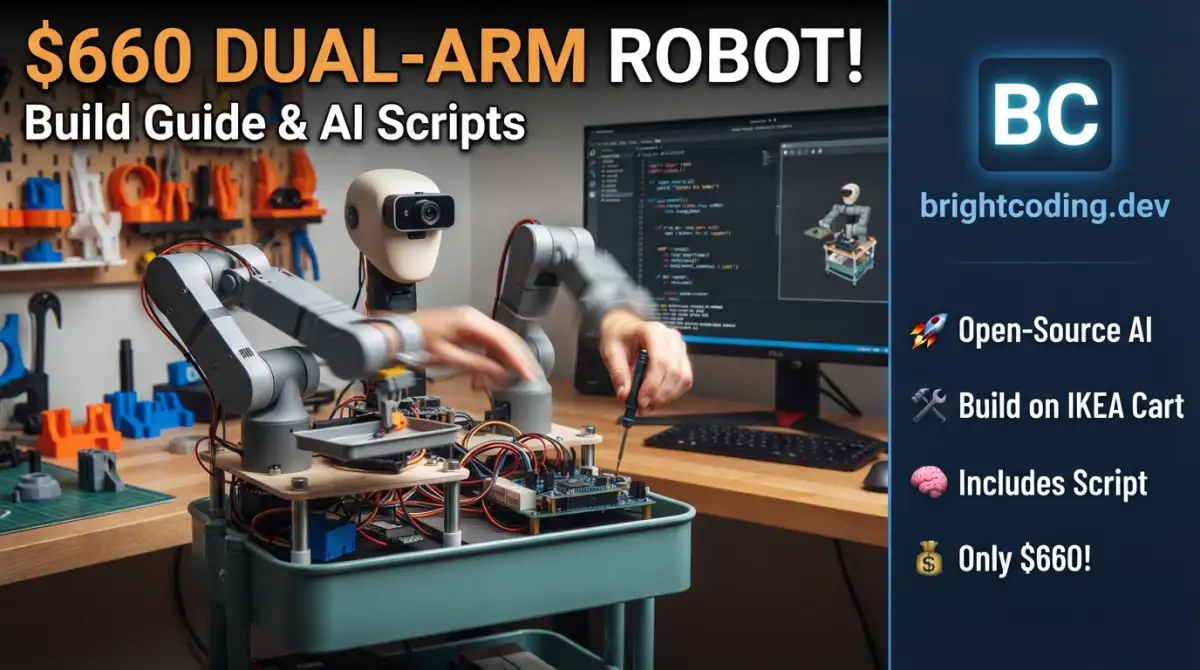
Vector-Wangel/XLeRobot: $660 Open-Source Dual-Arm Mobile Robot
The embodied AI research community has long faced a stark barrier to entry: capable hardware platforms typically cost thousands of dollars, require machine shop access, or demand weeks of assembly. For graduate students, indie researchers, and developers exploring physical-world machine learning, this cost structure stifles experimentation. Vector-Wangel/XLeRobot directly addresses this gap—a dual-arm mobile manipulator starting at $660, with under 4 hours total assembly time, built on established open-source foundations including LeRobot, SO-100/SO-101, Lekiwi, and Bambot.
With 5,321 GitHub stars, 585 forks, and active development through April 2026, XLeRobot has gained substantial traction. This article examines what the platform actually delivers, how to build it, and where it fits in the current landscape of low-cost robotics.
What is Vector-Wangel/XLeRobot?
XLeRobot is a practical dual-arm mobile home robot designed for general manipulation tasks and embodied AI research. It is maintained by Gaotian/Vector Wang, a CS graduate student at Rice University's RobotPi Lab, with contributions from collaborators specializing in VLA (Vision-Language-Action) models, RL simulation-to-real deployment, VR teleoperation, and hardware design.
The project sits at the intersection of several active technical domains:
- Low-cost hardware design: The $660 base configuration uses consumer-grade components, 3D-printed parts, and an IKEA cart as the mobile base
- Embodied AI/robot learning: Native integration with Hugging Face's LeRobot ecosystem for imitation learning and policy training
- Sim-to-real research: MuJoCo simulation with URDF models, RL environments, and physics-aware world model support
- Accessible teleoperation: Multiple control interfaces including keyboard, Xbox controller, Nintendo Switch Joy-Con, and Meta Quest 3 VR—all via Bluetooth, no WiFi required
The project is released under the Apache License 2.0, and commercial assembly kits are available through partner Wowrobo at $579 worldwide (developer kit excluding battery and cart). The maintainer states this is non-profit pricing with personal earnings from sales.
XLeRobot's relevance stems from timing: the embodied AI field is expanding rapidly with VLA models, diffusion policies, and foundation model approaches, yet reproducible hardware remains scarce. XLeRobot provides a standardized, documented platform that researchers can actually obtain and modify.
Key Features
Dual-Arm Manipulation Configuration The robot uses two SO-ARM100/101 derived arms, enabling bimanual tasks like folding, carrying, or stabilizing objects during manipulation. This distinguishes it from single-arm platforms that struggle with complex household operations.
Multiple Mobility Options
- Default: Differential-drive base using servo motors
- Alternative: Dual-wheel configuration (December 2025 release) offering "more stable and accurate" movement at similar cost
- Optional upgrade: Scooter brushless motors at comparable pricing
Flexible Compute & Sensing Stack The modular design accommodates multiple configurations:
| Component | Cost Impact | Use Case |
|---|---|---|
| Laptop + single RGB head camera | Base $660 | Entry-level teleoperation and data collection |
| Stereo dual-eye RGB | +$30 | Improved depth estimation |
| Raspberry Pi | +$79 | Onboard compute, standalone operation |
| Intel RealSense RGBD | +$220 | Precise depth sensing for manipulation |
Simulation-First Development The MuJoCo-based simulation environment (updated July 2025) supports:
- URDF models with accurate kinematics
- VR teleoperation for data collection without hardware
- RL training environments
- 15-minute setup time for simulation-only experimentation
Multiple Control Interfaces Real-world teleoperation supports keyboard, Xbox controller, Switch Joy-Con, and Quest 3 VR. All interfaces use Bluetooth—no WiFi dependency, zero perceived latency. This matters for field deployment and environments with unreliable networking.
VLA & RL Integration The project includes (in development) Vision-Language-Action training pipelines and reinforcement learning implementations, with temporary VLA tutorials available and official documentation pending.
Use Cases
Embodied AI Research & Publication XLeRobot provides a reproducible platform for robotics research requiring physical validation. The maintainer's own work on "virtual cages and funnels" and "physics-aware world models" (published in IJRR) directly motivated the design. Researchers can test sim-to-real transfer, robust manipulation under uncertainty, and policy generalization without fabricating custom hardware.
Imitation Learning & Policy Development Through LeRobot integration, developers can collect teleoperated demonstration data, train ACT, Diffusion Policy, or other behavior cloning methods, and deploy on identical hardware. The standardized build reduces the "hardware lottery" that plagues robotics ML reproducibility.
Educational Robotics Labs The sub-$700 entry point and <4 hour assembly make this viable for university labs, maker spaces, and intensive workshops. The documentation site and video tutorials (YouTube/Bilibili) lower the instructor burden for introducing physical robot learning.
Home Automation & Assistive Robotics Prototyping The "household chores showcase demos" (August 2025 release) demonstrate practical tasks. While not a consumer product, the platform enables developers to prototype assistive behaviors—object retrieval, surface cleaning, organization—in real domestic environments.
VR Teleoperation Research The Quest 3 integration and web-based MuJoCo + 3D Gaussian Splatting viewer (January 2026) support research into scalable teleoperation, human-in-the-loop learning, and remote robot control interfaces.
Installation & Setup
The project assumes familiarity with Python↗ Bright Coding Blog, Ubuntu, Git, and terminal usage. The README explicitly notes: "If you are totally new to programming, please spend at least a day to get yourself familiar with basic Python, Ubuntu and Github."
Hardware Procurement
-
Bill of Materials: Consult the official materials list for exact components, vendors, and alternatives by region (US, EU, CN, IN pricing documented).
-
3D Printing: Follow the printing guide for structural parts. Print settings and filament recommendations are specified.
-
Assembly: The step-by-step assembly guide provides mechanical instructions. Video tutorials are available on YouTube and Bilibili.
Software Setup
The software documentation is organized at xlerobot.readthedocs.io. Key steps include:
# Clone the repository
git clone https://github.com/Vector-Wangel/XLeRobot.git
cd XLeRobot

# Install dependencies (Python environment required)
pip install -e .

# Verify installation and connect to hardware
# Specific commands depend on configuration (laptop vs. Raspberry Pi, camera selection)
For simulation-only development:
# Simulation setup (~15 minutes per documentation)
# Install MuJoCo dependencies
pip install mujoco

# Launch simulation with preferred interface
python scripts/simulation/launch.py --control=keyboard  # or xbox, vr, joycon
Configuration Options
The software stack adapts to your hardware tier:
- Basic: Laptop-based, single RGB camera, USB-connected microcontrollers
- Raspberry Pi: Onboard compute, headless operation, network-accessible
- RealSense: Depth-enabled perception for 6-DoF grasp planning and scene understanding
Real Code Examples
The README does not contain extensive inline code snippets. The following examples reflect the documented API patterns and command structures; developers should consult the full documentation for current implementations.
Teleoperation with Game Controller
The project supports immediate physical robot control via Bluetooth peripherals. This pattern enables data collection for imitation learning:
# Example structure based on documented control interfaces
# Actual import paths may vary by release version

from xlerobot.teleop import XboxController, RobotInterface

# Initialize hardware connection
robot = RobotInterface(port="/dev/ttyUSB0")  # Serial or Bluetooth LE
controller = XboxController()

# Direct velocity/position control loop
while True:
    # Read joystick positions
    left_stick = controller.left_analog()
    right_stick = controller.right_analog()

    # Map to base velocity and arm joint targets
    robot.set_base_velocity(x=left_stick[0], theta=left_stick[1])
    robot.set_arm_targets("left", position=right_stick)

    # Record demonstration if in data collection mode
    if controller.record_button_pressed():
        robot.save_timestep()
This pattern is documented for Xbox, Switch Joy-Con, and keyboard variants. The VR teleoperation path uses the Quest 3 controller tracking for end-effector pose targets.
Simulation Environment Launch
The MuJoCo simulation supports rapid algorithm iteration without hardware wear:
# Launch simulation with VR headset for immersive teleoperation
python -m xlerobot.simulation.launch \
    --scene=kitchen \
    --robot=xlerobot_v0.3 \
    --teleop=quest3 \
    --record_demos=True \
    --output_dir=./demos/

# Alternative: keyboard control for quick testing
python -m xlerobot.simulation.launch \
    --scene=tabletop \
    --robot=xlerobot_v0.3 \
    --teleop=keyboard
The --record_demos flag enables data collection in simulation, with trajectories exportable to LeRobot's dataset format for policy training.
VLA Training Pipeline (Temporary Tutorial)
The temporary VLA tutorial (November 2025) documents an experimental training path. The official release is pending; current users should expect API changes:
# Conceptual structure from temporary documentation
# Verify against latest release before use

from xlerobot.vla import VLAConfig, train_vision_language_action

config = VLAConfig(
    base_model="openvla/openvla-7b",  # or compatible architecture
    robot_embedding_dim=512,
    action_horizon=16,
    image_resolution=(224, 224)
)

# Fine-tune on collected demonstrations
train_vision_language_action(
    config=config,
    dataset_path="./demos/",
    output_dir="./checkpoints/",
    batch_size=8,
    learning_rate=2e-5
)
Note: The README explicitly marks this as temporary. Production deployments should await the official VLA tutorial release.
Advanced Usage & Best Practices
Start with Simulation The 15-minute simulation setup enables algorithm development, controller tuning, and teleoperation practice without risking hardware. The MuJoCo + 3DGS web viewer (January 2026) additionally supports browser-based demonstration and remote collaboration.
Modular Upgrade Path Begin with the $660 base configuration to validate interest and workflow fit. Add the Raspberry Pi for untethered operation only after confirming basic functionality. The RealSense upgrade is warranted primarily for depth-dependent tasks like precise grasping or scene reconstruction.
Data Collection Hygiene For imitation learning, vary demonstration initial conditions systematically. The documentation notes support for multiple teleoperation interfaces—consider collecting from multiple operators to improve policy robustness, a known technique in behavior cloning research.
Community Engagement The Discord server and hackathon participation (e.g., SEEED x Nvidia x Hugging Face Embodied AI Home Robot Hackathon) provide channels for troubleshooting and collaboration. The maintainer actively mentors at community events.
Safety Considerations The README includes explicit disclaimer: builders assume full responsibility for physical and mental damages. Implement hardware emergency stops, limit joint velocities during development, and operate in clear areas until behaviors are validated.
Comparison with Alternatives
| Platform | Cost | Arms | Mobility | Key Trade-off |
|---|---|---|---|---|
| XLeRobot | $660 | 2 | Differential drive | Lowest cost for bimanual mobile; requires assembly |
| LeKiwi | ~$400-500 | 0 (gripper only) | Differential drive | Cheaper, simpler, but no manipulation arms |
| Bambot | ~$300-400 | 1 | Fixed base | Lowest cost arm; not mobile, single arm |
| Hello Robot Stretch 3 | ~$24,000 | 1 | Differential drive | Commercial, supported, 37× cost premium |
| TidyBot (research) | N/A | 1 | Fixed base | Not commercially available; research-only |
XLeRobot occupies a distinct niche: the cheapest available dual-arm mobile platform with documented VLA/RL integration. The trade-off is DIY assembly and community support versus commercial backing. For researchers specifically needing bimanual manipulation—essential for folding, tool use, or object handoff—no lower-cost alternative exists. Single-arm platforms like Bambot or Stretch suffice for pick-and-place but fail on tasks requiring two-handed coordination.
[INTERNAL_LINK: open-source-robotics-hardware-comparison]
FAQ
What programming knowledge is required? Proficiency in Python, Ubuntu system administration, Git, and terminal usage. The README suggests at least one day of preparation for newcomers.
Can I use XLeRobot without buying the assembly kit? Yes. Self-sourcing all components per the Bill of Materials is the default path; the Wowrobo kit ($579) is optional for convenience.
Does it work with Mac or Windows? The documentation specifies Ubuntu. macOS/Windows may work for simulation; real hardware control requires Linux for serial/USB device access.
What is the actual total cost? $660 excludes 3D printing, tools, shipping, and taxes. Realistic all-in cost for self-builders: $750-900 depending on local component availability.
Is the VLA pipeline production-ready? No. Temporary tutorials exist; official VLA documentation is pending. Expect API changes.
How do I get help? Discord community, GitHub issues, and documentation site. The maintainer participates in hackathons and community events for direct mentorship.
What about battery life? Not specified in README. Battery is explicitly excluded from the developer kit; capacity and runtime depend on user-selected battery configuration.
Conclusion
Vector-Wangel/XLeRobot delivers on a specific, valuable promise: documented, reproducible dual-arm mobile manipulation at one-tenth the cost of commercial alternatives. The 5,321-star traction, active development through 2026, and integration with established ecosystems (LeRobot, MuJoCo) suggest this is not experimental abandonware but a sustained community resource.
The platform best serves: graduate students and researchers needing physical validation for embodied AI work; educators building accessible robot learning curricula; and technically proficient makers exploring home automation. It is not a consumer appliance—assembly, debugging, and software integration remain required.
For developers convinced by the $660 entry point and <4 hour assembly claim, the next step is clear: review the Bill of Materials, verify component availability in your region, and begin with the MuJoCo simulation to validate your use case before hardware investment.
Start building at github.com/Vector-Wangel/XLeRobot.