
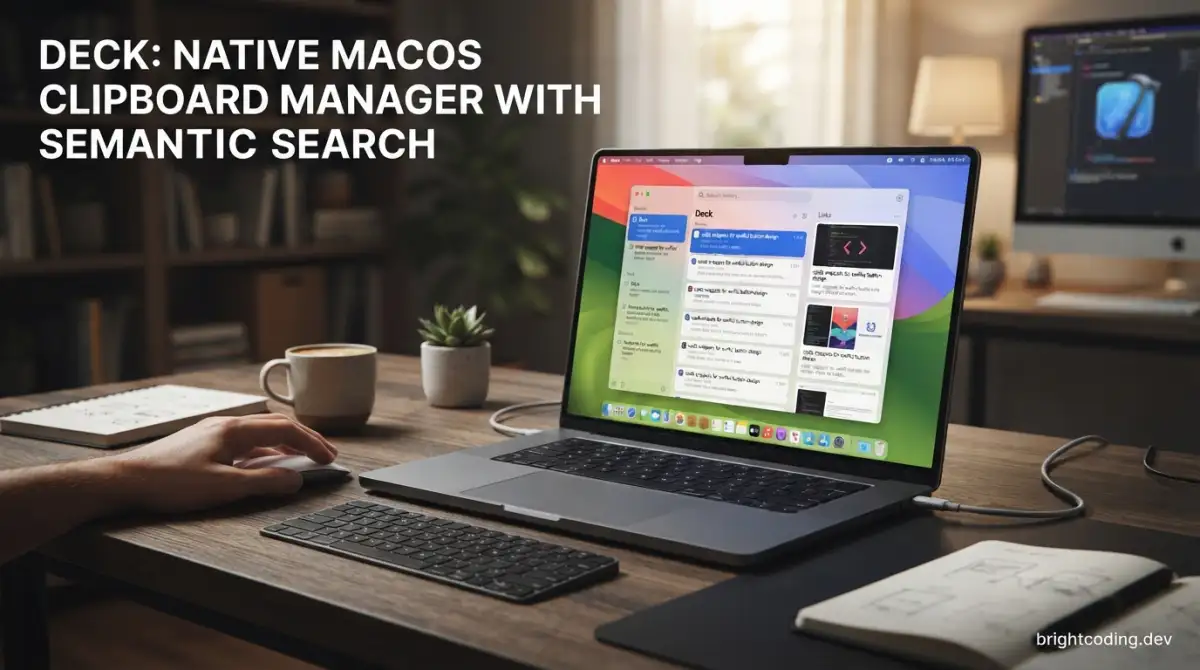
Clipboard management on macOS has long been an afterthought. Developers, designers, and power users routinely lose track of copied code snippets, API keys, design assets, and reference links buried in an ephemeral stack they can't search or organize. The default macOS clipboard holds one item, offers no history, and provides zero intelligence about what you've copied. For technical workflows—where context matters, where you need to find "that JWT from three hours ago" or "the hex color from Figma"—this friction compounds into real productivity loss.
yuzeguitarist/Deck addresses this gap directly. It's a modern, native, privacy-first clipboard manager for macOS 14+ that records text, images, files, colors, links, and rich text; makes everything searchable through keyword, regex, type filtering, and on-device semantic search; and layers on developer-centric features like IDE source anchoring, OCR, and JavaScript↗ Bright Coding Blog-scriptable smart rules. With 1,341 GitHub stars and active development through May 2026, Deck has emerged as a technically ambitious open-source alternative to commercial clipboard utilities.
This article examines what yuzeguitarist/Deck offers, how it works under the hood, and whether it fits your workflow.
What is yuzeguitarist/Deck?
yuzeguitarist/Deck is a native macOS clipboard manager written in Swift 5.9+ by independent developer Yuze Pan. The project sits at the intersection of developer tooling and privacy-conscious utility software: it is source-available under a dual license (AGPL v3.0 for the deckclip/ directory, All Rights Reserved for remaining files), with compiled releases distributed through GitHub and Homebrew.
The project's technical foundation reflects deliberate choices for a technical audience. Native Swift implementation means it integrates with macOS system frameworks rather than wrapping Electron or cross-platform abstractions. It targets macOS 14.0+ and runs on both Apple Silicon and Intel architectures. The clipboard history engine leverages Apple's NLEmbedding framework for on-device semantic search—meaning vector similarity queries run locally without cloud roundtrips—while OCR uses Apple's Vision framework for multi-language text extraction from images.
Deck's 1,341 stars and 46 forks (as of the last commit on May 9, 2026) indicate modest but growing traction. The repository includes Chinese localization (README_CN.md), suggesting international adoption. Notably, the project maintains a companion tool, Orbit, a radial app switcher that integrates with Deck for unified workflow control.
The current development status requires attention: a temporary packaging issue (noted in the README as of the latest commit) means new downloads and in-app auto-updates may fail. Existing installations should continue working, but users are advised to avoid updating until further notice.
Key Features
Deck's feature set targets power users who need more than linear clipboard history. The architecture separates into several functional layers:
Clipboard History & Search forms the core. Deck records text, images, files, colors, links, and rich text. Search operates through keyword, regex, or type filtering, with slash-triggered rules for app, date, or type-based inclusion/exclusion. The standout capability is on-device semantic search powered by NLEmbedding—vector-based similarity search that understands conceptual relationships without relying on external APIs. Per-item custom titles, tags, smart categories, and context-aware ordering (sorting by relevance to the current active app) extend organizational flexibility.
Smart Features elevate Deck beyond passive recording. Smart Rules enable automated workflows with condition matching and JavaScript script plugins. OCR runs continuously in the background, extracting text from copied images. The Cursor Assistant triggers on triple-tap Shift, offering context-aware clipboard suggestions with trigger-word matching and template integration. A Template Library supports reusable clipboard snippets with color coding and cursor-position paste. Text Transformations cover JSON format/minify, Base64, URL encode/decode, case conversion, timestamp parsing, MD5 hash, and line operations. For developers, IDE Source Anchor automatically captures file path and line number from VS Code, Xcode, JetBrains, Cursor, or Windsurf copies, with click-to-jump navigation. Figma Detection provides dedicated preview for design clipboard content. Additional utilities include link preview with QR generation, link cleaning (tracking parameter stripping), instant math calculation, and smart detection of emails, URLs, phone numbers, code language, and JWT tokens.
Privacy & Security is architected local-first. Data stays on-device by default. Optional Touch ID / Face ID unlock gates panel access. Sensitive data filtering uses Luhn algorithm detection to skip bank cards and identity numbers. Window-aware protection pauses capture during password field or login page focus. Clipboard steganography enables hidden message embedding in images or zero-width text. Screen share detection optionally hides the panel during recording. A pause mode allows temporary capture suspension.
Sync & Sharing offers LAN sharing with AES-GCM encryption and TOTP verification, plus direct IP connection for VPN or Bonjour-bypassed peer linking.
Workflow features include queue mode for sequential pasting, keyboard-first design with optional Vim mode, character-by-character typing paste, Siri Shortcuts integration via App Intents, CLI bridge for terminal automation, local usage statistics, and migration support from Paste, Maccy, CopyClip, and competitors.
Use Cases
1. Developer Context Switching A backend engineer working across microservices copies API responses, database connection strings, and log snippets throughout the day. IDE Source Anchor automatically tags code copies with file path and line number. When they need to reference "that error handling pattern from the auth service," semantic search finds conceptually related items even without exact keyword matches. The queue mode pastes multiple environment variables in sequence during deployment.
2. Design-Development Handoff A frontend developer receives Figma assets and color values from designers. Figma Detection preserves clipboard content structure with dedicated preview. Color values are searchable by semantic proximity ("find that blue from yesterday's session"). OCR extracts text from screenshot references designers share. Templates store recurring component patterns with cursor-position paste for rapid scaffolding.
3. Security-Conscious Operations A DevOps↗ Bright Coding Blog engineer manages infrastructure credentials and certificates. Sensitive data filtering prevents accidental capture of payment card numbers. Window-aware protection pauses recording during 1Password or SSH key passphrase entry. LAN sharing with AES-GCM enables encrypted credential distribution to team machines without cloud exposure. Clipboard steganography embeds operational notes invisibly within shared images.
4. Technical Writing & Documentation An API technical writer collects code examples, curl commands, and response payloads across multiple services. Smart Rules with JavaScript plugins transform pasted JSON into formatted Markdown↗ Smart Converter tables. Text transformations normalize timestamp formats across log excerpts. The Template Library stores recurring documentation structures. Link cleaning strips UTM parameters before publishing references.
5. Multilingual Content Operations A localization engineer works with UI copy in multiple languages. OCR extracts text from screenshots of non-Latin script interfaces. Semantic search surfaces conceptually similar phrases across language versions. Per-item custom titles provide searchable metadata in the user's preferred language.
Installation & Setup
Deck distributes through Homebrew and manual DMG installation. Both methods require macOS 14.0+ and Accessibility permissions.
Homebrew Installation
# Add the custom tap
brew tap yuzeguitarist/deck

# Disable quarantine for this install (required because Deck is not notarized)
export HOMEBREW_CASK_OPTS="--no-quarantine"

# Install the cask
brew install --cask deckclip
The --no-quarantine flag is necessary because Deck is not signed through Apple's paid Developer Program. This bypasses Gatekeeper's default blocking of unnotarized applications. The HOMEBREW_CASK_OPTS environment variable applies this exception only for the current command session.
Manual Installation
- Download the latest
.dmgfrom GitHub Releases - Drag
Deck.appinto Applications - Grant Accessibility (and Input Monitoring if prompted) in
System Settings → Privacy & Security
First Launch Security Handling
macOS will display: "Deck" can't be opened because Apple cannot check it for malicious software.
Resolution path: System Settings → Privacy & Security → scroll to blocked message for Deck → click Open Anyway.
Critical temporary exception: Due to a current packaging issue noted in the README, new downloads or updates may fail even after this step. If your existing installation functions, continue using it and disable in-app auto-update until the maintainer resolves this.
Source code is public for reference only. Use official compiled releases for actual operation.
Post-Launch Configuration
After successful launch:
- Press
Cmd + Pto open the panel - Arrow keys navigate,
Enterpastes - Access Settings for Vim mode, shortcut customization, and sync configuration
Real Code Examples
The README contains limited explicit code examples. The following are reproduced directly from documentation, with operational context.
Homebrew Tap and Install Command
brew tap yuzeguitarist/deck
export HOMEBREW_CASK_OPTS="--no-quarantine"
brew install --cask deckclip
This sequence demonstrates the complete installation path for package-manager distribution. The tap command registers the custom repository; the environment variable export configures Homebrew's security behavior for this operation only; the install --cask command retrieves and installs the GUI application. The --no-quarantine option corresponds to xattr -d com.apple.quarantine applied manually—both remove Gatekeeper's download origin tracking. Users should understand this reduces one layer of Apple's default security model, justified here by the maintainer's choice to avoid paid notarization.
Keyboard Shortcut Reference
The README documents shortcuts as a configuration table rather than executable code, but this represents the primary interaction API:
| Shortcut        | Action                      |
|-----------------|-----------------------------|
| Cmd + P         | Open Deck                   |
| Enter           | Paste selected              |
| Shift + Enter   | Paste as plain text         |
| Cmd + Number    | Quick paste (1–9)           |
| Option + Q      | Toggle queue mode           |
| Space           | Toggle preview              |
| Esc             | Close                       |
These mappings reveal Deck's keyboard-first design philosophy. The Cmd + Number quick paste enables muscle-memory access to recent items without visual panel interaction—critical for flow state preservation. Queue mode (Option + Q) transforms the clipboard from single-item to sequential buffer, changing paste behavior across applications until exhausted. The Shift + Enter plain-text override bypasses rich formatting, essential when pasting into terminals or plain-text editors where styled content introduces invisible characters.
Smart Rules JavaScript Plugin Interface
The README notes Smart Rules support "JavaScript script plugins" as actions within automated workflows. While no complete plugin example is provided in the documentation, the architecture implies execution context for user-defined transformation logic. This would operate similarly to:
// Hypothetical structure based on documented capability
// Actual API surface not specified in README
function transformClipboardItem(item) {
  // User-defined logic for Smart Rules action
  // Operates on item metadata and content
  return modifiedItem;
}
The README's lack of detailed JavaScript API documentation represents a current gap. Users interested in plugin development should monitor the documentation site or repository issues for emerging specifications. The capability is architecturally significant—JavaScript scripting enables arbitrary transformation and integration logic without recompiling the Swift application core.
Advanced Usage & Best Practices
Based on Deck's documented design, several patterns emerge for effective deployment:
Semantic Search Optimization. NLEmbedding operates on conceptual similarity rather than string matching. For best results, use natural language descriptions in custom titles—"OAuth token for staging API" outperforms "token_2024" for later retrieval. The vector model understands domain relationships; searching "authentication" surfaces OAuth, JWT, and session-related items.
Smart Rules for Automation. Configure condition-action pairs for repetitive transformations. A rule matching type:json with action minify automatically compresses copied configuration. Rules triggering on app:Xcode + contains:"TODO" could flag items for review. The JavaScript plugin action enables external API calls or complex parsing unavailable in built-in transformations.
Privacy Boundary Management. Combine window-aware protection with manual pause mode for sensitive operations. The Luhn-based sensitive data filtering catches structured numbers but not arbitrary secrets—use pause mode during private key handling. Screen share detection prevents accidental exposure of clipboard history during presentations; verify this is enabled before video calls.
Sync Architecture. LAN sharing with AES-GCM suits team environments with physical proximity. Direct IP connection resolves Bonjour mDNS resolution failures common in corporate VPN configurations. TOTP verification adds replay-attack resistance to the pairing process. For solo users, disable sync entirely—local-first remains the default and most private mode.
Migration Strategy. Deck imports from Paste, Maccy, CopyClip, and others. Test migration with a subset before full import; historical data volumes may impact initial indexing performance. Semantic search rebuilds its vector index post-migration, which may temporarily reduce search quality until completion.
Comparison with Alternatives
| Feature | yuzeguitarist/Deck | Maccy | Paste |
|---|---|---|---|
| License | Dual: AGPL-3.0 (partial) / ARR | GPL-3.0 | Proprietary / Subscription |
| Semantic Search | On-device (NLEmbedding) | No | No |
| OCR | Native (Vision framework) | No | No |
| IDE Integration | VS Code, Xcode, JetBrains, Cursor, Windsurf | No | Limited |
| Smart Rules / Scripting | JavaScript plugins | No | No |
| Sync | LAN (AES-GCM) + Direct IP | No | iCloud |
| Pricing | Free (compiled releases) | Free | Subscription |
| Notarization | No (requires quarantine bypass) | Yes | Yes |
Maccy offers a lighter, fully open-source (GPL-3.0) alternative with faster setup and Apple-notarized distribution. It lacks Deck's advanced features—no semantic search, OCR, IDE anchoring, or scripting—but suits users wanting simple, trustworthy history without configuration complexity. The trade-off is capability depth versus immediate usability.
Paste provides polished commercial experience with iCloud sync and native notarization, but requires ongoing subscription payment. Its feature set emphasizes design and cross-device continuity over developer-specific tooling. Users invested in Apple's ecosystem who prioritize convenience over extensibility may prefer this despite cost.
Deck's position is maximal capability for technical users willing to accept notarization friction and partial open-source licensing. The dual-license structure—AGPL for deckclip/, ARR elsewhere—means community modification is constrained to specific components. This differs from Maccy's full GPL freedom but exceeds Paste's proprietary lock-in.
FAQ
Why does macOS block Deck as malicious software?
Apple requires paid Developer Program membership for notarization. The maintainer has not purchased this; the app is source-available and safe but requires manual security approval or --no-quarantine.
Can I use Deck on macOS 13 or Intel Macs? Requires macOS 14.0+. Intel is supported; verify specific feature compatibility as some frameworks may vary by architecture.
Is my clipboard data sent to any server? No. Local-first by default. LAN sync uses peer-to-peer AES-GCM encryption; no cloud intermediary.
What can I actually modify under the AGPL license?
Only files within the deckclip/ directory. All other source is published for reference without modification rights.
How does semantic search work without internet? Apple's NLEmbedding framework runs entirely on-device, generating vector representations for similarity comparison locally.
Why is auto-update currently disabled? A packaging issue in recent releases may cause update failures. The maintainer has posted a temporary advisory to avoid updates until resolved.
Does OCR support non-English text? Yes. Vision framework multi-language OCR is documented, though specific language coverage depends on macOS version.
Conclusion
yuzeguitarist/Deck represents a technically ambitious, developer-centric approach to clipboard management on macOS. Its combination of on-device semantic search, native OCR, IDE source anchoring, and JavaScript-scriptable smart rules addresses workflows that simpler alternatives cannot touch. The privacy architecture—local-first, encrypted LAN sync, sensitive data filtering—reflects genuine understanding of how technical users actually work with sensitive information.
The trade-offs are real: notarization friction requires manual security approval, the dual-license structure limits community modification, and the current packaging issue demands patience. Users prioritizing immediate setup simplicity may prefer Maccy; those wanting polished commercial support may prefer Paste. But for developers, DevOps engineers, and technical writers who need intelligent clipboard history with extensible automation, Deck offers capabilities unmatched in the open-source macOS ecosystem.
The project earns its 1,341 stars through substance rather than marketing. Evaluate it against your actual workflow friction—if you regularly lose context across copy operations, need semantic retrieval, or want programmable clipboard automation, yuzeguitarist/Deck warrants serious consideration. Monitor the repository for resolution of the current packaging issue before fresh installation.
For related workflow optimization, see [INTERNAL_LINK: macOS developer tooling] or explore the companion Orbit radial app switcher for unified desktop control.


