
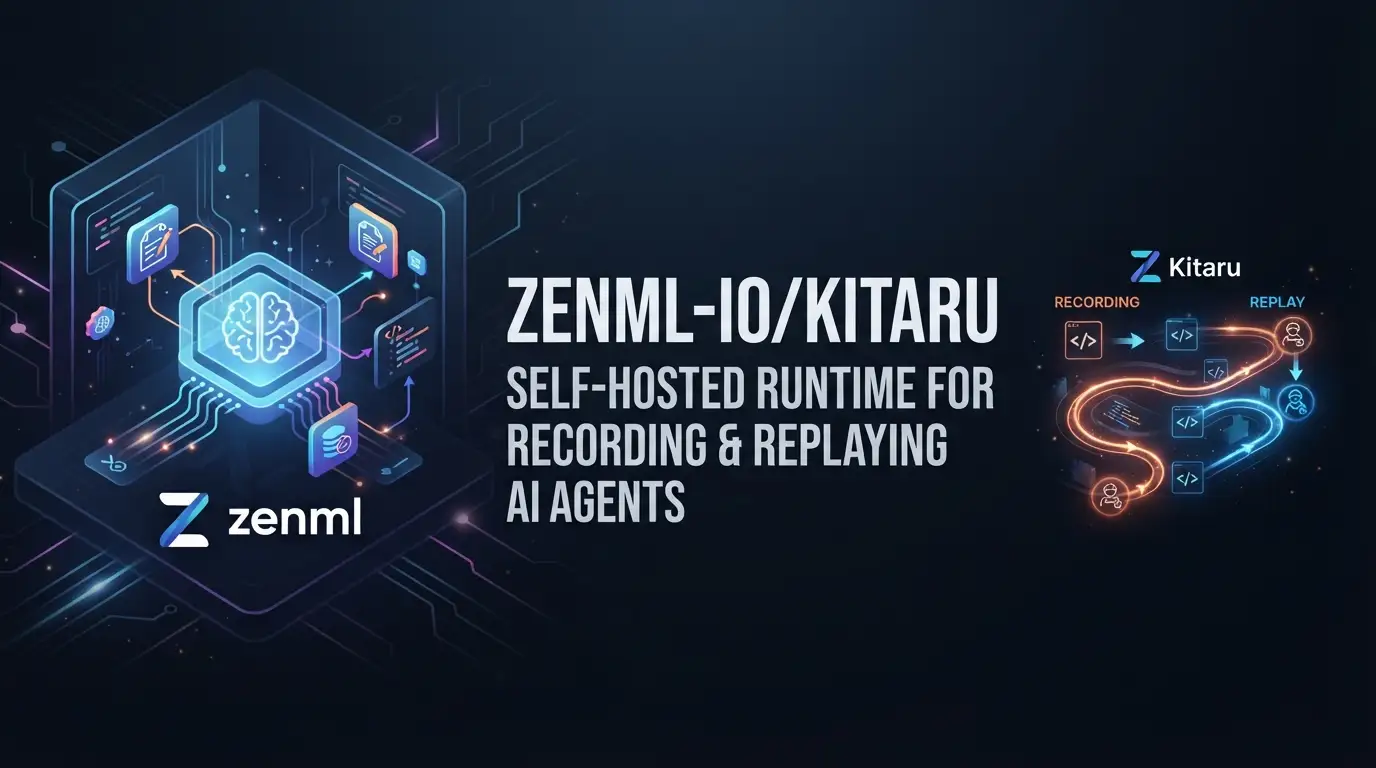
zenml-io/kitaru: Self-Hosted Runtime for Recording and Replaying AI Agents
Building production AI agents means accepting a hard truth: your agent will fail in ways you didn't anticipate, and when it does, you need to understand why without burning tokens on blind reproduction. Most teams cobble together logging, manual checkpointing, and vendor-specific observability tools that lock them into platforms they don't control. zenml-io/kitaru offers a different path—a self-hosted, framework-agnostic runtime that records every step of every agent run as replayable checkpoints, built by the team behind ZenML with five years of production orchestration experience.
What is zenml-io/kitaru?
zenml-io/kitaru is an open-source runtime layer for autonomous agents, maintained by ZenML and released under the Apache License 2.0. With 206 GitHub stars and 15 forks as of its last commit on July 14, 2026, it's a young but actively developed Python↗ Bright Coding Blog project positioned between the agent frameworks you already use and the platform governance your organization requires.
The project takes its name from the Japanese word 来る ("to arrive"), reflecting its purpose: giving agent executions a destination where they're recorded, versioned, and replayable. Kitaru occupies a specific architectural layer—the runtime—distinct from the model layer (OpenAI, Anthropic, open-weights), the harness layer (Pydantic AI, LangGraph, OpenAI Agents SDK), and the platform layer (your organization's auth, entitlements, and observability stack).
This positioning matters for platform teams building internal agent infrastructure. Rather than buying a vertically integrated platform that mandates your framework and model choices, Kitaru provides execution primitives—checkpoint recording, replay, resume, versioned deployments, and isolated runtimes—that work underneath whatever harness your application teams prefer. The ZenML team rebuilt their orchestration primitives (stacks, artifacts, lineage) specifically for autonomous agents, drawing on production experience from organizations like JetBrains, Adeo, and Brevo.
Kitaru is Python-first and deliberately avoids graph DSLs. You write normal Python with if, for, try/except—whatever your agent needs—and apply two decorators (@flow and @checkpoint) plus a handful of utility functions. This design choice reduces the learning curve for teams already productive with Python, while still providing production mechanics that agent frameworks typically don't handle themselves.
Key Features
Record every step as versioned artifacts. Each checkpoint output—model calls, tool calls, decisions—is written to your object store as a typed, versioned artifact. You can step through any run, diff artifacts across runs, and trace bad outputs back to the exact step that produced them. This isn't logging; it's structured replay data that preserves execution semantics.
Replay with overrides. Re-run any execution from any checkpoint, swapping the model, changing parameters, or injecting different tool outputs. This lets you answer "what would have happened?" before shipping changes, turning speculative optimization into evidence-based decisions.
Cost and performance comparison. The kitaru.llm() wrapper tracks prompt, response, tokens, and latency per call, so you can compare runs and answer questions like "would a smaller model have handled this cheaper?" with actual measurements rather than intuition.
Crash recovery without token waste. When a run crashes, times out, or gets evicted, you don't restart from zero. Fix the bug, replay from the last checkpoint, and completed steps return cached output instead of re-burning tokens.
Pause and resume with kitaru.wait(). Suspend a flow, release compute, and resume minutes or days later when input arrives from a human, another agent, a webhook, or a CLI call. This enables human-in-the-loop workflows without keeping resources allocated during waits.
Versioned deployments via flow.deploy(). Freeze a flow as an immutable snapshot that consumers invoke by name. Tag versions for rollout, re-tag for rollback. Nothing that calls the agent needs redeployment when you ship updates—a separation of concerns that reduces coordination overhead.
Isolated execution for risky steps. The @checkpoint(runtime="isolated") decorator runs specific steps in their own Kubernetes pod or cloud job (AWS↗ Bright Coding Blog, GCP, Azure), keeping heavy or risky operations contained while keeping orchestration inline.
Built-in UI and self-hosted deployment. A single self-hosted server runs on your infrastructure, with artifacts in your own S3, GCS, or Azure Blob bucket. The included dashboard provides run inspection, checkpoint output review, and human-in-the-loop approval for wait steps.
Use Cases
Production agent debugging. When your customer-facing agent produces an unexpected result, you need to reconstruct the exact execution path without running it again at full cost. Kitaru's checkpoint recording lets you step through the failed run, inspect each model call and tool output, and identify where the execution diverged from expected behavior.
Model migration and cost optimization. Before switching from GPT-4 to a smaller model, replay representative production runs with the new model injected at specific checkpoints. Compare output quality, latency, and token costs using kitaru.llm() metrics rather than running A/B tests in production.
Human-in-the-loop approval workflows. Build agents that pause for human input at critical decision points using kitaru.wait(). A financial analysis agent might pause before executing trades; a content generation agent might pause before publishing. The flow releases compute during waits and resumes exactly where it left off.
Multi-step research and synthesis agents. Long-running research tasks with multiple model calls and tool invocations become recoverable. If step 7 of 12 fails due to a transient API error, fix the issue and replay from step 7 without re-executing the expensive earlier steps.
Platform team infrastructure standardization. Platform teams can provide Kitaru as the standard execution layer while letting application teams choose their preferred agent framework. The runtime handles checkpointing, replay, and deployment mechanics consistently across heterogeneous agent implementations.
Installation & Setup
Install Kitaru via pip or uv (the README recommends uv):
# Standard installation
pip install kitaru

# Recommended: using uv
uv pip install kitaru
For PydanticAI integration, install the adapter extra:
uv pip install "kitaru[pydantic-ai]"
To run flows locally with the dashboard and REST API, install the local extra and start the server:
uv pip install "kitaru[local]"
kitaru login
kitaru status
For connecting to an existing remote server:
kitaru login https://my-server.example.com --project production
kitaru project list
kitaru project use production
kitaru status
In CI, Docker↗ Bright Coding Blog, or headless environments, use environment variables instead of persisted local state:
export KITARU_SERVER_URL=https://my-server.example.com
export KITARU_AUTH_TOKEN=your-token
export KITARU_PROJECT=production
Initialize your project:
kitaru init
The base installation runs flows locally. The [local] extra adds the dashboard; remote deployments use your configured stack (Kubernetes, AWS, GCP, or Azure) with your own object storage.
Real Code Examples
Basic Flow with Checkpoints
The core Kitaru pattern uses @flow to define an agent execution and @checkpoint to record individual steps:
from kitaru import checkpoint, flow

@checkpoint
def fetch_data(url: str) -> str:
    return "some data"

@checkpoint
def process_data(data: str) -> str:
    return data.upper()

@flow
def my_agent(url: str) -> str:
    data = fetch_data(url)
    return process_data(data)

result = my_agent.run("https://example.com").wait()
print(result)  # SOME DATA
Here, fetch_data and process_data are checkpointed independently. If process_data fails, you can replay from that checkpoint without re-executing fetch_data. The .wait() call blocks until completion; for async patterns, you'd handle the future differently.
Wrapping an Existing PydanticAI Agent
Kitaru integrates with existing agents without rewriting them. For PydanticAI:
from kitaru import flow
from kitaru.adapters.pydantic_ai import KitaruAgent
from pydantic_ai import Agent

researcher = KitaruAgent(
    Agent("openai:gpt-5.4", system_prompt="You summarize research topics.")
)

@flow
def research_flow(topic: str) -> str:
    return researcher.run_sync(topic).output
The KitaruAgent wrapper preserves your existing agent configuration while adding Kitaru's recording and replay capabilities. The model specification, system prompt, and tool definitions remain in PydanticAI; Kitaru handles the execution layer underneath.
Deployment and Invocation
Deploy a flow as a versioned snapshot:
# Freeze current code + dependencies as immutable snapshot
my_agent.deploy(url="https://example.com")
Consumers invoke by name without knowing implementation details:
from kitaru import KitaruClient
KitaruClient().deployments.invoke(
    flow="my_agent",
    inputs={"url": "https://example.com"},
)
Version management via CLI:
# Tag for production rollout
kitaru flow tag my_agent latest --stage=prod

# Rollback to previous version
kitaru flow tag my_agent v2 --stage=prod
Replay and Fork from CLI
After running a flow, inspect and replay:
# List executions
kitaru executions list

# Inspect specific run
kitaru executions get <EXECUTION_ID>
kitaru executions logs <EXECUTION_ID>

# Faithful replay from checkpoint
kitaru executions replay <EXECUTION_ID> --at process_data

# Fork with overridden input
kitaru executions replay <EXECUTION_ID> --at fetch_data \
  --flow-overrides '{"url": "https://other.example.com"}'
The --at parameter specifies which checkpoint to start from; --flow-overrides lets you test alternative inputs without modifying source code.
Advanced Usage & Best Practices
Choose checkpoint granularity deliberately. Every @checkpoint adds storage overhead and a serialization point. Checkpoint at natural transaction boundaries—after external API calls, before irreversible actions, at points where you'd want to resume. Avoid checkpointing tight loops where steps complete in milliseconds.
Use isolated runtimes for untrusted code. The @checkpoint(runtime="isolated") decorator runs a step in its own pod or job. Apply this to tool calls that execute user-provided code, make network requests to untrusted endpoints, or consume unpredictable resources. The orchestration overhead is justified by the blast radius reduction.
Leverage kitaru.wait() for external events, not just humans. While human approval is the obvious use case, kitaru.wait() also enables agent-to-agent handoffs, webhook-triggered resumes, and scheduled continuations. The flow state persists in your object store, so waits can span infrastructure restarts.
Version your deployments explicitly. The latest tag is convenient for development but risky for production. Use semantic versions or commit SHAs as tags, and maintain a prod stage pointer that you re-tag for rollbacks. This pattern, borrowed from container deployment practices, gives you instant rollback without redeploying consumers.
Monitor checkpoint storage growth. Each run writes artifacts to your object store. Implement lifecycle policies on your S3/GCS/Azure Blob buckets to expire old checkpoints, or archive to cold storage. The README doesn't specify retention controls, so you'll likely need to manage this at the storage layer.
Comparison with Alternatives
| Tool | Approach | Key Difference |
|---|---|---|
| LangSmith | SaaS observability for LangChain/LangGraph | Closed platform, LangChain-centric; Kitaru is self-hosted and framework-agnostic |
| Phoenix (Arize) | Open-source LLM observability | Focuses on tracing and evaluation; Kitaru adds replay, resume, and deployment primitives |
| Temporal | General workflow engine | Broader scope, heavier operational footprint; Kitaru is agent-specific with lighter abstractions |
LangSmith provides excellent tracing if you're all-in on LangChain, but locks you into a SaaS platform and a specific framework. Phoenix offers open-source observability with strong evaluation capabilities, but doesn't provide the checkpoint-replay-deployment loop that Kitaru builds around. Temporal handles durable execution generically—valuable for complex business processes, but with more operational complexity than agent-specific needs typically justify.
Kitaru's trade-off is narrower scope in exchange for agent-native semantics. It won't replace your general workflow engine or your ML observability platform, but it might eliminate the custom execution layer you'd otherwise build yourself.
FAQ
Is zenml-io/kitaru free to use? Yes, released under Apache License 2.0. You run it on your own infrastructure.
Which agent frameworks does it support?
PydanticAI (via KitaruAgent), OpenAI Agents SDK, Anthropic Agent SDK, and raw Python via @flow/@checkpoint.
Do I need Kubernetes to run Kitaru? No. Local execution works with the base install. Kubernetes, AWS, GCP, and Azure stacks are optional for production deployment.
Can I use Kitaru without the dashboard?
Yes. The dashboard requires kitaru[local]. Core functionality works via Python API and CLI.
How does crash recovery work? Replay from the last successful checkpoint. Completed checkpoints return cached outputs; failed and subsequent steps re-execute.
What's the relationship to ZenML? Kitaru is built by the ZenML team, reusing orchestration concepts but purpose-built for autonomous agents rather than ML pipelines.
Is there a managed cloud option? The README describes only self-hosted deployment. No managed service is documented.
Conclusion
zenml-io/kitaru fills a specific gap in the agent infrastructure stack: the execution layer between frameworks and platforms. It's best suited for teams building production agent systems who need checkpoint recording, replay with overrides, and versioned deployments without surrendering framework choice or infrastructure control.
The project is early—206 stars, active development, and a focused feature set—but the design reflects hard-won experience from production orchestration at scale. If you're buying an all-in-one agent platform, Kitaru will feel low-level. If you're building one, that's exactly the point.
Explore the code, try the quick start, and evaluate whether its runtime primitives match your architecture: https://github.com/zenml-io/kitaru


