
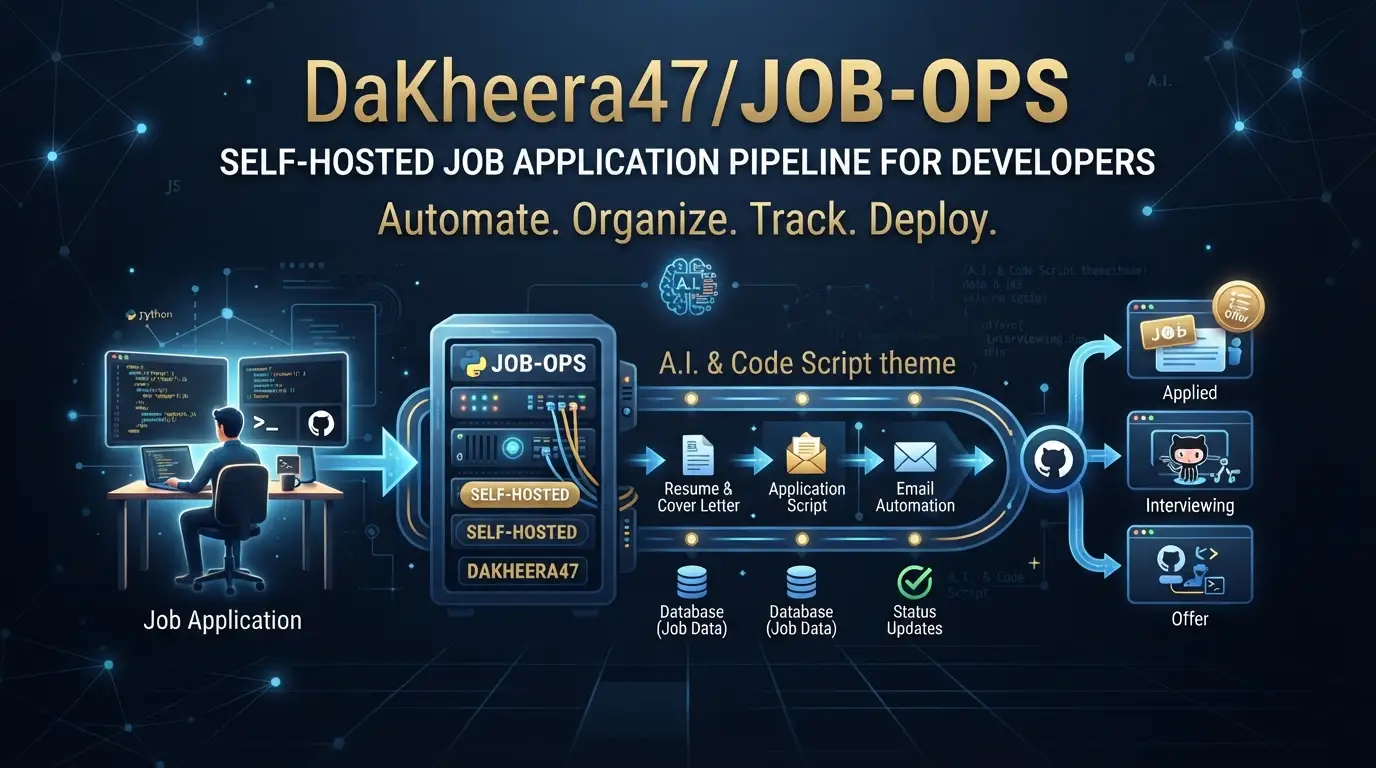
Job hunting in tech has become a fragmented, repetitive workflow. Developers toggle between LinkedIn, Indeed, and niche boards, manually rewrite CVs for each role, then lose track of applications in spreadsheets or email threads. The cognitive overhead is real—and it scales poorly when you're targeting 50+ positions.
DaKheera47/job-ops addresses this directly. It's a self-hosted TypeScript application that applies DevOps↗ Bright Coding Blog pipeline thinking to job searching: unified search across 10+ boards, AI-assisted CV tailoring, fit scoring, and automated post-application tracking. With 3,709 GitHub stars and 467 forks as of July 2026, it has gained meaningful traction among developers who want control over their data and workflow.
This article breaks down what job-ops actually does, how to run it, and where it fits in your tooling stack.
What is DaKheera47/job-ops?
DaKheera47/job-ops is an open-source, self-hosted job application management system built in TypeScript. It was created by Shaheer Sarfaraz and is licensed under AGPLv3 + Commons Clause—meaning you can freely self-host, modify, and use it, but cannot sell the software itself or offer paid hosted services substantially derived from it.
The project's positioning is deliberate: "DevOps principles applied to job hunting." This isn't metaphorical. The architecture treats job search as a pipeline with discrete stages—search, score, tailor, export, track—each configurable and extensible. The 800+ reported users and 4,000+ job searches run suggest the model resonates with developers who already think in pipelines and infrastructure-as-code.
The repository hit #3 on GitHub Trending for TypeScript, indicating strong organic interest rather than artificial promotion. Last commit was July 13, 2026, so development is active. The project provides both self-hosted (free, open-source) and cloud-hosted tiers (paid, managed instances at £20-30/month).
Key architectural decisions worth noting:
- Container-first deployment: Docker↗ Bright Coding Blog Compose is the primary installation path
- Pluggable extractors: TypeScript-based job board scrapers, extensible by users
- Bring-your-own AI: Supports multiple providers including local options via Ollama/LM Studio
- Privacy-preserving: Data stays on your infrastructure unless you opt into cloud
For developers already running homelabs or self-hosted services, this fits naturally into existing infrastructure.
Key Features
Unified Multi-Board Search
Job-ops aggregates 13 job boards spanning global, regional, and niche markets: LinkedIn, Indeed, Glassdoor, Adzuna, Hiring Cafe, startup.jobs, Working Nomads, Gradcracker (UK STEM), UK Visa Jobs, Golang Jobs, Seek (Australia/NZ via Apify), WUZZUF (Egypt), and Khamsat (Egyptian freelance). Custom extractors can be added in TypeScript.
AI-Powered Fit Scoring and CV Tailoring
Each job receives a 0-100 relevance score against your profile. The system then generates a rewritten, role-specific CV. This uses your chosen AI provider—OpenAI, Claude, Gemini, GLM, OpenRouter, or local models via Ollama/LM Studio. Notably, Codex is supported as a local app-server in Docker, authenticated with codex login.
Automated Post-Application Tracking
Gmail integration monitors recruiter replies and auto-updates application status:
- Interview invitations → Interviewing
- Rejection emails → Rejected
No manual spreadsheet updates. The system parses natural language email content to infer state transitions.
Local PDF Generation
Tailored CVs export as polished PDFs locally, or via integration with Reactive Resume.
Visa Sponsorship Filtering
UK Visa Jobs integration and explicit sponsorship status checks help filter opportunities by work authorization requirements—particularly relevant for international candidates.
Self-Hosted or Cloud
The AGPLv3 + Commons Clause license keeps self-hosting free and unrestricted. Cloud tiers add managed updates and optional included AI quotas for users who prefer not to configure providers.
Use Cases
The International Candidate Navigating Sponsorship
Developers requiring work visas often waste time on roles that won't sponsor. Job-ops filters by sponsorship status and integrates UK-specific boards. The fit scoring helps prioritize realistic targets, while automated tracking prevents missed follow-ups during multi-timezone coordination.
The High-Volume Applicant (50+ Roles/Month)
Applying broadly while maintaining quality is unsustainable manually. Job-ops' pipeline approach—search → score → tailor → track—reduces context switching. The Gmail integration eliminates the spreadsheet death spiral of tracking 40+ applications in various states.
The Privacy-Conscious Developer
Uploading your employment history, skills, and application patterns to SaaS job platforms creates data exposure. Self-hosting with local AI (Ollama, LM Studio, or Codex) keeps sensitive profile data on your infrastructure. The AGPL license prevents vendor lock-in.
The Niche Specialist (Go, Remote-Only, Startup)
Specialized extractors for Golang Jobs, Working Nomads, and startup.jobs surface relevant roles that generalist aggregators miss. Custom extractor support means you can add boards specific to your domain—Rust jobs, academic postdocs, specific geographic markets.
The Career Switcher
Fit scoring against multiple target profiles helps evaluate how transferable your background reads across different roles. AI tailoring adjusts emphasis—systems engineering vs. platform engineering vs. SRE—without maintaining multiple CV versions manually.
Installation & Setup
The README provides a minimal Docker Compose path. Reproduced exactly:
git clone https://github.com/DaKheera47/job-ops.git
cd job-ops
docker compose up -d
After containers start, open http://localhost:3005 and complete the onboarding wizard. The project claims you'll be searching in under 10 minutes.
Step-by-step breakdown:
- Clone the repository: Pulls the latest source, including Docker configuration, extractor definitions, and documentation.
- Change to project directory: Ensures
docker composefinds the correctcompose.ymlor equivalent manifest. docker compose up -d: Builds/pulls images and starts services in detached mode. The-dflag runs containers in background.- Onboarding at
:3005: Web-based configuration of AI providers, job board credentials, Gmail tracking integration, and profile setup.
For detailed guidance, the Self-Hosting Guide covers environment variables, reverse proxy configuration, and troubleshooting.
Prerequisites (inferred from Docker Compose pattern, not explicitly stated): Docker Engine and Docker Compose plugin installed. Sufficient disk space for container images and local database. Port 3005 available or configurable.
Real Code Examples
The README contains limited executable code snippets. The following are reproduced directly with context.
Docker Compose Startup
git clone https://github.com/DaKheera47/job-ops.git
cd job-ops
docker compose up -d
This is the complete installation command. No build steps, no dependency installation outside Docker. The docker compose up -d pattern implies a multi-service architecture—likely web frontend, API server, and database—defined in the repository's Compose manifest. The -d detaches containers so the terminal remains usable. After execution, docker ps or docker compose logs would verify service health.
AI Provider Authentication (Codex)
codex login
For users running Codex as their local AI provider, authentication happens via the Codex CLI before container configuration. This is noted in the AI Providers section: "Codex (local app-server in Docker, authenticated with codex login)". The flow suggests: install Codex CLI locally, authenticate to establish credentials, then reference the local server endpoint in job-ops configuration. This keeps API keys for cloud providers optional rather than required.
Note on documentation depth: The README emphasizes feature overview and quick start over extensive code examples. For extractor development, API usage, or webhook configuration, refer to the extractor docs and orchestrator pipeline docs. The current README reflects a product-focused documentation strategy rather than API-first reference.
Advanced Usage & Best Practices
Extractor customization: The TypeScript extractor system allows adding unsupported job boards. This requires understanding the target site's DOM structure or API, plus the extractor interface defined in the project. For boards with rate limiting or anti-bot measures, consider proxy rotation or request throttling—though the README doesn't specify built-in support for these.
AI provider selection: Local models (Ollama, LM Studio, Codex) eliminate per-request costs and data egress, but quality varies. Cloud providers (Claude, GPT-4-class models) generally produce better tailoring for complex roles. The pragmatic approach: use cloud for initial profile setup and high-stakes applications, local for high-volume screening.
Gmail tracking scope: The auto-detection reads email content to infer status. For privacy, use a dedicated job-search Gmail account rather than your primary email. This also prevents work email conflicts if you're employed while searching.
Quota management (cloud users): Hosted instances enforce monthly quotas on searches, AI tailoring, Ghostwriter generations, and PDF exports. The README states: "When a hosted quota is exhausted, the action is blocked with a clear API error; local self-hosted/default mode is unaffected unless hosted quotas are explicitly enabled." Self-hosted users face no artificial limits.
Analytics opt-out: Umami analytics are included. Block umami.dakheera47.com via firewall or DNS if desired—no configuration toggle is mentioned.
Comparison with Alternatives
| Tool | Approach | Key Difference |
|---|---|---|
| job-ops | Self-hosted pipeline, multi-board, AI tailoring, Gmail tracking | Full data control, extensible extractors, BYO AI |
| Huntr | SaaS job tracker | Easier setup, no self-hosting option, subscription required for features |
| Teal | SaaS with AI resume builder | Stronger resume design tools, closed source, ongoing subscription cost |
| LinkedIn + spreadsheets | Manual | Free, but high friction, no automation, poor scaling |
Job-ops trades immediate convenience for control and extensibility. Huntr and Teal are viable for users prioritizing zero setup over data ownership. The spreadsheet approach works for <10 applications but collapses under volume. Job-ops' AGPL license and self-hosting option make it unique among tools with comparable feature depth.
FAQ
Q: Does job-ops auto-apply to jobs? A: No. The README explicitly states auto-applying gets candidates blacklisted. Job-ops accelerates preparation, not submission.
Q: What AI providers work without cloud APIs? A: Ollama, LM Studio, and Codex (local Docker) support fully local operation.
Q: Can I add job boards not in the supported list? A: Yes, via custom TypeScript extractors. Documentation is at the extractor docs link.
Q: Is the cloud tier required for full functionality? A: No. Self-hosted includes all features. Cloud adds managed hosting and optional included AI.
Q: How does Gmail tracking handle privacy? A: It reads email content for status inference. Use a dedicated account if concerned.
Q: What's the license restriction on commercial use? A: AGPLv3 + Commons Clause prohibits selling the software or offering paid hosted services substantially derived from it.
Q: Does job-ops work on ARM architectures? A: The README doesn't specify. Docker images may need platform verification for Apple Silicon or ARM servers.
Conclusion
DaKheera47/job-ops is a credibly engineered solution to a real developer pain point: the fragmented, high-overhead job search workflow. Its 3,709 stars and active development suggest sustained community interest, not novelty hype.
The tool fits developers who already self-host services, value data control, and apply systematic thinking to personal workflows. The TypeScript codebase, pluggable extractor architecture, and broad AI provider support make it genuinely hackable. The AGPLv3 + Commons Clause license protects against enclosure while permitting personal and internal use.
It's not for everyone. If you want zero configuration and don't mind SaaS subscriptions, Huntr or Teal may serve you faster. If you apply to fewer than 10 roles annually, the setup overhead may not justify the return.
For the target audience—developers treating career moves with the same systematic approach they apply to infrastructure—job-ops is worth evaluating. Start with the self-hosted Docker path, configure your preferred AI provider, and run a few searches against your actual criteria before committing to cloud or extensive customization.
Get started: https://github.com/DaKheera47/job-ops
For related tooling in developer productivity, see [INTERNAL_LINK: self-hosted developer tools].