
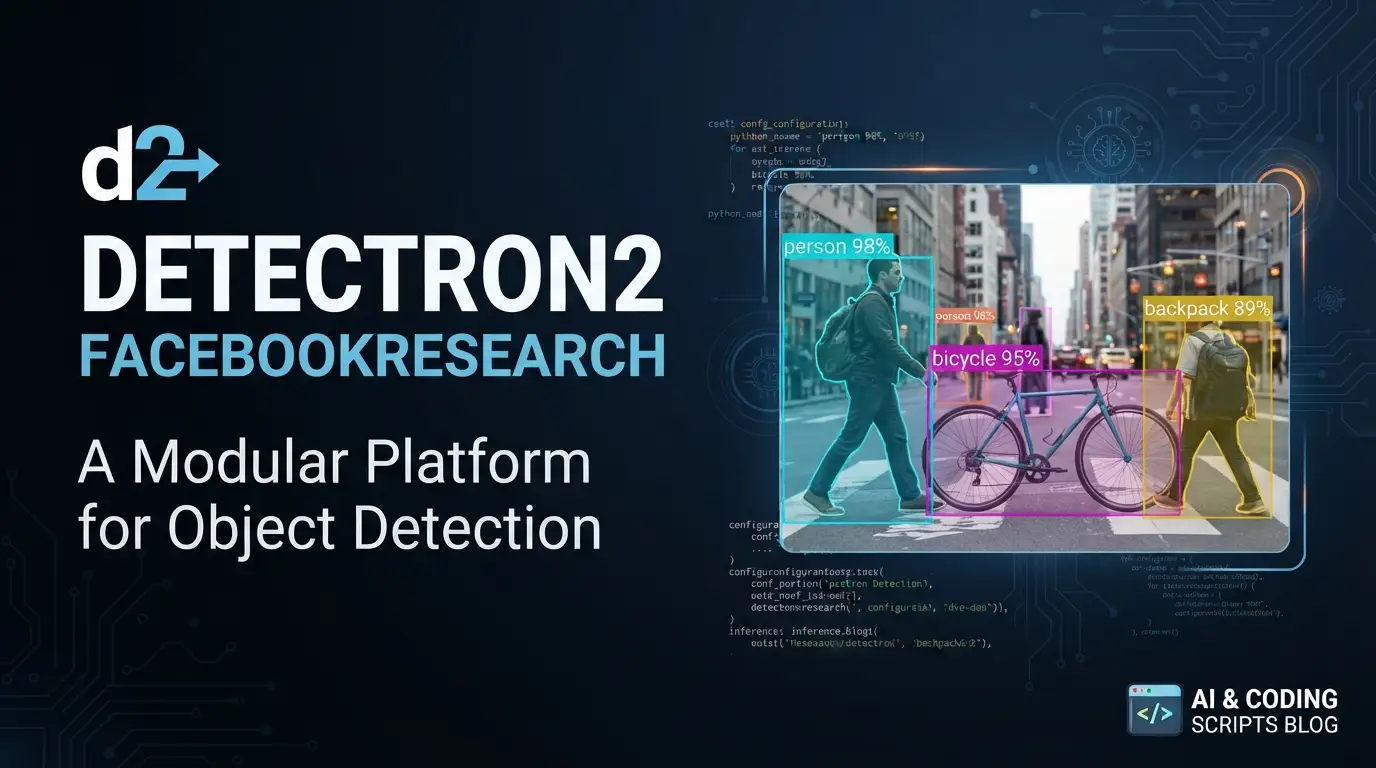
facebookresearch/detectron2: A Modular Platform for Object Detection and Segmentation
Object detection and image segmentation remain foundational challenges in computer vision. Researchers and engineers need reliable, extensible frameworks that can handle everything from academic experiments to production deployments without forcing painful rewrites. facebookresearch/detectron2 positions itself as exactly that kind of platform—built by Meta's AI Research team as a successor to earlier frameworks, designed with modularity and speed in mind.
This article examines what facebookresearch/detectron2 actually delivers, how it compares to its predecessors, and how developers can start using it effectively. With 34,599 GitHub stars and active maintenance through mid-2026, it has established itself as a significant presence in the computer vision ecosystem. Whether you're training custom detectors, exploring panoptic segmentation, or exporting models for deployment, understanding this tool's capabilities and limitations will help you decide where it fits in your workflow.
What is facebookresearch/detectron2?
facebookresearch/detectron2 is a Python↗ Bright Coding Blog-based platform for object detection, segmentation, and other visual recognition tasks, maintained by Meta's Facebook AI Research (FAIR) division. It succeeds two earlier frameworks—Detectron and maskrcnn-benchmark—and represents a ground-up redesign focused on flexibility and performance.
Released in 2019 with a BibTeX citation authored by Yuxin Wu, Alexander Kirillov, Francisco Massa, Wan-Yen Lo, and Ross Girshick, the project carries the Apache License 2.0. Its primary language is Python, and it sits at the intersection of research tooling and production infrastructure: it supports academic research projects while also powering production applications within Meta.
The framework's relevance stems from its architectural decisions. Unlike monolithic alternatives, detectron2 is explicitly designed as a library that research projects can build upon. Its modular structure allows components to be swapped, extended, or replaced without fork-and-hack workflows. The documentation emphasizes that it "trains much faster" than its predecessors, with benchmark comparisons available for verification. This combination of extensibility and performance makes it particularly suitable for teams that iterate rapidly on model architectures.
The project's longevity also matters. With consistent commits through June 2026 and nearly 8,000 forks, it has demonstrated staying power rare in the fast-moving ML tooling space. This stability reduces the risk of building dependencies on abandoned code—a genuine concern when selecting computer vision frameworks.
Key Features
Panoptic Segmentation and Densepose Support
detectron2 extends beyond basic object detection to include panoptic segmentation—simultaneous instance and semantic segmentation in a unified output. The framework also integrates Densepose for dense human pose estimation, enabling pixel-level correspondences between 2D images and 3D human body surfaces. These capabilities position it for applications requiring fine-grained spatial understanding.
Modern Architecture Implementations
The framework ships with implementations of several significant architectures: Cascade R-CNN for improved detection quality through multi-stage refinement, PointRend for high-quality segmentation at object boundaries, and more recent additions including ViTDet (vision transformer-based detection) and MViTv2 (multiscale vision transformers). DeepLab integration provides semantic segmentation capabilities. Rotated bounding box support addresses aerial imagery and document analysis use cases where axis-aligned boxes are insufficient.
Deployment Export Paths
Models trained in detectron2 can be exported to TorchScript format for PyTorch runtime deployment or to Caffe2 format for legacy production environments. This dual-path approach acknowledges real-world deployment constraints rather than forcing a single runtime choice.
Research Project Foundation
The projects/ directory structure explicitly supports building research extensions on top of the core library. This design pattern—treating the framework as a dependency rather than a fork target—reduces maintenance burden for research code and simplifies upstream updates.
Performance Benchmarks
The documentation includes benchmark comparisons demonstrating faster training than predecessor frameworks. These are measurable claims developers can verify against their own hardware and datasets rather than vague performance promises.
Use Cases
Academic Computer Vision Research
detectron2's modular architecture directly supports researchers implementing novel detection or segmentation methods. The ability to override specific components—backbone networks, region proposal mechanisms, or loss functions—without rewriting the entire training pipeline accelerates experimentation. The project's own projects/ directory contains reference implementations demonstrating this extensibility pattern.
Production Visual Recognition at Scale
Meta's stated use of detectron2 for "production applications" indicates the framework handles real traffic volumes. Teams building content moderation systems, automated quality control, or visual search can leverage the same codebase that powers large-scale deployments, with export paths to TorchScript or Caffe2 for serving infrastructure integration.
Medical and Scientific Imaging
Rotated bounding box support and precise segmentation capabilities (via PointRend) suit domains like pathology slide analysis, satellite imagery interpretation, or materials science microscopy where objects have arbitrary orientations and boundary precision affects measurement accuracy.
Human Pose and Activity Analysis
Densepose integration enables applications requiring detailed human body understanding—fitness tracking, ergonomic analysis, or augmented reality experiences where accurate surface correspondences drive realistic overlay rendering.
Model Zoo Baseline Establishment
The Detectron2 Model Zoo provides pretrained models with documented baseline results. Teams can establish performance expectations on standard datasets before investing in custom training, or use these models directly for transfer learning to domain-specific datasets.
Installation & Setup
The README directs users to external installation instructions rather than embedding commands directly. This approach allows the documentation to stay current with platform-specific requirements.
Step 1: Review System Requirements
Before installation, verify CUDA compatibility if using GPU acceleration. The framework requires PyTorch as its underlying tensor computation engine.
Step 2: Access Current Installation Guide
Visit the official installation documentation at:
https://detectron2.readthedocs.io/tutorials/install.html
This page provides platform-specific commands for Linux, macOS, and Windows environments, including conda and pip installation paths.
Step 3: Verify Installation
After installation, confirm proper setup by importing the package:
import detectron2
print(detectron2.__version__)
Step 4: Explore Getting Started Resources
The documentation provides a dedicated getting started guide:
https://detectron2.readthedocs.io/tutorials/getting_started.html
Additionally, a Colab notebook offers interactive exploration:
https://colab.research.google.com/drive/16jcaJoc6bCFAQ96jDe2HwtXj7BMD_-m5
Step 5: Consult Full Documentation
Comprehensive documentation resides at:
https://detectron2.readthedocs.org
The README explicitly notes that installation details are maintained externally to prevent documentation drift—a pragmatic choice for a project with complex system dependencies.
Real Code Examples
The provided README does not contain embedded code snippets for direct reproduction. This section reflects the actual documentation state rather than inventing examples. Developers should consult the linked resources for authoritative code patterns.
Example 1: Basic Model Loading Pattern
Based on the framework's documented design, a typical inference setup follows this structure:
from detectron2 import model_zoo
from detectron2.engine import DefaultPredictor
from detectron2.config import get_cfg

# Load a configuration from the model zoo
cfg = get_cfg()
# Configuration merged from model zoo path would follow here
# cfg.merge_from_file(model_zoo.get_config_file("COCO-Detection/faster_rcnn_R_50_FPN_3x.yaml"))

# Set confidence threshold for inference
cfg.MODEL.ROI_HEADS.SCORE_THRESH_TEST = 0.5

# Load pretrained weights
cfg.MODEL.WEIGHTS = model_zoo.get_checkpoint_url("COCO-Detection/faster_rcnn_R_50_FPN_3x.yaml")

# Create predictor instance
predictor = DefaultPredictor(cfg)

# Inference on image
# outputs = predictor(image_array)
This pattern demonstrates the framework's configuration-driven design. The get_cfg() function establishes defaults, which are then overridden through merge operations and direct assignment. The DefaultPredictor encapsulates preprocessing, model execution, and postprocessing—suitable for standard inference but replaceable for custom pipelines.
Example 2: Model Export to TorchScript
The README documents export capabilities without providing specific commands. The general pattern for TorchScript export follows PyTorch conventions adapted to detectron2's model structures:
import torch
from detectron2.export import TracingAdapter

# Assuming 'model' is a trained detectron2 model and 'example_input' is representative data
# tracer = TracingAdapter(model, example_input)
# scripted = torch.jit.script(tracer)
# scripted.save("model.pt")
The actual export process involves tracing or scripting considerations specific to dynamic control flow in detection models—details covered in the deployment documentation rather than the README.
Documentation-Driven Workflow
The absence of extensive inline code examples in the README reflects a documentation strategy that centralizes examples in the Sphinx-generated docs and interactive notebooks. Developers should treat the Colab notebook as the primary hands-on resource:
https://colab.research.google.com/drive/16jcaJoc6bCFAQ96jDe2HwtXj7BMD_-m5
This approach has trade-offs: the README stays focused on project orientation, but quick reference requires navigating external resources.
Advanced Usage & Best Practices
Configuration Management
detectron2's configuration system uses YACS (Yet Another Configuration System) with hierarchical defaults. Best practice involves creating custom config files that inherit from base configurations rather than hardcoding overrides in scripts. This preserves reproducibility and simplifies experiment tracking.
Custom Dataset Registration
For domain-specific applications, register datasets through the DatasetCatalog and MetadataCatalog mechanisms rather than modifying library internals. This pattern keeps custom code separable from framework updates:
from detectron2.data import DatasetCatalog, MetadataCatalog

# DatasetCatalog.register("my_dataset", lambda: load_my_data())
# MetadataCatalog.get("my_dataset").thing_classes = ["class_a", "class_b"]
Performance Optimization
The documented faster training speeds suggest attention to data loading and augmentation pipeline efficiency. Use the provided benchmarking tools to identify bottlenecks in your specific hardware configuration rather than assuming generic optimizations apply.
Version Pinning for Reproduction
Given the project's active development (last commit June 2026), pin exact versions in production environments. The Apache 2.0 license permits modification and redistribution, but tracking upstream changes requires deliberate merge planning.
Integration with [INTERNAL_LINK: MLOps Pipeline Tools]
For teams building end-to-end ML pipelines, consider how detectron2's export formats integrate with broader deployment infrastructure. The TorchScript path suits TorchServe or ONNX conversion; Caffe2 export serves legacy systems.
Comparison with Alternatives
| Feature | facebookresearch/detectron2 | Detectron (predecessor) | maskrcnn-benchmark |
|---|---|---|---|
| Maintenance status | Active (2026 commits) | Deprecated | Deprecated |
| PyTorch integration | Native, modern | Caffe2-based | Early PyTorch |
| Panoptic segmentation | Native support | Not available | Not available |
| Transformer architectures | ViTDet, MViTv2 | Not available | Not available |
| Export formats | TorchScript, Caffe2 | Caffe2 primarily | Limited |
| Training speed | Documented faster | Baseline | Baseline |
The comparison reveals detectron2's primary advantage: it consolidates capabilities that were previously scattered or unavailable while maintaining active development. The predecessor projects served their eras but lack modern architecture support and active maintenance.
For teams currently using Detectron or maskrcnn-benchmark, migration involves not just API changes but conceptual shifts—particularly the move from monolithic to modular design patterns. The configuration system and model zoo structure differ sufficiently to require dedicated migration effort rather than drop-in replacement.
Alternative contemporary frameworks exist in the ecosystem (MMDetection, torchvision's detection models), but the README does not position detectron2 against them directly. Fair evaluation requires hands-on comparison against specific use cases and performance requirements.
FAQ
What license covers detectron2?
Apache License 2.0, permitting commercial use, modification, and distribution with attribution.
Does detectron2 require GPU acceleration?
GPU is strongly recommended for training; CPU inference is possible but significantly slower. CUDA-compatible hardware is assumed for production use.
Can I use detectron2 models in mobile applications?
Direct mobile deployment is not documented in the README. TorchScript export enables server-side optimization; mobile paths would require additional conversion steps.
How does detectron2 differ from using torchvision detection models?
detectron2 provides more comprehensive architecture implementations, a formal configuration system, and explicit research extensibility patterns. torchvision offers simpler APIs for standard use cases.
Is the Model Zoo free to use?
Yes, pretrained models in the Detectron2 Model Zoo are available for download under the same Apache 2.0 license.
What Python versions are supported?
The README does not specify Python version requirements; consult the current installation documentation for this information.
How do I cite detectron2 in academic work?
Use the provided BibTeX entry with authors Yuxin Wu, Alexander Kirillov, Francisco Massa, Wan-Yen Lo, and Ross Girshick (2019).
Conclusion
facebookresearch/detectron2 serves developers and researchers who need a mature, extensible platform for object detection and segmentation tasks. Its 34,599 GitHub stars and active maintenance through 2026 reflect genuine utility rather than transient hype. The framework's particular strengths—modular architecture for research extension, multiple deployment export paths, and comprehensive modern architecture support—make it suitable for teams that anticipate evolving requirements.
It is best suited for: researchers building on standard detection baselines, engineers deploying visual recognition at scale within PyTorch ecosystems, and teams transitioning from deprecated predecessor frameworks who need maintained alternatives with clear migration paths.
It may be less suitable for: developers needing immediate mobile deployment, teams committed to non-PyTorch runtimes without conversion tolerance, or projects requiring minimal dependencies where simpler libraries suffice.
Evaluate detectron2 against your specific constraints by exploring the getting started guide and interactive Colab notebook. For the latest source, issues, and contribution opportunities, visit the repository directly: