
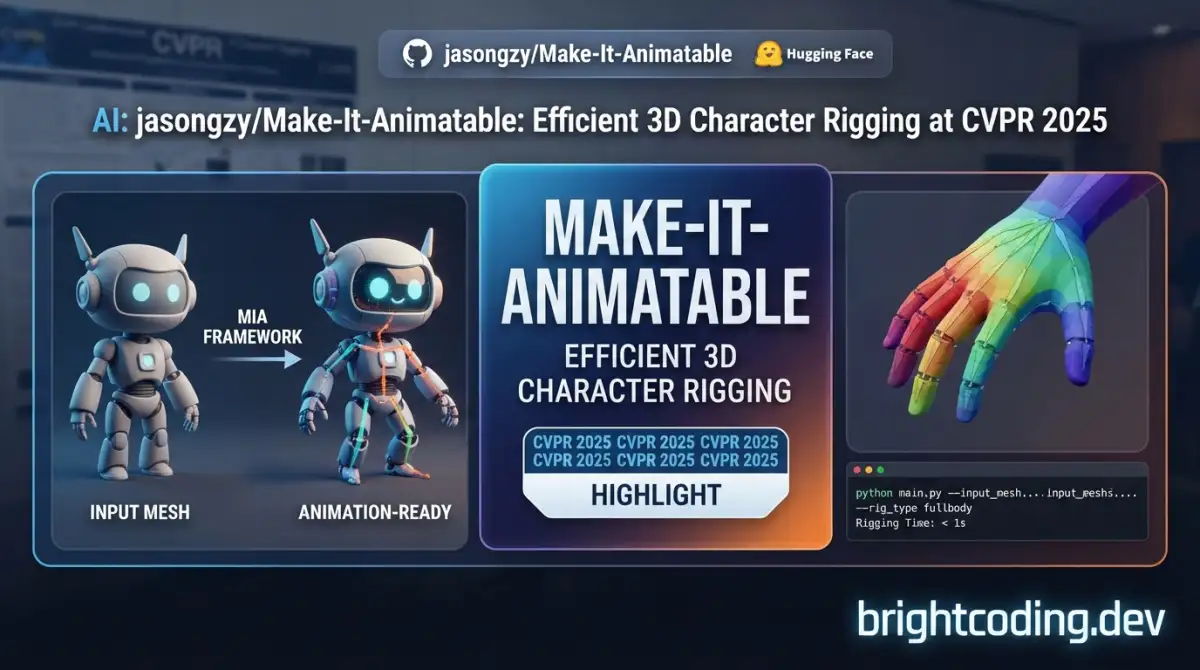
Creating animation-ready 3D characters traditionally demands painstaking manual rigging, bone weight painting, and pose setup—workflows that bottleneck game studios, AR/VR teams, and ML researchers alike. The gap between a raw 3D mesh and a character that can actually move remains one of computer graphics' persistent friction points. Make-It-Animatable, authored by Zhiyang Guo and colleagues and recognized as a CVPR 2025 Highlight, attacks this directly: an efficient, automated framework that predicts skeletal structures, blend weights, and poses from character geometry. With 424 GitHub stars, an MIT license, and both local and Hugging Face demo options, it's positioned as a practical tool rather than a paper-only artifact.
What is jasongzy/Make-It-Animatable?
Make-It-Animatable is a Python↗ Bright Coding Blog-based research implementation for automatically converting static 3D character meshes into fully rigged, animation-ready assets. Developed by researchers from USTC and CUHK (Zhiyang Guo, Jinxu Xiang, Kai Ma, Wengang Zhou, Houqiang Li, and Ran Zhang), it was published at CVPR 2025 as a Highlight paper—indicating strong reviewer consensus on its significance.
The framework sits at the intersection of computer vision, geometric deep learning, and computer graphics. Unlike traditional rigging pipelines that require artists to manually place bones and paint skin weights, Make-It-Animatable learns to predict: (1) the skeletal bone structure, (2) per-vertex blend weights, and (3) pose parameters—directly from the character's surface geometry. It uses a shape representation based on 3DShape2VecSet (balloon sampling) and trains separate models for weights, bones, and pose prediction for flexibility.
The repository (last updated 2025-05-19) is actively maintained, with 27 forks indicating early adoption beyond the core research group. The MIT license removes commercial friction. Notably, the authors provide both training code and a ready-to-run demo, which distinguishes it from many CVPR papers where code release lags or remains partial.
Key Features
Modular prediction architecture. The framework decomposes rigging into three separately trainable components: weight prediction (skinning), bone prediction (skeleton), and pose prediction (animation). This modularity lets users train components independently or jointly—controlled via --predict_* flags in train.sh.
Efficient data handling via online pairing. Rather than pre-generating all character-animation combinations (which would explode storage), Make-It-Animatable uses Blender's bpy API to pair characters with motion sequences on-the-fly during training. This trades compute for storage efficiency—a deliberate design choice documented in the README's expandable technical detail.
Improved rotation representation. The implementation diverges from the paper's dual-quaternion approach, substituting the ortho6d rotation representation (Zhou et al., CVPR 2019) combined with joint positions. This change, noted explicitly in "Differences to Paper," suggests active refinement post-publication based on training stability or accuracy.
Broad character topology support. Training incorporates the 3DBiCar Dataset (from the RaBit project, rigged via Mixamo) alongside standard Mixamo characters, improving generalization for non-standard proportions—think stylized characters with unusual head-body ratios that break typical rigging assumptions.
Multiple access modes. Users can run app.py locally, use the Hugging Face Spaces demo, or train from scratch with provided scripts and pretrained autoencoder weights.
Use Cases
Game asset pipeline acceleration. Indie studios and mid-size game teams can integrate Make-It-Animatable to auto-rig character batches from sculpting tools (ZBrush, Blender) or photogrammetry scans, reducing the bottleneck between modeling and animation departments.
AR/VR avatar generation. Social VR platforms and AR filter creators need rapid character turnaround. The framework's ability to handle varied proportions (via 3DBiCar training data) suits the stylized avatars common in consumer metaverse applications.
Research and education. CV/graphics researchers can use the training pipeline as a baseline for rigging prediction tasks, or study the ortho6d vs. dual-quaternion design choice. The modular architecture makes ablation studies straightforward.
Procedural content generation. Combined with text-to-3D or shape generation models, Make-It-Animatable closes the loop: generated meshes can become immediately animatable without manual intervention, enabling dynamic NPC populations or user-generated content systems.
Animation retargeting preprocessing. The online pairing system's Blender-based retargeting suggests utility as a preprocessing step for motion capture data, adapting mocap sequences to novel character skeletons automatically.
Installation & Setup
The README provides explicit setup commands. Reproduced here with step-by-step context:
1. Clone the repository (with submodules):
git clone https://github.com/jasongzy/Make-It-Animatable --recursive --single-branch
cd Make-It-Animatable
The --recursive flag pulls submodules; --single-branch minimizes download. The project structure depends on external datasets and tools referenced as submodules or external downloads.
2. Create Python environment:
conda create -n mia python=3.11
conda activate mia
pip install -r requirements.txt
Python 3.11 is specified—newer than many research codebases stuck on 3.8-3.9, suggesting active dependency maintenance.
3. Install Git LFS and fetch metadata:
git lfs install
GIT_LFS_SKIP_SMUDGE=1 git -C data clone https://huggingface.co/datasets/jasongzy/Mixamo
GIT_LFS_SKIP_SMUDGE=1 git clone https://huggingface.co/jasongzy/Make-It-Animatable /tmp/hf-data
GIT_LFS_SKIP_SMUDGE=1 downloads only LFS pointers, not actual data—critical for the multi-gigabyte datasets. The /tmp/hf-data clone is a temporary staging area for selective LFS pulls.
4. Pull required data subsets:
# Core data for both training and demo
git -C data/Mixamo lfs pull -I 'bones*.fbx,animation'

# Demo-specific: pretrained models
git -C /tmp/hf-data lfs pull -I output/best/new
mkdir -p output/best && cp -r /tmp/hf-data/output/best/new output/best/

# Demo-specific: example data
git -C /tmp/hf-data lfs pull -I data
cp -r /tmp/hf-data/data/* data/

# Demo tool: FBX to glTF converter
wget https://github.com/facebookincubator/FBX2glTF/releases/download/v0.9.7/FBX2glTF-linux-x64 -O util/FBX2glTF
chmod +x util/FBX2glTF
The selective -I (include) pattern in lfs pull is key—users download only what they need. The FBX2glTF binary enables format conversion for web visualization.
5. For training, additionally pull:
git -C data/Mixamo lfs pull -I 'bones*.fbx,animation,animation_extra,character_refined,character_rabit_refined'
The character_rabit_refined (note spelling) directory contains the 3DBiCar/RaBit characters for improved generalization.
Real Code Examples
Example 1: Launching the inference demo
python app.py
This single command starts the local demo after data and model setup. The app.py script presumably loads the pretrained output/best/new weights and exposes a UI—likely Gradio, given the Hugging Face Spaces integration. The simplicity masks significant preprocessing: the user must have completed all data preparation steps, including the LFS pulls and FBX2glTF setup.
Example 2: Training from scratch
bash train.sh
The train.sh script encapsulates the full training pipeline. Per the README's "Tips," this script trains models separately by default:
# Inside train.sh (conceptual structure based on README tips):
# Separate training (default):
# python train.py --predict_weights ...
# python train.py --predict_bones ...
# python train.py --predict_poses ...

# Joint training (modify train.sh):
# python train.py --predict_weights --predict_bones --predict_poses --share_decoder
The --predict_* flags control which rigging component to train. Joint training with shared decoder parameters is supported but not default, reflecting the authors' finding that separate training offers "flexibility and efficiency."
Example 3: VRAM-constrained training adjustment
# Modified train.sh for reduced GPU memory
python train.py \
  --batch_size [REDUCED] \
  --sample_frames [REDUCED] \
  # ... other args from train.sh
The README explicitly notes A100 80GB as the target hardware. For users with smaller GPUs—common outside well-funded labs—the two primary levers are --batch_size and --sample_frames (the number of animation frames sampled per training iteration). The authors don't specify minimum viable values, so this requires empirical tuning.
Example 4: Data preparation for Blender-free training (advanced)
The README describes—but doesn't fully script—an offline preprocessing alternative:
# Conceptual based on README's expandable technical section
# This would replace online bpy-based pairing with precomputed data

# 1. Iterate all character-animation pairs
# 2. Apply motion via bpy, optionally retarget
# 3. Sample frames, extract: blend weights, bone positions, poses
# 4. Sample surface points (balloon sampling from 3DShape2VecSet)
# 5. Save to disk (significant storage cost)
No explicit code is provided for this path; users must implement based on the described steps. The README is transparent about this trade-off: eliminate Blender dependency at substantial storage cost.
Advanced Usage & Best Practices
Hardware planning. The A100 80GB recommendation is firm for the default configuration. If you're on 24-48GB consumer GPUs (RTX 3090/4090, A6000), expect to reduce --batch_size to 1-2 and --sample_frames proportionally. Training time will increase; consider gradient accumulation to maintain effective batch size.
Blender dependency management. The online pairing requires a Blender installation with bpy accessible from Python. This is non-trivial: Blender's bundled Python often conflicts with conda environments. The authors' approach likely uses Blender's standalone Python or a carefully configured PYTHONPATH. For production pipelines, the offline preprocessing alternative—despite storage costs—may prove more reliable for distributed training.
Joint vs. separate training. The default separate training suits research and iteration: train weight prediction to convergence, then bones, then poses. Joint training with --share_decoder may improve final coherence but complicates debugging and requires careful learning rate balancing. Start separate; experiment with joint only after validating each component.
Dataset extension. The 3DBiCar inclusion demonstrates the framework's extensibility. For domain-specific applications (e.g., quadruped characters, mechanical rigs), curating additional training data and following the Mixamo dataset structure should be viable—though the README doesn't document this explicitly.
Comparison with Alternatives
| Tool/Approach | Approach | Strengths | Trade-offs vs. Make-It-Animatable |
|---|---|---|---|
| Manual rigging (Blender/Maya) | Artist-driven | Full control, industry standard | Labor-intensive, skill-dependent, not scalable |
| Auto-Rig Pro / Mixamo | Heuristic/rules-based | Fast, production-proven | Limited to humanoid topologies, no learning-based generalization |
| RaBit (Zhang et al.) | Learning-based | Handles unusual proportions | Paper-only or limited release; Make-It-Animatable explicitly builds on and extends this lineage |
| Make-It-Animatable | Neural prediction | Modular, research-backed, open-source | Requires GPU training for new domains; Blender dependency for full pipeline |
Make-It-Animatable occupies a distinct niche: more generalizable than Mixamo's humanoid heuristics, more accessible than prior research code (RaBit), and fully open-source unlike commercial alternatives. The CVPR Highlight recognition and active maintenance (May 2025 commit) suggest staying power absent from many academic releases.
FAQ
Q: What license covers Make-It-Animatable? A: MIT License—permissive for commercial and research use.
Q: Can I run this without an A100 GPU?
A: Yes, but you'll need to reduce --batch_size and --sample_frames in train.sh. The demo runs on consumer hardware.
Q: Is Blender mandatory? A: For training with online pairing, yes. The README describes an offline preprocessing alternative that eliminates this dependency at higher storage cost.
Q: What character formats are supported? A: The pipeline uses FBX for characters and animations, with glTF export via FBX2glTF for visualization.
Q: How does this differ from the published paper? A: Two documented changes: ortho6d replaces dual-quaternion for pose-to-rest transformations, and 3DBiCar data augments training for better proportion generalization.
Q: Is there a pretrained model available?
A: Yes, via Hugging Face—output/best/new for demo inference, and output/ae autoencoder weights for training from scratch.
Q: Can I contribute or report issues? A: The GitHub repository is the primary venue; 27 existing forks suggest an emerging community.
Conclusion
jasongzy/Make-It-Animatable delivers on a concrete, underserved need: transforming static 3D meshes into animation-ready characters without manual rigging. Its CVPR 2025 Highlight status, modular architecture, and pragmatic engineering choices (online pairing, ortho6d upgrade, Mixamo+3DBiCar training) distinguish it from both commercial auto-rigging tools and research-only code drops.
It's best suited for: graphics researchers extending rigging prediction, technical artists in studios with custom character pipelines, and ML engineers building generative content systems. The Blender dependency and GPU requirements are real constraints—not blockers, but factors requiring infrastructure planning.
For a hands-on evaluation, start with the Hugging Face demo, then clone the repository at https://github.com/jasongzy/Make-It-Animatable for local experimentation or training on your own character datasets.
For related reading on neural geometry processing, see [INTERNAL_LINK: 3D deep learning frameworks] or [INTERNAL_LINK: computer vision conference highlights].


