
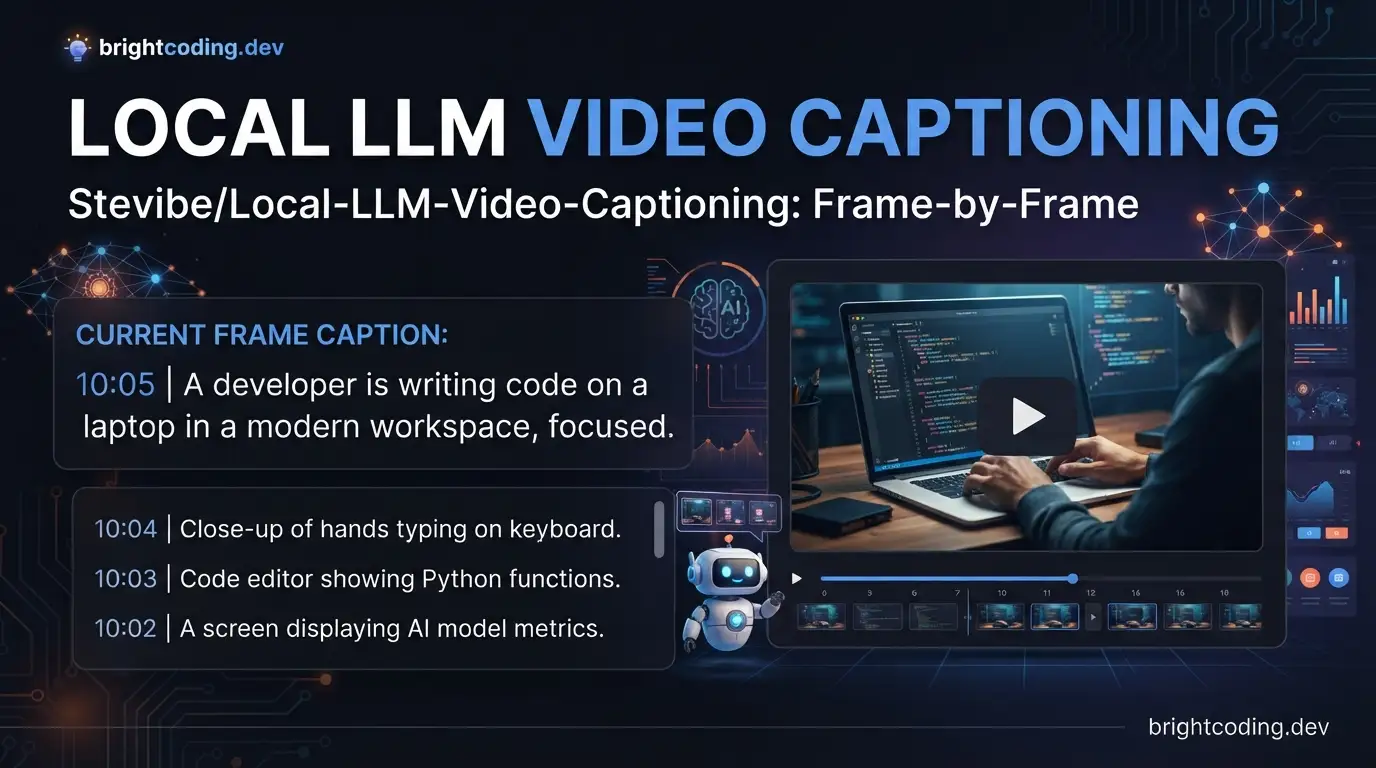
Video understanding at scale typically means shipping frames to cloud APIs—latency, costs, and data governance concerns pile up fast. For developers working on Apple Silicon, running vision-language models locally has become increasingly viable thanks to Apple's MLX framework. stevibe/local-llm-video-captioning addresses this directly: a fully local pipeline that captures video frames in-browser, streams them through a lightweight Node proxy, and generates captions via mlx-vlm without ever leaving your machine.
This article walks through what the project delivers, how it fits together technically, and exactly how to run it. If you're exploring on-device ML for video workflows, stevibe/local-llm-video-captioning offers a concrete, hackable starting point.
What is stevibe/local-llm-video-captioning?
stevibe/local-llm-video-captioning is an open-source demo project (162 GitHub stars, 23 forks, MIT License) that implements frame-by-frame video captioning using entirely local infrastructure. Maintained by stevibe, it targets developers who want to experiment with vision-language inference on Apple Silicon Macs without cloud dependencies.
The project sits at the intersection of three active technical domains: browser-based media processing, local LLM inference, and Apple's MLX ecosystem. Its architecture is deliberately simple—a React↗ Bright Coding Blog frontend, an Express API layer, and a Python↗ Bright Coding Blog mlx_vlm.server backend—making it approachable for modification rather than a black-box solution.
The timing is relevant. MLX, Apple's machine learning framework optimized for M-series chips, has matured significantly for vision tasks. Meanwhile, browser APIs for video frame extraction are now robust enough to feed real-time inference pipelines. This project demonstrates both capabilities working in concert, with the explicit constraint that the Python backend requires Apple Silicon. The JavaScript↗ Bright Coding Blog components (UI and API) are platform-agnostic, but the inference path is not.
Notably, the project uses mlx-vlm rather than mlx-lm. The distinction matters: mlx-lm handles text-only models, while mlx-vlm supports vision-language architectures capable of processing image inputs. Since video captioning requires analyzing visual frames, the vision stack is non-negotiable.
Key Features
Browser-native video frame capture. The React UI handles video selection, playback, and frame extraction without external dependencies. Frames are sent to the backend as images for caption generation, with transcripts updating in real time as the video plays.
Streaming response architecture. The Express proxy doesn't buffer complete responses. It streams tokens from mlx_vlm.server back to the browser, giving users immediate feedback per frame rather than waiting for full caption completion.
Apple Silicon-optimized inference. The backend leverages MLX's unified memory model on M-series chips, avoiding the CPU-GPU transfer bottlenecks common in other local inference setups. Model execution stays on the Neural Engine and GPU cores available on Apple Silicon.
Warm-up orchestration. A helper script (start-mlx-server.sh) handles model loading and sends an initial warm-up request before marking the backend ready. This prevents the first real frame from stalling while weights load into memory—a practical touch for interactive use.
Configurable model selection. The default uses mlx-community/Qwen3.5-0.8B-MLX-8bit, but MLX_MODEL_ID accepts any compatible MLX vision model. Token limits, timeouts, and base URLs are all environment-driven without code changes.
Python dependency management with uv. The project uses Astral's uv for environment sync and locking, with dependencies declared in pyproject.toml. This is faster than pip and avoids the drift common in requirements.txt-based projects.
Use Cases
Accessibility tooling prototyping. Developers building video accessibility features can test automatic description generation locally before integrating with production captioning services. The frame-by-frame approach matches how many accessibility standards segment video content.
Content moderation and filtering. For applications needing to flag or categorize video content without sending sensitive media to third-party APIs, this pipeline keeps all visual data on-device. The 8-bit quantized default model runs efficiently enough for moderate-volume screening.
ML pipeline experimentation. Researchers and engineers working on video understanding can swap the default Qwen model for other MLX vision architectures, using the existing React/Express scaffolding to iterate on inference strategies without rebuilding UI components.
Offline media indexing. Archivists or content managers with large local video libraries can generate searchable text descriptions without internet connectivity after initial model download. The streaming architecture keeps memory usage bounded even for long videos.
Educational ML demos. The clear separation between UI, API, and inference layers makes this project instructive for teaching how modern ML applications compose across languages and runtimes.
Installation & Setup
The setup has four sequential phases: JavaScript dependencies, Python environment, configuration, and service startup.
1. Install JavaScript dependencies
npm install
This installs the React frontend and Express proxy packages.
2. Sync the Python environment with uv
uv sync --python 3.11
The Python dependency is tracked in pyproject.toml and locked with uv. mlx-vlm requires Python >= 3.10. The torch extra is included because the Qwen 3.5 processor stack needs torch and torchvision. If you don't have uv:
curl -LsSf https://astral.sh/uv/install.sh | sh
After dependency changes, use uv add ... and commit the updated uv.lock.
3. Configure environment variables
cp .env.example .env
Defaults set in .env:
| Variable | Default | Purpose |
|---|---|---|
API_PORT |
8787 |
Node proxy port |
MLX_VLM_BASE_URL |
http://127.0.0.1:8081 |
MLX server endpoint |
MLX_MODEL_ID |
mlx-community/Qwen3.5-0.8B-MLX-8bit |
Model identifier |
MLX_MAX_TOKENS |
180 |
Per-frame token limit |
Optional warm-up tuning variables are also available: MLX_WARMUP_TIMEOUT_SECONDS, MLX_WARMUP_MAX_TOKENS, MLX_WARMUP_TIMEOUT_MS.
4. Start the MLX backend
./scripts/start-mlx-server.sh
Or manually:
uv run -m mlx_vlm.server --port 8081
The helper script waits for health, sends a warm-up request, and signals readiness. Manual startup skips warm-up, so the first frame may lag while the model loads.
5. Start the application
Separate terminals:
npm run api    # Express proxy
npm run dev    # React dev server
Or combined:
npm run dev:all
Real Code Examples
The README provides the core commands needed to operate the system. Below are the key snippets with context.
Environment setup and Python dependency sync
# Copy environment template
cp .env.example .env

# Install and lock Python dependencies with uv
uv sync --python 3.11
The uv sync command reads pyproject.toml and reproduces the exact locked environment from uv.lock. Specifying --python 3.11 ensures compatibility with mlx-vlm's >= 3.10 requirement while avoiding potential issues with newer Python versions that may lack full MLX support.
Starting the MLX vision server with warm-up
# Recommended: use the helper script for automatic warm-up
./scripts/start-mlx-server.sh

# Alternative: manual startup (no warm-up)
uv run -m mlx_vlm.server --port 8081
The helper script performs two operations the manual command doesn't: it polls for server health and dispatches a small inference request to trigger model weight loading. This is significant because mlx_vlm.server downloads model files from Hugging Face on first use, and the initial compilation for MLX can take tens of seconds. Without warm-up, the first user frame experiences this delay directly.
Running the full application stack
# Start both frontend and backend concurrently
npm run dev:all
This convenience script launches the Express proxy and Vite-based React dev server together. The frontend communicates with the proxy at API_PORT (default 8787), which forwards frame description requests to mlx_vlm.server and streams tokens back via Server-Sent Events or similar streaming transport.
Note: The README does not contain additional code examples beyond these operational commands. The project is intentionally a demo rather than a library, so integration code would be written by users adapting the Express proxy routes for their own pipelines.
Advanced Usage & Best Practices
Model swapping for quality vs. speed trade-offs. The default Qwen3.5-0.5B-MLX-8bit prioritizes speed and memory efficiency. For higher-quality captions, substitute larger MLX vision models via MLX_MODEL_ID, monitoring memory usage—MLX's unified memory means system RAM and GPU memory are shared, so aggressive model choices can pressure overall system performance.
Warm-up tuning for your hardware. The default warm-up parameters assume typical M-series configurations. On base-model Macs with less unified memory, increasing MLX_WARMUP_TIMEOUT_SECONDS prevents premature timeout errors during initial model loading.
Frame rate control in the frontend. The README doesn't specify frame sampling strategy, but the architecture implies frame capture is playback-driven. For production adaptation, consider implementing fixed-interval sampling (e.g., 1 FPS) rather than every rendered frame to reduce inference load and cost.
Containerization limitations. The Apple Silicon requirement for the Python backend means Docker↗ Bright Coding Blog deployment is constrained to ARM-based hosts or emulation. The JavaScript components containerize standardly, but plan infrastructure accordingly if distributing beyond local development.
Security boundaries. The Express proxy runs locally and lacks authentication in the default configuration. Before network exposure, add appropriate middleware—the current design assumes localhost-only operation.
Comparison with Alternatives
| Tool | Architecture | Platform | Key Difference |
|---|---|---|---|
| stevibe/local-llm-video-captioning | React + Express + MLX | Apple Silicon only | Fully local, streaming, hackable demo |
| Ollama + vision models | CLI/API server + various UIs | Cross-platform (CPU/GPU) | Broader hardware support, less video-specific integration |
| OpenAI GPT-4V API | Cloud API | Any (networked) | Higher capability, ongoing costs, data leaves device |
Ollama offers similar local inference goals but targets general model serving rather than video-specific workflows. Its vision support is newer and less optimized for Apple's Neural Engine than MLX-native implementations. GPT-4V and cloud alternatives eliminate hardware constraints and typically deliver superior caption quality, but violate the local-data premise that motivates this project's architecture.
The trade-off is explicit: stevibe/local-llm-video-captioning sacrifices hardware flexibility and peak model capability for privacy, zero ongoing cost, and direct control over the inference pipeline.
FAQ
Can I run this on Intel Macs or Linux?
No. The mlx-vlm backend requires Apple Silicon. The JavaScript components run anywhere, but inference won't execute.
What model sizes work? The default is 0.5B parameters at 8-bit. Larger MLX vision models load if they fit in unified memory, but performance degrades on base M-series chips.
Does it support real-time streaming video? The README describes local file playback with frame capture, not live camera or network streams. Adaptation would require frontend changes.
How long does first startup take? Initial model download from Hugging Face varies by connection; subsequent starts use cached weights. The warm-up script masks this for interactive use.
Is the MIT license permissive for commercial use? Yes. MIT allows commercial use, modification, and distribution with attribution. See LICENSE file for full terms.
Can I use a different vision framework than mlx-vlm?
The Express proxy expects mlx_vlm.server's API shape. Swapping frameworks requires modifying the proxy's request formatting.
Why does the Qwen processor need torch? The vision preprocessing pipeline in Qwen's architecture uses PyTorch operations for image tensor preparation, even though MLX handles actual inference.
Conclusion
stevibe/local-llm-video-captioning delivers exactly what it promises: a working, local-only pipeline for frame-by-frame video captioning on Apple Silicon. It won't replace cloud APIs for production workloads requiring broad hardware support or maximum accuracy, but it excels as a privacy-preserving prototype and educational reference.
The project is best suited for: ML engineers exploring MLX capabilities, developers prototyping accessibility tools, and teams with strict data-locality requirements who can accept Apple Silicon infrastructure constraints.
The 162-star adoption reflects its niche but genuine utility—this is a demo done well, with clean separation of concerns and practical touches like warm-up orchestration that show real-world awareness.
Ready to run it yourself? Clone the repository and follow the setup above: https://github.com/stevibe/local-llm-video-captioning
For broader context on local LLM deployment strategies, see our coverage of [INTERNAL_LINK: MLX framework ecosystem tools].


