
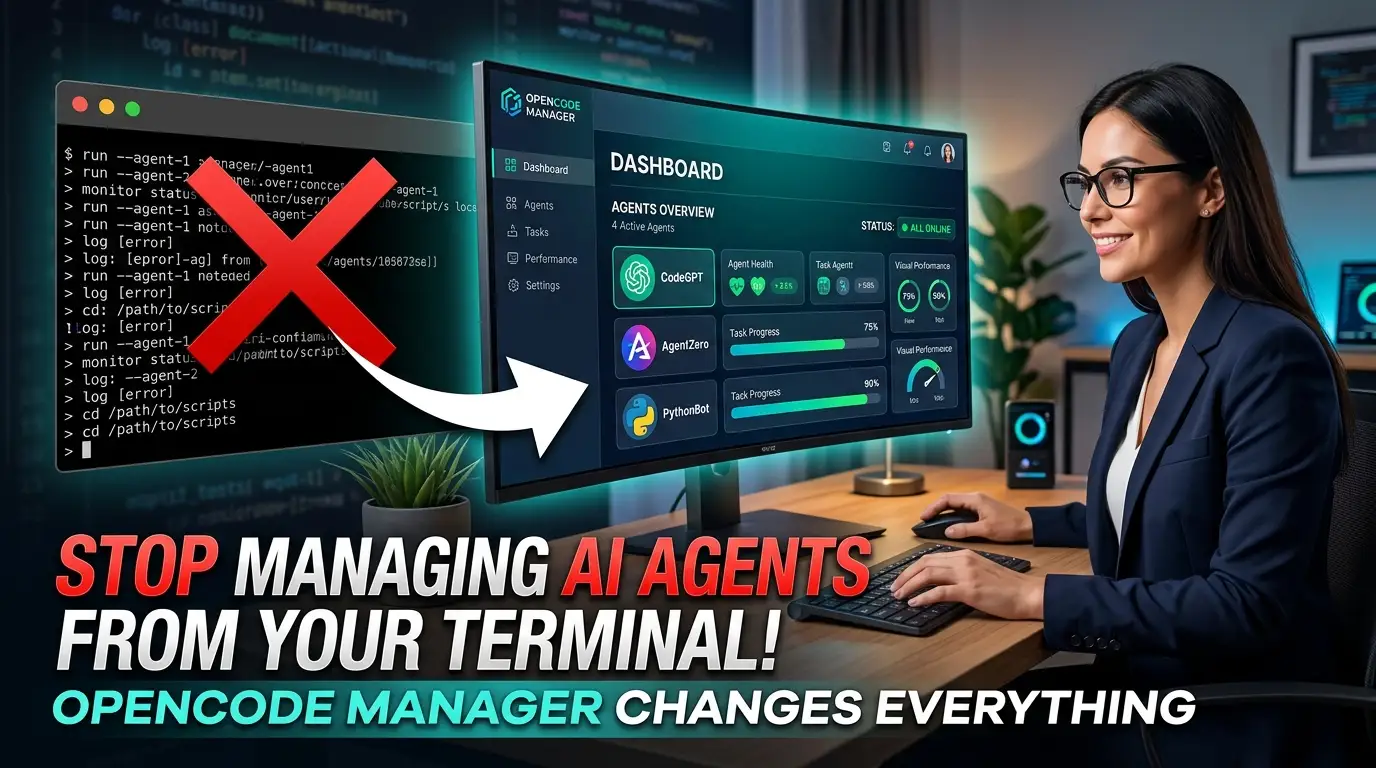
Stop Managing AI Agents From Your Terminal! OpenCode Manager Changes Everything
Here's a frustrating truth nobody warned you about: AI coding agents are incredible, but managing them feels like a part-time job. You're SSH-ing into servers at 2 AM, squinting at terminal output on your phone, desperately trying to check if your automated code review finished. Your AI agent is supposedly "working for you," yet you're the one doing all the logistical heavy lifting.
What if you could control multiple AI agents from your phone while commuting? Review Git diffs on your tablet at a coffee shop? Deploy new agent configurations without touching a terminal? This isn't science fiction—it's exactly what OpenCode Manager delivers today.
Built by developer ChrisWritesCode, this open-source project is rapidly becoming the secret weapon for developers who refuse to be chained to their desktops. It's a mobile-first Progressive Web App (PWA) that transforms how you interact with OpenCode AI agents. And the best part? You can deploy it in under 60 seconds with Docker↗ Bright Coding Blog.
Ready to reclaim your freedom? Let's dive into why top developers are quietly switching to OpenCode Manager—and why your terminal-only workflow is already obsolete.
What Is OpenCode Manager?
OpenCode Manager is a mobile-first web interface for OpenCode AI agents, designed from the ground up to solve a critical gap in the AI coding ecosystem. While OpenCode agents themselves are powerful autonomous coding assistants, they traditionally require terminal-based management or desktop-bound interfaces. OpenCode Manager shatters this limitation.
Created by chriswritescode-dev, this open-source project (MIT licensed) provides a responsive Progressive Web App that lets you manage, control, and collaborate with multiple OpenCode agents from literally any device—your phone, tablet, laptop, or desktop. The project has gained significant traction in the developer community, with its GitHub repository actively welcoming contributions.
What makes OpenCode Manager genuinely disruptive is its architectural philosophy. Instead of bolting mobile support onto an existing desktop application, every design decision prioritizes touch interfaces, smaller screens, and on-the-go workflows. The result? An experience that feels native on your phone without sacrificing power on larger displays.
The project is built as a pnpm workspace with three TypeScript packages: a Bun-powered backend API, a React↗ Bright Coding Blog-based frontend, and shared schemas for type safety. This modern stack ensures performance, maintainability, and developer experience that matches the cutting-edge nature of the AI agents it manages.
With features spanning Git integration, real-time chat, file management, scheduling, and audio interfaces, OpenCode Manager isn't just a wrapper—it's a comprehensive command center for AI-assisted development that happens to fit in your pocket.
Key Features That Will Blow Your Mind
OpenCode Manager packs capabilities that seem almost excessive until you realize how seamlessly they integrate into real workflows. Here's what separates it from makeshift alternatives:
Repositories & Git Mastery
Multi-repo management with local repository discovery, SSH authentication support, Git worktrees for parallel development, unified diff viewing, and full branch/commit management. You can review AI-generated changes, commit them, and push—all from your phone during a lunch break.
Real-Time Chat with Superpowers
The chat interface uses Server-Sent Events (SSE) for true streaming responses, not clunky polling. Slash commands provide quick actions, @file mentions let you reference specific files in conversations, and Plan/Build modes help structure complex multi-step agent tasks. Even Mermaid diagrams render inline for visualizing architectures.
File System Control
A directory browser with tree view navigation, syntax highlighting for code review, and full CRUD operations—create, rename, delete files, plus ZIP downloads for offline analysis. Your agent's workspace is never a black box.
Scheduled Automation
Recurring repository jobs with reusable prompts, complete run history, linked chat sessions for context, and markdown↗ Smart Converter-rendered output. Imagine scheduling daily code reviews or weekly dependency updates that you can check from anywhere.
AI Configuration Hub
Model and provider configuration, OAuth integration for Anthropic and GitHub Copilot, custom agent definitions, and OpenCode server supervision with proxying capabilities. You're not locked into defaults—you're the orchestrator.
Audio Interface
Both text-to-speech and speech-to-text support, using browser APIs and OpenAI-compatible endpoints. Dictate prompts while walking, or have responses read aloud during commutes.
True PWA Experience
Responsive design, mobile-first navigation patterns, and push notification support. Install it to your home screen; it feels like a native app without app store gatekeepers.
Real-World Use Cases Where OpenCode Manager Dominates
Let's move beyond feature lists to concrete scenarios where this tool transforms your workflow:
The Commuting Architect
You're a tech lead reviewing AI-generated microservice implementations. Previously, you'd queue these for your desktop time. Now, you pull up OpenCode Manager on your tablet during your train commute, review unified diffs, add comments via chat, and approve merges—all before reaching the office.
The On-Call Developer
Production incident at 11 PM? Your AI agent can investigate, but you need visibility. From your phone, you check the agent's progress via real-time chat, browse affected files, review proposed fixes, and trigger Git commits. No laptop required for critical oversight.
The Distributed Team Lead
Managing AI agents across multiple repositories for different team members? OpenCode Manager's multi-repo dashboard gives you centralized visibility. Schedule automated code quality checks, review outputs from each project, and maintain governance without context-switching between SSH sessions.
The Voice-First Coder
You have repetitive strain injury or simply prefer hands-free operation. Using speech-to-text, you dictate complex prompts to your AI agent while pacing your office. The response streams in real-time; text-to-speech reads critical sections aloud. True multimodal AI interaction.
The Automation Scheduler
Set up nightly jobs where your AI agent reviews dependency updates, generates summary reports, and commits findings. Each morning, push notifications alert you to completed schedules. Review markdown-rendered output on your phone over coffee, approve or refine via chat.
Step-by-Step Installation & Setup Guide
Getting OpenCode Manager running is deliberately simple. Here's the complete process:
Docker Deployment (Recommended)
The fastest path to production-ready deployment:
# Clone the repository
git clone https://github.com/chriswritescode-dev/opencode-manager.git

# Enter the project directory
cd opencode-manager

# Copy environment template
cp .env.example .env

# Generate secure authentication secret
echo "AUTH_SECRET=$(openssl rand -base64 32)" >> .env

# Launch with Docker Compose
docker-compose up -d

# Access at http://localhost:5003
On first launch, the interface prompts you to create an admin account. That's genuinely it for basic setup.
Environment Configuration
For production deployments, customize your .env:
# Required: Secure random secret for authentication
AUTH_SECRET=your-secure-random-secret  # Generate with: openssl rand -base64 32

# Optional: Pre-configured admin account
ADMIN_EMAIL=admin@example.com
ADMIN_PASSWORD=your-secure-password

# For LAN or remote access
AUTH_TRUSTED_ORIGINS=http://localhost:5003,https://yourl33tdomain.com
AUTH_SECURE_COOKIES=false  # CRITICAL: Set to true when using HTTPS
The AUTH_TRUSTED_ORIGINS is essential for cross-device access—without it, your phone can't authenticate against a LAN-hosted instance.
Local Development Setup
For contributors or customizers:
# Install pnpm if needed
npm install -g pnpm

# Install workspace dependencies
pnpm install

# Start development servers
pnpm dev

# Quality checks
pnpm lint
pnpm typecheck
pnpm test
The workspace automatically coordinates the shared, backend, and frontend packages.
Advanced Configuration
For OAuth providers (Anthropic, GitHub Copilot), Passkeys, Push Notifications via VAPID keys, and detailed tuning, consult the Configuration Guide.
REAL Code Examples from the Repository
Let's examine actual implementation patterns from OpenCode Manager's codebase and documentation:
1. Docker Compose Quick Start
The repository's recommended deployment uses this streamlined approach:
git clone https://github.com/chriswritescode-dev/opencode-manager.git
cd opencode-manager
cp .env.example .env
echo "AUTH_SECRET=$(openssl rand -base64 32)" >> .env
docker-compose up -d
# Open http://localhost:5003
What's happening here? The openssl rand -base64 32 generates a 256-bit cryptographically secure random secret. This feeds into Better Auth for session management. Docker Compose orchestrates the Bun backend, React frontend build, and SQLite database initialization. The -d flag detaches containers to run in background. On first HTTP request, the application detects no admin exists and redirects to setup.
2. Workspace Development Commands
The pnpm workspace configuration enables unified command execution:
pnpm install    # Installs dependencies across all workspace packages
pnpm dev        # Starts concurrent development servers
pnpm lint       # Runs ESLint across TypeScript packages
pnpm typecheck  # Validates types using tsc --noEmit
pnpm test       # Executes test suites
Architecture insight: The shared/ package contains Zod schemas consumed by both backend/ and frontend/. This ensures runtime validation matches TypeScript types—API contracts stay synchronized without manual maintenance. The pnpm dev command likely uses concurrently or similar to launch the Bun API server and Vite dev server simultaneously.
3. Production Environment Configuration
# Required for production
AUTH_SECRET=your-secure-random-secret  # Generate with: openssl rand -base64 32

# Pre-configured admin (optional)
ADMIN_EMAIL=admin@example.com
ADMIN_PASSWORD=your-secure-password

# For LAN/remote access
AUTH_TRUSTED_ORIGINS=http://localhost:5003,https://yourl33tdomain.com
AUTH_SECURE_COOKIES=false  # Set to true when using HTTPS
Security breakdown: AUTH_SECRET signs JWTs and encrypts session cookies—compromise equals full authentication bypass. AUTH_TRUSTED_ORIGINS prevents CSRF by validating the Origin header; omit your domain and authentication fails silently. AUTH_SECURE_COOKIES=false allows HTTP development but must be true production-wide—otherwise cookies transmit unencrypted, enabling session hijacking on networks you don't control.
4. Backend Technology Stack
From the architecture documentation, the backend leverages:
backend/ — Bun + Hono API server with Better Auth, SQLite migrations,
           OpenCode process management, SSE, schedules, and push notifications
Technical significance: Bun provides 3x faster startup than Node.js and native TypeScript execution. Hono is an ultralight Edge-compatible web framework—faster than Express with modern middleware patterns. Better Auth offers type-safe authentication without the complexity of Auth0 or Firebase. SQLite keeps deployment simple (single file, zero external database), while migrations ensure schema evolution. The SSE implementation enables true server-push for chat streaming without WebSocket connection overhead.
5. Frontend Architecture
frontend/ — React + Vite SPA using React Router, TanStack Query,
            Radix UI/Tailwind, service worker support, and mobile-first navigation
Performance implications: Vite's native ESM dev server and Rollup production builds eliminate bundler overhead. TanStack Query (formerly React Query) provides intelligent caching, background refetching, and optimistic updates—critical for responsive mobile experiences on variable connections. Radix UI primitives ensure accessible, unstyled components that work with Tailwind's utility-first CSS. The service worker enables true PWA capabilities: offline functionality, background sync, and push notification reception even when the browser isn't active.
Advanced Usage & Best Practices
Ready to extract maximum value? These pro strategies separate power users from casual adopters:
Git Worktree Mastery
Combine OpenCode Manager's worktree support with scheduled jobs. Maintain multiple feature branch contexts simultaneously—your AI agent can work on a bugfix in one worktree while you review a feature branch in another, all visible in the unified interface.
OAuth Provider Chaining
Configure both Anthropic and GitHub Copilot OAuth. Different agents can use different providers based on task type—Claude for architectural reasoning, Copilot for implementation details. Switch contexts without credential management headaches.
Notification Strategy
Enable VAPID push notifications for schedule completions, but configure granularly. Critical production jobs alert immediately; routine code reviews batch into digest windows. Prevent notification fatigue that leads to disabling the feature entirely.
Mobile-Optimized Prompts
Use @file mentions aggressively in mobile chat. Typing long paths on phones is error-prone; the mention autocomplete prevents mistakes. Combine with speech-to-text for rapid prompt construction without keyboard frustration.
Backup Your SQLite Database
The single-file SQLite database simplifies backup—just copy the file. Schedule automated backups before major agent operations. The simplicity is a feature until corruption strikes; cp database.sqlite backup-$(date +%Y%m%d).sqlite in a cron job suffices.
Comparison with Alternatives
| Feature | OpenCode Manager | Terminal-Only OpenCode | Generic Cloud IDEs | Mobile SSH Clients |
|---|---|---|---|---|
| Mobile-First Design | ✅ Native | ❌ Impossible | ⚠️ Afterthought | ❌ Terminal emulation |
| Git Integration | ✅ Deep (worktrees, diffs) | ✅ Full | ⚠️ Varies | ❌ Manual commands |
| Real-Time Chat | ✅ SSE streaming | ✅ Terminal output | ❌ Not built-in | ❌ None |
| PWA Install | ✅ Home screen app | ❌ N/A | ⚠️ Some | ❌ N/A |
| Push Notifications | ✅ Native | ❌ N/A | ❌ Rare | ❌ N/A |
| Self-Hosted | ✅ Docker in 60s | ✅ Always | ❌ SaaS dependency | ✅ SSH required |
| Multi-Agent Dashboard | ✅ Unified | ❌ Per-session | ❌ Single environment | ❌ Per-connection |
| Audio Interface | ✅ TTS/STT | ❌ None | ❌ None | ❌ None |
| Scheduling | ✅ Built-in cron-like | ❌ External cron | ❌ Not typical | ❌ N/A |
| Zero Cloud Dependency | ✅ Fully local | ✅ Fully local | ❌ Cloud required | ⚠️ SSH gateway needed |
The verdict: Terminal purists keep their workflow but sacrifice mobility. Cloud IDEs offer some remote access but lock you into their infrastructure and lack AI agent specificity. Mobile SSH clients technically enable remote access but provide atrocious user experience for modern development workflows. OpenCode Manager uniquely combines local control, mobile optimization, and AI agent specialization without forcing compromises.
Frequently Asked Questions
Is OpenCode Manager free to use?
Yes, completely. Released under MIT license, you can use, modify, and distribute without cost. The only potential expense is your own hosting infrastructure.
Can I access it from outside my home network?
Absolutely. Configure AUTH_TRUSTED_ORIGINS with your domain, enable HTTPS with AUTH_SECURE_COOKIES=true, and deploy behind a reverse proxy. The authentication system is designed for secure remote access.
Does it work without Docker?
Yes, though Docker is recommended for simplicity. The development setup uses pnpm workspaces directly. You'll need Bun, Node.js, and pnpm installed locally.
Which AI models does it support?
OpenCode Manager interfaces with OpenCode agents, which support multiple providers including Anthropic (Claude), OpenAI (GPT), and local models via Ollama. The manager itself is provider-agnostic—it configures whatever your OpenCode server exposes.
How secure is the mobile access?
Security layers include: cryptographically random AUTH_SECRET, origin-validated authentication, secure cookie flags for HTTPS, optional Passkeys for passwordless auth, and complete self-hosting keeping data on your infrastructure. No third-party cloud processes your code or conversations.
Can multiple developers share one instance?
The admin account creation suggests single-tenant design currently. For team usage, deploy separate instances per developer or investigate if Better Auth's multi-user features are configured in your deployment.
What happens if my phone loses connection?
As a PWA with service worker support, the interface caches assets for offline loading. Active SSE connections reconnect automatically. Scheduled jobs continue server-side regardless of your device status.
Conclusion: Your AI Agents Deserve Better Than Terminal Chains
Let's be direct: AI coding agents represent a paradigm shift in software development, but management interfaces haven't kept pace. Clinging to terminal-only workflows artificially constrains when, where, and how effectively you can leverage these powerful tools.
OpenCode Manager solves this with elegant simplicity. It's not trying to replace your IDE or dumbing down agent capabilities—it's extending your control surface to every device you own, without sacrificing security or functionality. The Docker deployment genuinely takes seconds. The PWA installation feels like a native app. The Git integration handles real development workflows, not toy examples.
For developers who value freedom of movement, rapid context switching, and uninterrupted workflow continuity, this tool is becoming essential infrastructure. The mobile-first philosophy isn't marketing fluff—it's a genuine productivity multiplier when your best ideas strike away from your desk.
Your next step is simple: Clone the repository, run that Docker command, and experience agent management that finally matches the sophistication of the agents themselves. The future of AI-assisted development isn't chained to a desktop—and neither are you.
👉 Get OpenCode Manager on GitHub — Star the repo, deploy in 60 seconds, and join the developers who've already escaped terminal tyranny.
Found this guide valuable? Share it with developers still struggling with SSH from their phones. They'll thank you.


