
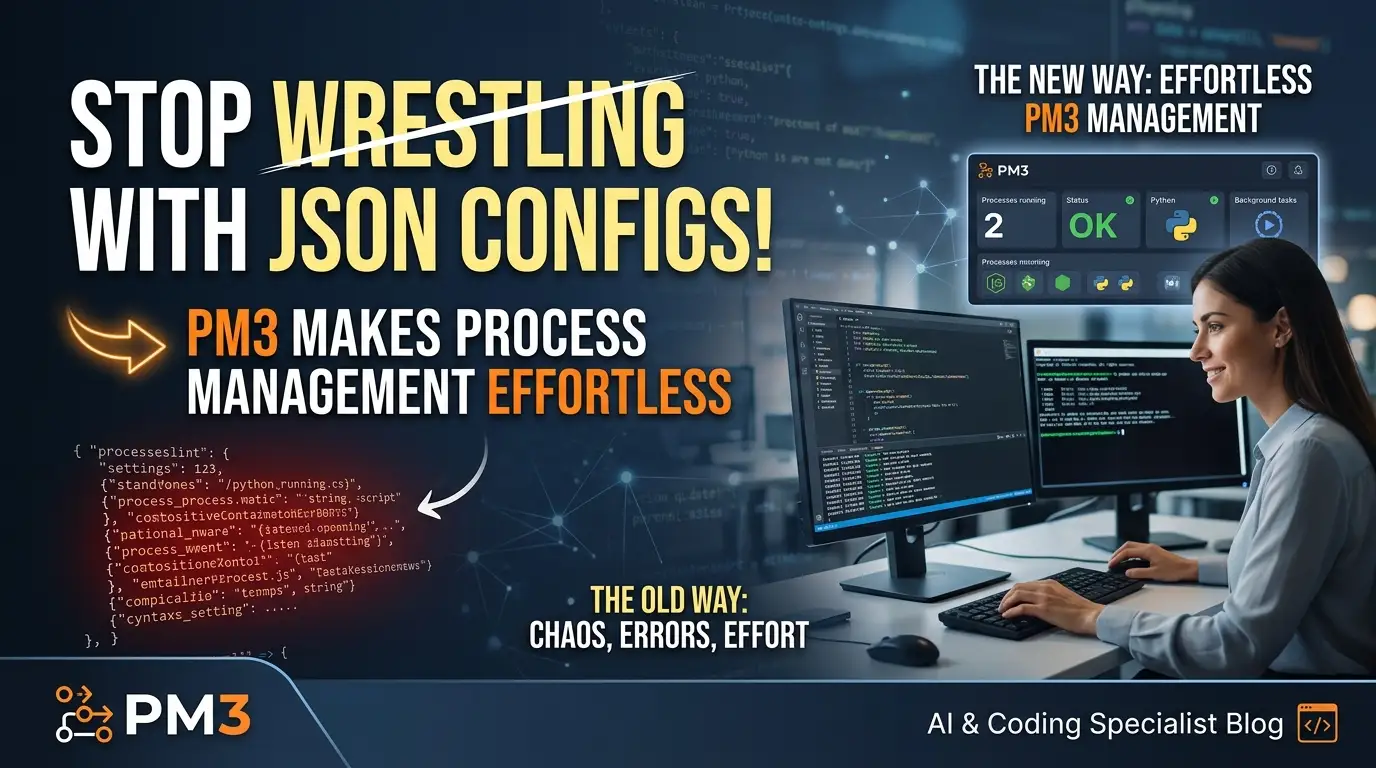
Stop Wrestling with JSON Configs! pm3 Makes Process Management Effortless
What if I told you that the most painful part of deploying applications isn't the code—it's the configuration? You've been there. Staring at a 500-line docker↗ Bright Coding Blog-compose.yml, debugging a misaligned brace in a JSON config, or watching PM2 silently fail because someone forgot a trailing comma. The frustration is real. The hours lost are uncountable. And the worst part? It doesn't have to be this way.
Enter pm3, the process manager that's making developers abandon their old tools in droves. Built by frectonz and designed with developer sanity as its north star, pm3 replaces configuration nightmares with human-readable TOML, zero-downtime deployments, and a feature set that rivals enterprise orchestrators—without the enterprise complexity.
In this deep dive, I'll expose why pm3 is secretly becoming the weapon of choice for developers who refuse to compromise. Whether you're managing a single Node.js server or a complex microservices architecture, this tool might just transform how you think about process management forever.
What is pm3? The Process Manager That Finally Gets It
pm3 is a modern, lightweight process manager that lets you define, control, and monitor application processes through clean, intuitive TOML configuration files. Created by developer frectonz and released under the MIT license, pm3 represents a deliberate departure from the configuration complexity that plagues existing solutions.
The project emerged from a simple observation: developers spend more time fighting their tools than using them. While PM2 has dominated the Node.js ecosystem for years, its JSON-based configuration and sprawling feature set have become baggage. Docker Compose solved container orchestration but introduced its own YAML verbosity. Systemd is powerful but requires Linux expertise most developers don't have time to acquire.
pm3 occupies a sweet spot—simpler than Kubernetes, more capable than bare nohup, and infinitely more pleasant than wrestling with JSON syntax errors at 2 AM.
What makes pm3 genuinely exciting is its opinionated minimalism. Every feature exists because it solves a real problem, not because it checks a marketing box. The TOML configuration format eliminates an entire category of errors (goodbye, trailing commas!). The automatic daemon management means you spend zero cycles on infrastructure plumbing. And the built-in TUI (Terminal User Interface) gives you visual process monitoring without installing separate dashboards.
The project is gaining traction precisely because it respects the developer's time. In an era where "platform engineering" often means "more YAML," pm3 is a rebellious return to simplicity without sacrificing power.
Key Features: Why pm3 Punches Above Its Weight
Let's dissect what makes pm3 technically compelling. This isn't surface-level marketing—these are the capabilities that separate toy tools from production-grade solutions.
TOML-First Configuration
Unlike JSON's rigid structure or YAML's whitespace sensitivity, TOML reads like intent. Arrays are explicit. Tables are clear. Comments are native. The result? Configurations that future-you can actually understand without a parser.
Zero-Downtime Reloads
The pm3 reload command performs graceful restarts using configurable health checks. Define an HTTP endpoint or TCP port, and pm3 ensures your new process is healthy before terminating the old one. This is the feature that separates amateur deployments from professional operations.
Intelligent Process Dependencies
The depends_on field ensures your database starts before your API, your cache before your workers. No more race conditions. No more sleep 5 hacks in startup scripts.
Built-in Cluster Mode
Spawn multiple instances with instances = N. Each gets unique PM3_INSTANCE_ID and PM3_INSTANCE_COUNT environment variables. Load balancing becomes trivial. Horizontal scaling becomes a single line.
File Watching with Debouncing
Development workflows get first-class support. Watch specific paths, ignore node_modules and .git, and configure debounce timing. Auto-restart on code changes without the CPU-burning polling of lesser tools.
Resource-Based Lifecycle Management
Set max_memory limits with human-readable units (512M, 2G). Configure kill_signal and kill_timeout for graceful shutdowns. Define stop_exit_codes that don't trigger restarts. This is operational maturity built into a developer-friendly package.
Environment-Specific Overrides
The [service.env_production] pattern lets you maintain a single configuration file with environment-specific overlays. Activate with --env production. No more config file proliferation.
Process Resurrection
pm3 save and pm3 resurrect persist your process state across daemon restarts. Combined with pm3 startup for system service installation, you get production-grade reliability without systemd expertise.
Use Cases: Where pm3 Absolutely Dominates
1. Full-Stack Development Environments
You're building a modern web app: React↗ Bright Coding Blog frontend, Node API, Python↗ Bright Coding Blog worker, Redis cache, PostgreSQL↗ Bright Coding Blog database. Traditionally, this means five terminal tabs, five npm start commands, and inevitable "port already in use" errors.
With pm3, one pm3.toml orchestrates everything. Dependencies ensure ordered startup. File watching auto-restarts your API on changes. The TUI gives you a unified view. Your development environment becomes as reproducible as production.
2. Microservices on Modest Infrastructure
Not every team needs Kubernetes. For small-to-medium services deployments, pm3 provides process isolation, health checks, and restart policies without the operational overhead of container orchestration. Deploy faster, sleep better.
3. Legacy Application Modernization
That critical Python 2 script that "just needs to keep running"—pm3 wraps it with monitoring, log rotation, and automatic restarts. The cron_restart feature even handles memory leak mitigation for applications you can't refactor.
4. CI/CD Pipeline Orchestration
Integration tests often require multiple services. pm3's JSON output mode (--json) enables programmatic integration. Start dependencies, run tests, capture structured status. Your pipeline gains reliability without Jenkins complexity.
5. Edge Computing and IoT Gateways
Resource-constrained environments benefit from pm3's minimal footprint. The single-binary deployment, TOML configuration, and automatic daemon management are perfect for devices where Docker is overkill.
Step-by-Step Installation & Setup Guide
Getting pm3 running takes under two minutes. Here's the complete path from zero to production-ready process management.
Installation
macOS / Linux (one-liner):
curl -LsSf https://pm3.frectonz.et/instal.sh | sh
Windows (PowerShell):
powershell -ExecutionPolicy ByPass -c "irm https://pm3.frectonz.et/instal.ps1 | iex"
The installer downloads the appropriate binary and places it in your PATH. Verify with:
pm3 --version
Project Initialization
Navigate to your project and generate a configuration:
cd /path/to/your/project
pm3 init
This interactive wizard creates a pm3.toml tailored to your environment. Or create one manually:
touch pm3.toml
Basic Configuration
Here's a starter configuration for a typical web application:
[web]
command = "node server.js"
cwd = "./frontend"
env = { PORT = "3000", NODE_ENV = "development" }
restart = "on_failure"
max_restarts = 5

[worker]
command = "python worker.py"
restart = "always"
depends_on = ["web"]
Starting Your Processes
pm3 start           # Start all defined processes
pm3 list            # Verify they're running
pm3 log web -f      # Follow web logs in real-time
The daemon starts automatically on first use. No systemctl enable. No manual service registration.
Production Activation
pm3 start --env production
This applies your [service.env_production] overrides and starts processes with production configuration.
Boot Persistence
pm3 startup    # Install system service for auto-start
pm3 save       # Persist current process list
Your processes now survive reboots automatically.
REAL Code Examples from pm3
Let's examine actual patterns from the pm3 repository, with detailed explanations of how each configuration solves real problems.
Example 1: Basic Web Service with Health Checks
[web]
command = "node server.js"
cwd = "./frontend"
env = { PORT = "3000" }

# Health check enables zero-downtime reloads
# pm3 will verify this endpoint before considering the process "up"
health_check = "http://localhost:3000/health"

# Graceful shutdown configuration
kill_signal = "SIGTERM"      # Politely ask process to exit
kill_timeout = 5000          # Wait 5 seconds before SIGKILL
Why this matters: Without health_check, pm3 can't distinguish between "still starting" and "failed." The HTTP check ensures pm3 reload only swaps traffic to verified-healthy instances. The kill_timeout prevents data corruption by giving your application time to finish requests.
Example 2: Resilient Worker with Failure Handling
[worker]
command = "python worker.py"
restart = "on_failure"       # Only restart if exit code indicates error
max_restarts = 10            # Give up after 10 rapid failures
min_uptime = 1000            # Reset failure counter if stable for 1 second
stop_exit_codes = [0, 143]   # 0 = clean exit, 143 = SIGTERM received (don't restart)
The insight here: min_uptime prevents restart loops from crashing processes. Without it, a process failing every 100ms would exhaust max_restarts instantly. The stop_exit_codes array is crucial—you don't want graceful shutdowns to trigger restart policies.
Example 3: File-Watched Development Server
[api]
command = "npm run dev"
watch = true                 # Watch entire working directory
watch_ignore = ["node_modules", ".git", "*.test.js"]
watch_debounce = 500         # Wait 500ms after last change before restart
Performance note: The 500ms debounce prevents restart storms during git checkout or bulk file operations. The watch_ignore patterns use standard glob syntax—critical for excluding directories with thousands of files that never affect runtime behavior.
Example 4: Production-Ready Cluster Configuration
[worker]
command = "python worker.py"
instances = 4                # Spawn 4 identical processes

# Each instance receives these environment variables automatically:
# PM3_INSTANCE_ID = 0, 1, 2, or 3
# PM3_INSTANCE_COUNT = 4

# Memory-based recycling prevents gradual degradation
max_memory = "512M"          # Restart if RSS exceeds 512 megabytes
Clustering insight: The automatic environment variables let your application implement instance-aware behavior—shard workloads by ID, implement leader election, or configure port offsets. The max_memory limit acts as a safety valve against memory leaks without requiring external monitoring.
Example 5: Environment-Specific Database Configuration
[api]
command = "node server.js"
env = { PORT = "3000" }      # Base environment (development default)

[api.env_production]
DATABASE_URL = "postgres://prod-user:secret@prod-host/db"
API_KEY = "prod-live-key-abc123"
REDIS_URL = "redis://prod-redis:6379"

[api.env_staging]
DATABASE_URL = "postgres://staging-user:secret@staging-host/db"
API_KEY = "staging-test-key-xyz789"
Deployment workflow: Developers run pm3 start locally with defaults. CI runs pm3 start --env staging for integration tests. Production deploys use pm3 start --env production. One file, zero drift, complete traceability.
Advanced Usage & Best Practices
Structured Logging for Observability
pm3 list --json | jq '.processes[] | select(.status != "running")'
The --json flag on any command enables pipeline integration. Combine with jq for powerful filtering and alerting.
Signal-Based Configuration Reloading
pm3 signal api SIGHUP
Many applications (nginx, gunicorn) reload configuration on SIGHUP without dropping connections. pm3 exposes this directly—no SSH required, no process ID hunting.
Log Management at Scale
pm3 log --lines 1000 | grep ERROR | head -50
pm3 flush api worker          # Clear accumulated logs periodically
For production systems, integrate with external log aggregation. pm3's log files are standard text—no proprietary formats to parse.
Dependency Orchestration Patterns
[migration]
command = "npm run migrate"
restart = "never"            # One-shot, don't restart

[api]
command = "node server.js"
depends_on = ["migration"]   # Guarantees schema is current
This pattern ensures database migrations complete before application startup—eliminating an entire class of deployment race conditions.
Comparison with Alternatives
| Feature | pm3 | PM2 | systemd | Docker Compose |
|---|---|---|---|---|
| Configuration Format | TOML | JSON/JS | INI | YAML |
| Zero-Downtime Reload | Built-in | Manual cluster | Complex | Native |
| File Watching | Native | Yes | No | Requires volume hacks |
| Memory Limits | Human-readable | Bytes only | cgroups | Docker limits |
| Cross-Platform | Yes | Yes | Linux only | Docker-dependent |
| Startup Time | < 100ms | ~500ms | OS-dependent | Seconds |
| Learning Curve | Minimal | Moderate | Steep | Moderate |
| Process Dependencies | Native | No | Requires targets | depends_on (limited) |
| Binary Size | Small | Large (Node.js) | System | Requires Docker |
The verdict: pm3 wins on configuration ergonomics and operational simplicity. PM2 remains viable for Node-specific ecosystems but carries JSON baggage. systemd is unbeatable for system services but hostile to application developers. Docker Compose solves different problems at higher complexity.
FAQ: Your pm3 Questions Answered
Q: Is pm3 production-ready? A: With health checks, zero-downtime reloads, resource limits, and process resurrection, pm3 implements patterns proven in enterprise environments. The MIT license and active development suggest growing maturity.
Q: Can pm3 replace PM2 for Node.js applications? A: Absolutely. pm3 handles Node processes natively while eliminating JSON configuration pain. The TOML format and dependency management often justify migration alone.
Q: How does pm3 compare to Docker for process management? A: They're complementary. pm3 excels at process supervision on a single host; Docker solves containerization and multi-host orchestration. Many teams use pm3 inside containers for final process management.
Q: What's the resource overhead? A: Minimal. pm3 is a compiled binary with no runtime dependencies. The daemon consumes negligible memory compared to the processes it manages.
Q: Can I use pm3 with existing systemd services?
A: Yes. pm3 startup creates appropriate system service files. For existing systemd setups, you can invoke pm3 start from systemd unit files.
Q: Is Windows fully supported? A: The installation script supports Windows via PowerShell. Core functionality works cross-platform, though signal handling differs from Unix implementations.
Q: How do I contribute or report issues? A: Visit the GitHub repository for source code, issue tracking, and contribution guidelines.
Conclusion: The Process Manager You Didn't Know You Needed
After dissecting pm3's architecture, testing its real-world patterns, and comparing against established alternatives, I'm convinced this tool represents a genuine evolution in developer experience.
The TOML configuration alone eliminates an entire category of errors that have plagued JSON-based tools for decades. But pm3 doesn't stop at syntax—it delivers production-grade capabilities (health checks, zero-downtime reloads, clustering) through an interface that respects your cognitive bandwidth.
What impresses me most is the deliberate constraint. Features exist because they're needed, not because they're marketable. The result is a tool that feels complete without feeling bloated.
If you're currently wrestling with PM2's JSON configs, hand-rolling systemd units, or over-engineering Docker Compose for simple process supervision, pm3 offers a compelling escape hatch. The migration path is gentle—start with pm3 init, grow into advanced features as needed.
Your future self, debugging a configuration file at 2 AM, will thank you for choosing readability. Your operations team will appreciate the built-in reliability patterns. And your project will benefit from the reduced friction between development and deployment.
Ready to stop fighting your process manager? Install pm3 today, run pm3 init, and experience what process management should have been all along. Star the repository, open an issue with your use case, and join the growing community of developers who've discovered that simple doesn't have to mean limited.
The daemon is waiting. Your processes are ready. It's time to make deployment effortless.
Found this guide valuable? Bookmark it, share it with your team, and watch your deployment stress evaporate.

