
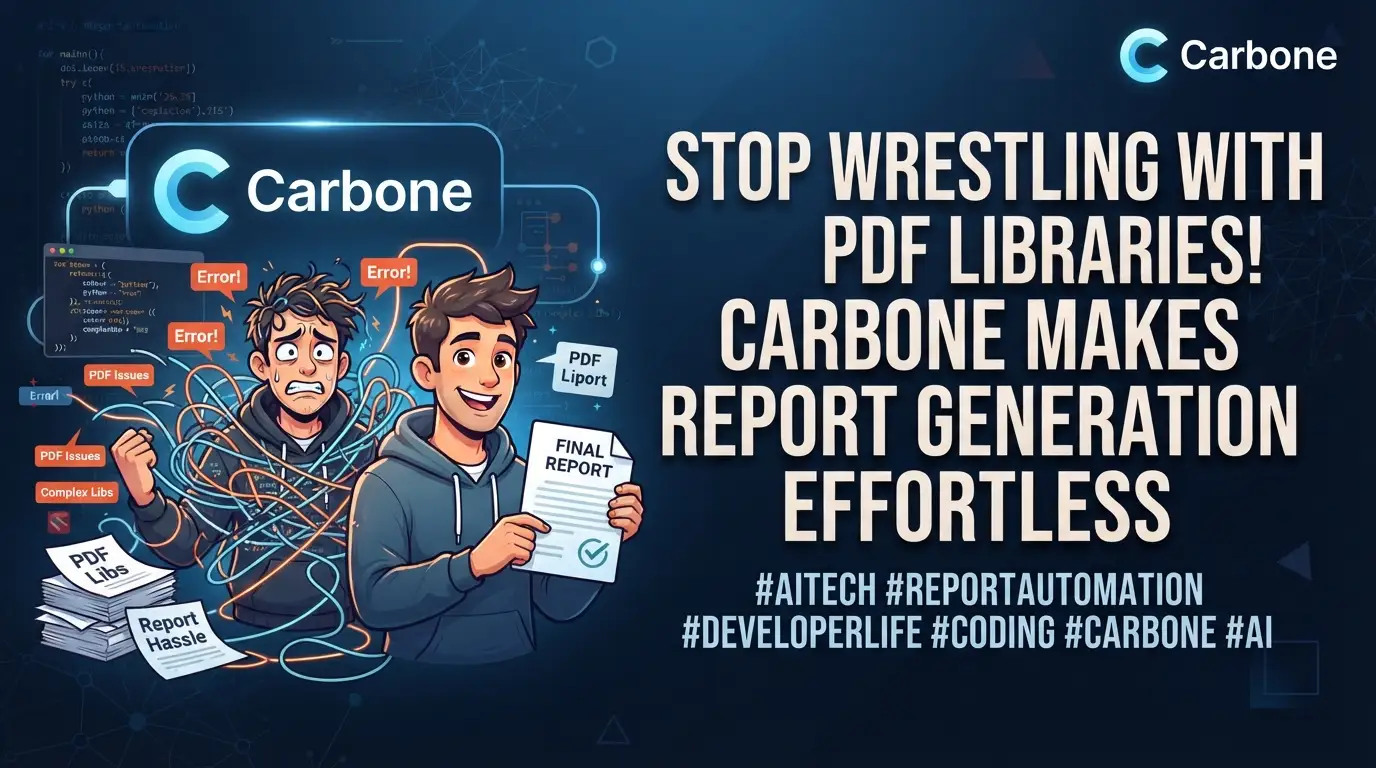
What if generating professional reports from your JSON data didn't require a PhD in document formats? What if you could stop battling with Puppeteer's memory leaks, give up on wkhtmltopdf's rendering inconsistencies, and finally escape the labyrinth of low-level PDF libraries that consume your weekends?
Here's the brutal truth: most developers spend 40+ hours implementing report generation that should take 40 minutes. They wrestle with HTML-to-PDF converters that break on complex layouts. They debug font rendering issues at 2 AM. They write hundreds of lines of code just to place a table in the right position.
But what if I told you there's a secret weapon that top backend engineers are quietly adopting? A tool that transforms report generation from a nightmare into a five-line JavaScript↗ Bright Coding Blog function? Meet Carbone—the open-source report generator that's making developers abandon their bloated PDF pipelines faster than you can say npm install.
This isn't hype. This is the Carbone report generator, and it's about to change how you think about document automation forever.
What is Carbone?
Carbone is a fast, simple, and powerful report generator that converts JSON data into professionally formatted documents. Created by Carbone.io, this Node.js library leverages a unique template engine that works with any XML-based document format—including DOCX, XLSX, ODT, ODS, PPTX, and HTML.
The genius of Carbone lies in its radical simplicity. Instead of learning complex APIs or writing imperative code to construct documents pixel by pixel, you create templates using familiar tools like Microsoft Word, LibreOffice, or Google Docs. You insert special markers like {d.firstname} directly into your document. Then Carbone injects your JSON data and produces the final file.
Carbone is trending now for three critical reasons:
- Performance: It manages multiple LibreOffice workers for parallel document conversion, achieving approximately 10ms per report without conversion and 50ms with PDF conversion after warm-up.
- Format flexibility: Unlike tools locked into single output formats, Carbone handles PDF, DOCX, XLSX, ODT, PPTX, ODS, XML, and CSV from the same template system.
- Enterprise readiness: With both a free Community Edition and a Docker↗ Bright Coding Blog-based Enterprise Edition, it scales from side projects to production SaaS platforms.
The open-source Community Edition is currently one major version behind the Enterprise Edition (v3 vs v5+), but it remains fully functional for most use cases. For teams needing the latest features, the Docker-based Enterprise Edition requires no license for basic usage.
Key Features That Make Carbone Irresistible
🍏 Extremely Simple Template Creation
Carbone eliminates the template learning curve entirely. Your designers and non-technical team members can create templates using LibreOffice, Microsoft Word, Google Docs, TinyMCE, or CKEditor. No proprietary template designers. No XML manipulation. Just familiar document editors with intuitive markers.
🎨 Unlimited Design Freedom
The limit isn't Carbone—it's your document editor. Implement complex pagination, headers, footers, nested tables, conditional formatting, and multi-column layouts using the full power of modern word processors. Carbone preserves every formatting detail during data injection.
📝 Integrated Document Conversion
Carbone includes a robust document converter powered by LibreOffice integration. Convert between formats seamlessly: generate a DOCX template but output PDF, or create XLSX and export to ODS. The converter runs in headless server mode with automatic worker management and crash recovery.
📐 Unique JSON-Like Marker System
The template engine uses intuitive Mustache-style syntax: {d.companyName} for simple values, {d.products[i].name} for arrays and nested objects. This JSON-like marker system is instantly understandable to any developer who works with APIs.
⭐️ Universal XML Template Support
Carbone's XML-agnostic algorithm understands document structure without hardcoding format specifications. This means it works with docx, odt, ods, xlsx, html, pptx, odp, and even custom XML files—a forward-proof architecture that adapts to new formats automatically.
🌈 Built-in Multilingual Support
One template, unlimited languages. Carbone's translation system automatically updates language files, enabling effortless internationalization for global applications.
💎 Powerful Data Formatting
Use built-in date and number formatters or create custom JavaScript formatters for specialized business logic. Format currencies, localize dates, and apply conditional formatting without touching the template structure.
🏎 Blazing Performance Architecture
Carbone's multi-threaded LibreOffice worker system maximizes throughput. The optimized code generation creates dedicated rendering pipelines per report, ensuring consistent performance under load.
Real-World Use Cases Where Carbone Dominates
1. SaaS Invoice and Quote Generation
Every B2B SaaS needs professional invoices. Instead of building fragile HTML templates that break in different PDF renderers, create a beautiful DOCX template with your branding, inject customer and line-item data from your API, and output PDFs that match your design exactly. Carbone handles page breaks, totals calculations, and multi-page tables flawlessly.
2. Automated Financial Reporting
Financial institutions generate thousands of regulatory reports daily. Carbone's XLSX template support enables complex spreadsheet reports with formulas, pivot tables, and charts. Inject portfolio data, risk metrics, and compliance information directly into pre-formatted Excel templates.
3. Healthcare and Medical Documentation
HIPAA-compliant document generation requires precise formatting for prescriptions, lab reports, and patient summaries. Carbone's server-side-only operation ensures sensitive data never touches client browsers, while ODT templates maintain compatibility with healthcare systems.
4. E-commerce Order and Shipping Documents
Generate packing slips, shipping labels, and customs declarations from order JSON data. Carbone's nested repetition handles variable line items, while conditional markers show/hide sections based on shipping destination or product type.
5. Legal Contract Automation
Law firms and legal tech platforms use Carbone to populate contract templates with client-specific variables. The multilingual support enables international agreements, while DOCX output allows final negotiation edits before PDF conversion.
Step-by-Step Installation & Setup Guide
Prerequisites
Before installing Carbone, ensure you have:
- Node.js 14.x or higher
- macOS, Linux (server or desktop), or Windows
- LibreOffice (optional, required only for PDF and format conversion)
Step 1: Install Carbone via NPM
npm install carbone
This installs the Community Edition with all core features.
Step 2: Install LibreOffice (For PDF Conversion)
macOS: Download and install the stable version from libreoffice.org.
Ubuntu Server & Desktop:
⚠️ Critical warning: The PPA libreoffice/ppa version lacks Python↗ Bright Coding Blog support required by Carbone. Use official packages instead:
# Remove all old LibreOffice versions completely
sudo apt remove --purge libreoffice*
sudo apt autoremove --purge

# Install required dependencies for LibreOffice 7.0+
sudo apt install libxinerama1 libfontconfig1 libdbus-glib-1-2 libcairo2 libcups2 libglu1-mesa libsm6

# Download official LibreOffice package (64-bit example)
# Get latest from http://download.documentfoundation.org/libreoffice/stable
# Or use this carbone-tested version:
wget https://downloadarchive.documentfoundation.org/libreoffice/old/7.5.1.1/deb/x86_64/LibreOffice_7.5.1.1_Linux_x86-64_deb.tar.gz

# Extract and install
tar -zxvf LibreOffice_7.5.1.1_Linux_x86-64_deb.tar.gz
cd LibreOffice_7.5.1.1_Linux_x86-64_deb/DEBS
sudo dpkg -i *.deb

# Optional: Install Microsoft fonts for better compatibility
sudo apt install ttf-mscorefonts-installer

# Optional: Install fonts for special characters (Chinese, etc.)
sudo apt install fonts-wqy-zenhei
Step 3: Verify Your Setup
Create a test file to confirm everything works:
const fs = require('fs');
const carbone = require('carbone');

const data = {
  firstname: 'Test',
  lastname: 'User'
};

carbone.render('./node_modules/carbone/examples/simple.odt', data, function(err, result) {
  if (err) {
    console.error('Setup failed:', err);
    return;
  }
  fs.writeFileSync('test.odt', result);
  console.log('Success! Carbone is ready.');
});
Docker Quick Start (Enterprise Features)
For the latest v5+ features without installation complexity:
docker pull carbone/carbone-ee:latest
No license required for basic REST API usage—community features work immediately.
REAL Code Examples from Carbone
Example 1: Basic Report Generation
This is the foundation of Carbone—a simple yet powerful pattern you'll use constantly:
const fs = require('fs');
const carbone = require('carbone');

// Your JSON data source—could come from any API or database
var data = {
  firstname : 'John',
  lastname  : 'Doe'
};

// Generate report using built-in sample template
// The template contains: "Hello {d.firstname} {d.lastname} !"
// You can create unlimited custom templates using LibreOffice/Word
carbone.render('./node_modules/carbone/examples/simple.odt', data, function(err, result){
  if (err) {
    return console.log(err);  // Handle template or rendering errors
  }
  // Write the generated ODT file to disk
  fs.writeFileSync('result.odt', result);
});
What's happening here? Carbone reads the .odt template, locates all {d.*} markers, replaces them with matching JSON properties, and outputs the completed document. The d. prefix stands for "data"—a namespace that keeps your markers organized and prevents conflicts.
Example 2: PDF Generation with Document Conversion
PDF output requires LibreOffice but adds minimal code complexity:
var data = {
  firstname : 'John',
  lastname  : 'Doe'
};

// Conversion options specify the output format
var options = {
  convertTo : 'pdf'  // Also supports: 'docx', 'txt', 'xlsx', 'ods', etc.
};

// Pass options as third parameter before the callback
carbone.render('./node_modules/carbone/examples/simple.odt', data, options, function(err, result){
  if (err) return console.log(err);

  fs.writeFileSync('result.pdf', result);

  // IMPORTANT: Kill LibreOffice workers to free memory
  // In production, manage this through your process lifecycle
  process.exit();
});
Pro tip: The first PDF conversion is slower (~1-2 seconds) because LibreOffice must cold-start. Subsequent conversions reuse the running worker and drop to ~50ms per report. In production, keep workers alive between requests rather than calling process.exit().
Example 3: Nested Data Structures and Array Iteration
This is where Carbone shines—complex, real-world data with nested relationships:
var data = [
  {
    movieName : 'Matrix',
    actors    : [{
      firstname : 'Keanu',
      lastname  : 'Reeves'
    },{
      firstname : 'Laurence',
      lastname  : 'Fishburne'
    },{
      firstname : 'Carrie-Anne',
      lastname  : 'Moss'
    }]
  },
  {
    movieName : 'Back To The Future',
    actors    : [{
      firstname : 'Michael',
      lastname  : 'J. Fox'
    },{
      firstname : 'Christopher',
      lastname  : 'Lloyd'
    }]
  }
];

// Generate DOCX with nested tables for movies and their actors
carbone.render('./node_modules/carbone/examples/movies.docx', data, function(err, result){
  if (err) return console.log(err);
  fs.writeFileSync('movies_result.docx', result);
});

// Generate ODS spreadsheet with flat table structure
carbone.render('./node_modules/carbone/examples/flat_table.ods', data, function(err, result){
  if (err) return console.log(err);
  fs.writeFileSync('flat_table_result.ods', result);
});
The magic: Carbone's template engine automatically detects array structures and repeats document sections accordingly. In the DOCX template, a table row marked with {d.actors[i].firstname} repeats for each actor. In the ODS template, the same data flattens into a spreadsheet-friendly format. One data source, multiple presentation formats—no code changes required.
Advanced Usage & Best Practices
Worker Pool Optimization
For high-throughput applications, configure LibreOffice worker count based on your CPU cores:
const carbone = require('carbone');

// Start with CPU count - 1 workers
// Monitor memory usage and adjust based on your templates' complexity
carbone.setOptions({
  startWorker: 4,   // Number of LibreOffice instances
  attempts: 3       // Retry failed conversions
});
Template Performance Patterns
- Pre-compile templates: Carbone caches parsed templates automatically, but warming the cache on startup eliminates first-request latency.
- Minimize template complexity: Heavy images and complex formatting slow rendering. Use linked images when possible.
- Batch operations: Queue multiple render jobs to maximize worker utilization.
Error Handling & Production Reliability
function generateReport(templatePath, data, format = 'pdf') {
  return new Promise((resolve, reject) => {
    const options = { convertTo: format };

    carbone.render(templatePath, data, options, (err, result) => {
      if (err) {
        // Log detailed error for debugging
        console.error(`Carbone render failed: ${err.message}`, {
          template: templatePath,
          dataKeys: Object.keys(data)
        });
        return reject(new Error('Report generation failed'));
      }
      resolve(result);
    });
  });
}
Security Considerations
- Never expose template paths directly to client input—validate against an allowlist.
- Sanitize data before injection to prevent marker injection attacks.
- Run Carbone server-side only—the library is explicitly not designed for browser environments.
Comparison with Alternatives
| Feature | Carbone | Puppeteer | wkhtmltopdf | PDFKit | jsPDF |
|---|---|---|---|---|---|
| Template Creation | Word/LibreOffice editors | HTML + CSS | HTML + CSS | Code-only | Code-only |
| Learning Curve | Minimal | Moderate | Moderate | Steep | Steep |
| Output Formats | PDF, DOCX, XLSX, ODT, PPTX, CSV | PDF only | PDF only | PDF only | PDF only |
| Performance | ~50ms PDF (warmed) | 200-500ms | 100-300ms | Fast | Fast |
| Complex Layouts | Excellent (native Word) | Good | Poor | Difficult | Difficult |
| Non-Dev Friendly | ✅ Yes | ❌ No | ❌ No | ❌ No | ❌ No |
| Spreadsheet Support | ✅ Native XLSX/ODS | ❌ No | ❌ No | ❌ No | ❌ No |
| Server Resource Usage | Moderate (LibreOffice) | High (Chromium) | Low | Low | Low |
| Open Source | ✅ CCL License | ✅ Apache 2.0 | ✅ LGPL | ✅ MIT | ✅ MIT |
When to choose Carbone:
- Your team includes non-developers who create templates
- You need multiple output formats from one template system
- Complex document layouts with headers, footers, and tables
- Spreadsheet generation is required
- You prioritize template maintainability over minimal dependencies
When to choose alternatives:
- You need zero dependencies and minimal disk footprint (choose PDFKit/jsPDF)
- Your documents are simple and HTML-based (choose Puppeteer)
- You're generating web-optimized PDFs with JavaScript interactivity (choose Puppeteer)
Frequently Asked Questions
Is Carbone completely free for commercial use?
The Community Edition is free under the CCL Agreement for most use cases. You cannot offer it as a hosted "Document-Generator-as-a-Service" competing with Carbone Cloud. The Enterprise Edition adds advanced features and requires licensing for commercial SaaS offerings.
Do I need LibreOffice installed?
Only for format conversion (PDF, XLSX→ODS, etc.). Without LibreOffice, you can still generate DOCX, XLSX, PPTX, ODT, ODS, ODP, and HTML as long as your template and output formats match.
Can Carbone run in serverless environments like AWS↗ Bright Coding Blog Lambda?
Not easily. LibreOffice's size (~300MB) and process requirements make Lambda deployment challenging. Consider the Docker Enterprise Edition or dedicated containers. For true serverless, evaluate Puppeteer with layer optimizations.
How does Carbone handle large datasets (10,000+ rows)?
Carbone performs best with moderate datasets (hundreds to low thousands of rows). For massive reports, consider: pre-aggregating data, paginating output, or using streaming CSV generation. The upcoming v5 PDF converter promises 200x speed improvements.
What's the difference between Community and Enterprise Editions?
| Community (v3) | Enterprise (v5+) | |
|---|---|---|
| Core features | ✅ | ✅ |
| Latest improvements | ❌ (1 version behind) | ✅ |
| Docker/REST API | ❌ | ✅ |
| Chrome/OnlyOffice converters | ❌ | ✅ |
| Professional support | Community only | ✅ |
Can I use Microsoft Word templates directly?
Yes! Save your Word documents as .docx format. Carbone's XML-agnostic engine processes DOCX files natively. No conversion to ODT required.
How do I format dates and numbers in templates?
Use Carbone's built-in formatters or define custom JavaScript formatters. Example: {d.invoiceDate|date:'YYYY-MM-DD'} or {d.amount|number:2,',','.'} for European number formatting.
Conclusion
After years of wrestling with HTML-to-PDF converters that break on complex layouts, after watching non-technical team members struggle with code-based template systems, after debugging one too many font rendering issues at midnight—Carbone feels like liberation.
The Carbone report generator isn't perfect. It requires LibreOffice for conversions. The Community Edition lags behind Enterprise. But for the 90% of document generation tasks that don't need bleeding-edge features, it delivers something precious: simplicity that actually works.
Your designers create templates in Word. Your backend developers inject JSON. Your operations team deploys Docker containers. Everyone stays in their lane, and reports flow effortlessly from data to delivery.
The metrics don't lie: 10ms for raw generation, 50ms for PDF conversion, with templates anyone can edit. That's not just fast—that's transformative.
Ready to stop wrestling with PDF libraries? Clone the repository, install the package, and generate your first report in under five minutes.
🔗 Get started now: github.com/carboneio/carbone
Your future self—the one not debugging CSS print stylesheets at 2 AM—will thank you.